

Description
by the creator of MSFS Community Downloader
Stop downloading addon manually
WindSailor let you browse your favorite addon websites and will handle your downloads to do all the boring and repetitive stuff.
Finding the Community folder, unzipping the package, cleaning the old addon, copying the new one, WindSailor does all this for you.
Main functionalities:
- Addon websites browsing
- Community folder autodetection
- Download and install packages automatically
- Set custom installation folder
- Set custom installation folder per package (Addons linker compatible) (v0.4.0+)
WindSailor is in early stage of development, new functionalities will come soon!
Found a bug?
Have an idea of a cool functionality?
Wanna say "hi"?
Please come to the dev's Discord server.
If you have an issue / question / other for me, please don't use the comment section as I don't check it often. Come to the discord server as I monitor it daily.
Support the developement of this tool!
Become a Patreon!
WindSailor is not affiliated with Microsoft, Flight Simulator, Flightsim.to, SimMarket, FS Nordic, and other flightsim actors in any way.
The software is provided "as is", without warranty of any kind, express or implied, including but not limited to the warranties of fitness for a particular purpose and noninfringment. In no event shall the authors, copyright holder or the above quoted actors be liable for any claim, damage, or other liability, whether in an action of contract, tort or otherwise, arising from, out of or in connection with the software or the use or other dealings in the software.
Frequently Asked Questions
WindSailor
WindSailor is a helpful tool for MSFS addon enthusiasts, designed to simplify the process of browsing and downloading addons. It automates tasks such as finding the Community folder, unzipping packages, and installing addons, saving you time and effort. With features like addon website browsing and custom installation folders, WindSailor aims to enhance the addon management experience for users.


User Reviews
34 reviews
Version History
* fix Patreon authentication issue (new API v2 support)
Related
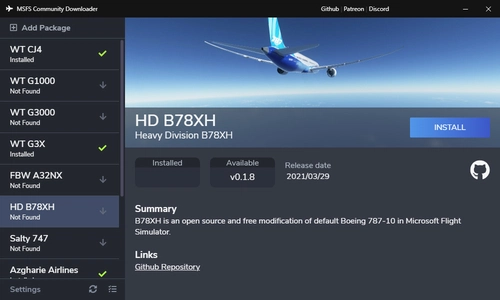
MSFS Community Downloader
Easily browse and download MSFS add-ons from third-party Github projects using the MSFS Community Downloader. Access a variety of supported add-ons including aircraft improvements, liveries, and custom packages, with the ability to manage installations and updates seamlessly. This tool also features community-driven online repository support, customization options, and direct feedback channels for users. Visit the Discord server for support or suggest new add-ons for inclusion in the repository.
by Nicolas Constant

Pilot2ATC Brussels National EBBR Taxiways and Gates
Enhance your taxiing experience at Brussels National EBBR airport with corrected taxiways and gates specifically designed for Pilot2ATC. Simply import the file via the "Taxi Mnt" button and enjoy improved navigation on the tarmac.
by Nicolas Constant

Pilot2ATC Odesa UKOO Taxiways and Gates
Enhance your Pilot2ATC experience with corrected taxiways and gates at Odesa UKOO airport. Easily install the update by importing via the "Taxi Mnt" button and "Save/Load" function.
by nicolasconstant
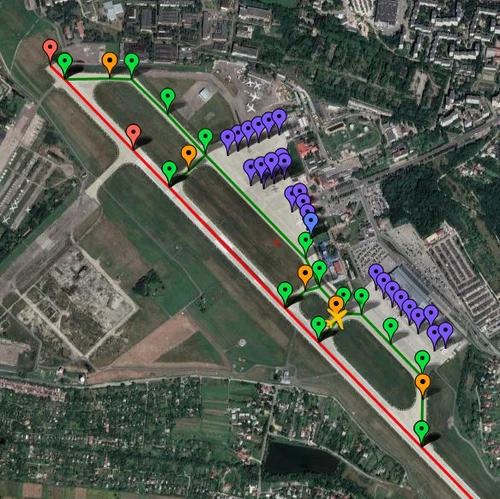
Pilot2ATC Lviv UKLL Taxiways and Gates
Enhance your Pilot2ATC experience with corrected taxiways and gates at Lviv UKLL airport. Simply import the file using the provided instructions for an improved simulation accuracy.
by nicolasconstant
Log in to join the discussion
Log InComments(229)
almost 5 years ago
Amazing Program! Makes Aircraft Installs a 1 click breeze!
about 2 hours ago
(many addons are recommending of deleting the folder of the old version, before extracting the new one. by that you are not just replacing old files, but also deleting unused files of new versions)
3 months ago
7 months ago
I have now found the reason why.
Flightsim.to have changed the folder structure of its downloads.
The original URLs for download locations began with https://flightsim.to/file/
This has now changed to https://flightsim.to/addon/
Therefore all previous entries in my custom installations list were now outdated.
I have now fixed this by doing the following:
1) Go to the Settings > Export option in Windsailor and export to any convenient location, e.g. Desktop. (After doing this I closed Windsailor before proceeding to the next step, but that might not be necessary)
2) Open the exported custom-package-folders.json file with Notepad.
3) Use the Edit > Replace option in Notepad to replace https://flightsim.to/file/ with https://flightsim.to/addon/ and select Replace all.
4) Save the modified custom-package-folders.json file.
5) Open Windsailor and use the Settings > Import option to import the modified custom-package-folders.json file.
7 months ago
7 months ago
7 months ago
8 months ago
about 1 year ago
over 1 year ago
over 1 year ago
A force remplir le répertoire Community, ca va nuire au chargement de FSFS 2024 ?
over 1 year ago
over 1 year ago
almost 2 years ago
almost 2 years ago
Not even a heuristic detection - it's a named one.
almost 2 years ago
I'll submit it to Microsoft team for analysis, and it will be whitelisted in the next days: just keep your windows up to date and you will not get that scary message after that.
almost 2 years ago
almost 2 years ago
almost 2 years ago
about 2 years ago
I use this daily and am supporting it on Patreon as it's a HUGE help for us maniacs who are managing/updating gigabytes of MSFS add-ons. Works reliably for me 99.9% of the time and saves me so much time with extraction, managing downloads, etc. It's especially useful for speedy updates if you use Addons Linker, as Windsailor remembers where you installed the original version and you don't even have to select the folder -- it deletes the old version and puts the new one in the same place.
Superb app!
over 2 years ago
EDIT: Whoops, I always forget to try without VPN...it worked. Strange that it doesn't work while my other browsers do when on VPN... but I guess it all adds up and for whatever reason WindSailor has a harder time getting through with me clicking as I would (maybe how the page is embedded, so it doesn't register my human mouse movements and the like so doesn't see me as human).