

Description
This mod makes the thumbnail for Captain Sim's B777-300ER look vanilla (Match the style of Microsoft's thumbnails)
To install:
Open the "B777-300ER Thumbnails" folder
Copy the "SimObjects" folder
Go to your Boeing 777-300ER folder location
Paste the "Simobjects" folder into the Boeing 777-300ER folder
Click "replace all"
Done!
Vanilla Thumbnail for CS Boeing 777-300ER
This mod makes the thumbnail for Captain Sim's B777-300ER look vanilla (Match the style of Microsoft's thumbnails) To install: Open the "B777-300ER Thumbnails" folder Copy the "SimObjects" folder Go to your Boeing 777-300ER folder location Paste the "Simobjects" folder into the Boeing 777-300ER folder Click "replace all" Done!
Version History
No version history available.
Related
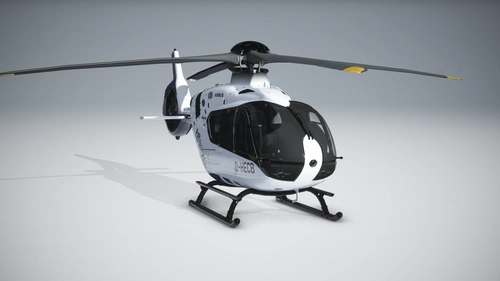
Vanilla Thumbnails for HPG Airbus H135
This mod makes the thumbnail for Hype Performance Group's H135 look vanilla (Match the style of Microsoft's thumbnails) To install: Open the "H135 Thumbnails" folder Copy the "SimObjects" folder Go to your H135 folder location Paste the "Simobjects" folder into the H135 folder Click "replace all" Done!
by Storm Tuber
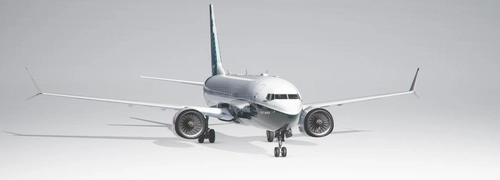
Vanilla Thumbnails for BREDOK3D Boeing 737 Max
This mod makes the thumbnail for Bredok3d's B737 Max look vanilla (Match the style of Microsoft's thumbnails) To install: Open the "B737 Max Thumbnails" folder Copy the "SimObjects" folder Go to your Boeing 737 Max folder location Paste the "Simobjects" folder into the Boeing 737 Max folder Click "replace all" Done!
by Storm Tuber
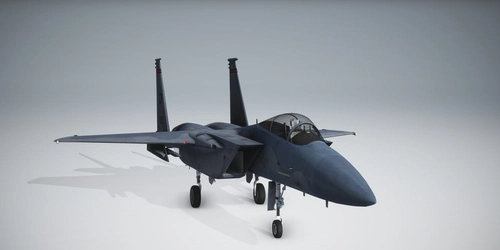
Vanilla Thumbnails for DC Designs F-15
Fix the default cropped thumbnails for the DC Designs F-15 with this add-on. Simply unzip and drag the folder to your community folder to replace the files.
by Storm Tuber
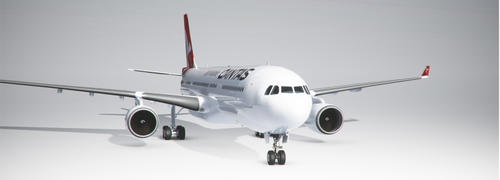
Vanilla Thumbnails for PMP Airbus A330
Enhance your A330 liveries with this add-on that provides vanilla thumbnails for the Project Mega Pack liveries. Simply install the folders into your community folder to enjoy a consistent and standardized visual experience.
by Storm Tuber
Log in to join the discussion
Log InComments(16)
over 2 years ago
about 5 years ago
Hello guys i was trying to download A330 A380 and a lot of planes but its not working for me i was watching some tutorials and this things but i dont know if somebody will be so nice and will help me with that on discord i will be very thankful my Discord is - #9906 just copy it.
about 5 years ago
After landing Speed cannot be controlled. I there any fix?
about 5 years ago
Might be something with autothrottle, autothrottle is tricky in MSFS2020
about 5 years ago
Where to start looking for solution?
about 5 years ago
Go to control settings and do a search for auto throttle or auto thrust
about 5 years ago
Disengage the Auto Thrust. You are referring to the 747 yes?
about 5 years ago
Wer von CS kauft ist selberschuld sorry.
about 5 years ago
true
over 5 years ago
Hey I am having issues with the auto pilot system. When I turn the auto pilot on it slowly adds and holds right rudder and it wont let it go unless I turn the autopilot off. is there any way to address this issue? Thanks in advance
over 5 years ago
Perhaps it's auto rudder, you can check your key binds for that and disable it. I would also check assistance settings and see if there's any rudder options enabled in there that would cause this issue
over 5 years ago
Thanks for you work, can you do this also for the 200?
over 5 years ago
I don’t have the -200LR varient sorry but if I did I would make one for it
over 5 years ago
Okay thanks!
over 4 years ago
1 Year later here it is lol https://flightsim.to/file/30885/vanilla-thumbnail-for-cs-boeing-777-200er