

Description
Visit Linz!
Linz Airport is a minor international airport located in Hörsching, near Linz, the third-largest city in Austria.
Linz is not only a base for passenger flights across Europe, but also a large hub for cargo operations.
Linz Airport also contains one of the largest Austrian air bases the Fliegerhorst Vogler.
This project was created in collaboration with Troglodytus.
Airport
ICAO: LOWL
Elevation: 980 ft / 295 m
Frequencies: Linz Radar 129.625 MHz
Linz Radar aux 125.685 MHz
Linz Tower 118.800 MHz
Linz ATIS 128.130 MHz
Runways: 08/26 3000 x 60 m Asphalt
08/26 15 x 15 m Grass (Helicopter Runway)
Features
* Handcrafted Terminal, Tower, Hangars and airport facilities using optimized high res PBR materials
* Handcrafted models of Military Hangars & Facilities
* Runway with exact texturing, markings and lines, approach lights,VASI, etc..
* Custom apron textures and ground markings
* Corrected comm. frequency
* Realistic & custom night lighting (incl. handcrafted taxi, apron & threshold lights)
* Correct ILS
* Updated all Waypoints using AIP Charts (Dec 31st 2020)
* Custom SIDs / Arrival & Approaches seem fine, please report!
* Helipads
* Static C130 Hercules Aircraft
* Detailed airport area and beyond (~2500 handplaced objects)
* World Update 18 compatible
* Primarily developed for MSFS 2020, but also works for MSFS 2024
How to install?
Delete old versions. Simply drag the unzipped "littlekrg-troglodytus-airport-lowl-linz" folder into your community folder! Also make sure to have “Mikea’s AssetPack”, and “Mikea’s Airport Markings” installed.
Location
LOWL Linz/Austria
Explore the beauty of Linz, Austria with this detailed addon for Microsoft Flight Simulator. LOWL Linz/Austria features a handcrafted airport with high-res PBR materials, military hangars, and realistic night lighting. Enjoy accurate runway textures, custom apron markings, and updated navigational data for a true-to-life flying experience. Just drag the folder into your community folder to install and start your aviation adventure in Linz!

Supporters

SwissVFR
€12
Scharti
€10
ClaudioBKK
€10
FritzAustria
€10
Airborne54
€10
hermann2441
€10
Hugonotte
€10
FritzAustria
€10
FliegerPeng
€10
BoernieG
€10
flykorni
€10
Flyheli
€8
Brutos
€5
Hybbi
€5
crotchetycoder
€5
BoernieG
€5
SKY2802
€5
Franzl4974
€5

KaityUK
€5
mardiet
€5
AMADI
€5
FlightBurky
€5
HRWyss
€5
Jokki63
€5
Jokki63
€5
Jokki63
€5

McHenry
€3
Luke15
€1
User Reviews
73 reviews
Version History
Changelog V 3.2.2: - update magvar according to AIP NOV 2025 - fix ILS08 - fix NDBDME26 course - fix VOR LNZ (region localization)
Featured in Collections(2)



Related
LOGM Mariazell/Austria
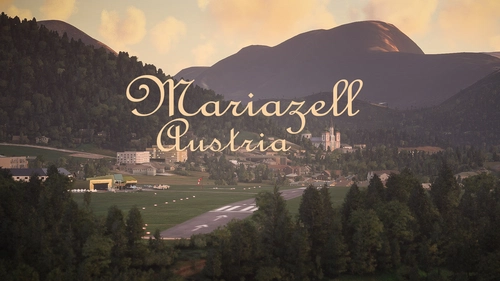
Fly into tranquility and tradition at Mariazell [LOGM], a private airfield near the historic town of Mariazell, Austria. This add-on offers a challenging base for local sightseeing and flights to neighboring cities, featuring handcrafted models and realistic airport details. Created in collaboration with Troglodytus, immerse yourself in the beauty of Mariazell with this Microsoft Flight Simulator enhancement.
by Littlekrg, Troglodytus
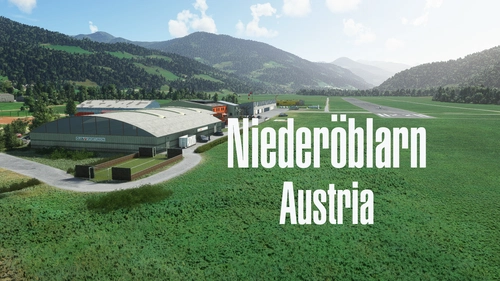
LOGO Niederöblarn/Austria
Explore the private use airport of Niederöblarn in Styria, Austria, perfect for flights to Salzburg, Graz, and the Alps. This detailed add-on features handcrafted buildings, custom runways, aprons, and accurate ground markings, along with basic night lighting and correct parking spots. Immerse yourself in this realistic airport scenery created in collaboration with Troglodytus.
by Littlekrg, Troglodytus
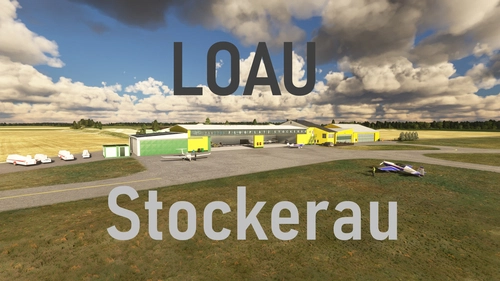
LOAU Stockerau / Austria
Experience the charming regional Austrian airport of LOAU Stockerau in Microsoft Flight Simulator. This add-on features detailed scenery and lifelike objects from the libraries of Dave and Mikea.at, creating a vibrant aviation environment. Dont forget to install the required object libraries for the full experience.
by Littlekrg, Troglodytus
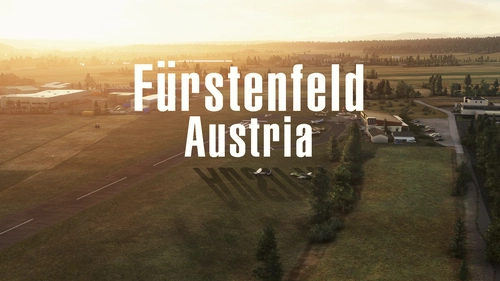
LOGF Fürstenfeld/Austria
Discover the charm of <strong>Fürstenfeld Airport</strong> in Austria with this add-on. Enjoy handcrafted airport facilities, realistic night lighting, and accurate elevation data. Immerse yourself in the scenic surroundings of Styrian Vineyards and neighboring industries. Simply drag and install to enhance your Microsoft Flight Simulator experience.
by Littlekrg, Troglodytus
Log in to join the discussion
Log InComments(219)
4 months ago
4 months ago
5 months ago
7 months ago
7 months ago
Update 3.22 no more available?
i missed it..
7 months ago
7 months ago
very nice scenery.
8 months ago
Unfortunately in MSFS 2024 the RNP and VOR approaches seem somewhat scrambled. When I fly RNP 08/26 I cannot ARM the approach and some nav points with the VOR approaches are missing (ECKIQ for instance).
So when I say - I cannot arm the approach - I mean I cannot set the G1000 to capture the glide slope. I check without your scenery and the ugly default LOWL is working fine.
So I wonder - as a workaround - would it be possible to load the nav data from the built in LOWL instead of the custom one from yours? It also seems the localizer (08/26 VOR) has a 10 degrees offset...
Again - a big fan of your work. Just wonder if this issue can be worked around (I use your scenery for my IR procedure training... maybe I am the only one who really needs that - that's why I am asking for a workaround ;D ) Keep up the good work!
8 months ago
Unfortunately, there is in the moment no time for fixing . I hope we can resolve the problem at march.
7 months ago
7 months ago
I have only tested RNP 08 so far - but no luck :/
9 months ago
LOWL does not have 08 ILS runway but it only is RNAV.
Only the 26 has the ILS.
Can you fix please ?
Thank you
9 months ago
8 months ago
7 months ago
we added a region localization for ILS08. Not sure if that has fixed the issue, but please feel free to test it!
4 months ago
about 1 year ago
over 1 year ago
Is it possible that the LNZ VOR is misaligned? The VOR approach into RWY 26 calls for a course of 263, which seems to result in a ~10° offset. ILS looks good.
I can't rule out a mod conflict, but I tried with and without Navigraph to no avail.
almost 2 years ago