
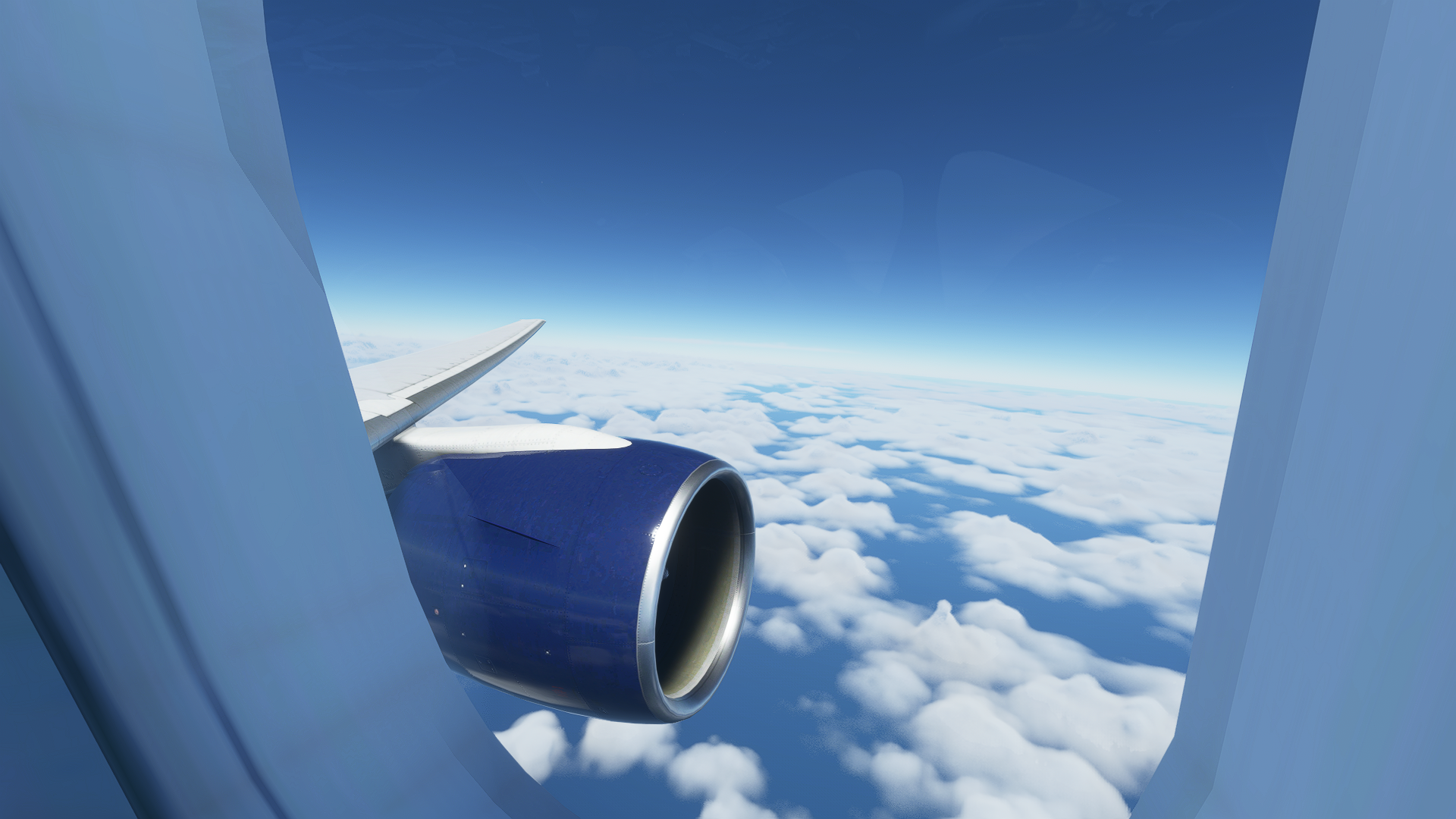
Description
This adds 9 Custom Views to the CaptainSim 777, which can be found here: https://www.captainsim.com/store/
I hope you enjoy these views!
The custom cameras:
Custom camera 1 - Engine 1 View
Custom camera 2 - Left Wing View
Custom camera 3 - Right Wing View
Custom camera 4 - Engine 2 View
Custom camera 5 - Another Engine 2 View
Custom camera 6 - Left Jumpseat
Custom camera 7 - Right Jumpseat
Custom camera 8 - FMC
Custom Camera 9 - First Officer View
Installation: Drop and replace the file in the following folder:
Microsoft Store installation:
C:\Users\(UserName)\AppData\Local\Packages\Microsoft.FlightSimulator_8wekyb3d8bbwe\LocalCache\SimObjects\Airplanes\CS_B777-200ER_GE90B
Steam installations:
C:\Users\(Username)\AppData\Roaming\Microsoft Flight Simulator\SimObjects\Airplanes\CS_B777-200ER_GE90B
Captain Sim 777-200 Custom Views
Enhance your CaptainSim 777 experience with 9 custom views: Engine, Wing, Jumpseat, FMC, and more. Easily install these views for a new perspective while flying.


User Reviews
3 reviews
Version History
No version history available.
Related
MSFS 2024 Walkaround UI Removal Mod
This mod for MSFS 2024 removes the User Interface elements associated with the Toggle EFB and the Shift + C commands for entering and exiting aircraft. It specifically targets the UI changes introduced in Sim Update 4 by Asobo. The installation is straightforward, requiring a drag and drop into the community folder, but it may overwrite base UI files and could lead to potential UI issues. If any problems arise, users have the option to remove the mod to restore original functionality.
by TJCaviation
Captain Sim 777-300ER Custom Views
Enhance your CaptainSim 777 experience with 9 custom views including Engine, Wing, and Cockpit perspectives. Simply drop and replace the file in the designated folder for a seamless installation process. Fly with a new level of immersion and control in Microsoft Flight Simulator.
by TJCaviation
Fenix A320 Custom Views
Enhance your Fenix A320 experience with 8 custom views included in this add-on. Easily install by replacing the file in the designated folder for Microsoft Store or Steam installations.
by TJCaviation
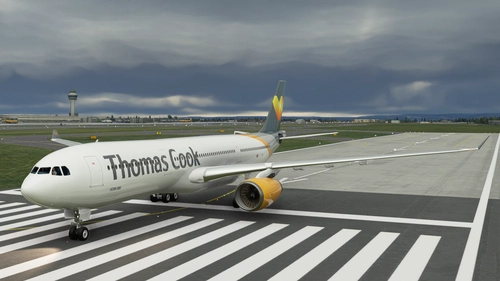
PMP A330-300 Thomas Cook
Fly the skies in style with the PMP A330-300 Thomas Cook Airlines livery, based on the work of Blueberry Lollipop. This add-on brings a high-quality representation of the A330-300 to your Microsoft Flight Simulator, offering a realistic and immersive experience. Installation is a breeze - just unzip the file into your Community folder and take off in this beautifully crafted aircraft.
by TJCaviation, Blueberry Lollipop
Log in to join the discussion
Log InComments(69)
over 5 years ago
over 4 years ago
These views were working fine until the New salty and masterrob94 mods came out. Could you take a look at this? The views are too low and not lined up with the windows any more.
over 4 years ago
does this work for the 300er ..........
over 5 years ago
Thank you for your effort, I love the aircraft, I own the CRJ etc, but this is a welcome aircraft for my fleet!
over 5 years ago
R.I.P CaptainSim's good reputation
over 5 years ago
Agreed