

Description
Black Box Simulations BN2 Islander Cleaner Interior V1.3
Black Box has done a terrific job with making the Islander look like the rugged utility plane that it is. Especially the cockpits look very worn. Personally I prefer my planes to look a little better cared for, so I decided to polish up a little of that wear and tear Black Box introduced. Still the cockpits will look worn. I kept some of the scratching and rough surfaces and tried to make it look like the cockpit was simply touched up with new paint. I did the same to the throttle quadrant, switches and dials. All four colors looks slightly different.
Hope you like it.
Installation:
Delete previous version then drop into your Community folder
Like with the original, this package includes a separate panel file for each livery. So you can easily assign your preferred color, in case you don't like it.
Have fun
Best wishes
Archer374
Comments(22)
Log in to join the discussion
Log Inover 3 years ago
I still after reading this (above) can not figure out how to make one of liveries - St Barts, into a black panel instead or the default light color. Which files(s) do i replace to accomplish that?
over 3 years ago
This mod is for the old Version of the Islander and most likely won't correctly with V2.0. I no longer support it. Sorry.
about 4 years ago
Many thanks !!
The signs of aging were unbearable to behold.
For this reason I did not want to buy the model.
A repaint trainee at work :/
about 5 years ago
Hi Archer, how do we make this work to choose a panel & interior for other liveries not included in the purchased package? Thanks
about 5 years ago
The main panel is called "BBS-BN2-PANEL_ALB.PNG.DDS" it always needs a corresponding file called "BBS-BN2-PANEL_ALB.PNG.DDS.json". This one is interchangable though.
There are four different files with that name with different colours. Each of the stock livery has its own panel file. So the British Airways livery (TEXTURE.BAL folder) has the blue one. Specte livery (TEXTURE.007 folder) has the black one etc.
Liveries from other developers which also come with their own panel already have both those files as well. Here it is easy to do. You just copy the panel file you want into the TEXTURE.xxx folder or the new livery and replace the original panel file. (xxx is a placeholder for whatever the developer has called it)
With liveries that do NOT have their own panel file it is much more difficult because it is not enough to simply copy both files (BBS-BN2-PANEL_ALB.PNG.DDS and BBS-BN2-PANEL_ALB.PNG.DDS.json) into the TEXTURE.xxx folder. You also have to add them (as text) to the layout.json file in the main livery folder.
If you don't know how to do that, there's another way. All liveries without their own instrument panel will use the standard panel of the white livery. That would be the beige one.
If you don't like that you can copy your favourite panel file into the folder "(...) \blackboxsimulation-bn2-islander-cleaner_cockpits\SimObjects\Airplanes\blackbox-aircraft-BN-Islander\TEXTURE" of my mod.
This is the main TEXTURE folder and all liveries that don't have their own panel file, as well as the white stock livery, will then use the file you copy there and thus they will all have that same color.
Hope that helps.
about 5 years ago
Hi Archer, many thanks for the detailed instructions...I'll give it a go!! Cheers!
about 5 years ago
Glad if I could help. :-)
about 5 years ago
about 5 years ago
Contrary to reality, making something look new is far easier with textures than making it look old and worn. :-) To be honest I thought the cockpit panel already looked pretty bad in the original version. Making the seats, panels and carpets look realistically worn and old won't be possible, I'm afraid. The devs from Black Box opted to save space and GPU/CPU power with this model by making the textures simpler. (the Islander is about only 380MB with 20 liveries. The Arrow is almost 1GB with 7 or 8 liveries.
So in order to accomplish that, there are fewer textures and those are used and re-used in many different places (while in the Arrow practically every single surface has its own piece of texture).
With the Islander that would mean that you will have the same scratches and dirty parts repeat themselves many times all over the interior and that would simply look awful.
about 5 years ago
about 5 years ago
(outdated) BlackBox Britten-Norman BN-2 Islander - Cleaned up Cockpits
Enhance the visual appeal of your BlackBox Britten-Norman BN-2 Islander with the Cleaned up Cockpits addon. This mod refines the worn interiors of the aircraft, giving them a more polished appearance while still maintaining a hint of ruggedness. Choose from four slightly different color variations to suit your preference. Simply drop the files into your Community folder and enjoy the updated look of your aircraft.
User Reviews
1 reviews
More Information
Version History
corrected a typo in all the panel files
Related
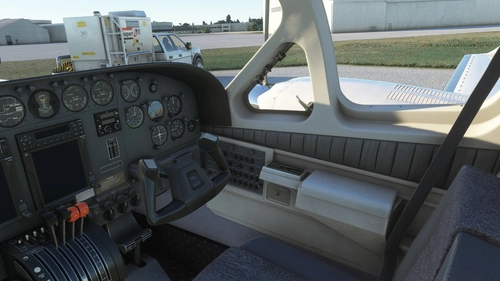
Flysimware Cessna C414 Chancellor - Grey Interior + Different Panels
Upgrade your Cessna C414 Chancellor with a sleek grey interior featuring darker seats. Customize your experience with three different panel options. Simply drag and drop the mods into your Community folder for easy installation. Experience a modern twist on your cockpit with Flysimwares latest mod.
by Archer374
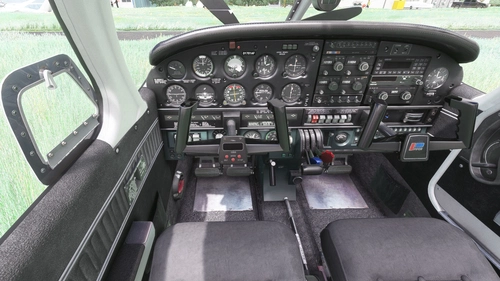
JustFlight Piper PA28R Arrow III - Clean Grey Interior
Enhance your Piper PA28R Arrow III experience with this mod offering a clean grey interior option. Customize your tablet color and instrument panel with ease to suit your preferences. Simple installation process by dropping the mod folder into your Community folder. Enjoy a fresh look for your virtual cockpit with this modification from Archer374.
by Archer374 - Idea for the panel: icemany
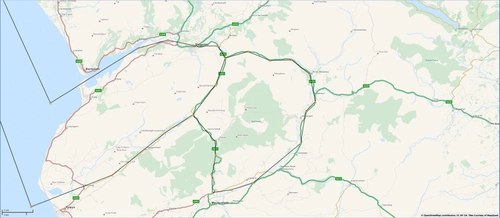
Mach Loop - Low Flying Area 7 (RAF/USAF), Wales, Snowdonia, UK (Flight Plans)
Experience the thrill of flying through the infamous Mach Loop in Wales with these meticulously crafted flight plans. Witness RAF Typhoons, Tornados, C130s, USAF F15s, and Ospreys as they soar through the valleys of Snowdonia below you. Choose between two routes, starting from RAF Valley, for an unforgettable low flying adventure.
by Dave Symanow
WBSim / Asobo Cessna C152 - Dark Cockpit Panel
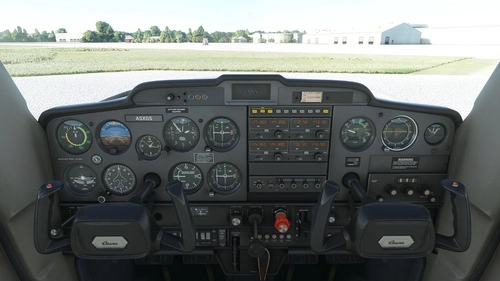
Enhance your Cessna 152 experience with a dark cockpit panel modification created by Archer374. This add-on changes the cockpit panel to a sleek dark grey, along with minor tweaks to the seats for a more authentic feel. Compatible with both stock Asobo C152 and JP Logistics C152 mod. Simply drag and drop into your Community folder to install.
by Archer374
almost 2 years ago