
Description
DOUGLAS-CHARLES & CANEFIELD AIRPORTS UPDATED SCENERY PROJECT
[WORK IN PROGRESS]
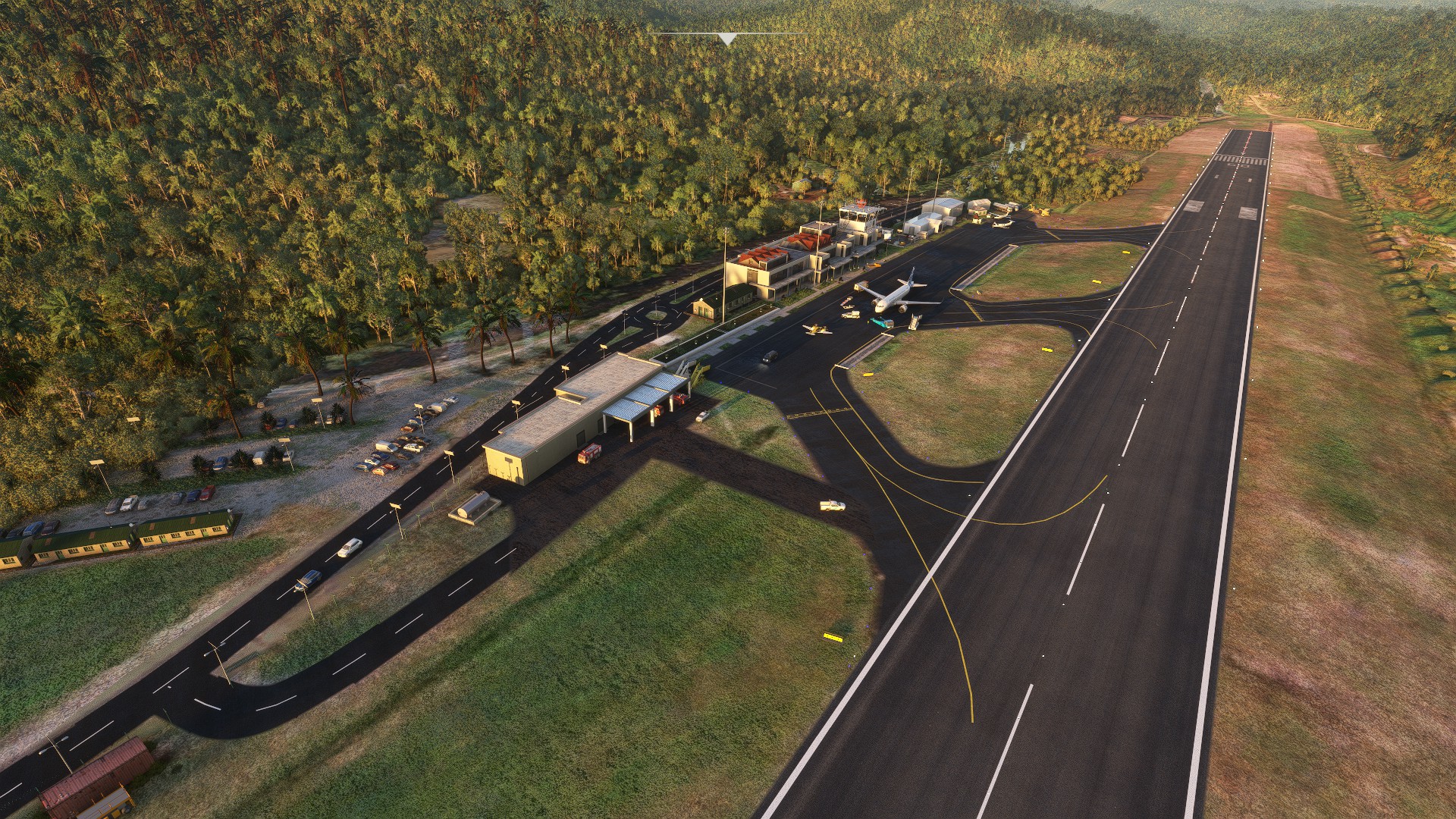
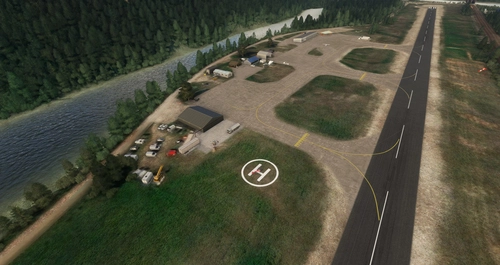
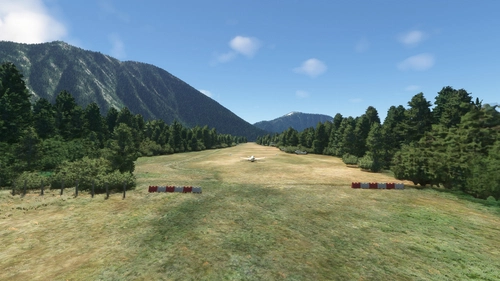
DESCRIPTION:This is a custom scenery update to the airports on the island of Dominica. It is located South of Guadeloupe, North-West of Martinique. Formerly known as Melville Hall International (TDPD), Douglas-Charles located on the East side of the island, is also well known as the airport with a challenging landing going into runway 09 due to the high mountainous terrain approach. At night, Runway 27 is Highly recommended and NOT Runway 09 which is why it's also known as one of the most interesting yet scenic and challlenging airports to land on. Canefield Airport (TDCF) is no exception to this as the small airport is on the West side of the island and due to the placement of the runway, pilots will almost always experience cross wind landings beacause of the near hilly terrain. Only skilled pilots are allowed to land on Runway 19. Runway 01 is either prohibited or rarely used for landing. For me, these two were fun airports to re-create in the sim :)
INSTALLATION:
Open and extract ''lexpro-dominica-updated-scenery-project-v1.0.zip'' (or the version name you choose to download) to your prefered location on your PC, then unZip and open the folder and copy both "Canefield Airport_Updated_Scenery_Project" and "Douglas-Charles Airport_Updated_Scenery_Project" folders into where your Community folder is located, then start the sim and go to TDPD Melville Hall International (still has the old name) or Canefield International. That's it!
Each time I upload an updated version here, just replace the same "Douglas-Charles Airport_Updated_Scenery_Project" folder or "Canefield Airport_Updated_Scenery_Project" folder in your Community folder to update the scenery. Make back ups to the old folders if necessary.
(Please note, when choosing a parking space for departure, don't choose any single digit parking spaces numbered by themselves. Those are for the service vehicles to drive to if you have them enabled in your settings. You will be spawned in locations not meant for Airplanes. This is also a work in progress as I want to find a way to stop these vehicles from annoyingly park in your parking space!)
DETAILED UPDATED FEATURES TO DEFAULT SCENERY (V1.0) - TDPD:- - Started from scratch and deleted everything except the default terminal building.
- - Stratigically placed very specific scenery objects from the sim library around the default building to try match the design structure IRL. [work in progress]
- - Made some corrections to the surrounding terrain of the Airport
- - Added runway/lights, PAPI lights (by Runway 27 only like IRL), aprons, taxi lights, taxi ways, ''wear n' tear'' textures and ground markings.
- - Corrected location of Windsocks
- - Added a light above the Windsocks
- - Added the control tower with a beacon light [Had to use another default tower that had a built-in beacon attached and inserted it inside this one as the one I added from the sim was not showing for some reason?]
- - Added Airport lights around the airport to give it some life at night.
- - Added extra lighting under the Airport terminal roofing that was added. [work in progress]
- - Added static aircraft\service vehicles with some animated Marshalls\Workers surrounding them.
- - Randomly placed Marshalls/Workers and other animated people around the Airport in general.
- - Added barbwire fencing around entire Airport
- - Added the concrete wall border at the end of Runway 27 thats supposed to prevent the sea waves from coming over and flooding the road and the airport IRL
- - Added many more trees/plants/grass, auto-gen trees in general areas close to and surrounding the Airport. [Tried to replicate Dominica's large palm/coconut trees :)
- - Added solar panel street lights to light up the roads close by and along the Southern, Eastern and Northern side of the runway as well as a few in front the terminal.
- - Added the corrrect approach lights behind runway 27 for night landings
- Added an animated flag where actual Dominican flag is supposed to be [May not be too accurate]
- - Added the parking lot with vehicles to the West of the terminal building as well as other scattered scenery objects around the airport in general.
- - Started from scratch and deleted everything except the default terminal building.
- - Stratigically placed very specific scenery objects from the sim library around the default building to try and match the design structure IRL
- - Made some slight corrections to the surrounding terrain of the Airport
- - Added runway/lights, aprons, taxi lights, taxi ways, textures and ground markings
- - Corrected location of Windsock and added a light above it
- - Added the control tower with a beacon light on top of terminal building like it is IRL
- - Added extra lighting under the Airport terminal roofing that was added [work in progress]
- - Added grass patches in front the terminal building
- - Randomly placed a few Marshalls and other animated people around the Airport in general.
- - Added barbwire fencing half way around the Airport [work in progress]
- - Added some scenery objects/details/markings to the runway (work in progress)
Thats all for now. More to come in every version update. Do enjoy this on going project which takes a great deal of time and effort. Feel free to leave any comments after you've flown around. Have fun flying and see you in the Sim world :)
Location
Douglas-Charles (TDPD) & Canefield (TDCF) Airports Updated Scenery Project V1.5
Formerly known as Melville Hall International (TDPD), Douglas-Charles located on the East side of the island, is also well known as the airport with a challenging landing going into runway 09 due to the high mountainous terrain approach. At night, Runway 27 is Highly recommended and NOT Runway 09 which is why it's also known as one of the most interesting yet scenic and challlenging airports to land on. Canefield Airport (TDCF) is no exception to this as the small airport is on the West side of the island and due to the placement of the runway, pilots will almost always experience cross wind landings beacause of the near hilly terrain. Only skilled pilots are allowed to land on Runway 19. Runway 01 is either prohibited or rarely used for landing. For me, these two were fun airports to re-create in the sim :)

User Reviews
10 reviews
Version History
[Since Sim update 5, my Sim was literally broken and couldn't create any more scenery mods. Some scenery objects that were used also got changed without warning after the updates. Thankfully many Sim updates later, i'm now able to create again. Thanks for your patience :) ] TDPD: - Replaced all taxiway lights. They now work again. - Changed and updated textures for main apron and gave it a "resurfaced" look but still a "used" feel like IRL. - Added a more dirty texture to runway. - Removed taxiway markings on main apron as IRL there are none present since they resurfaced it. [Will update it when I get new info] - Added two drains for the drainage system, one between Taxiway C and B and the other between Taxiway B and A. - IRL the main terminal building and some others were renovated, so I tried updating the look of them a bit and changed a few things around to look close to the real thing. - Replaced a static cessna 208 caravan near the cargo section with a default livery so everyone can see it. Also removed a TBM 930 that was simulating an aircraft wreck IRL that was near taxiway C. It is now removed. - Updated one parking spot to accommodate the parking of one large jet so it can use the jet services [Eg: see stairway, luggage carts, catering truck etc. when you park with the A320] - Updated the look of the airport parking lot. -Added a few more building lights. TDCF: - Removed all taxiway lights and runway lights [IRL there are none, so no night flying] - Updated some vegetation close to runway 19. - Added street lights in the area. - Added a few scenery objects and a building around the airport. - Added a fire station building. - Removed red\white antenna near terminal. -Added some grass mesh around the airport.
Featured in Collections(1)

Related
Airports Lights
Illuminate over 1200 airports worldwide with the Airports Lights add-on, featuring lights for terminals and gate areas. With more than 32,000 light poles and ongoing updates, enhance your airport visuals today. Easily install by extracting into your Community folder and experience improved airport lighting. Request additional airports and stay updated on the projects progress through the provided link.
by Andres3D
SBGO - Goiânia Airport - GO - Brazil
Enhance your Microsoft Flight Simulator experience with SBGO - Goiânia Airport in Brazil. This add-on features custom 3D models, animated Jetways, realistic runway and taxiway lights, custom markings, and aerial orthophoto for a true- to-life airport immersion. Support for narrow-body aircraft such as Airbus A320 and Boeing 737-800, with the ability to handle wide-body planes like Boeing 767 and Airbus A330. Simply extract the folder to your Community folder to begin exploring this detailed airport scenery.
by Souza Scenery & FSoares
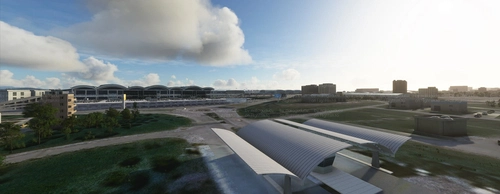
Istanbul Sabiha Gokcen International Airport
Custom-built Istanbul Sabiha Gokcen International Airport add-on for MSFS 2020 in public beta version. Enhancements include detailed airport structures and improved visuals for a more immersive flying experience. Created by developers with experience in X-Plane 11 scenery design. Free for personal use with optional donations to support the Leukemia Foundation for Children.
by Hayri Buberci, Mali Oguducu
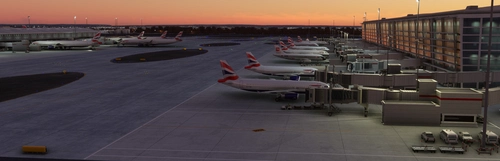
Airport Parking
I am going through airports and updating the parking so airlines park in the correct spots. Not everything is 100% accurate, but it is very close and the pack will continue to grow. Both airlines and cargo spots are being updated. Airports are also including A380 gates.
by Chris Baggett
Log in to join the discussion
Log InComments(45)
over 1 year ago
over 1 year ago
almost 4 years ago
Can TDCF be installed without TDPD? I have a paid TDPD but would like TDCF. I installed it, but the runway is buried under satellite textures.
almost 4 years ago
In your community folder where you have my scenery installed, Look for "Douglas-Charles Airport_Updated_Scenery_Project" folder and either remove it and place it elsewhere if in case you change your mind and need to put it back or just delete it. Both airports are in 2 separate folders.
almost 4 years ago
I did this, but I think it may need an update with SU11. The TDCF runway is buried underneath satellite textures.
about 4 years ago
Nice work was a joy to fly between the two, however the beacon at TDPD the light is inside the tower instead of on the roof.
about 4 years ago
Thanks. I do realise the beacon changes from time to time. That might be the Sim itself...but i'll try a work-around in next update.
about 4 years ago
I look forward to an update, will make another video when it does, just a suggestion though wait till after SU10 drops near end of the month. Who knows what they will change in SU10 and be a shame to have to update your work twice
about 4 years ago
Noted. One of the reasons for hurrying up these updates to these sceneries and getting them out of the way.
over 4 years ago
Payware Released! https://flightsim.to/vendor/SLHSimDesigns
over 4 years ago
Looks great. Only wish there were some custom buildings instead of the default stuff to really make it feel like beeing there.
over 4 years ago
Amazing job you've done there !!
Congrats
about 5 years ago
Great job, thank you so much! For your next update, could you add the Dominica flag please?
over 5 years ago
Thanks for sharing your work! :)
over 5 years ago
Amazing! The surrounding makes this airport look great! I am great fan of your work. Keep it up! Can you make Barbados in the future?
over 5 years ago
Let's say it's on the to-do list .😁