
Description
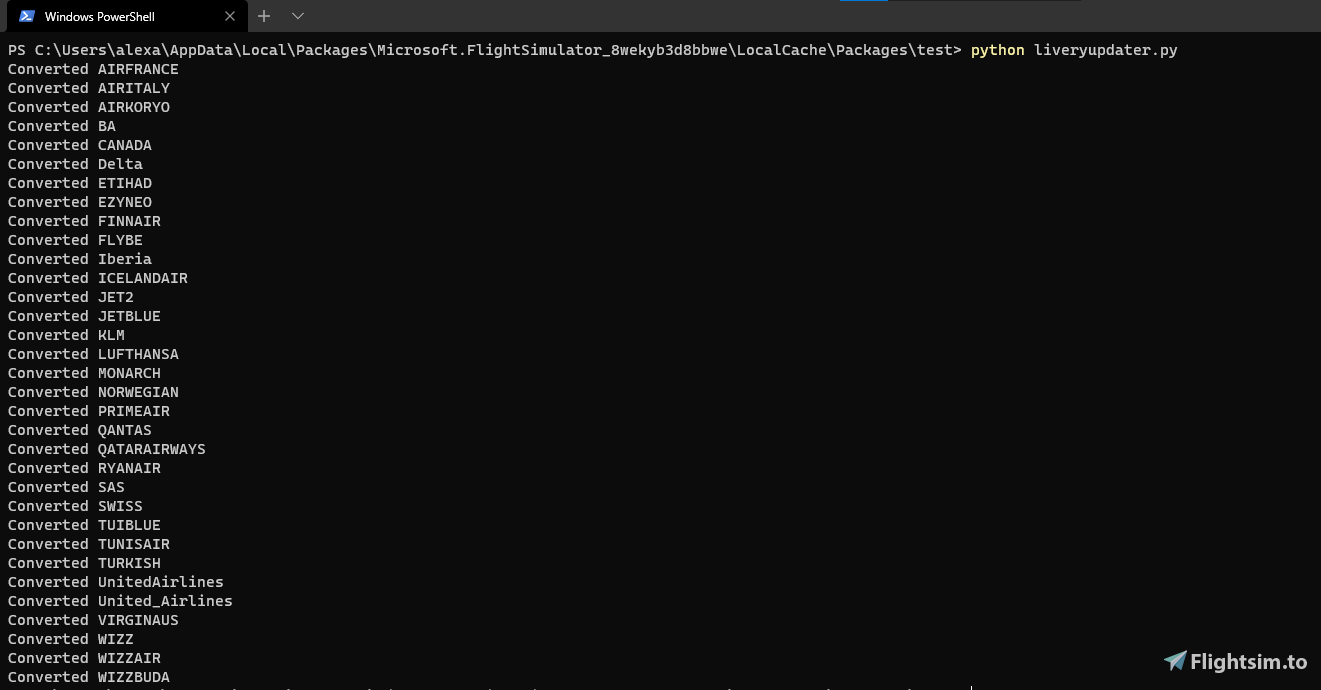
This python script makes all your current old FBW liveries work with the new separate version. To run:
Drop the python script inside your community folder (Or the same folder with all your airlines in)
Run the script with python3.4 or later
Done
The A320 livery's must have their folder name be: Asobo_A320_NEO_LIVERYNAME (e.g Asobo_A320_NEO_EASYJET)
If not the script won't detect them
Any issues please let me know in the comments, this is more of a temporary fix I wrote until FBW release a proper one.
Please note: Some liveries may not convert if they have a different file structure, but the majority will work. These liveries will not be compatible with the default A320 after running this script.
Thanks to xaiver on the FBW discord for helping test an issue breaking this on some liveries!
Cheers!
View this on GitHub: https://github.com/CoffeePanda0/FBW-livery-converter
p.s Check out my other project as Co-Programmer on LukeAirTool if you want a free passenger sim and announcements: https://flightsim.to/file/652/lukeairtool
FBW Livery Converter
A python script designed to convert old FBW liveries to work with the new separate version of the aircraft. Simply run the script with python3.4 or later in your community folder. Some liveries may not convert due to different file structures. View the script on GitHub for more details.


User Reviews
5 reviews
Version History
Major bug fixes
Log in to join the discussion
Log InComments(19)
over 2 years ago
thats pretty cool,
but is it possible to make a converter from FBW to Asobo's a320 ???
almost 2 years ago
about 4 years ago
Hello friend,
I cannot use the FBW A320NX because of an old and weak computer (very low FPS) so I enjoy flying the Asobo one a lot. However all the cool liveries I see are for FBW. Do you have any plans to make an app like this that does the opposite?
Convert FBW to Asobo? Thanks!
over 5 years ago
over 5 years ago
But after loading many of them got the default A320 cockpit or non-working A32nx cockpit.
After diggin into the files, the converter didn't change every needed value.
Changing those values manually will work perfectly as mentioned here:
https://docs.flybywiresim.com/start/convert-liveries/
Also the AI traffic liverys are gone after conversion.
Don't waste your time...
over 5 years ago
The python code is open source on github, so please contribute any code if you wanna help improve this!
All the best
over 5 years ago
about 5 years ago
Did you get a reply? Some of my conversions also have the white screen syndrome
over 5 years ago
Although it did work on some of my liveries, there are others where the screen turned white and were not working.
But it's a great fix to avoid re-downloading every livery you have!
over 5 years ago
I ran it and no error message but no confirmation message neither if it worked or not ...
over 5 years ago
But when changeing only the files given in the FBW Site discription we might end up in an great mess-up.
I think in the aircraft.cfg it is also important to add a pre- or suffix "FBW" to the each "title" section and a suffix "FBW" to each "ui_type" section to make a) the aircraft unique and b) to make the different aircrafts visible in the airplane selection (if someone wants to keep the livereies for standard A320neo too.
In this case it would be also good if the programm could copy and rename the folders to something like "FBW_A320_neo_"Airlinename
over 5 years ago
over 5 years ago
over 5 years ago
over 5 years ago
over 5 years ago
over 5 years ago
over 5 years ago
over 5 years ago