
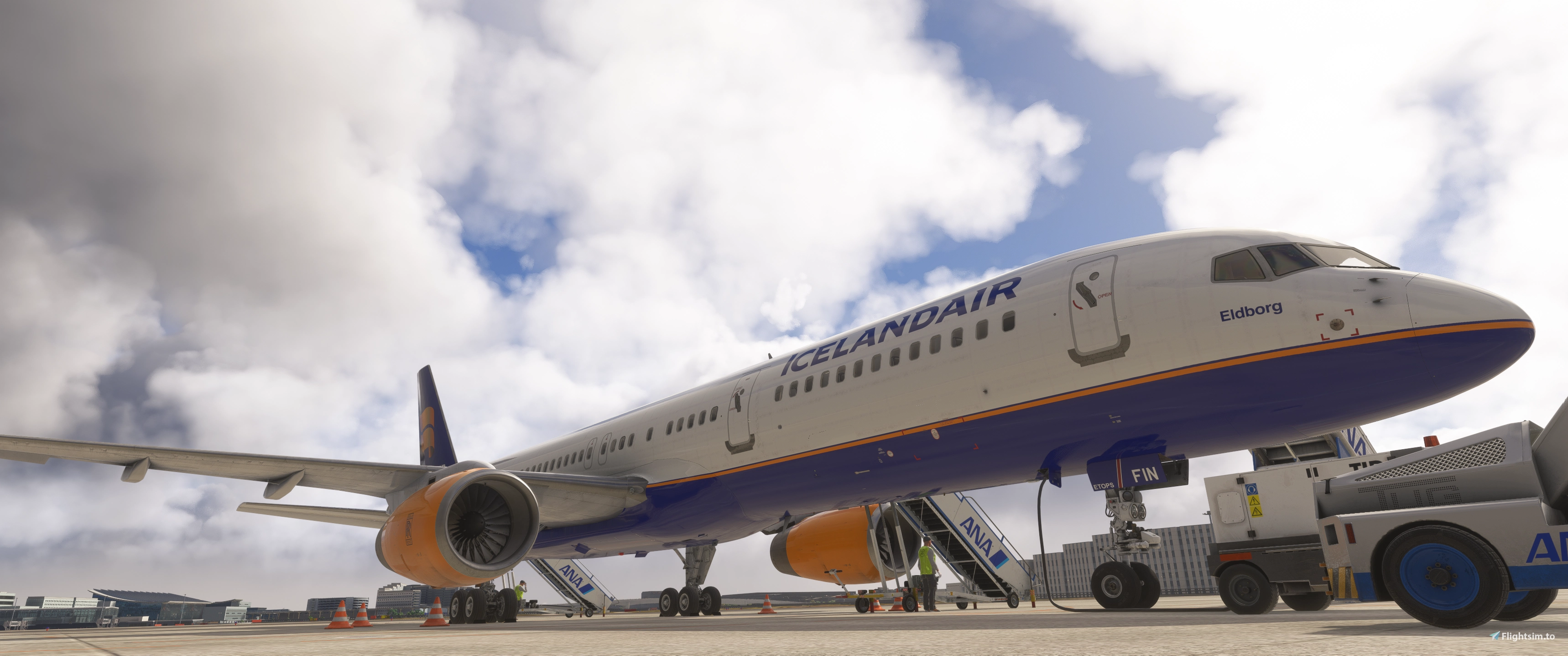
Description
GSX Profile – BlueBird B757-200
This is a quick GSX profile created for the BlueBird B757-200
The profile includes basic ground service positions and standard handling to provide a more immersive turnaround experience.
It was designed as a simple and functional setup to get GSX working smoothly with this aircraft.
If you notice anything that could be improved, feel free to leave feedback.
Installation:
Just Drag&Drop into %appdata%\Roaming\virtuali\Airplanes
Paste the gsx.cfg in every single bbs-757-200-xxxxx/200 folder
Copyright / Disclaimer:
This GSX profile is provided free of charge for the community.
Do not redistribute, modify, or upload this file to other websites without permission from the author.
All rights belong to their respective owners.
GSX Profile BlueBird B757-200
This GSX profile is designed for the BlueBird B757-200, offering basic ground service positions and standard handling. It enables smoother integration of GSX turnaround operations with the aircraft. The profile focuses on simplicity and functionality for improved realism. Installation instructions and usage guidelines are included.


User Reviews
2 reviews
Version History
- removed exit 1, with that exit 2 should be the preferred exit - adjusted the hight of every exit - adjusted the cones of engine 2 - added the fuel connection
Featured in Collections(1)




Related
Two GSX Profiles IniBuilds A380
This GSX profile provides tailored ground service positions and standard handling for the IniBuilds A380 in Microsoft Flight Simulator. It is designed for a smooth and functional ground operations experience. The setup enhances turnaround realism with simple and effective adjustments. Installation instructions are included in the description.
by Kaero

GSX Profile Synaptic A22X
This is a GSX profile tailored for the Synaptic A22X in Microsoft Flight Simulator. It provides basic ground service positions and standard handling for a smoother turnaround process. The setup is intended to offer simple, functional support for GSX integration with the aircraft. Installation is done by placing the file in the appropriate GSX Airplanes directory.
by Kaero

Aerosoft A340-600 GSX Profile
This GSX profile provides basic ground service positions and standard handling for the Aerosoft A340-600 in Microsoft Flight Simulator. It aims to deliver a functional and immersive turnaround experience. The setup is simple, designed to facilitate smooth GSX integration. Installation involves placing the file in the designated Virtuali Airplanes folder.
by Kaero

GSX Profile FBW A380
This GSX profile is designed for the FlyByWire A380 in Microsoft Flight Simulator. It provides basic ground service positions and standard handling for smoother ground operations. The setup aims for simplicity and functional integration with the FBW A380. Installation instructions are included, with feedback welcomed for future improvements.
by Kaero
Log in to join the discussion
Log InComments(16)
2 days ago
1 day ago
about 6 hours ago
5 days ago
6 days ago
This comment has been deleted
8 days ago
8 days ago
Easiest way I found is load in your variant (in my case here, this is the delta PW variant) go into customize airplane, change one value (e.g. toggle cargo aircraft) so it automatically generates a custom profile and folder structure...save it, then go into the folder and replace that gsx.cfg with the downloaded gsx.cfg from here...bit of a pain in the ass but it was the solve for me
\Roaming\Virtuali\Airplanes\bbs-757-200-pw
9 days ago
9 days ago
9 days ago
9 days ago
9 days ago
9 days ago
9 days ago
9 days ago
9 days ago