
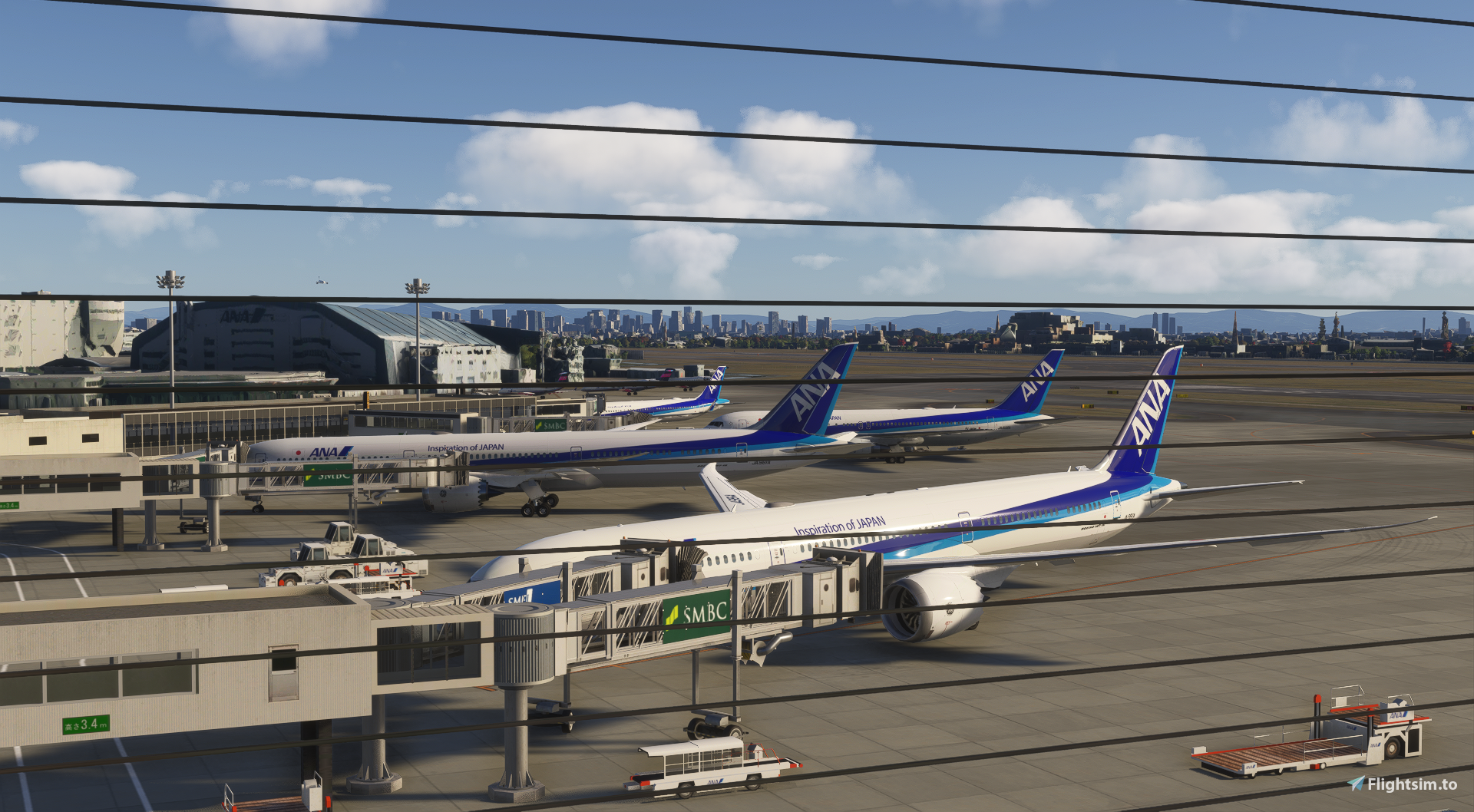
Description
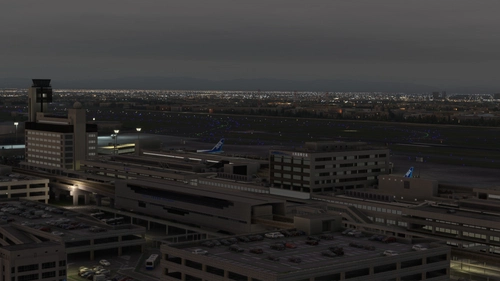
This mod enhances kado's Osaka International Airport (Itami Airport).
How to use
Place the extracted folder into the Community folder.
・Features
Restores photogrammetry for the area surrounding the airport.
Areas where the photogrammetry display appeared distorted have been flattened.
Recreates ground markings, lighting, and other elements as accurately as possible using references such as the AIP and Google Earth.
About GSX:
While the scenery uses the objects from the KADO RJOO package, the parking areas and taxi paths have been placed from scratch; therefore, the KADO RJOO profile available from GSJP is not compatible. Please note this limitation.
Repositioning of general objects and textures
KADO RJOO terminal
Taxiway, approach, and apron lights using the KRC library
Taxiway centerline lights near the runway
Runway Distance Markers (RDML)
CGL, RLLS, runway lights, taxi lines, apron textures, fences, and noise barriers
Install runway guard lights.
Functional adjustments
Adjusted AI aircraft to take off from W2 instead of W1
Adjusted AI aircraft to exit via W9 or W8 after landing
Improved visibility of RLLS lights for Runway 14
Added CGL for Runway 14
Added approach light beacon
Added REIL only for Runway 14 (no documentation found indicating the REIL on 32L was active)
Modified REIL flashing pattern (exact replication not achieved)
Added placed the taxiway signs in their actual locations.
Regarding the VDGS, the Navigraph charts indicated that it was installed only at spots 13 and 14, so I installed it only at those locations.(The last photo)
If you have any requests, please provide specific materials, locations, or other relevant details. I will do my best to accommodate them.
KADO's RJOO-Osaka Intl Airport Enhanced
This add-on enhances Osaka International Airport by improving ground markings, lighting, and various airport elements for greater accuracy. Photogrammetry is restored for the surrounding area, providing a more realistic environment. The W1 taxi path is removed to optimize AI aircraft operations. Future updates may include additional ground service equipment and further refinements.


User Reviews
4 reviews
Version History
Changes Added trees near the 32L approach lights Added weathering/stains to the taxi apron Added trees to the terminal deck Added lighting around the terminal Added VDGS at spots 13 and 14 Added missing apron lights (near spot 5) Add ASR antenna Fixed the missing fence for the 32L-side approach lights
Related
RJOO-Osaka Intl Airport Japan◆伊丹空港
Explore an intricately crafted rendition of Osaka International Airport (RJOO) in Microsoft Flight Simulator. Created from scratch over 260 hours, with ongoing enhancements, this scenery boasts details true to life. Immerse yourself in this stunning recreation of Osaka, Japan, with a surprisingly compact download size of 21MB. Witness the realism with added features like RLLS and VDGS for an authentic aviation experience.
by KADO
RJOO Osaka Itami Airport (MADB payware) Enhanced
Enhance your RJOO Osaka Intl Airport experience with this payware add-on from MADB, featuring added taxiway lights and updated textures for a more realistic simulation. This add-on also includes revamped approach lights, runway features, and various other enhancements to elevate your airport immersion. Additional libraries are required for installation.
by karuchie
Osaka Itami RJOO Airport Enhanced
This enhancement for Osaka Itami RJOO Airport improves compatibility with World Update 20, restoring flattened TIN blended with autogen and enhances lighting. Main apron textures and GSE are updated. This add-on also includes additional fencing and relies primarily on default assets. Requires Karuchie's Japan Airports Library for circling approach lights.
by Daikichi
RJOO Osaka FSLTL Static Aircraft
Enhance the Osaka airport scenery with RJOO Osaka FSLTL Static Aircraft, designed by StaticSceneries. Utilizing FSLTL models, this add-on adds static aircraft to create a more realistic airport environment. Please note that this enhancement is standalone and requires FSLTL Base models to function properly. Install by dropping the folder into your community folder for a seamless experience.
by StaticSceneries
Log in to join the discussion
Log InComments(23)
20 days ago
6 days ago
about 20 hours ago
8 days ago
As I said, I don't use TIN as my PC isn't very powerful. That places several autogen houses very close to the aprons, where you use TIN data for the hangars (and fuel silos near RWY 14R). A version with some generic hangar/cargo buildings would be awesome, but I understand if that's not your focus for this mod.
Secondly, there's some perimeter fencing missing around aprons 1 and 7 (I have a pic attached with the locations). You did a great job everywhere else with fencing, but so close to the stands, it's very noticable ;)
Cheers
8 days ago
We will include the necessary changes in a future update.
about 6 hours ago
about 2 hours ago
9 days ago
If I may, what method did you use to bring the TIN back?
8 days ago
Do you have any specific requests regarding which parts should be set to "auto-gen"?
Personally, I believe that since the hangar is a major structure at Itami Airport, it looks better when rendered using a TIN—even if there is some distortion—rather than auto-gen.
As for restoring the TIN around the airport, I unchecked the "Apply Flatten" option in the airport properties, used a polygon to outline the area I wanted to flatten, checked the "Exclusion TIN" box, and then manually repositioned the terminal and apron.
8 days ago
Maybe I'll make a quick & dirty version of mine as far as blending the TIN and autogen (if I can make it work) and DM you just to illustrate what I might suggest.
I'll check out your new version too! Thanks for all your great work! Really high quality.
13 days ago
15 days ago
20 days ago
16 days ago
20 days ago
13 days ago
21 days ago
22 days ago
Your enhacement doesnt work for msfs 2020. All the airport is coverred by the photogrametry.
Could you update with a compatible version for msfs 2020?
22 days ago
22 days ago
20 days ago