Flightsim.to
    Osaka Itami RJOO Airport Enhanced - Image 1

    Description

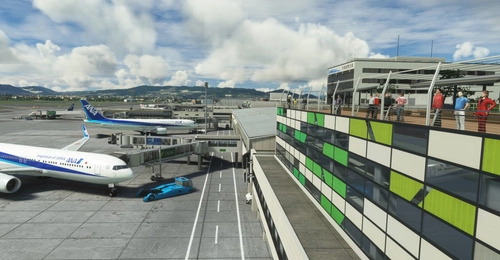
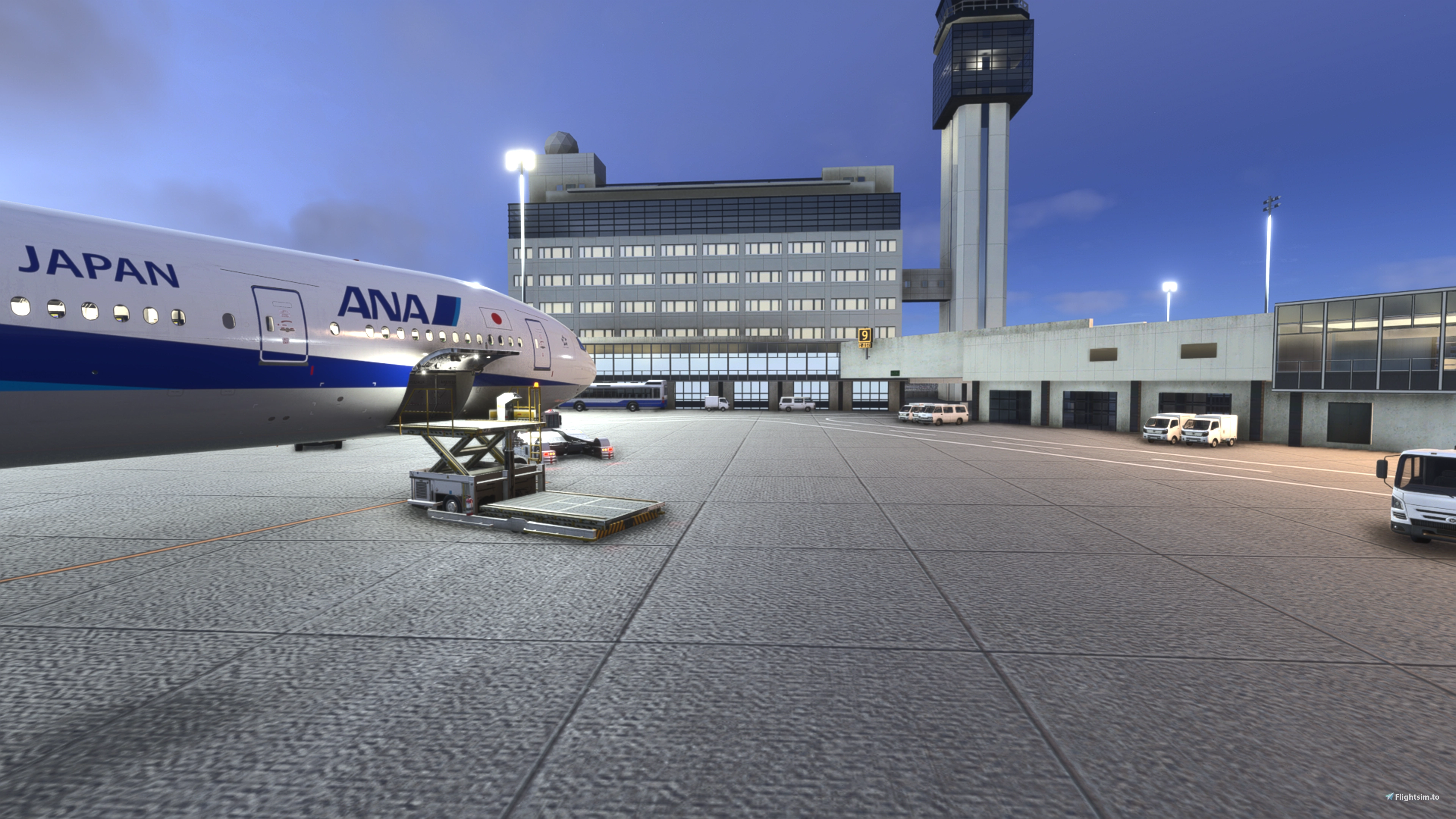
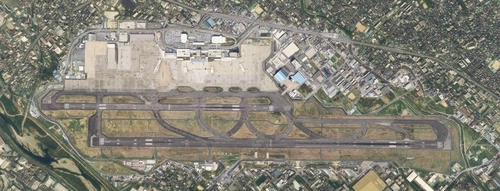
    Osaka Itami RJOO Airport Enhanced: enhances Kado's excellent Osaka Itami Airport and makes it more compatible with WU20.

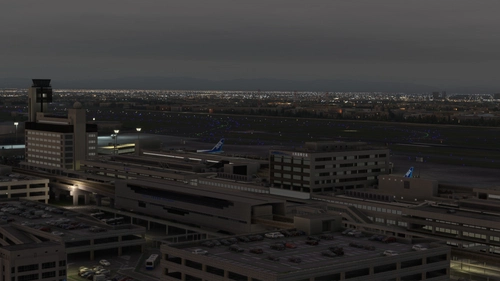
    • Places autogen buildings and hand placed lighting in place of flattened TIN.
    • Overhauls apron lighting.
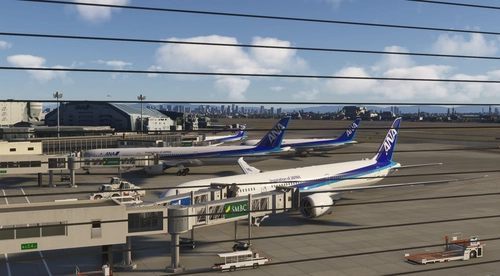
    • Replaces main apron textures.
    • Adds some additional GSE and replaces much of the existing GSE.
    • Adds some additional fencing.
    • Uses default assets for the vast majority of changes. Requires Karuchie's Japan Airports Library for circling approach lights.

    If anyone knows how to restore the TIN and streetlights in the (formerly) flattened areas I would love to know :). Have already tried exclusion rectangles to exclude polygons - no luck.

    Location

    Hold Ctrl to interact with the map

    Log in to join the discussion

    Log In

    Comments(33)

    S

    4 days ago

    Is there any way you can bring the original circling approach guidiance lights back? It just doesn't feel the same without them :(
    D
    DaikichiAuthor

    3 days ago

    Not going to rule it out at some point, but it's outside the original scope - autogen, lighting, some details. When I have more time I might look into it a bit.
    S

    3 days ago

    Thanks, maybe you are able to find a quick solution to just make the original ones, from Kado's scenery, work in FS2024.
    S

    1 day ago

    Wow, that was quick! Thank you so much for brining the lead in lights back! Itami Curve is back in 2024 :D
    D
    DaikichiAuthor

    1 day ago

    Having a bit of trouble with it - the original approach objects disappear when I open up my project in the SDK, so I can't see where they are when editing. I'm sure I'll deal with it in the next version and get it cleaned up, but it's a bit of pain. It's a work in progress.
    S

    about 22 hours ago

    There was an exact diagram about the positions of the lights. I've seen it years ago. Maybe you could re-place them instead of editing. It's hard to find for me, as it was in japanese.
    D
    DaikichiAuthor

    about 19 hours ago

    I believe the lights I placed should be accurate to those positions with some further slight adjustment needed (unless I'm mistaken), but the problem I discovered last night are the original poles. They disappear when I open the project file and at least last night I couldn't get rid of them with exclusion rectangles (not that I could see them when placing the exclusions). I'll play with it this weekend perhaps. If I have no choice, I may have to adjust my lights slightly to roughly where I think the original poles are and delete my poles so there aren't two sets of poles. But we'll see. It's a bit more than I bargained for lol.
    S

    about 16 hours ago

    I haven't checked yet, but aren't they visible in the PG, or are they too small? When KADO placed them, there wasn't any photogrammetry yet for Osaka. Here is a video he made on his account
    https://x.com/kadoKAD79281441/status/1639143149137448960?s=20

    unfortunately the quality is a bit meh, so you can also only guess their exact positions lol
    S

    about 15 hours ago

    I guess the red one is the original one by Kado? I can even see a little tiny flashing light in there. Isn't it possible to just edit the effect file to make it work as intended?

    https://i.postimg.cc/ZYgG72Fg/poles.png

    Edit: I see the red ones also in different positions as well... no idea what they are lol
    D
    DaikichiAuthor

    about 9 hours ago

    The red ones are indeed the originals and those are what I can't get rid of, or even see in the SDK once I open my project file or least not yet. I don't know about editing an effects file - unfamiliar. At this point I've already spent more time on it than I've wanted and certainly more than I planned to. But I'll do something to clean it up.
    S

    22 minutes ago

    Also noticed, the first two ones (starting right behind the elevated trainline) are flashing in the wrong direction. Would you be able to change the flash effect, similar to the one Kado used? It's more a breathing glow than a flash. It was easier to spot them between the other lights. It was similar to the beacons used for the tower flashlights, which are also visible from larger distances.But i guess they would be visible omnidirectional then...
    P

    about 1 month ago

    Thank you for this really great add on, but I have a small problem some of the markings are duplicated could I get some help?
    D
    DaikichiAuthor

    about 1 month ago

    If you have a previous version, double check to make sure the old one was deleted and also try clearing your scenery indexes and cache. On v1.1 the package name was changed, so that's likely the source of the problem if v1.0 was not deleted.
    P

    about 1 month ago

    Hello again thank you for answering, I did what you said and I still have that problem I dont know what is going on
    D
    DaikichiAuthor

    about 1 month ago

    Can't replicate on my end. Are you using 2024? If you're using 2020 that could be the source of the problem. Otherwise I really don't know.

    V1.0 had a different folder and package name. It would be very easy for both of them to be present without noticing - someone else had that issue before. Once they deleted the old one, the problem cleared up.

    Aside from these two possibilities, that's all I got. If no, maybe try manually adjusting the package order to make sure that this has priority (could do this in 2020, not sure about 2024 - haven't had to do it).
    P

    about 1 month ago

    Hello again thank you for the idea changing the priority solved the problem :)
    Have a nice one
    g

    about 2 months ago

    you need to have kado rjoo installed?
    D
    DaikichiAuthor

    about 2 months ago

    Yes
    a

    about 2 months ago

    does this fix the flattened terrain issue with the MADB RJOO?
    D
    DaikichiAuthor

    about 2 months ago

    This is for Kado's RJOO; I do not have the MADB RJOO, so I cannot say how it may affect it.
    MSFS 2020MSFS 2024

    Osaka Itami RJOO Airport Enhanced

    This enhancement for Osaka Itami RJOO Airport improves compatibility with World Update 20, replacing flattened TIN with autogen buildings and enhances lighting. Main apron textures and GSE are updated. This add-on also includes additional fencing and relies primarily on default assets. Requires Karuchie's Japan Airports Library for circling approach lights.
    Downloads2K
    Version1.2
    File Size59.2 KB
    Published2 months ago
    Updated2 days ago
    Classification
    AirportsJapanRJOO5.0 (6)

    User Reviews

    5.0

    6 reviews

    5
    100%
    4
    0%
    3
    0%
    2
    0%
    1
    0%

    Version History

    Lighting revisions. Further work on fencing. Circling Approach lights added - Karuchie's Japan Airports Library required for lights. Superspud Airport Asset Library dependency removed.

    Related

    RJOO-Osaka Intl Airport Japan◆伊丹空港

    RJOO-Osaka Intl Airport Japan◆伊丹空港

    Explore an intricately crafted rendition of Osaka International Airport (RJOO) in Microsoft Flight Simulator. Created from scratch over 260 hours, with ongoing enhancements, this scenery boasts details true to life. Immerse yourself in this stunning recreation of Osaka, Japan, with a surprisingly compact download size of 21MB. Witness the realism with added features like RLLS and VDGS for an authentic aviation experience.

    by KADO
    5.0
    RJOO Osaka Itami Airport (MADB payware) Enhanced

    RJOO Osaka Itami Airport (MADB payware) Enhanced

    Enhance your RJOO Osaka Intl Airport experience with this payware add-on from MADB, featuring added taxiway lights and updated textures for a more realistic simulation. This add-on also includes revamped approach lights, runway features, and various other enhancements to elevate your airport immersion. Additional libraries are required for installation.

    by karuchie
    5.0
    RJOO Osaka FSLTL Static Aircraft

    RJOO Osaka FSLTL Static Aircraft

    Enhance the Osaka airport scenery with RJOO Osaka FSLTL Static Aircraft, designed by StaticSceneries. Utilizing FSLTL models, this add-on adds static aircraft to create a more realistic airport environment. Please note that this enhancement is standalone and requires FSLTL Base models to function properly. Install by dropping the folder into your community folder for a seamless experience.

    by StaticSceneries
    0.0
    Remote Stand Static Aircraft,RJOO osaka Itami

    Remote Stand Static Aircraft,RJOO osaka Itami

    Enhance your AI aircraft environment at Osaka Itami Airport with this add-on featuring static aircraft at remote stands. Avoid deserted parking areas with carefully placed static aircraft, mainly at the northwest remote stands. Compatible with FSLTL and FsHud, additional airport objects are included for added realism. Installation is simple - just place the decompressed folder into your community folder.

    by urack

    0.0