
Description
A completely revamped Electronic Flight Bag for the Flightsim Studio E-Jets in Microsoft Flight Simulator 2024.
Welcome to JJ EJETS ModernEFB 2.0!
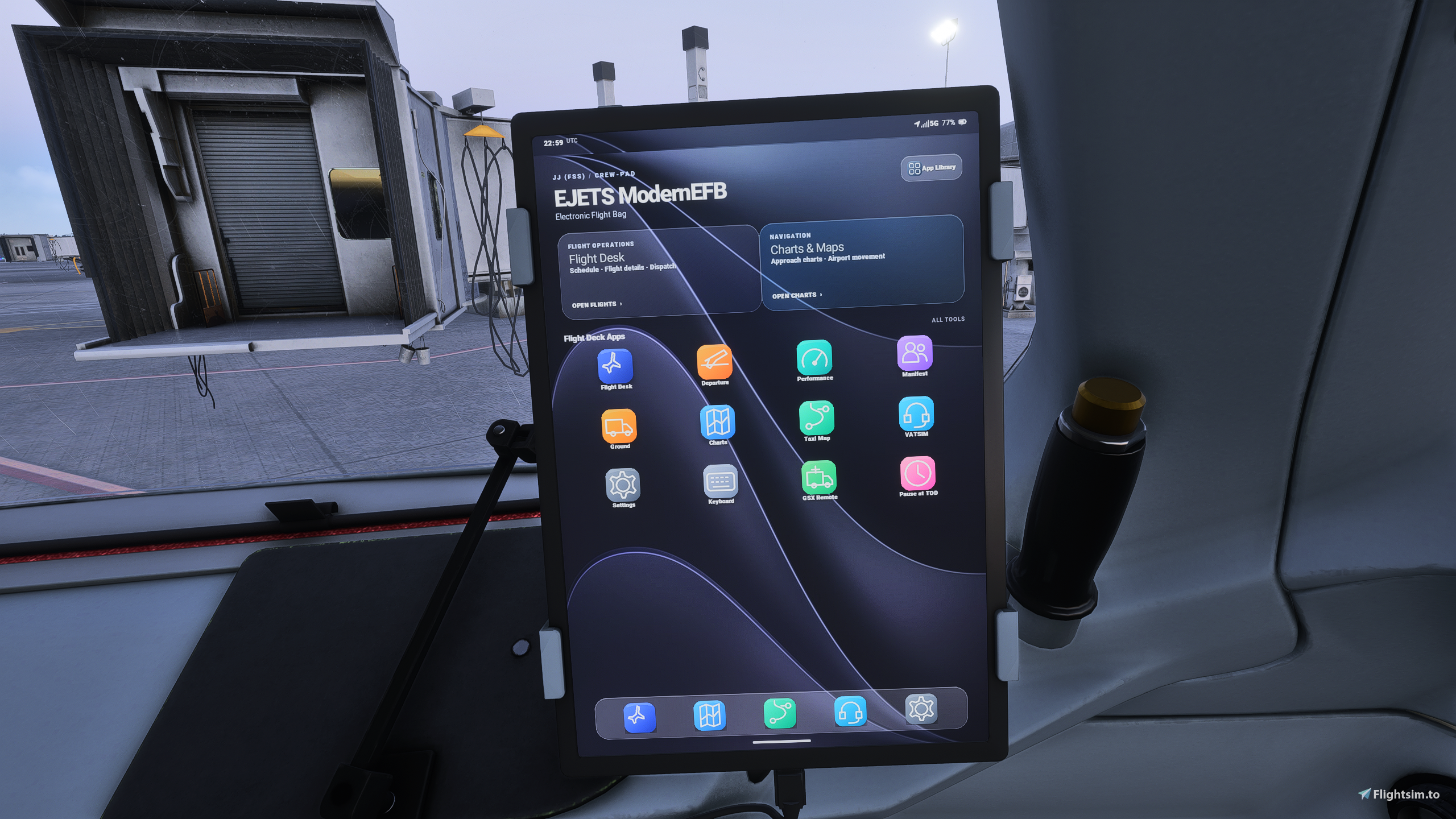
ModernEFB has undergone its biggest transformation yet. Version 2.0 introduces an entirely redesigned, iPad-inspired interface that brings a modern, polished look to the FSS E-Jets Electronic Flight Bag.
From the beautiful new Home screen to the redesigned flight management, performance, navigation, and settings pages, ModernEFB now offers a more streamlined and enjoyable experience in the cockpit.
This isn't just a new Home screen. The entire EFB experience has been revamped!
What's New in Version 2.0
ALL NEW iPad-Inspired Interface
- Completely redesigned Home screen with colorful application icons.
- Modern dark iPad theme with elegant backgrounds and rounded panels.
- Updated layouts across the EFB's pages.
- New app-style navigation and quick access to your flight tools.
- Improved organization of flight information, settings, and controls.
- New JJ (FSS) / CREW-PAD branding.
- A cleaner, more consistent interface throughout.
Flight Planning & Management
- Flight schedule and flight details.
- SimBrief flight plan integration.
- Departure planning and aircraft loading.
- Flight manifest and weight information.
- Takeoff and landing performance calculations using the FSS performance system.
Charts & Navigation
- Navigraph charts integration.
- Airport moving maps and taxi routing.
- Aircraft position tracking.
- Traffic overlays and ground navigation tools.
VATSIM / vPilot Integration
ModernEFB includes our custom VATSIM/vPilot bridge, allowing supported vPilot functions to be accessed through the EFB.
Features include:
- VATSIM connection information.
- Online ATC controller information.
- ATC frequency interaction.
- Private messages and text communications.
- ATIS and information panels.
The full installation package includes the JJ vPilot bridge installer. The official vPilot application must be installed separately.
Ground Services & GSX Integration
Manage supported aircraft ground operations directly from the EFB, including aircraft services and equipment controls.
GSX Remote functionality is also included for users with GSX Pro.
Additional JJ Features
- Integrated on-screen keyboard.
- Pause at Top of Descent (TOD).
- Improved Quick Settings and brightness controls.
- Custom warm cockpit lighting.
- Additional EFB usability improvements.
Supported Aircraft
Designed for the Flightsim Studio E-Jets family in Microsoft Flight Simulator 2024:
- Embraer E170
- Embraer E175
- Embraer E190
- Embraer E190F
- Embraer E195
- Embraer E195F
Requirements
- Microsoft Flight Simulator 2024.
- Flightsim Studio E-Jets.
- vPilot for the VATSIM/vPilot integration.
- Navigraph and GSX Pro for their respective optional integrations.
ModernEFB is a community modification and is not an official Flightsim Studio product.
Installation — Fresh Install or Update
- Close Microsoft Flight Simulator 2024 and vPilot.
- Download the ModernEFB 2.0 ZIP file.
- Extract the ZIP to a folder outside your MSFS Community folder.
- Open the extracted
JJ-EJETS-ModernEFB-2.0folder. - Double-click INSTALL.cmd.
- Follow the prompts and select or confirm your MSFS 2024
CommunityorCommunity2024folder. - The installer will install ModernEFB and attempt to install the JJ VATSIM/vPilot bridge if vPilot is installed.
- Once installation is complete, start Microsoft Flight Simulator 2024 and enjoy the new ModernEFB.
Updating an existing installation: Close the simulator and vPilot, then run REPAIR.cmd from the extracted installer folder. Follow the prompts to update your installation.
The installer backs up an existing zzz.jjefb folder when performing a new managed installation. The included warm cockpit lighting files are installed as Community overrides; original FSS aircraft files are not directly modified.
Uninstallation
- Close Microsoft Flight Simulator 2024 and vPilot.
- Open the extracted
JJ-EJETS-ModernEFB-2.0installer folder. - Double-click UNINSTALL.cmd.
- The uninstaller will remove the managed ModernEFB installation and its included lighting overrides.
- If the installer created a backup of a previous
zzz.jjefbinstallation, it will restore that backup. - The JJ vPilot bridge will also be removed if it was installed by this installer and wasn't present before installation.
Important: Keep the extracted installer folder if you intend to repair, update, or uninstall ModernEFB later.
JJ EJETS ModernEFB 2.0 — A whole new look. The EFB you know, completely reimagined.
Thank you for supporting JJ's ModernEFB and the MSFS flight simulation community. Enjoy the new iPad Edition and happy flying!
JJ's EJETS ModernEFB 2.0 ALL NEW iPad Edition
JJ's EJETS ModernEFB 2.0 ALL NEW iPad Edition is a community modification for the FSS E-Jets Electronic Flight Bag in Microsoft Flight Simulator 2024. This add-on introduces an Arrival page and a Taxi Route page, incorporating a Navigraph-integrated airport moving map. It retains existing EFB features while expanding utility for E-Jets users. Navigraph subscription is required for full map functionality.


User Reviews
5 reviews
Version History
All new UI iPad Theme, evolved pages and more!
Related
Map Atlas 2.0 Major Update
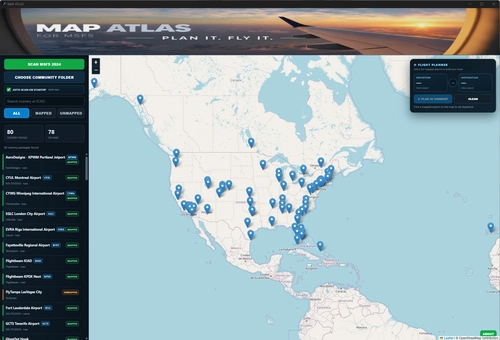
MAP ATLAS for Microsoft Flight Simulator 2024 Your Scenery. Your World. Plan It. Fly It. MAP ATLAS is a standalone companion application for Microsoft Flight Simulator 2024 that brings your installed scenery, flight planning, weather, and live flight tracking together on one interactive map. MAP ATLAS scans your locally installed handcrafted airport scenery and places those airports directly onto an interactive world map. See exactly what airports you have installed, choose where you want to fly, build a route, open it in SimBrief, and then watch your actual flight unfold in real time.
by jjstevens
FSS E-Jets Warm Cockpit Light Mod
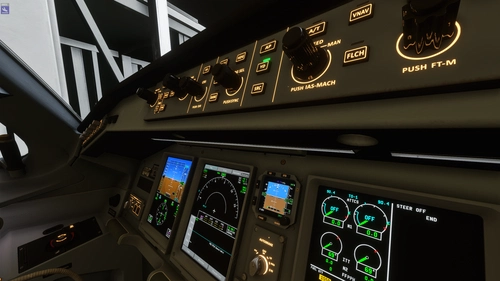
This mod replaces the default cool cockpit lighting in the FSS E-Jets with soft, warm-toned illumination for a more authentic and comfortable nighttime atmosphere. It enhances visual realism, especially during night and low-light operations, while maintaining clear instrument visibility. The modification is designed to have minimal impact on performance and does not alter any aircraft systems or flight models. Installation is straightforward, requiring only placement in the Community folder.
by jjstevens
JJs BlueBird 757 Mood Lighting
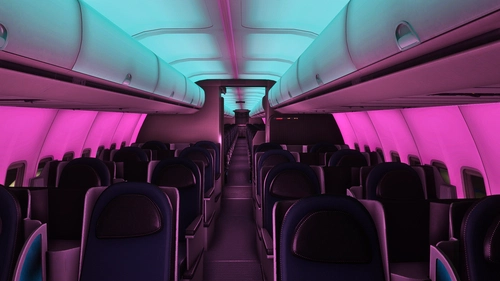
This add-on customizes the interior lighting of the Bluebird Simulations Boeing 757 in Microsoft Flight Simulator 2024. It features an aqua ceiling, pink cabin walls, and warm amber passenger reading lights for a unique cabin atmosphere. Installation and removal is handled entirely through the Community folder without altering the original aircraft files. The modification only requires Microsoft Flight Simulator 2024 and the Bluebird Simulations Boeing 757-200.
by jjstevens
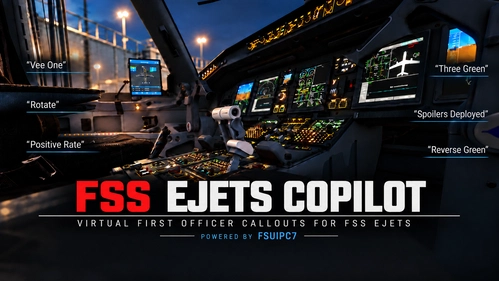
FSS EJETS CoPilot FO Call Outs
FSS EJETS Copilot v1.1.0 is an FSUIPC7-only Pilot Monitoring / First Officer enhancement for the FlightSim Studio E170/75, E190/95 and E190F in MSFS 2024. It adds Stable, TOGA, Thrust Set, Airspeed Alive, gear/flap, altitude, approach, go-around, landing, rollout and RTO callouts while keeping FSS native 80 Knots, V1, Rotate and Positive Rate. Based on PMCO by Nils Unger used with permission. Adapted, tested and packaged by JJ Stevens.
by jjstevens
Log in to join the discussion
Log InComments(56)
about 2 hours ago
1 day ago
I downloaded your latest ModernEFB v1.1.3 from Flightsim.to.
I noticed that the installation instructions on the Flightsim.to page do not match the included README.txt file.
The website instructions refer to the folder `zzz-JJ-FSS-EJETS-ModernEFB-V1.0`, while the new ZIP contains `JJ-EJETS-ModernEFB-v1.1.3` and uses `INSTALL.cmd` for automatic installation.
I also had some confusion during installation because the installer initially did not recognize the Community folder when I entered the wrong option.
Eventually, I managed to install it successfully. I now have two folders in my Community folder:
- `zzz.jjefb`
- `zzz-fss-ejets-efb-antiglare`
Could you please confirm that this is the correct installation and that both folders should remain in Community?
It would also be helpful if you could update the installation instructions on Flightsim.to to match version 1.1.3.
Thank you for your work!
about 6 hours ago
2 days ago
7 days ago
7 days ago
19 days ago
I've been testing it, but I can't seem to get the VATSIM integration to work. When I open vPilot, the EFB doesn't seem to detect that it's running.
Is the connection supposed to happen automatically, or do I need to configure something manually?
I connected to VATSIM, filed my flight plan, and entered the exact same callsign in the EFB, but it still didn't work. Both indicators remain red.
Am I missing a step to get everything connected?
Thanks in advance for your help!
18 days ago
I checked the ZIP file and noticed that it doesn't include the vPilot Bridge or the `INSTALL-ModernEFB.bat` installer mentioned in the documentation.
From what I understand, the EFB needs this Bridge to communicate with vPilot, which might explain why both indicators remain red.
Is the Bridge available somewhere else, or was it accidentally left out of the download?
17 days ago
21 days ago
23 days ago
23 days ago
24 days ago
23 days ago
23 days ago
22 days ago
22 days ago
about 1 month ago
also tried it on fs2020 and works perfectly fine.
about 1 month ago