
Description
Grand Canyon Airfields & Helipads — Major Upgrade
Air Rhodessa’s PG Hangar | Version 6.1 | MSFS 2024
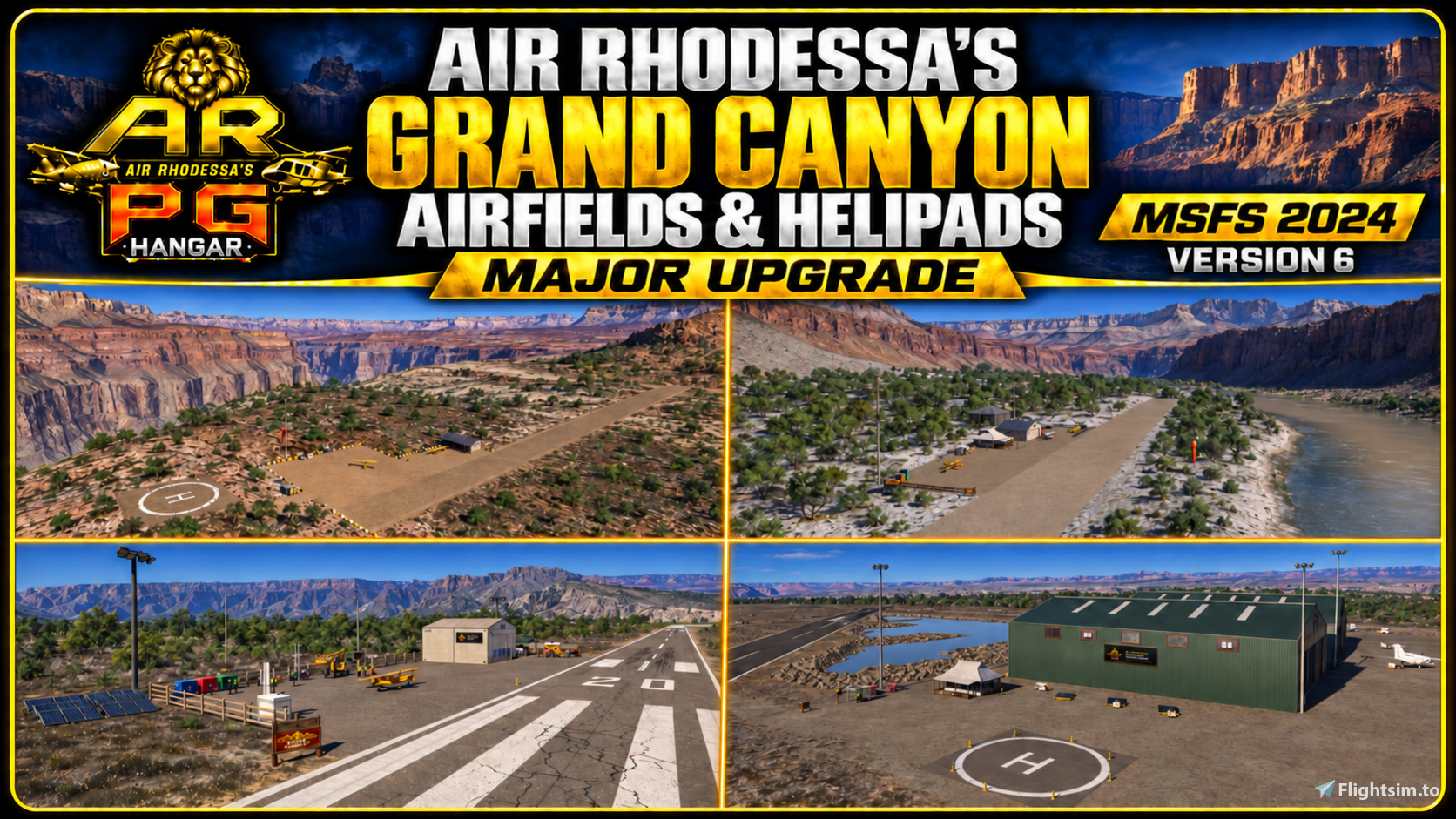
Explore the Grand Canyon with this upgraded collection of seven airfields, featuring remote dirt strips, riverside approaches, paved runways, hangars and helipads.
Whether you enjoy bush flying, scenic canyon flights or helicopter exploring, this collection offers a variety of places to land surrounded by spectacular canyon scenery.
What’s new in the Major Upgrade edition?
- New parking spots and fuel boxes at all seven airfields.
- Extended runways at some locations, giving you more room for take-off and landing.
- Two airfields slightly relocated to accommodate longer runways.
- Two airports completely rebuilt.
- New custom signs at every location.
Included airfields
- XRGK — Grand Canyon Airfield 1
- XRGL — Grand Canyon Airfield 2
- XRGM — Grand Canyon Airfield 3
- XRGN — Grand Canyon Airfield 4
- XRGO — Grand Canyon Airfield 5
- XRGP — Grand Canyon Airfield 6
- XRGQ — Grand Canyon Airfield 7
The cover showcases four selected views; all seven airfields are included in the download.
Installation
- Extract the downloaded ZIP file.
- Copy all seven airrhodessa-airport-... package folders directly into your active MSFS 2024 Community folder.
- Start Microsoft Flight Simulator 2024.
- Search the World Map using one of the ICAO codes above and select an available starting position.
Do not place the ZIP file itself in the Community folder or leave the airport packages inside an extra outer folder.
Updating from the previous collection?
Close the simulator and remove or disable the older versions of these seven airfield packages before installing this edition. The ICAO codes are unchanged, so only one version of each airfield should be active.
Requirements
- Microsoft Flight Simulator 2024 — PC
- Default Microsoft/Asobo assets
- No third-party scenery or object libraries required
Created by Air Rhodessa’s PG Hangar
www.fspghangar.com
Thank you for downloading — enjoy exploring the Grand Canyon!
Location
Air Rhodessa's Grand Canyon Airfields & Helipads — Major Upgrade V6.1
Seven upgraded Grand Canyon airfields for MSFS 2024, with new parking spots, fuel boxes and custom signs at every location. Includes several runway extensions, two airfields slightly relocated for longer runways, and one completely rebuilt airport.


Supporters

User Reviews
7 reviews
Version History
Version 6.1 - Corrected runway numbers across all seven Grand Canyon airfields to match their magnetic directions, including both runways at Airfield 6. - Corrected the placement of scenery polygons that were floating above ground level. - Runway positions and ICAO codes remain unchanged.
Related
Air Rhodessa's Glacier National Park Airfields & Helipads V3.2
Air Rhodessa’s Glacier National Park Airfields & Helipads V3.2 brings three fictional wilderness destinations to Microsoft Flight Simulator 2024: two backcountry airfields with helipads (XX01 and XX02) and a remote mountain-lake helipad (XX03). V3 adds extended runways suitable for larger aircraft such as the DC-6, medium GA parking, fuel boxes at both airfields, custom signs and visual improvements. No third-party scenery libraries are required.
by AirRhodessa
Air Rhodessa's North Cascades River Landings & Helipads V2.1
This add-on introduces three fictional riverbed landing sites and three remote wilderness helipads in Washington State’s North Cascades. Designed for bush aircraft and helicopters, the six locations feature challenging mountain approaches, shelters, camping areas and detailed riverside and lakeside scenery. Created exclusively for Microsoft Flight Simulator 2024, with no additional libraries required.
by AirRhodessa
Mount Hood Wilderness Airfield & Helipad V1.1
Mount Hood Wilderness Airfield is a fictional remote grass airfield located south of Mount Hood, Oregon. It features a grass runway, dedicated helipad, hangar, wilderness cabin, and basic airfield facilities. Designed for bush pilots, helicopter crews, and scenic flyers, the airfield offers views of Mount Hood and the Oregon landscape. The Emerald Object Library by Emerald Scenery Design is required for full functionality.
by AirRhodessa
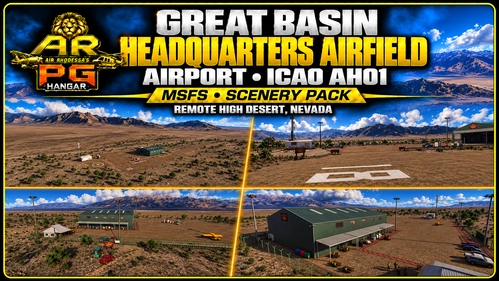
Great Basin Headquarters Airfield (AH01)
Great Basin Headquarters Airfield AH01 brings a remote high-desert airfield in Nevada to Microsoft Flight Simulator 2024. The scenery includes a large green headquarters hangar, support buildings, detailed apron, runway and airfield lighting, and desert surroundings. It features perimeter fencing, a windsock, and small-aircraft scenery elements. The airfield is located in the Great Basin region and is designed for enhanced realism in this unique landscape.
by AirRhodessa
Log in to join the discussion
Log InComments(26)
about 1 month ago
about 1 month ago
about 1 month ago
https://www.youtube.com/watch?v=9F46_ufaSF4
about 1 month ago
I had 2 suggestions but maybe that are irrelevant now: 1-) XRGN runway is to rough on my side, way to bumpy but NICE location. 2-) XRGP runway is to short VS hangar and jet airplane that can't clearly land there, maybe a longer runway? or simply remove the jets? Anyhow this is a marvellous scenery! I will post my YouTube link here of the video very soon!!!
about 1 month ago
Really appreciate you taking the time to make a video too! Please do share the YouTube link here when it’s ready — I’d love to watch it. Hope you enjoy exploring the latest update, and thanks again for the support! ✈️
about 2 months ago
about 2 months ago
about 2 months ago
about 2 months ago
about 2 months ago
about 2 months ago
about 2 months ago
2 months ago
2 months ago
2 months ago
2 months ago
2 months ago
2 months ago
2 months ago
2 months ago
This comment has been deleted