
Description
今回の修正
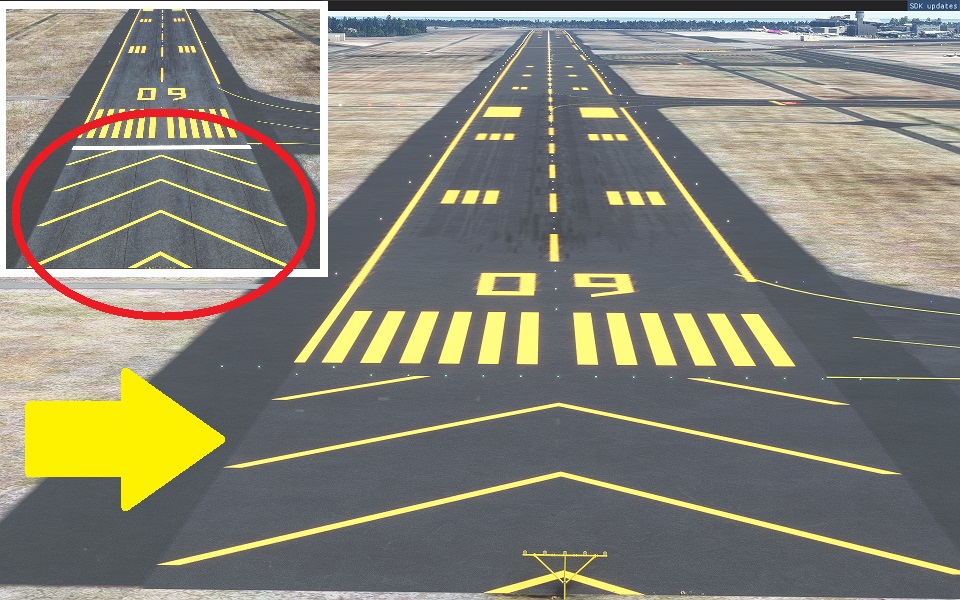
過走帯標識を実際のマーキング同様としました。
Thank you for visiting.
Sendai International Airport (RJSS)
From Google Maps.
The original model is less accurate. But there is an atmosphere. please try it.
☆入れる前に。
マルチプレイをする場合、このデータが共有されていない環境では、テラフォーミングの誤差により、地面から航空機が浮いたり、沈んだりする可能性があります。共有またはアンインストールして楽しんでください。
☆ Before putting in.
When playing multiplayer, in environments where this data is not shared, terraforming errors can cause the aircraft to float or sink from the ground. Share or uninstall and have fun.
仙台に縁のある方は、仙台ランドマークシーナリーも試して下さい。
テレビ塔、仙台大観音、仙台駅東口付近にオブジェクトを置きました。
Please also download the access railroad scenery that connects to Sendai Airport.
https://flightsim.to/file/13537/n-a
(Sendai Airport Access Line 2021.4.27 Released.)
Ver.3.8
過走帯標識を実際のマーキング同様としました。
Ver.3.7
SU5でエプロンと滑走路に色の差異が生じたため、修正しました。
Ver.3.6
空港灯台がアップデート後に遠方から見えなかったため、修正
Fixed because the airport lighthouse was not visible from a distance after the update
Runway startの表記が27と09が逆になっていたため修正
Fixed because the notation of Runway start was reversed between 27 and 09
Ver.3.5
今回の本体アップデートでアスファルトの色調が変更となったため、滑走路の色を合わせました。
なお、今回の本体アップデートで設置した照明(ビーコン含む)が喪失してます。
Since the color tone of the asphalt has changed with this update of the main body, the color of the runway has been matched.
In addition, the lighting (including beacon) installed in this main unit update has been lost.
Ver.3.4
Tire marks can be seen on the runway markings.
滑走路のマーキング(特に接地帯付近)にの下にあったタイヤ跡を見えるようにしました。
Ver.3.3
I replaced the VOR of the box model with the one included in World Update (Japan).
箱モデルだったVORをワールドアップデート(日本)に含まれているものに置き換えました。
I put a light on the windsock of Runway B.
B滑走路の吹流しに明かりをつけました。
Ver.3.2
Removal of trees around Runway A
A滑走路周辺の樹木の除去
Compensation for unevenness of grade separation on highways
高速道路の立体交差の凹凸修正
Removal of highway bridges that do not fit the landscape
景観に合わない高速道路橋の撤去
Confirmed flood correction
確認された洪水修正
Ver.3.1
Fixed a little altitude.
少し高度を修正しました。
Fixed edging line markings.
エッジングラインマーキングを修正しました。
The sabo forest has been regenerated.
沿岸付近に立体感を出すため、津波で失われた砂防林を再生しました。
Ver.3.0
The runway markings are now orange.
There are some undeveloped parts due to the provisional release.
Ver.2.3
Beacon addition.
The light can be seen from a distance.
(Just attach the light source to a simple stick.)
Ver.2.2
The car in the parking lot that was hidden by terraforming has been fundamentally deleted.
Ver.2.1
The position of the lighting has been changed.
I erased the garbage on the object.
Ver.2.0
The position of the lighting has been changed.
Ver.1.1 added
Tower
The entire terminal area
Color is adjusted.
Ver1.0
Terminal
Sendai Airport Station
LOD22 is near the apron.
Install on Communit.
Location
Sendai International Airport (RJSS)(Google Extraction)
Enhance your virtual experience with a detailed update for Sendai International Airport (RJSS) from Google Maps. This mod brings more accurate runway markings and a realistic atmosphere to the airport. Make sure to also check out the Sendai Landmark Scenery for iconic landmarks in the area.
Downloads Stopped
The creator has temporarily stopped downloads for this addon. Please check back later.

User Reviews
9 reviews
Version History
Related
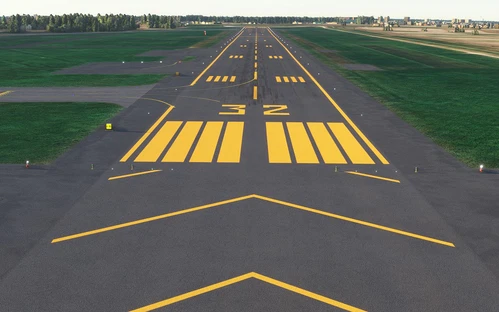
Precision Runway Marking (Okadama Airport)(RJCO))
Improve airport precision with this add-on featuring aligned runway markings created using Ministry of Land, Infrastructure, Transport and Tourism data and Google surveying. The small file size ensures easy installation, but adjustments may be needed for future scenery compatibility. Available for various airports, including Okadama, New Chitose, and Kobe.
by TOSHICHAN310
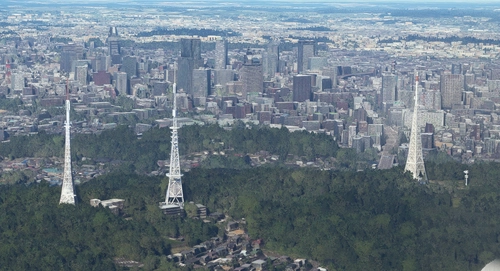
Sendai Landmarks
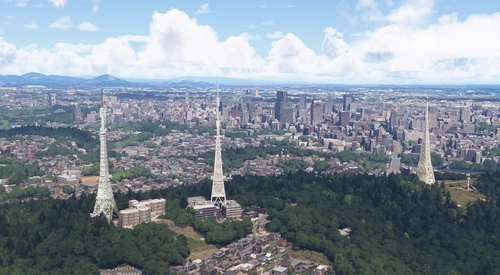
Explore the iconic landmarks of Sendai, Japan with this mod. Version 1.2 focuses on the east exit of Sendai Station, while Version 1.0 includes landmarks like TV tower 4 and Sendai Daikannon. Utilizing LOD20-22, this add-on aims to enhance the uniqueness of Sendai despite some frame rate drops during caching. Created using Google Earth Decoder, Blender, and color adjustments for Microsoft Flight Simulator.
by TOSHICHAN310
Precision Runway Marking 2024 (Sendai International Airport(RJSS))
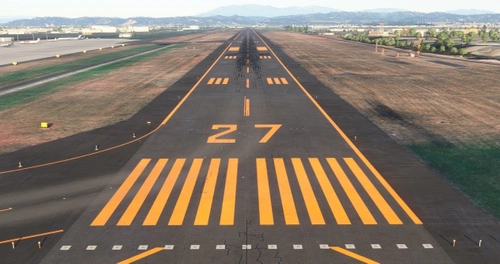
Precision Runway Marking 2024 enhances the visual accuracy of Sendai International Airport (RJSS) for MSFS2024. This add-on features orange runway markings, tailored for regions that experience snowfall, and is created using data from the Japanese Ministry of Land, Infrastructure and Transport along with Google surveys. Note that it does not include building data and requires the “Japanese Airport Model Library KRC” for proper lighting setups. Adjust scenery priorities if conflicts with other add-ons arise.
by TOSHICHAN310
Sendai Landmarks 2024
We have extracted essential landmarks of Sendai from Google Maps.
by TOSHICHAN310
Log in to join the discussion
Log InComments(37)
over 5 years ago
仙台空港シーナリー、既に使用させていただいております。
もちろん仙台市のオブジェクトも使用しています。
私の住まいは福島ですが、やっぱりリアリティーのある仙台空港をベースに飛んでいます。
こんなに作れるなんて尊敬しちゃいます。
忙しい合間を縫っての制作となっていると思いますが、
無理せずに頑張ってくださいね。
最後に・・・ここのコメントって英語のみ可でしたか?
もしそうでしたら申し訳ありません。
over 2 years ago
almost 5 years ago
good job.
over 5 years ago
great work! 👍
over 5 years ago
Can you tell me if possible how to move Aerodrome Beacon on SDK?
v2.3で飛行場灯台の座標を移動していると思うんですが、可能であればSDK上でどうやって実装したか教えていただきたいです。(回答は日本語オンリーで大丈夫です)
over 5 years ago
これカラクリがあります。伝わるといいんですが・・・
RJSSはビーコンすらなく新設したものです。
ちなみにRJOMを作成した際にはgoogleモデルの上に光点を改めてます。
どれもやり方は同じです。
光点のみのオブジェクトは確認できてないので、
Objects→Scenery→RotatingBeacon_Towerを流用します。
その際に、Propertiesの下に「Has beacom」にチェックすると、
光点が追加されます。
タイプをAIRPORTを選択します。
(SDK上では発光しません。)
この航空灯台のについての特性です。
光点は頭頂部(天板の外)に浮いてます。
Gizmoでサイズを変えても光点の大きさ高さは変わらないということを
発見しました(まさかサイズに追従しないとは・・・)。
この特性を使います。
上記を理解したうえで作成モデルなどの頂点に、
航空灯台のサイズを変えず、頂点同士の位置を合わせます。
そのあとで、GizmoのScaleを最小にして消してしまいます。
(SDKでは光点は見えませんが、そこに残ってます。)
(モデルのみ足元に縮み消えます。)
何度か再起動して光点の位置の確認をしてください。
どうでしょうか?
作成頑張ってください!
over 5 years ago
ありがとうございます!助かります!なかなか大胆な方法だったので感動しました。仕組みは理解できたので、参考にしてこちらでも挑戦してみます!!
over 5 years ago
仙台空港シーナリー、既に使用させていただいております。
もちろん仙台市のオブジェクトも使用しています。
私の住まいは福島ですが、やっぱりリアリティーのある仙台空港をベースに飛んでいます。
こんなに作れるなんて尊敬しちゃいます。
忙しい合間を縫っての制作となっていると思いますが、
無理せずに頑張ってくださいね。
最後に・・・ここのコメントって英語のみ可でしたか?
もしそうでしたら申し訳ありません。
over 5 years ago
☆×5までいただけて、すごく励みになります!
ご近所さんですね!実家はRJSS近くで今は仕事で福島に住んでます。
作成に夢中になりすぎて朝なんてこともしばしばです。
今はマーキングのオレンジ化に取り組んでます。
整いましたらアップしますね!
(生の日本語でいけそうな感じです。文面崩れてませんでした。)
over 5 years ago
(日本語OKでよかったです)
近いとはいえ、お仕事での福島での勤務大変ですね。
私にとってRJSFは少し遠いし、実世界でもRJSSに足が向いてしまいますから、MSFSもRJSSに決まってしまいます。
TOSHICHAN310様のご苦労も知らずに毎晩飛んでおりますが、
マーキングのオレンジ化すごく楽しみに待っております。
またお体を大切にしてください。
over 5 years ago
over 5 years ago
オブジェクトの配置より大事な部分と認識してます。
色々な手法があるので試行錯誤中です。もうしばらくお待ちください。
over 5 years ago
over 5 years ago
over 5 years ago
over 5 years ago
I am very happy!
There were some harsh opinions from others, but I will continue to do my best! thanks so much!