
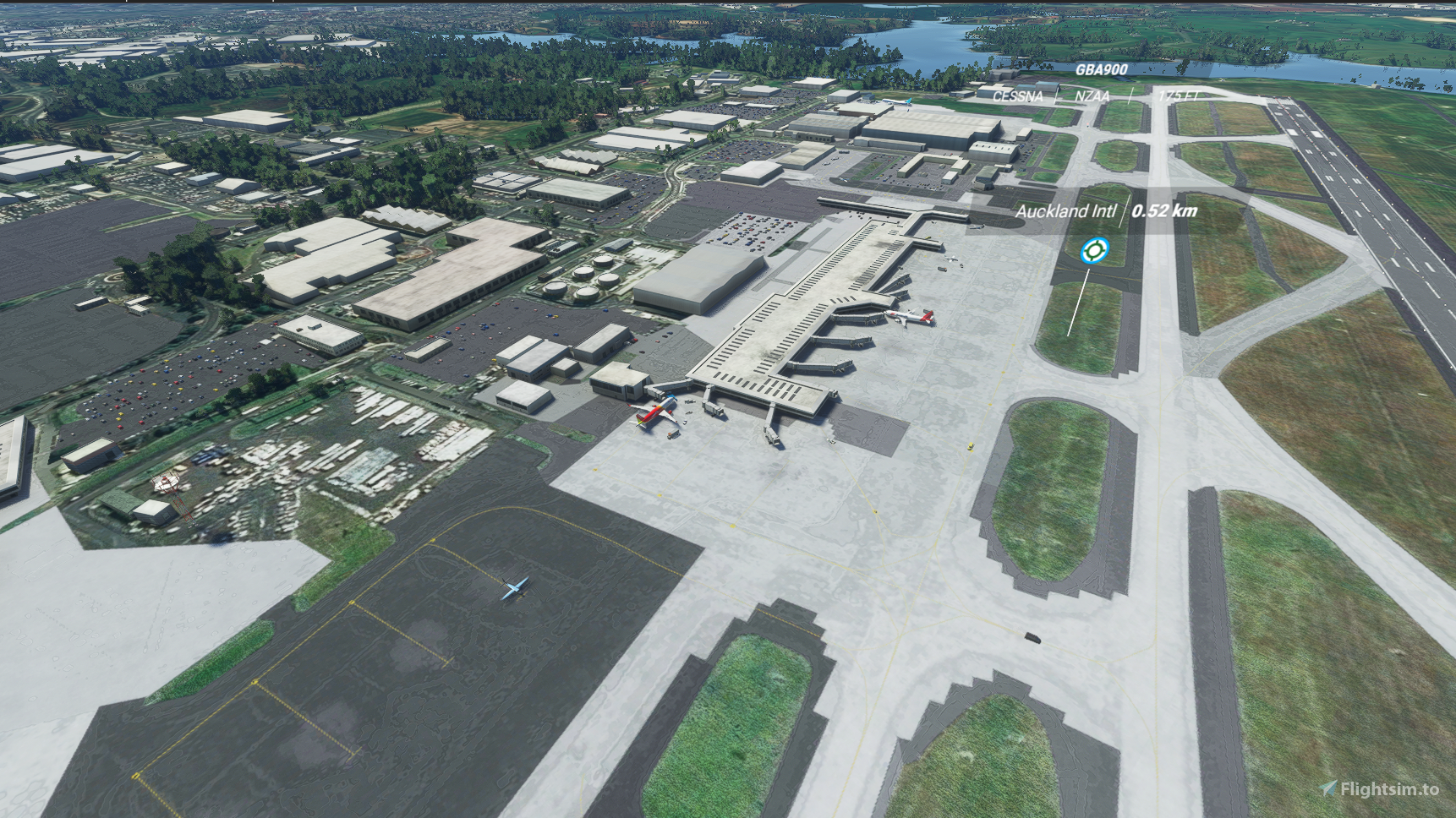
Description
21/04/21
I was setting up a night time departure from Auckland on a very murky night last night whilst having World War Z in the background and during that scene at a airport in Korea I realised there was something very creepy and erie about sitting in my Airbus while I was going through the procedures. I actually started freaking out then I realised that it was so dark and there was something missing .....
Lights!!!
So
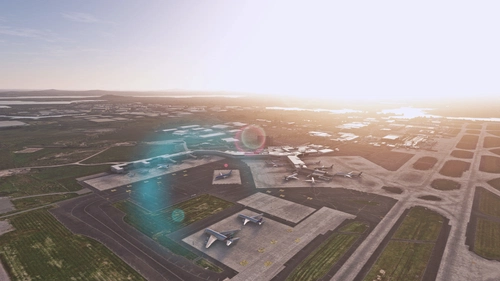
Back to delevoper mode I went, cause I was freaking out and after spending the next half hour figuring out how to add lights... I finally found how to do it... So you will be happy to see a very bright and well lit apron!! I mean a very well lit apron I mean I was packing in those lights as much as possible to well and truly light up the dead....
So you will now have a nice bright apron and you will be able to see anything running towards you a mile away as you wait for that GPS aling thing in the airbus tick down
29/03/21
If you guys see any taxi signs that look odd i.e rotated round the wrong way, let me know and I'll fix it. Had issues with the taxi signs glitching out while building. Went through with a fine-tooth combed to find any odd balls before uploading...
P.s have played round with vehicle taxi paths to take the vehicle traffic off the actual airport will check it out tomorrow and update the file if it works.
Please enjoy and let me know how it is going for you ans how much you are enjoying a fully functional Auckland int airport and possibly new airports you would like me to have a shot at next time...
28/03/21
So guys I thought I would follow through with a request for a control tower to be built... I decided to give it a go with some taxiway signs... After giving it a go and getting quite lost (always a good idea and a tip for anyone doing taxiway signs... treat it like mowing lawns.. don't be random but be thouroug and go up and down... up and down....) After getting the hang of it and getting a flow (found that the taxiway signs glitch out so you have no idea on what rotation they are facing until you reset the game....) I have done the entire airport for you guys to enjoy and hopfully enjoy a full experince without using the taxiway ribbons!!! Everything is taxiway posted almost to the point of over the top but you will never have an excuse to get lost in this airport!!!
Once again... I didn't get any but you guys will with this new update..
Just to recap
Control Tower
Taxiway signs
I have also added windsocks (you can never be without windsocks) and I have added some next to the GA apron for those who want the full VFR expeince
Runway approach lighting
vaspi
runway lighting
taxiway named
taxiway centerlight like the real thing
every gate and parking that Auckland Airport has
I hope you guys enjoy this updated version
p.s I have made it so it is just drag and drop so enjoy!!!
26/03/21
I know you guys would dig a aviation related reply.. This everything... A take-off, cruise, turbulance and a landing....
Like that old dear on Come fly with me (Little Brittan..)
I got taxi center lights, I got lots of gates, I got proper taxi names but I got no runway lights... How can you have an airport without runway lights??!!!
Airport... CLOSED!!!! (singing this little light of mine I'm going to let it shine....)
Anyway during a quick little look at the airport to get screenshots before I uploaded it, I realised that something was odd and there were no lights... A quick little look and I had made a rookie mistake.
I had forgotten to select lights, which I quickly fixed...... Completely letting slip that the fact I had already already placed the file into the upload box and unbeknowingly uploading your file to this site (hoping that the BGL fairies would weave their magic...) but ended up giving you guys the dud and keeping the lighted runway.... Jeeze, what a selfish, needy amature I am!!!
That's when I found something else that is kind of critical to a real airport..... VASI...
I decided to try and marvel at my new creation and what better way to do it than a 3 hour 787 flight (that was my first mistake...) from Sydney to Auckland while my partner went out to work (that was my 2nd mistake...) During the last bit of cruise... the good old 787 nav bugged out which left me flying by hand, my partner came home... "Just about to land dear..."... and MSFS froze and CTD... Calmly closed the laptop and yeah.... "Oh have you landed already..." Being a very intuitive lady that she is.... She asked if anything was wrong.... and I mentioned that and how I really wanted to see my creation... She said.. "Fine... Go on... you can finish your game... " being the intuitive man that I am.... "Sweet thanks babe..." She sighed... She did said it was fine though...??
Anyway I managed to check out my creation and I realised that the glideslope thingy wasnt on the runway... A quick google and a loading up a 'quick' 20min video later.. I needed to add a VASI..
My partner looked at the video, looked at me and raised one eybrow, rolled her eyes and went back to her phone...
"Wow!!" I said in excitment/confusion... "did you know that there are 13 different types of glideslopes that I have now learnt are called vasi..." Thats when she got up and went to wash the dishes... Rather loudly than usual? especially the metal cutlery... I am sure she was very excited on the inside....
Anyway I found out about fancy runway apporach lighting aswell and I just had to add that at.. I stared with CALVERT2 which are supposedly the most fancy... Hang on this is New Zealand... Auckland Airport... Still yet to complete the 2nd runway we are talking about. I'm trying to be realistic with this....
So after finding and opening a dozen odd the plates for NZAA and at first... Having a quick skim through which then quickly ended up spending the next half hour trying to find out what apporach lighting system NZAA uses, I finally found them... ALS/2bar
So...
After spending the best part of lastnight and tonight of learning... and learning, then fixing and fixing some more and then playing around 'I just had to do a proper flight from Wellington to Auckland' "To make sure it was working" which is my very first proper flight to this creation... I am quite stoked so here it is guys...
Auckland International Airport mark 2 with runway lights, VASI and a ALS/2bar...
I might not be "getting some" tonight but I and happy say that, I will be giving you some tonight!!!... In the form of this!!!
Enjoy
p.s
I will be working on the taxiway signs next so stay tuned for next time!!!
25/03021
Long time downloader (sitting back and enjoying your hard work) 1st time uploader (lot of hard work went into this...)
After almost getting a stroke (the process of getting lost/crash course/crash landing in the expansive universe of SDK and learning how to edit an airport...) going to anger management "WTF do you mean "crtitical error!!??" "I'll give you critcal error"!! emotions... "I don't want to do this anymore!!" " I give up!!" almost losing my partner in the process... " Do you want some??" "Sorry babe... working on this..." "all you do is play that stupid game!!!" "It's either me or that THAT... game..." "hang on just let me figure out how to add these stupid jetways..." "What were you saying again?"
I thought "oh F it...!!!" let's start with (not a grass strip or a small aerodrome).... but let's start with a pet pev of mine in the form of Auckland International airport....
Auckland International Airport....
With many examples of how AI hasn't quite replicated the real thing... Our country's most important piece of infrastructure/most vital port.... Auckland International Airport certainly didnt get quite the golden treatment... Far from it.....
So after months of hoping and waiting for someone else to create for me to enjoy...I've decided to give it a go and create for you.....
So it's nowhere near perfect... BUT... it's the closest thing to what we have and it has all the heavy gates, gates at the domestic terminal that A320s can use along with various aprons/GA parking along with proper taxiways.
So hope you guys enjoy something simple but something I hope.. Is alot better than the simulated thing and closer to the real thing..
Pure learning as I go so anything critical that you may have to say... Maybe turn it into something constructive/learning/tutorial for me to improve and yeah....
Enjoy....
Auckland International Airport
p.s
I will learn to add taxiway signs soon but for now I just want to fly this airport and enjoy using the gates and hopefully someone with proper experince will recreated Auckland International airport to it's full glory
Frequently Asked Questions
Auckland International Airport
Experience Auckland International Airport like never before with this add-on featuring a well-lit apron, control tower, taxiway signs, windsocks, runway approach lighting, and more. Enjoy a fully functional airport with realistic details for a more immersive flight simulation experience.


User Reviews
4 reviews
Version History
Apron lights
Featured in Collections(1)

Related
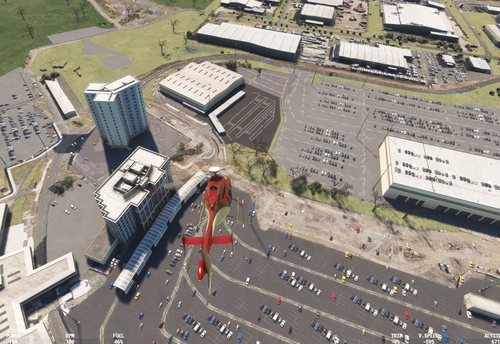
NZAA - Auckland International Airport New Zealand
This add-on enhances Auckland International Airport (NZAA) in New Zealand, providing significant improvements over the default scenery. Developed by Rogers Aussie Scenery, it offers a more detailed and realistic representation of the airport environment. The updated features aim to enhance immersion for flight simulation enthusiasts.
by Redbaron601
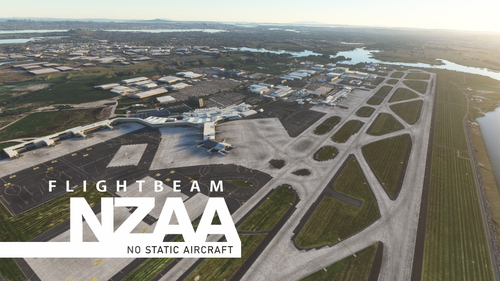
Flightbeam NZAA Auckland - No Static Aircraft
This patch will remove static aircraft at Flightbeam NZAA Auckland International Airport purchased from FS2020 Marketplace, which does not offer an option to not install them. Stands and gates previously occupied by static aircrafts will not be selectable for departures.
by MarceloNahas
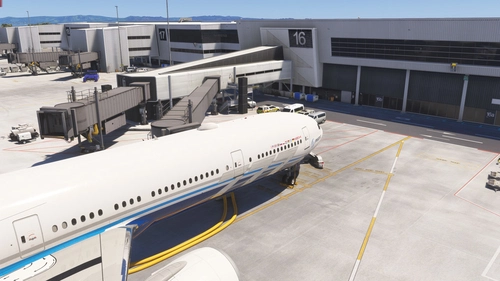
Auckland NZAA Jetway Control Fix
This add-on addresses the issue with jetway accessibility at Auckland Airport (NZAA) by disabling a nearby helipad that interferes with the operation of jetways through GSX or aircraft EFBs. Compatible with MSFS 2024 SU3 and MSFS 2020, it makes no alterations to airport scenery, ensuring functionality across both default and add-on airports. Installation is straightforward by copying the contents to the Community folder.
by MattS2218
NZAA Auckland FSLTL Static Aircraft
Enhance your Auckland airport experience with NZAA FSLTL Static Aircraft add-on by StaticSceneries. This mod uses FSLTL models to bring life to the airport without the need for FSLTL Injector, ensuring no FPS loss. Please note that these static aircraft are for visual purposes only and may affect gate usability.
by StaticSceneries
Log in to join the discussion
Log InComments(30)
over 3 years ago
This is really good. If you want default or FSLTL or similar traffic to work at NZAA and don't have deep pockets this is the one to get. Thanks for your efforts
over 4 years ago
Why RAR?
over 4 years ago
Hello, When i try to download this it downloads as a RAR file not a zip could you help me out please
over 4 years ago
I'm not very tech savy but I had issues with certain zip programs and for a while been using this zip program. it's "free" and it works real well for me
over 4 years ago
I realise this is 4 month old, but winrar or 7zip are free programs to open .rar files.
almost 5 years ago
I downloaded because of the epic description.
about 5 years ago
Hi,
I have downloaded your NZAA airport, but do not see any control tower.
Is there some tower, or not ? :-)
Thanks
over 5 years ago
over 5 years ago
but can you plse add a control tower I don't see one
over 5 years ago
over 5 years ago
Nice Work my good man
over 5 years ago
over 5 years ago
Fulvio
over 5 years ago
over 5 years ago
over 5 years ago
Good job.