
Description
Hello everyone,
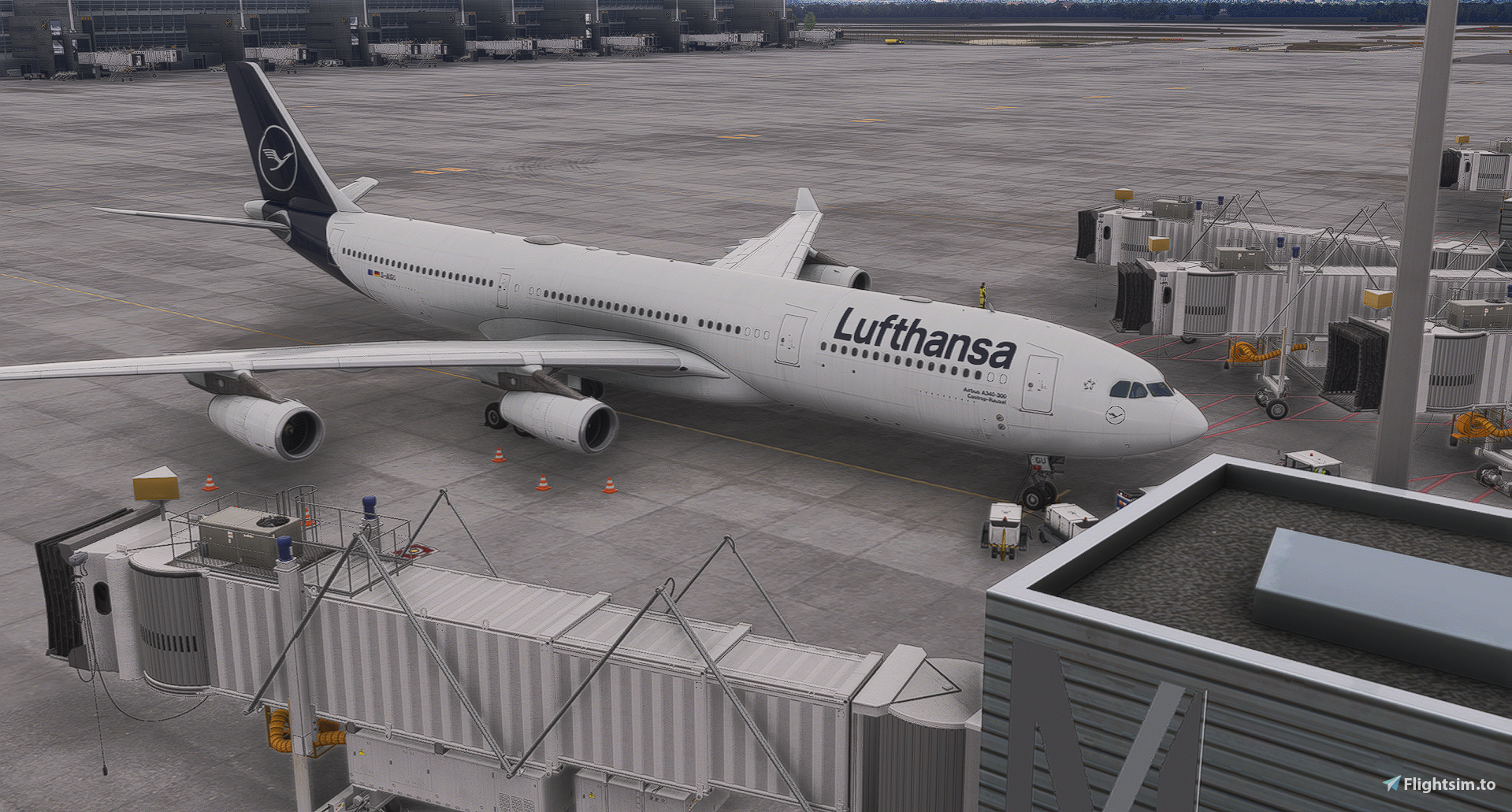
this is my second Project here on fs.to I have been flying for LH-Virtual and noticed that in Munich I GSX would park me pretty far back from the Terminal, preventing the Jetways to connect and forcing GSX to order Stairs. It is not a big of a problem but it kinda ruins the immersion.
Which is why one morning, I decided that I am gonna make a GSX Profile.
For Munich it is the same as with my other Profile, the Cologne(EDDK) GSX Profile, I cant add the missing / wrongly named Gates, for now.
For now the Aprons 1,2,3 have been configured. But the Parkings away from the terminals and the Cargo Apron are Still missing.
All Gates have Custom Pushbacks to every line and in every direction (North/South)
Currently working with vatger (Vatsims German Divison on more special Pushbacks)
Pushbacks are named by this template: Taxiway + Facing Direction example: E2 North
All Configured Gates are configured with the Fenix A320
All Heavy Gates are Configured for: Inibuilds A340/A350/A380, FBW A380 and Fenix A320.
for Installation unzip the file into this folder: C:\Users\YOUR USER NAME\AppData\Roaming\Virtuali\GSX\MSFS
For all of this to Work of course you will need GSX Pro by FSDT
Screenshots containing multiple Aircraft were done on VATSIM
Please Comment if you Encounter any Issues
GSX Profile for Asobo/Gaya EDDM-Scenery
This GSX profile customizes ground services for the Asobo and Gaya EDDM Munich Airport sceneries in Microsoft Flight Simulator. It provides tailored parking positions, naming conventions for pushbacks, and ensures proper jetway connections at configured gates. Aprons 1, 2, and 3 are currently supported with specific aircraft compatibility for heavy gates. Cargo apron and some parking areas are not yet included in this release.
Version History
-fixed A32X Stop-Position at Heavy Gates

Log in to join the discussion
Log InComments(2)
4 months ago
4 months ago