
Description
-> Join Discord for Support!
https://discord.gg/mshqUQMmMb
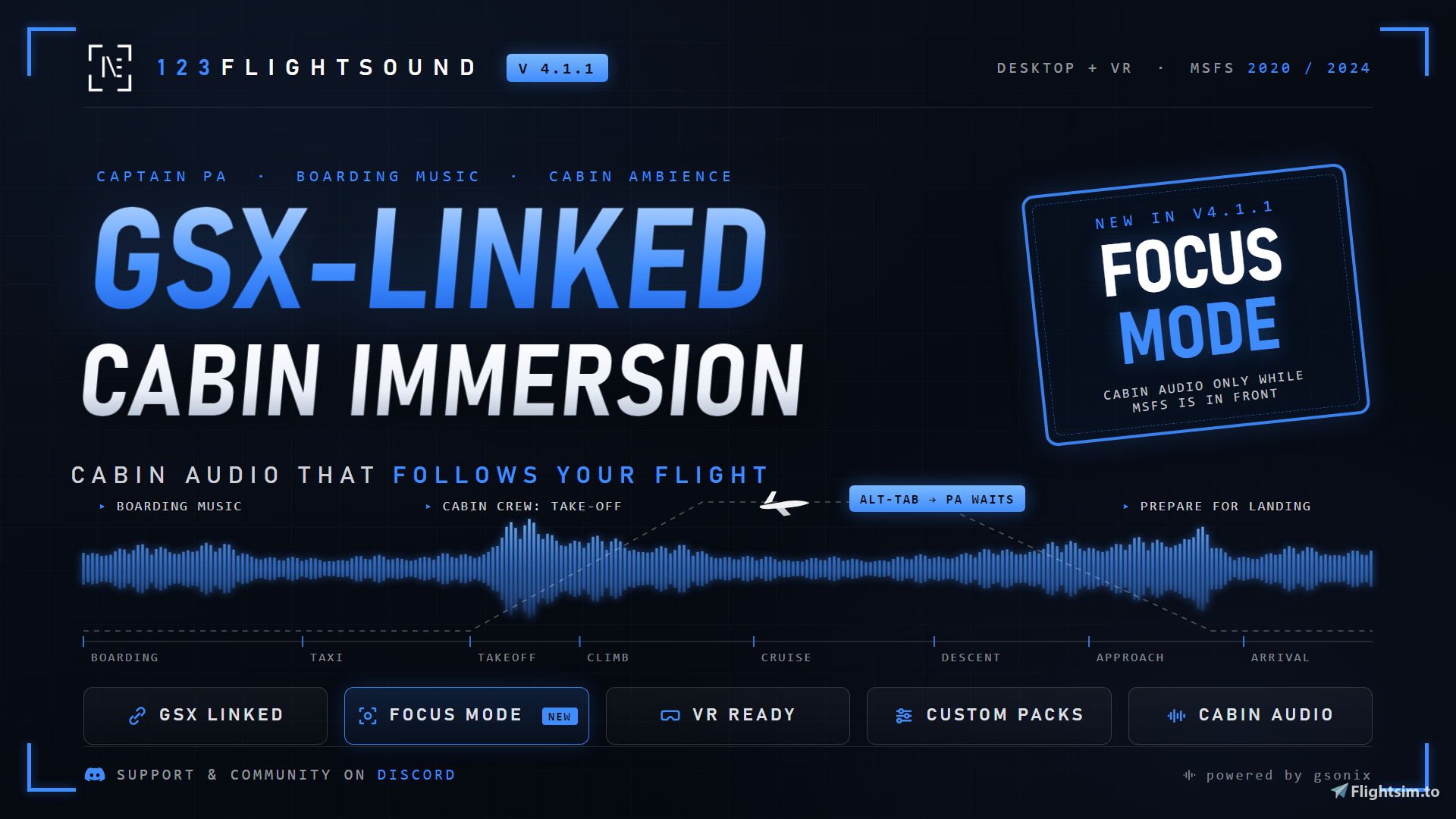
🔊 123flightSOUND V4.1.1 — Cockpit Focus & Installer Polish
A focused update for the 4.1 line. Alt-Tab without losing your cabin.
🎧 NEW: Focus Mode
Cabin audio now stays tied to your simulator. Enable Focus Mode in FlightSound Assist and:
- Cabin sounds only play while MSFS is the active window
- PA announcements are held in the queue while you're tabbed out — nothing gets skipped
- Active sounds pause and resume the moment you're back in the sim
Perfect for streamers, chart briefings and everyone flying with Navigraph, OBS or Discord on the second screen. The First Start Guide now explains volume setup and Focus Mode step by step.
🛠️ Quieter installer & panel setup
The MSFS panel install/uninstall steps now run silently in the background — no more flashing console windows. Installer text and artwork are fully aligned to 4.1.1.✈️ GSX Linked — the stable baseline
The improved 4.1 departure flow remains the public baseline: Welcome reliably releases Departure, and Departure stops Boarding Music before pushback and taxi. As always: GSX stays read-only — 123flightSOUND never controls GSX.Stop flying in silence. Let your cockpit breathe. 🛫
🔊 123flightSOUND V4.1.1 — Cockpit Focus & Installer Polish
Ein fokussiertes Update für die 4.1-Linie. Alt-Tab, ohne die Kabine zu verlieren.
🎧 NEU: Focus Mode
Das Kabinen-Audio bleibt jetzt an den Simulator gekoppelt. Focus Mode in FlightSound Assist aktivieren und:
- Kabinensounds laufen nur, wenn MSFS das aktive Fenster ist
- PA-Ansagen warten in der Queue, solange du raus-getabbt bist — nichts wird übersprungen
- Aktive Sounds pausieren und laufen weiter, sobald du zurück im Sim bist
Perfekt für Streamer, Chart-Briefings und alle, die mit Navigraph, OBS oder Discord auf dem zweiten Monitor fliegen. Der First-Start-Guide erklärt Lautstärke-Setup und Focus Mode jetzt Schritt für Schritt.
🛠️ Leiserer Installer & Panel-Setup
Die MSFS-Panel-Installations-/Deinstallations-Schritte laufen jetzt still im Hintergrund — keine aufblitzenden Konsolenfenster mehr. Installer-Texte und -Grafiken sind komplett auf 4.1.1 abgestimmt.✈️ GSX Linked — die stabile Basis
Der verbesserte 4.1-Departure-Flow bleibt die öffentliche Basis: Welcome gibt Departure zuverlässig frei, Departure stoppt die Boarding Music vor Pushback und Taxi. Wie immer gilt: GSX bleibt read-only — 123flightSOUND steuert GSX nie.Stop flying in silence. Let your cockpit breathe. 🛫
✈️ 123flightSOUND v4.0 — FlightSound Assist Release
Bring your cockpit to life with automated cabin announcements, boarding music and ambient cabin atmosphere for Microsoft Flight Simulator 2020 and 2024.
123flightSOUND is a lightweight Windows companion app for MSFS. It adds a realistic passenger-cabin layer to your flights without touching aircraft systems, without affecting FPS and without locking you into one airline or aircraft type.
Version 4.0 is a major workflow update. The old automation concept has been replaced by FlightSound Assist — a clearer, safer and more predictable way to control the cabin flow.
🔥What is new in v4.0?
FlightSound Assist
FlightSound Assist gives you two explicit modes:
Sim Flow
Uses aircraft phase, timing profile and SimConnect data to trigger the cabin sequence automatically.
GSX Linked
Uses GSX service states when GSX is available and when you select this mode. Boarding, refueling, catering, pushback and deboarding are handled more intelligently, so announcements and music happen at more believable moments.
Important: 123flightSOUND only reads GSX-related states. It does not control GSX.
🔥Better cabin timing
Version 4.0 improves the most important flow moments:
- Boarding Music starts when boarding is actually active, not merely requested.
- Welcome waits until boarding is completed.
- Welcome is held while refueling or catering is still active.
- Safety and departure cues wait for cleaner departure conditions.
- Arrival no longer immediately jumps back into boarding music after landing.
- Deboarding music follows the deboarding state more naturally.
- Runway and mid-flight starts wait for fresh simulator data before arming any gate sequence.
🔥New InGame / VR panel
The MSFS toolbar panel has been cleaned up for cockpit use.
It is now a focused remote panel instead of a desktop settings clone. You can start or pause FlightSound Assist, stop all sounds, switch sound packs and manually trigger the main sound buttons directly inside the simulator.
Advanced setup stays in the desktop app where it belongs: Assist mode, timing profile, volume setup, audio output and custom sound assignment.
🔥Own Sound Pack
Version 4.0 adds an Own Sound Pack workflow. You can assign your own MP3 files while keeping the default sound packs separate.
The first-start guide explains how to assign custom sounds, restore defaults and set up the app properly.
🔥Audio output selection
You can now select the audio output from the tray menu. This is useful if you want 123flightSOUND to play through a different device than your simulator.
🔥Safer MSFS installation
The installer has been hardened for MSFS autostart handling:
- Existing third-party EXE.xml entries are preserved.
- Backups are created before changes.
- Invalid EXE.xml files are not overwritten.
- The uninstaller removes only 123flightSOUND entries and panel folders.
🛠 Core Features
- Automated cabin announcements
- Boarding music
- Cabin ambient loops
- Manual soundboard buttons
- SimConnect-based flight awareness
- FlightSound Assist with Sim Flow and GSX Linked modes
- MSFS 2020 and MSFS 2024 support
- InGame / VR toolbar panel
- Own Sound Pack support
- Tray audio-output selection
- Language/profile-based sound packs
- Lightweight desktop companion app
- No account required
- No impact on aircraft systems
Notes
123flightSOUND is designed as an independent cockpit companion tool. It is not affiliated with Microsoft, Asobo, iniBuilds, Fenix, PMDG, GSX or any airline.
GSX Linked mode is a read-only helper mode. It follows available GSX service states but does not control GSX.
Stop flying in silence. Let your cockpit breathe.
Windows SmartScreen may appear because the app is new and not code-signed yet. The source code and release notes are available on GitHub.
✈️ 123flightSOUND v4.0 — FlightSound Assist Release
Bring Leben in dein Cockpit: automatische Kabinenansagen, Boarding Music und realistische Ambient-Sounds für Microsoft Flight Simulator 2020 und 2024.
123flightSOUND ist eine schlanke Windows Companion App für MSFS. Sie ergänzt deine Flüge um eine realistische Kabinenebene, ohne Flugzeugsysteme zu verändern, ohne FPS zu kosten und ohne dich auf eine bestimmte Airline oder ein bestimmtes Flugzeug festzulegen.
Version 4.0 ist ein großes Workflow-Update. Das alte Automatik-Konzept wurde durch FlightSound Assist ersetzt — klarer, sicherer und besser nachvollziehbar.
🔥Was ist neu in v4.0?
FlightSound Assist
FlightSound Assist bietet zwei klare Modi:
Sim Flow
Nutzt Flugphase, Timing-Profil und SimConnect-Daten, um die Kabinenabläufe automatisch auszulösen.
GSX Linked
Nutzt GSX-Servicezustände, wenn GSX vorhanden ist und dieser Modus aktiv ausgewählt wurde. Boarding, Refueling, Catering, Pushback und Deboarding werden dadurch deutlich sauberer berücksichtigt.
Wichtig: 123flightSOUND liest GSX-bezogene Zustände nur aus. Das Tool steuert GSX nicht.
🔥Besserer Kabinenablauf
Version 4.0 verbessert die entscheidenden Flow-Momente:
- Boarding Music startet erst, wenn Boarding wirklich aktiv ist.
- Welcome wartet auf abgeschlossenes Boarding.
- Welcome bleibt blockiert, solange Refueling oder Catering noch aktiv sind.
- Safety und Departure warten auf sauberere Abflugbedingungen.
- Nach der Landung springt die App nicht sofort wieder in Boarding Music zurück.
- Deboarding Music folgt dem Deboarding-Zustand natürlicher.
- Starts auf der Runway oder im Flug warten auf frische Simulator-Daten, bevor eine Gate-Sequenz aktiviert wird.
🔥Neues InGame-/VR-Panel
Das MSFS Toolbar Panel wurde für die Nutzung im Cockpit vereinfacht.
Es ist jetzt ein fokussiertes Remote-Panel statt einer Kopie der Desktop-App. Du kannst FlightSound Assist starten oder pausieren, alle Sounds stoppen, Sound Packs wechseln und die wichtigsten Soundbuttons direkt im Simulator auslösen.
Erweiterte Einstellungen bleiben bewusst in der Desktop-App: Assist-Modus, Timing-Profil, Volume Setup, Audio-Ausgabe und Custom Sound Assignment.
🔥Own Sound Pack
Version 4.0 bringt einen Own Sound Pack Workflow. Du kannst eigene MP3-Dateien zuweisen, ohne die Standard-Soundpacks zu vermischen.
Der neue First Start Guide erklärt die Sound-Zuweisung, Restore-Funktion und Grundeinrichtung.
🔥Audio-Ausgabeauswahl
Die Audio-Ausgabe kann jetzt über das Tray-Menü gewählt werden. Das ist praktisch, wenn 123flightSOUND über ein anderes Gerät laufen soll als der Simulator.
🔥Sicherere MSFS-Installation
Der Installer wurde beim MSFS-Autostart deutlich robuster gemacht:
- Bestehende fremde EXE.xml-Einträge bleiben erhalten.
- Vor Änderungen werden Backups erstellt.
- Ungültige EXE.xml-Dateien werden nicht überschrieben.
- Der Uninstaller entfernt nur 123flightSOUND-Einträge und Panel-Ordner.
🛠 Kernfunktionen
- Automatische Kabinenansagen
- Boarding Music
- Cabin Ambient Loops
- Manuelle Soundboard-Buttons
- SimConnect-basierte Flugerkennung
- FlightSound Assist mit Sim Flow und GSX Linked
- Unterstützung für MSFS 2020 und MSFS 2024
- InGame-/VR-Toolbar-Panel
- Own Sound Pack Support
- Audio-Ausgabeauswahl im Tray
- Sprach-/Profilbasierte Soundpacks
- Schlanke Windows Companion App
- Kein Account nötig
- Kein Eingriff in Flugzeugsysteme
Hinweise
123flightSOUND ist ein unabhängiges Cockpit Companion Tool. Es besteht keine Verbindung zu Microsoft, Asobo, iniBuilds, Fenix, PMDG, GSX oder einer Airline.
GSX Linked ist ein read-only Hilfsmodus. Der Modus folgt verfügbaren GSX-Servicezuständen, steuert GSX aber nicht.
Flieg nicht weiter in steriler Stille. Lass dein Cockpit leben.
Hinweis: Das Tool ist Open Source und absolut sicher. Falls Windows SmartScreen eine Warnung anzeigt, klicke einfach auf „Trotzdem ausführen“.
Code signing provided by SignPath Foundation
123flightSOUND v4.1.1 | FlightSound Assist, GSX Linked Cabin Flow, VR Panel & Custom Sound Packs
Automated cabin announcements, boarding music and ambient sound for MSFS 2020/2024. Version 4.1.1 introduces FlightSound Assist with Sim Flow and GSX Linked modes, a cleaner InGame/VR panel, Own Sound Pack support, audio-output selection and safer MSFS autostart handling.

Supporters

User Reviews
34 reviews
Version History
V 4.1.1 - Cockpit Focus & Installer Polish English Focus Mode for cockpit-only audio FlightSound Assist now includes optional Focus Mode. When enabled, cabin audio only runs while Microsoft Flight Simulator is the active foreground app. Queued PA announcements wait instead of being consumed, and active cabin sounds pause/mute until you return to MSFS. Quieter installer and panel setup The MSFS panel install/uninstall steps now run quietly through the installer, with the installer UI and bundled header/sidebar artwork aligned to Release 4.1.1. GSX Linked public baseline The improved 4.1 GSX Linked flow remains the current public baseline: Welcome reliably releases Departure, Departure stops Boarding Music before pushback/taxi, and GSX remains read-only. 4.1.1 metadata aligned App, feedback metadata, installer artifact, changelog and MSFS 2024/FS2020 panel manifests now show 4.1.1. Beta-only feature copy was removed from this public release. Deutsch Focus Mode fuer Cockpit-Audio FlightSound Assist hat jetzt einen optionalen Focus Mode. Wenn er aktiv ist, laufen Cabin Sounds nur, solange Microsoft Flight Simulator das aktive Vordergrundfenster ist. PA-Ansagen bleiben in der Queue und aktive Sounds pausieren/stummen, bis MSFS wieder im Fokus ist. Leiser Installer und Panel-Setup Die MSFS-Panel-Installations- und Uninstall-Schritte laufen jetzt ruhig ueber den Installer. Installer-UI und Header-/Sidebar-Bilder sind auf Release 4.1.1 gesetzt. GSX Linked als oeffentliche Basis Der verbesserte 4.1-GSX-Linked-Flow bleibt die oeffentliche Basis: Welcome gibt Departure zuverlaessig frei, Departure stoppt Boarding Music vor Pushback/Taxi, und GSX bleibt read-only. 4.1.1-Metadaten synchronisiert App, Feedback-Metadaten, Installer-Artifact, Changelog und MSFS-2024/FS2020-Panel-Manifeste zeigen jetzt 4.1.1. Beta-only Feature-Text gehoert nicht zu diesem oeffentlichen Release.

Log in to join the discussion
Log InComments(220)
about 6 hours ago
13 days ago
12 days ago
Please turn AVG back on. The setup may be blocked by Windows SmartScreen, which is separate from AVG.
If you see **“Windows protected your PC”** saying that SmartScreen prevented an **unrecognized app** from starting, and you downloaded the installer directly from this Flightsim.to page, click **More info → Run anyway**, if available.
If you see a different message, there’s no “Run anyway” button, or your antivirus reports a specific threat, please send me a screenshot of the warning and let me know whether you’re using Windows 10 or 11. That will help me identify the actual blocker.
Regarding Dave’s GSX profiles: FlightSound’s **GSX Linked** mode reads GSX service states; it doesn’t control GSX. Could you share a link to the profiles you mean so I can check the specific setup?
Best,
Stefan
12 days ago
11 days ago
If you still want me to look into Dave’s GSX profiles, send me a link to the ones you mean and I’ll check them out.
Enjoy your flights!
Stefan
17 days ago
11 days ago
about 1 month ago
about 1 month ago
What you hear after touchdown is not an arrival crosscheck. It is the flight deck landing roll callouts: spoilers, reverse green, decel. That is why it plays over the braking, and why it is the same audio in every language pack. Cockpit callouts are English everywhere.
What is wrong is my label. I called it "Arrival Crosscheck" in the interface, which promises the cabin crew doors call at the stand. Different moment, different voice, and it is not in the app yet. The label will be corrected to say what the sound really is.
The crosscheck at the stand is noted as a feature. The app already knows when the aircraft is parked, so what is missing is the recording, not the trigger.
On Spanish: I cannot simply add a language pack. Every announcement has to be recorded by a voice I have the rights to use, and that part is the work, not the software. What you can do today is Own Sound Pack: you can put your own MP3 into any of the eleven slots, stored separately from the included packs, so you can run the app in Spanish with recordings you bring yourself. I am working on a more general solution for exactly this, but I am not promising a date.
Thanks again, this was genuinely useful.
about 2 months ago
about 2 months ago
I checked the current implementation before answering. The installer adds two separate components:
1. The desktop app, which reads a small set of SimConnect values once per second.
2. The optional MSFS toolbar panel, which reads the desktop app's local status approximately every 1.4 seconds.
Neither component is intended to affect camera rendering, but I do not want to dismiss the connection just because the polling rates look modest in the code.
Could you confirm three details?
- Was this MSFS 2024?
- Was the 123flightSOUND toolbar panel open or closed when the spikes occurred?
- Does the displayed number rise from 70 to 150/160 FPS, or are you referring to frame time or latency increasing?
If you are willing to test it once more later, the most useful isolation test would be installing 123flightSOUND without the optional MSFS/VR toolbar panel and running only the desktop app. If the spikes disappear, the panel is responsible. If they remain, I need to investigate the desktop or SimConnect side.
Please do not reinstall only for my benefit if your simulator is currently stable. The information above would already help me narrow this down.
Thank you for reporting the performance problem while still saying you liked the sounds.
about 2 months ago
If you're looking for a realism mod, this is the one. It’s a very well-crafted mod that I really enjoyed. There’s still some room for improvement, but it’s good for now.
Personally, I think the menu could be simplified a bit—it feels a bit heavy—though I did like how quick and easy it was to download and set up (it took me just a minute). In the future, it would be great to have a menu where the user can select an airline and have the sounds automatically match real-world specifications. Still, I’d recommend this mod to anyone.
about 2 months ago
I am especially glad that downloading and setting it up felt quick and easy. Your point about the menu feeling heavy is fair. The app has gained more automation, timing and customization options over time, and the next step should make those choices easier to understand instead of simply adding more controls.
An airline selector is an attractive idea. The difficult part is that real airline names, recordings and procedures cannot simply be included without the appropriate rights, and the exact cabin flow also differs between airlines and aircraft. Today, Own Sound Pack lets users replace the existing sounds with their own MP3 files, but it does not yet provide complete airline-style profiles.
A future version could make personal sound packs and airline-style operating profiles much easier to select, without pretending that unofficial content is an exact licensed airline reproduction.
Which part felt heaviest to you: the initial sound-pack selection, the main soundboard, or the FlightSound Assist settings? That detail would help me simplify the right area.
Thank you again for the thoughtful feedback.
2 months ago
about 2 months ago
Sim Flow does not detect the pushback itself. The Departure announcement is scheduled after the Welcome announcement finishes: 15 seconds with Fast timing, 30 seconds with Standard, or 45 seconds with Long. If pushback begins around that moment, it can look as if pushback triggered the sound, but the two events are not actually connected.
As a first workaround, try the Long timing profile if Departure plays too early, or Fast if it plays too late.
Could you tell me which aircraft you were using, which timing profile was selected, and whether Departure played too early or too late? An approximate time after the Welcome announcement would also help. Then I can tell whether the profile simply needs adjustment or whether there is a real Sim Flow defect to fix.
2 months ago
about 2 months ago
Different selectable voices are partly possible already through Own Sound Pack, where you can replace the existing eleven sounds with your own MP3 files. What it cannot do yet is build dynamic announcements.
Reading the airline name from SimBrief and announcing destination weather would require a different system: flightplan data, announcement templates and probably text-to-speech. That is much larger than adding another recorded voice, but I like the direction because it would make every flight feel specific instead of playing the same fixed announcement.
I am considering what belongs in the next major 123flightSOUND version and whether an optional premium edition would make sense, but I do not want to announce features or a date before I know they can be done properly.
If you could choose only one first, which would matter most to you: more voices, an airline-specific welcome, or destination weather?
Thank you. These are exactly the kind of ideas that help shape the next version.