
Description
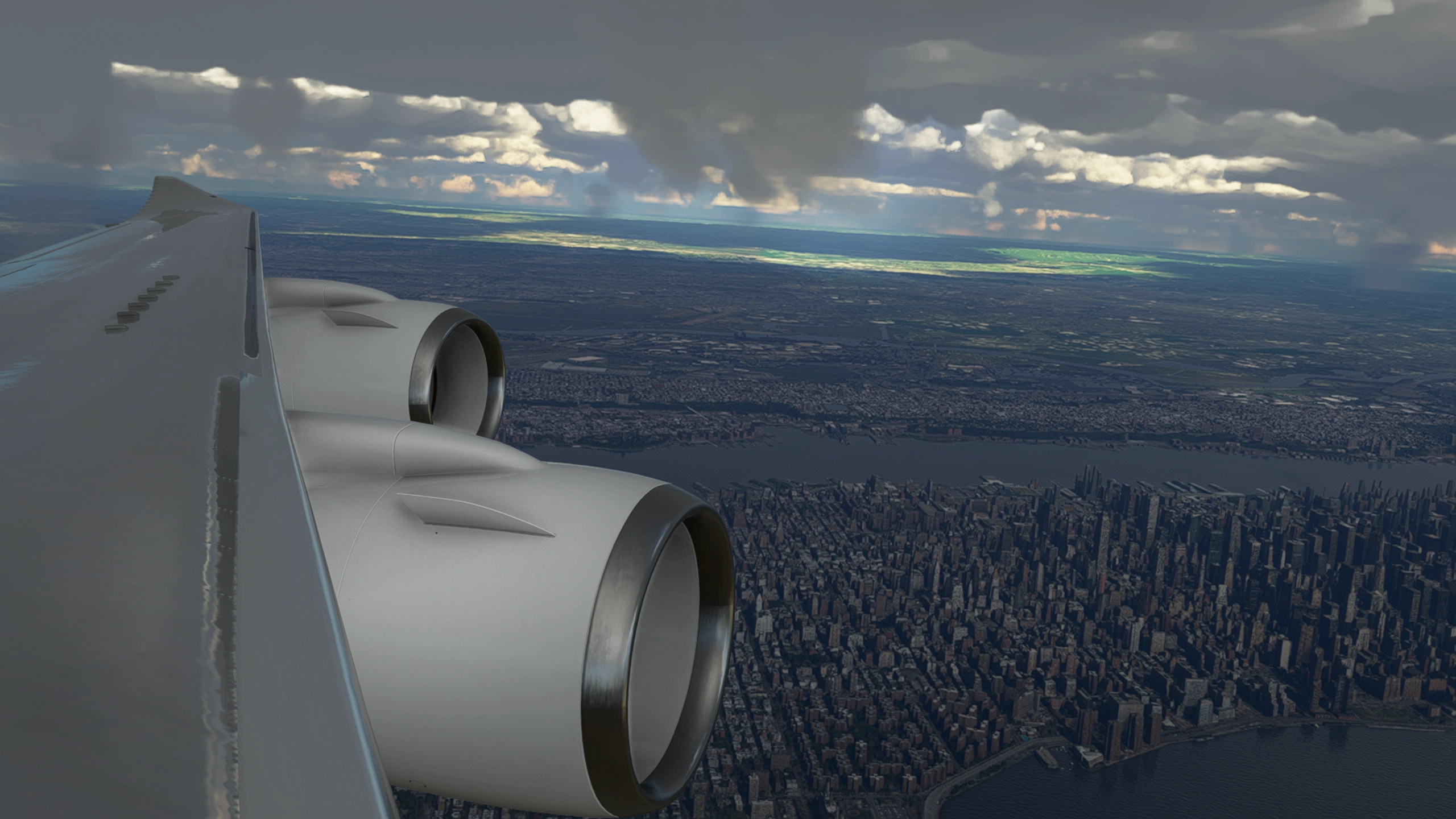
Description: Custom cameras with cockpit and wingviews, for the Boeing 747-8i.
The custom cameras:
Custom camera 1 - Pilot View
Custom camera 2 - FMC View
Custom camera 3 - Overhead Panel View
Custom camera 4 - Radio View
Custom camera 5 - Pilot Cam View (Gopro cam)
Custom camera 6 - Left Wing View (Ontop of the wing)
Custom camera 7 - Left Wing View (Infront of the wing)
Custom camera 8 - Right Wing View (Infront of the wing)
Installation: Drop and replace the file in the following folder:
Microsoft Store installation:
C:\Users\(UserName)\AppData\Local\Packages\Microsoft.FlightSimulator_8wekyb3d8bbwe\LocalCache\SimObjects\Airplanes\Asobo_B747_8i
Steam installation:
C:\Users\(Username)\AppData\Roaming\Microsoft Flight Simulator\SimObjects\Airplanes\Asobo_B747_8i
Important!: Always remember to make a backup of your own CAMERAS.CFG file before installing and i will not be responsable if anything goes wrong.
Boeing 747-8i Wing + Cockpit Cameras
Custom cameras with cockpit and wingviews, specifically designed for the Boeing 747-8i. Enhance your flight experience with various customizable views including Pilot, FMC, and Wing perspectives. Easily install by replacing the file in the designated folder for Microsoft Store or Steam installations. Make sure to backup your CAMERAS.CFG file before installation for added security.


User Reviews
1 reviews
Version History
No version history available.
Log in to join the discussion
Log InComments(18)
8 months ago
over 4 years ago
not working for Salty !
over 2 years ago
over 5 years ago
over 5 years ago
over 5 years ago
over 5 years ago
over 5 years ago
over 5 years ago
over 5 years ago
over 5 years ago
C:\Users\xxxxxx\AppData\Roaming\Microsoft Flight Simulator\SimObjects\ (Airplanes\Asobo_B747_8i)
over 5 years ago
over 5 years ago
in SimObjects it's directly \Asobo_B747_8i but the Asobo_B747_8i folder, just contain the state.CFG
over 5 years ago
over 5 years ago
In this folder, only state.CFG
over 5 years ago
over 5 years ago
over 5 years ago