
Description
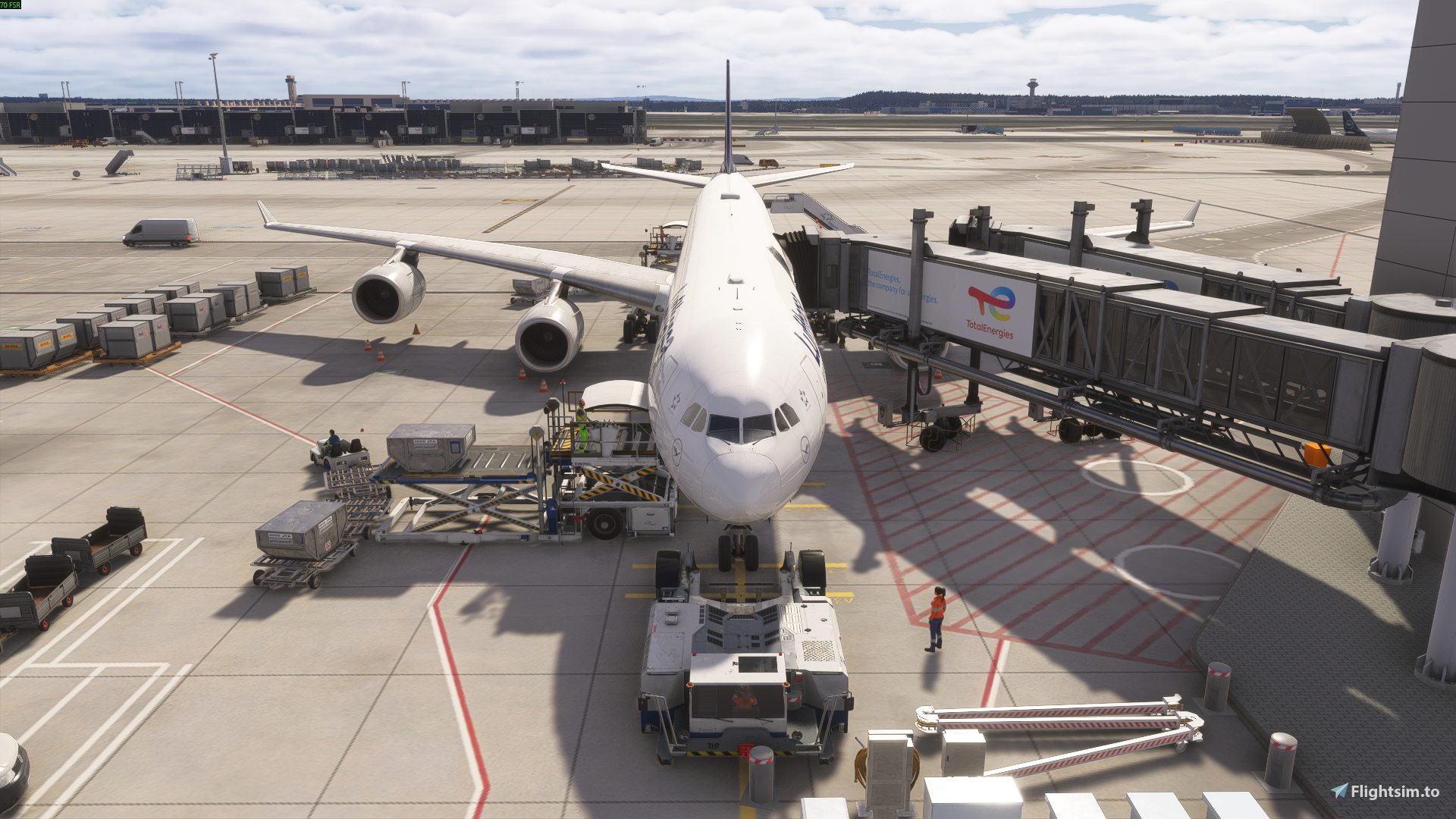
Aerosoft A340-600 Pro – GSX Profile
This GSX profile is specifically created for the Aerosoft A340-600 Professional and aims to provide a realistic and smooth ground handling experience in Microsoft Flight Simulator.
Features:
- Custom door and service positions for the Aerosoft A340-600 Pro
- Correct placement of catering trucks, loaders, and ground services
- Optimized pushback settings
- Improved realism for ground operations
- Tested for smooth GSX integration
This profile is designed to work seamlessly with GSX Pro and enhances the overall ground handling experience when operating the Aerosoft A340-600.
Installation:
- Download the file.
- Unzip it and drag and drop it into your
%APPDATA%\Virtuali\Airplanes folder - Restart MSFS (or restart the Couatl engine).
- Enjoy improved ground services with the A340-600.
If you enjoy the profile, feel free to leave a rating on Flightsim.to. Feedback and suggestions are always welcome.
Enjoy your flights! ✈️
Aerosoft A340-600 Pro GSX Profile
This GSX profile is designed for the Aerosoft A340-600 Professional in Microsoft Flight Simulator, optimizing ground service placement and operations. It features custom door and service positions, accurate vehicle placements, and tailored pushback settings. The profile aims to provide a more realistic and efficient ground handling experience. Seamless integration with GSX Pro is ensured for improved airport operations.


User Reviews
5 reviews
Version History
Changes & Fixes: Fuel Services Position Corrected: Adjusted fuel service truck placement to align accurately with aircraft refueling points. Lavatory Service Alignment: Fixed the lavatory service truck position for correct connection to aircraft service points. Water Service Positioning: Updated water service truck to the proper location for realistic servicing. GPU (Ground Power Unit) Placement: Corrected GPU position to ensure proper alignment with aircraft power receptacle.
Log in to join the discussion
Log InComments(24)
5 months ago
6 months ago
For anyone experiencing an issue where upon requesting boarding GSX asks you to open door 1L although the jetway is connected to 2L, open 1L and then set it to auto.
For some reason it's not possible to confirm good engine start after pushback so I just press stop here and complete but not a big deal.
6 months ago
7 months ago
Maybe the profile needs to be adapted for v1.0.1.
7 months ago
7 months ago
7 months ago
7 months ago
7 months ago
7 months ago
7 months ago
7 months ago
7 months ago
Changes & Fixes:
-Fuel Services Position Corrected
-Lavatory Service Alignment
-Water Service Positioning
-GPU Placemen
7 months ago
7 months ago
7 months ago
7 months ago
7 months ago
7 months ago
If it doesn’t work in Munich (EDDM), then the issue is most likely with the GSX airport profile for EDDM, not with the aircraft profile.
For me it works perfectly at every airport.
Also, the Aerosoft A340-600 Pro is not natively supported by GSX, which can cause issues like this.