
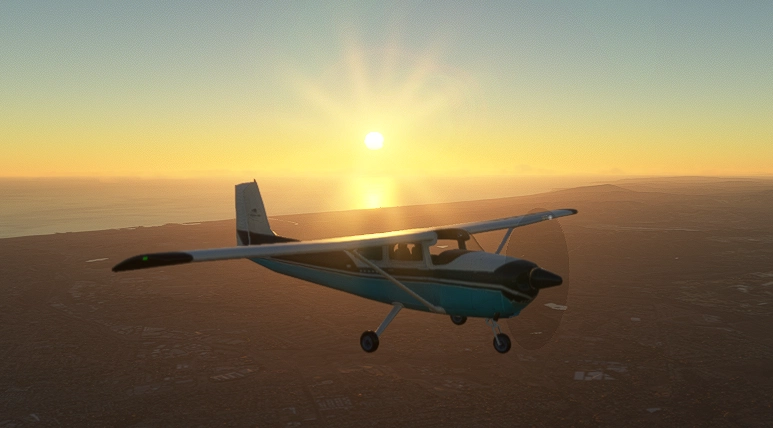
Description
This is the 2025 AOPA sweepstakes Cessna 182A with working avionics for MSFS2020. This is the full compiled and uncompiled file/folders for developers and users. Must have the PMS50 addon for the nav to work (https://pms50.com/msfs/). The free version of PMS50 is fine. VNAV will not work though. (Check for PMS50 Premium version 2.2.62 for VNAV to work without the autopilot on) Here is a link for optional Air Manager panels (https://github.com/Normfly/Air-Manager.git) or I also uploaded panels to flightsim.to. Feel free to contact me for bugs or comments or suggestions. This is a full working airplane model, not just a livery. It's still a work in progress, but is coming out pretty cool. This has a GNC215 Nav/Com, 3 Garmin Gi-275's a ADI, HSI, and EIS with Garmin 500 autopilot with VNAV (with the PMS50 premium subscription). I tried to focus more on the Avionics and IFR characteristics than pretty airplane model stuff. The instruments were made using java script. This is the complete package I used to build this. So, if anyone needs a model to make or modify their own, I included them. Special thanks to Jonx Simulations and EzRyder youtube videos on how to make an airplane. And, a lot of copilot AI help.
There are popouts on all the instruments, even the non glass ones (IAS, TC, ALT, VSI, autopilot, and GTN650 bezel). So, you can build a panel on a separate monitor. Just hold right ALT and look for the +. I put them on the top left corners of the instruments.
INSTALL INSTRUCTIONS (Normal)
If you just want to fly the airplane and not modify, just decompile the .zip and open Cessna182a\Packages\ (copy and paste "normware-cessna182a" into the Community folder.)
INSTALL INSTRUCTIONS (Developer Mode)
1) In MSFS2020 enable developer mode.
2) Open Cessna182a.xml, Build and the airplane will show up. (You would have to build every time you want to fly it though. Unless, following the Normal instructions)
2025 AOPA sweepstakes Cessna 182A (full airplane package)
This is the 2025 AOPA sweepstakes Cessna 182a. This is the full airplane, not a livery. This is the full compiled Package and uncompiled package (for developers)


User Reviews
7 reviews
Version History
Added Misc. Options to the MFD/HSI to select TAS, GS, OAT, Wind. Also fixed some display bugs with wind display. Also changed the PFD/MFD knob long/short press actions. PFD (ADI) short press sets STD in the baro and back. PFD (ADI) long press brings up the menu and closes it. MFD (HSI) short press syncs heading bug. MFD (HSI) long press brings up the menu and closes it.
Related
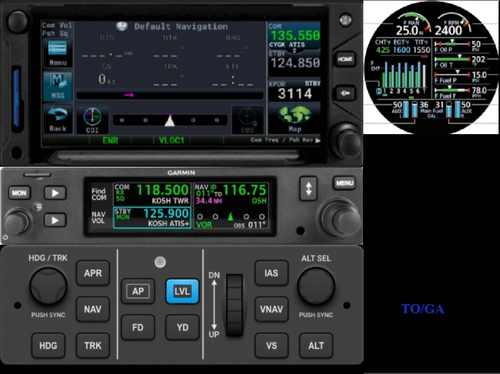
AOPA sweepstakes Cessna 182A Air Manager Panels
This add-on provides custom Air Manager panels designed specifically for the AOPA sweepstakes Cessna 182A. It allows users to integrate detailed and realistic cockpit instrument layouts tailored for this aircraft. The panels are intended to enhance accurate control and interaction within Microsoft Flight Simulator. Compatibility with Air Manager is required for use.
by normfly
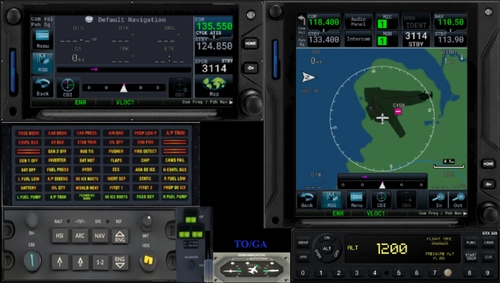
PC12 by SWS Air Manager panel and instruments
This add-on provides a set of .siff files for use with Air Manager, designed specifically for the SWS PC12 aircraft in Microsoft Flight Simulator. The files include panel layouts and instruments suitable for multi-monitor configurations. Users can utilize these resources to create a realistic and organized cockpit setup. The collection aims to enhance panel management for SWS PC12 virtual pilots.
by normfly
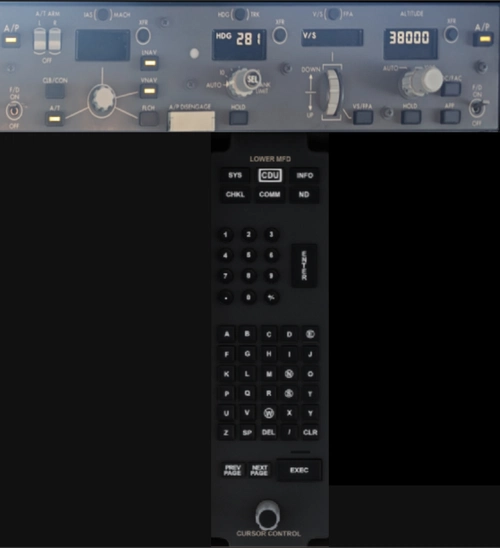
787 Air Manager panel and instruments
This add-on provides Air Manager panels and instruments designed specifically for the MSFS2020 Boeing 787. It supports multi-monitor setups, allowing users to display aircraft instruments on separate screens. The package enhances cockpit realism for virtual pilots. Suitable for those utilizing Air Manager with their simulator.
by normfly
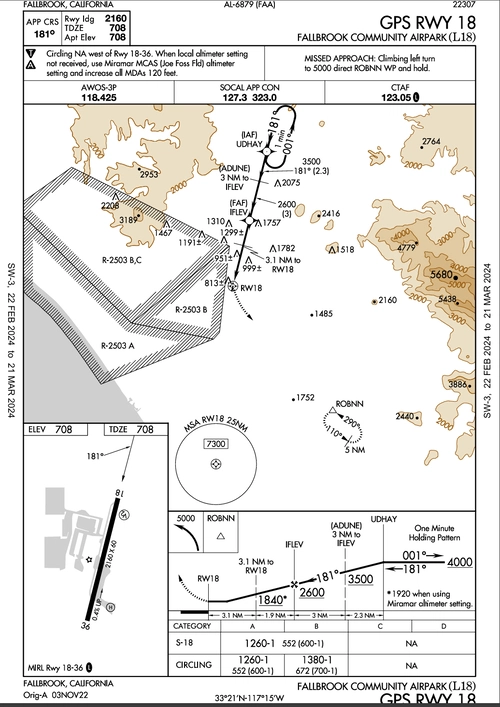
L18 GPS approach
This add-on provides a custom GPS approach override for L18 Fallbrook, California, allowing GPS functionality at the airport. It serves as a template for users interested in creating their own custom approaches. Installation is done by placing the files in the community folder. Suitable for enhancing navigation and approach options at L18.
by normfly
Log in to join the discussion
Log InComments(64)
about 5 hours ago
4 months ago
4 months ago
5 months ago
5 months ago
startup "TAWS system test OK"
below 80 MPH and above 1000' RA "AIRSPEED"
less than 400', > 3 miles from airport, > 40 knots, not on ground "PULL UP"
1200' per min descent, "SINK RATE"
"500"
"MINIMUMS"
altitude alert tone
Pattern
Climb (>500') 23" M.P. / 2450 RPM / 100MPH
Pattern altitude (1000') 15" M.P. 100 MPH
Abeam the numbers 10-15" 1 notch of flaps
Base 2 notch of flaps 90 MPH
Final 2-4 notches of flaps 75-80 MPH
If this is flown you should get 2 TAWS announcements, "TAWS SYSTEM TEST OK", and "500". Unless you get slow or have a high descent rate, which is what the system is for. The real airplane does not have a TAWS silence button.
If you want, you can change what ever you want. This is the complete project. To modify sounds, open,
\Cessna182a\PackageSources\SimObjects\Airplanes\Cessna182a\sound\sound.xml
Just take out any sounds you do not want, enable developer mode, and build the project, \Cessna182a\Cessna182a.xml
Go crazy, I couldn't find a complete airplane project out there, so I posted mine. It's fully changeable.
5 months ago
5 months ago
5 months ago
5 months ago
5 months ago
5 months ago
5 months ago
5 months ago
5 months ago
5 months ago
5 months ago
5 months ago
5 months ago
5 months ago