
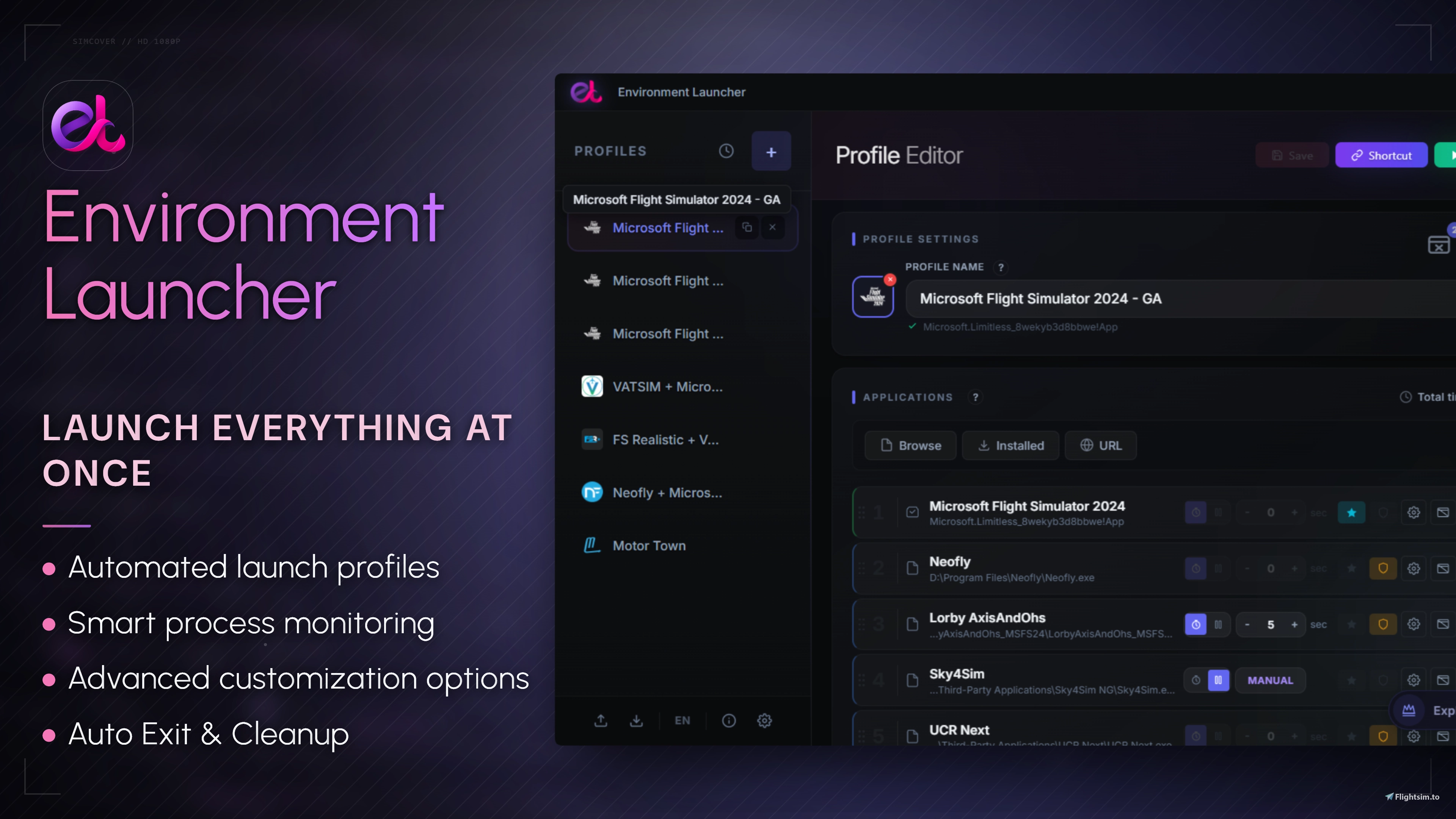
Description
Environment Launcher
A desktop utility designed to automate launching companion apps and tools for flight simulators. Built with Microsoft Flight Simulator 2024 in mind (though it works with any game), it lets you prepare your entire system for a flight with a single click. You can run profiles directly from the app or via desktop shortcuts.
Why I built it
Anyone who flies in MSFS with add-ons like FSUIPC, Navigraph, SimToolkitPro, Volanta, or SPAD.neXt knows the drill: before every single flight, you have to manually click through a dozen background apps. Environment Launcher solves this by launching everything automatically, in the correct order, and based on your custom rules.
Key Features
- Launch Profiles: Create separate app groups for different aircraft types, networks, or flight scenarios.
- Configurable Delays: Set custom pauses between launches to prevent your CPU from spiking.
- CPU Priority Control: Assign specific processor priorities to individual apps within a profile.
- URL Integration: Automatically open required web pages, charts, or flight planners in your default browser.
- Smart Process Monitoring: Detects when the simulator starts and can automatically close all companion apps when you exit the game.
- Resource Recovery: Temporarily shut down unnecessary background programs when a profile starts, and restore them once your flight is over.
- Desktop Shortcuts: Generate direct shortcuts to launch specific profiles without opening the main app window.
- Quick App Toggling: Temporarily disable individual apps in a profile without deleting them from the list.
- MS Store & Xbox Detection: Automatically detects installed Microsoft Store apps and games, including MSFS.
- Intelligent Path Recovery: If an app changes its location after an update, the launcher will attempt to find the new directory and automatically fix the path in your profile.
- Import / Export: Easily backup or share your profiles as JSON files.
- Single UAC Prompt: Requires only one administrator elevation request, even if you are launching multiple apps that need admin rights.
- Lightweight Build: Takes up less than 10 MB on your drive. There are no bloated libraries or telemetry scripts, the app uses virtually zero resources, leaving 100% of your hardware performance for the simulator.
Not Just for Flight Simulation
While designed around MSFS, the launcher works with any combination of Windows applications. It is just as useful for simracing, VR setups, streaming workflows, or software development environments.
How It Works
- Create a profile.
- Add your applications or URLs.
- Set your preferred delays and CPU priorities.
- Launch the profile or run it via a desktop shortcut. Everything starts exactly how you configured it.
Environment Launcher PRO & Plugins
To keep the freeware version as lightweight and clean as possible, advanced and niche functionalities are separated into a modular plugin system exclusive to Environment Launcher PRO.
PRO Features Include:
- Modular Plugin Support: Expand the launcher with specialized add-ons (including an Audio Switcher, Advanced USB Manager, Custom Script Libraries, SimConnect Connection Tracking, and MSFS Cache Cleaner) via a 1-click in-app gallery.
- Shape the Development: PRO users can request specific niche tools. We regularly build and add these as downloadable plugins, ensuring the core app remains 100% clean.
Explore Available Add-ons: https://plugins.kscodelabs.com/
Get Environment Launcher PRO: https://www.kscodelabs.com/
Discord: https://discord.com/invite/TcJvWnH35s
Note: The freeware version on Flightsim.to remains fully functional, zero-impact, and will continue to receive core updates and technical support.
Environment Launcher - Start MSFS with all your apps in one click
Environment Launcher is a desktop utility designed to simplify the launch of Microsoft Flight Simulator 2024 and its associated tools. This application allows users to create custom launch profiles that enable the simultaneous startup of essential software with a single click. Key features include configurable launch delays, process monitoring, and the ability to generate desktop shortcuts for quick access. While optimized for flight simulation, the Environment Launcher can also be utilized for any combination of Windows applications.


User Reviews
10 reviews
Version History
NOTICE: Watchdog engine overhaul: The internal Watchdog system has been completely rewritten from PowerShell to Tauri. This major update drastically improves core stability and reduces Watchdog RAM consumption during active sessions from up to 130MB down to just ~3.5MB. NEW: Added a execution delay toggle: You can now choose between starting applications after a specified time delay or pausing the launch sequence until manually resumed by the user. NEW: Desktop shortcut path recovery: Added automatic detection for valid desktop shortcut paths when launching applications (a feature previously exclusive to the PRO version). CHANGED: Overhauled the Quick Exit window: Users can now resolve issues with incorrect main application processes directly from the Quick Exit interface by selecting the correct process from a live list. CHANGED: Applied minor visual refinements across various user interface elements. FIXED: Resolved a display bug affecting certain tooltips.
Related
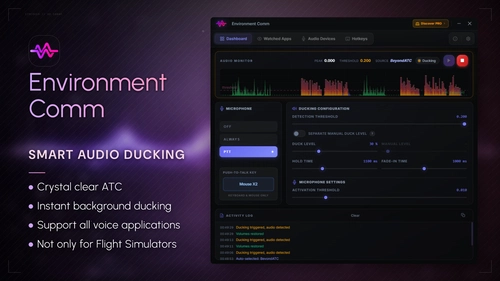
Environment Comm - Hear the Voice, Not the Roar
Environment Comm is an innovative audio management tool designed for flight simulation enthusiasts. It intelligently prioritizes air traffic control communications by automatically lowering background sounds from programs like Spotify, YouTube, and Discord when ATC is speaking. Featuring universal compatibility with various radio clients and ultra-lightweight performance, it aims to enhance immersion without compromising system performance. The application offers multiple setup methods to ensure seamless integration with your audio environment.
by Crisko
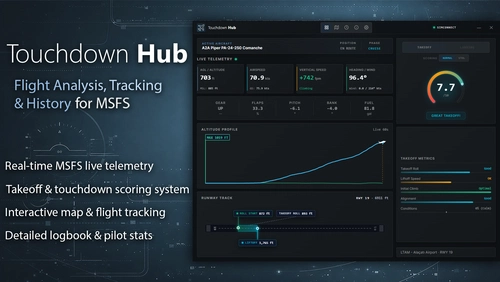
Touchdown Hub - Explore the world, refine your landings, and build your flight history in MSFS
Touchdown Hub is a companion application for Microsoft Flight Simulator that automatically evaluates takeoffs and landings while tracking detailed flight data. Pilots can build an interactive map documenting visited airports and review landing histories for each location. The app provides full approach, takeoff charts, and tailored scoring for different flight types, supporting skill improvement and consistency. Flight data is logged seamlessly, with filtering and rating features to review and assess pilot performance.
by KSCode
Log in to join the discussion
Log InComments(66)
about 9 hours ago
14 days ago
14 days ago
16 days ago
15 days ago
20 days ago
thanks for last version with pause functions
20 days ago
about 1 month ago
another suggestion
when you have created a script profil , if you add a new task or modify an existent one , to test it you have to rerun the entire profil script , is it possible to add a button in each task to run it alone for just testing or Is this feature part of the pro version ?
a question , i have certainly some view problems but for "CPU Affinity & Priority Control" i find at end of a setting task the priority setting but i don't see CPU affinities settings or is this feature part of the pro version ?
Have a good day
Thierry
20 days ago
Sorry for the late reply! I completely missed your comment earlier.
Regarding CPU Affinity & Priority Control: You're right, and I apologize for the confusion! I initially planned to launch CPU Affinity alongside Priority Control in the same update and included it in the description, but the feature got pushed back to a future update. I've updated the description on Flightsim.to to keep things accurate until CPU Affinity is officially released.
As for testing individual apps/tasks within a profile: I intentionally decided against adding a separate "Run/Test" button for each item. Adding more icons and buttons to every row in the Profile Editor would clutter the UI and hurt overall readability for a feature that's only used occasionally.
The easiest workaround I use myself when testing new scripts or apps is creating a quick "Test" profile, adding just the single app/script there to verify it works, and deleting the profile afterward.
Thanks for the feedback and suggestions! Have a great day!
about 1 month ago
Good idea about script community sharing in Discord
from my side i have created script launcher to update add-on for MSFS 2024 and X-Plane 12 , so when i start to fly with one the Simulator i am sure that all its environment add-on is full updated
another one to run Update of my favorite software on Windows if they are not automatically updated
i think i will find other usage in the futur with the script plugin
about 1 month ago
I set up the scripts channel on Discord, by the way, so feel free to drop by whenever you want.
Thanks again for the inspiration!
about 1 month ago
Thanks for the information's related to Pro Plugin and mainly script library
for tutorial , i will have a look in YouTube to see if one of your users would have created one
about 1 month ago
To be honest, it might be tough to find anything on YouTube specifically about Environment Launcher Pro scripts right now. However, you can look up general tutorials on how to write simple PowerShell, Batch, or Python scripts, as the plugin supports all of them.
I’m going to create a dedicated scripts channel on our Discord server. It will be a perfect place for users to share their scripts, help each other out, and if you ever need help writing a specific script, you can post there and I'll gladly help you or write one for you in my free time.
On another note, regarding the manual pause feature you suggested: it's already done! You can check out how it looks here: https://i.postimg.cc/HxyGVf2s/5fhgh56htyhj5677ui.jpg . The function is fully ready and will be included in both the Free and Pro versions in the next update, which is planned for the end of this month.
Thanks again for helping make the app better!
about 2 months ago
it is to me to thanks you for your job for community
a question , have you some videos about the Pro plugin catalog and mainly for script library ?
about 1 month ago
Regarding videos: I definitely plan to create some video materials for both the Free and Pro versions in the future. To be honest, video editing and creation isn't really my strong suit, and I don't want to just throw together some low-quality amateur clips. I know some features like the Script Library can be tricky to grasp at first, so I'm planning to add more screenshots.
To clear up how the Script Library plugin works: it's designed mainly for advanced users who write their own code. There is no community gallery or ready-made script catalog inside. Instead, it allows you to build your own personal library of custom scripts (which you can write yourself or generate using AI like ChatGPT).
Once a script is added to your library, you can easily attach it to multiple profiles, and it will be launched just like any other app on your list. This basically allows you to indefinitely expand the core functionality of the program and completely customize what happens when a profile starts.
That being said, if this plugin gains more popularity and the user base grows in the future, I’d love to consider adding a built-in community hub where everyone can share and download ready-made scripts!
about 2 months ago
can l suggest something to you
with the delay time , we could create a pause in execution between actions in the list, but for some applications, the time to start a application is not at all regularly , a good example is MSFS 2024 itself depending of an internal and external list of reasons.
is it complex to add a parameter in tasks like this "execution will be suspended until you decide to continue", if we tick on (=Yes) in the setting, when the script execute a task in "Yes" mode, the execution of next tasks is suspended and a foreground windows appears with a button "Continue", when you estimate that you can continue the script execution, click on the button which close the windows and continue the execution of the next tasks (until a task is also in "Yes" mode)
about 2 months ago
3 months ago
Thierry
3 months ago