
![[EHTW] Twente Airport - Image 1](https://cdn.flightsim.to/images/02/A9c5YHIq.png)
Description
Twente airport is a general aviation airport in the east of the Netherlands. Because of its military past it has a large runway: 2.4 km, or almost 8000 feet. It recently started functioning as an airplane parking for airliners, because of the large amount of unused space left when the military closed/left the airport (so you can land your jumbo-jet if you so desire).
The runway has all realistic dimensions, run-offs and lighting, from VASI to approach lighting just as in real life, also all taxiways and GA parkings that I know of are in here. Now also included are the military parkings and bunkers, for even more ways to use this airport.
The download contains 2 folder, one with the airport data as in the runway, taxiways and parking, called radohm-ehtw-base, and the other folder has the aerial imagery in a low resolution. This give you the choice if you only want the airport or also the aerial imaging of the airports nearby surroundings. Just copy what you want to the community folder. If you are interested in the medium or high resolution versions of the aerial imagery, send me a message.
Frequently Asked Questions
[EHTW] Twente Airport
Explore Twente Airport in the east of the Netherlands with a 2.4 km runway, suitable for jumbo-jets and general aviation aircraft. This add-on includes realistic runway dimensions, lighting, taxiways, GA parkings, military parkings, and bunkers for an authentic experience. Choose between downloading just the airport data or include low-resolution aerial imagery of the surrounding area.


User Reviews
9 reviews
Version History
Fixes for Twente Airport now being there by default: - Removed double runways and taxiways - Small improvements to the surroundings of the airport - Rebuild the package for Sim Update 7
Related
![[EDXQ] Flugtplatz Rotenburg](https://cdn.flightsim.to/images/01/uawnhdcg.png?width=500)
[EDXQ] Flugtplatz Rotenburg
Explore [EDXQ] Flugtplatz Rotenburg, a small civilian airport with a rich history now available in Microsoft Flight Simulator. Version 2.0 enhances the airport with aerial imagery, correct taxiways, and GA parking, with further improvements in 3D scenery anticipated in the near future.
by kingma1999
Dutch Tulip Fields
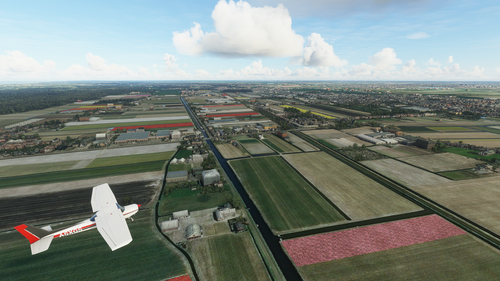
Experience the beauty of the Dutch Tulip Fields in Microsoft Flight Simulator with this add-on. Fly over the colorful and breathtaking tulip fields in the Netherlands as you explore the scenery between Schiphol airport and the coast. Please note that this is an early version with room for improvements, but feedback is welcomed.
by kingma1999
Log in to join the discussion
Log InComments(35)
over 1 year ago
Are you planning on updating your scenery in the near future? if so, you can send me a PM so I could provide you with some info/pictures for reference :)
almost 3 years ago
about 4 years ago
Very stunning scenery. Really appreciate the textures!!
over 4 years ago
Thank you!, this is great.
a high resulution would be nice
almost 5 years ago
Well done, thank you! I've been there years ago when there was still scheduled commercial traffic.
Am I seeing correctly that there are no more active instrument approach procedures (ILS, VOR, NDB, RNAV etc.)? At least I cannot find related charts in Navigraph!
almost 5 years ago
Thank you for the kind words! They really mean a lot to me when I spend 2 hours again to get a thing fixed for an sim update. For the ILS approaches they aren't officially active any more, but I believe they do turn them on when an airlines comes in to be parked there, so the system should be there, be I have no idea as if yet how to put that in Flight Sim 😅
almost 5 years ago
Dear Kingma,
I have used your rendition of this airport as it was completely missing from MSFS. Many thanks for adding it. I recently found out (after SU7, but I'm not sure if they might already have been added in an earlier update) that many of the missing airports have been added by Asobo into the default MSFS after all (EHVN, EHEH, EHVK, EHLW, EHKD, EHDL, EHWO and EHTW). Those default ones are rather ugly though, with empty bright-green aerials and default buildings, so I would like to use your rendition, in particular for the trees, but also for the hangars and the hill that you modelled, as those are missing in the default rendition. However, this now leads to double runways and taxiways as your addon is placed on top of the new default MSFS airport, without removing the one from Asobo. Would it be possible to resolve this and remove Asobo's airport when installing yours?
almost 5 years ago
Thank you for the positive comments! I indeed noticed the same, and I've added it to my to-do list. I hope to work on it shortly, possibly this weekend. I've also noticed some bumps around the airport as my and Asobo's version collide in some places, I hope to smooth those out as well
almost 5 years ago
I've actually updated it now, should work, although the in-game name is Twenthe AB now following the microsoft flight simulator name as I can't change that sadly to the more accurate name of Twente Airport, but the double runways etc should be gone
almost 5 years ago
Wow, that was quick! Thanks, it looks good again!!!
over 5 years ago
over 5 years ago
over 5 years ago
over 5 years ago
Yeah, that is because Airport Twente was a military airbase but still is blurred out for some reason on bing maps. So without the imagery, it is just a weird looking flat surface, with a landing strip, taxiways and bushes on it. Not much I can do about that, but I just included the option to only have the airport for performance reasons
over 5 years ago
almost 6 years ago
almost 6 years ago
I also modelled one of the bunkers, inside and out.
almost 6 years ago
Also some pictures would really help in making it as accurate as possible, since I used google maps for pretty much everything, which is a year or something old, while the new airliner parking is already constructed and in use. So it would be awesome to get a recent picture of the large airliner parking halfway of the runway. Any picture of other areas that have changed recently would be very welcome as well, thanks for offering this! I'll send you a pm with my details
about 6 years ago