
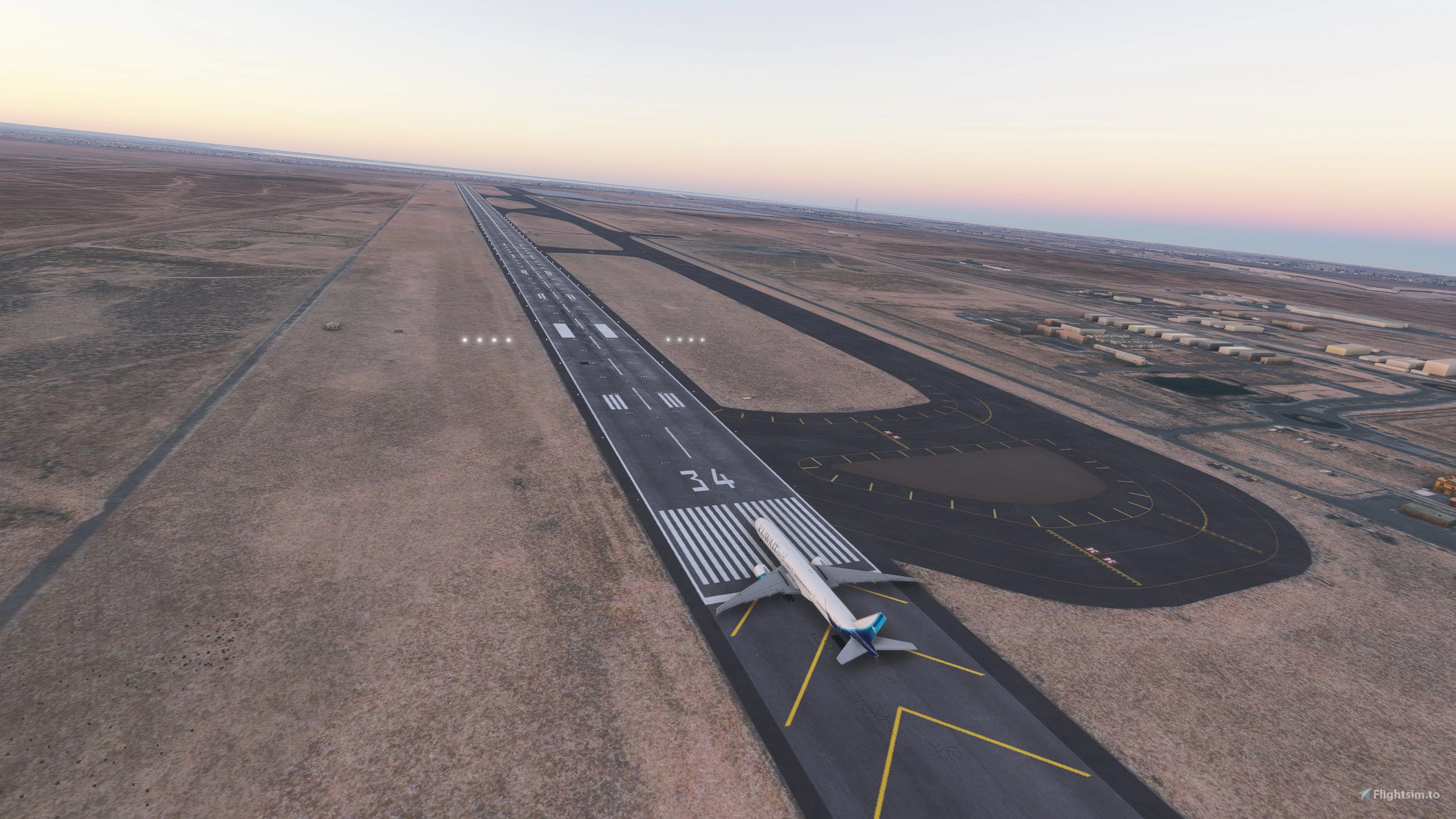
Description
Kuwait: The Pearl of the Gulf
Kuwait is located in the northwestern corner of the Persian Gulf in Western Asia. It shares borders with Iraq to the north and west, and Saudi Arabia to the south. It is an influential country in the region, known for its strategic location and significant oil reserves, which drive its modern, high-income economy.
Scenery Information:
This scenery package for Kuwait International Airport (OKKK) focuses exclusively on providing the new and updated taxiway layouts and designators to ensure accurate ground navigation. All airport buildings and terminal structures are utilizing the default models from the 2024 simulator and shall be updated with the upcoming updates.
Note: To add terminal model buildings download the scenery from the link below.
https://flightsim.to/file/61474/okbk-kuwait-intl-airport-and-city-old-icao#update
Also find the screenshot attached, for the accurate file installation.
Steps on how to download the scenery and make it work:
OKKK - Kuwait International Airport
This add-on enhances Kuwait International Airport (OKKK) with updated taxiway layouts and designators for improved ground navigation. Built using the default models from the 2024 simulator, the scenery aims to provide accurate representations of airport operations. It is designed to function independently, and users are advised against using it alongside other third-party Kuwait airport scenery to avoid conflicts.


User Reviews
4 reviews
Version History
We’ve released a minor update that restores the missing navdata. Additionally, the airport package has been converted into a custom patch; it will now automatically prioritize itself over any dependent scenery
Related
Bahrain International Airport - OBBI
Enhance your virtual aviation experience with the Bahrain International Airport (OBBI) add-on for Microsoft Flight Simulator. This detailed scenery includes the newer terminal and ATC control tower, accurate parking spots, and cargo terminal with the DHL building. Explore Muharraq Island and the hub for Gulf Air, with ongoing updates to make it even more true to life.
by Rashidar84
Skardu International Airport OPSD - Pakistan
Skardu International Airport is an international airport located in the province of Gilgit-Baltistan, Pakistan. Skardu host the second Highest mountain of World and Pakistan Highest mountain, K2 (8,611 m). Skardu is situated at an elevation of nearly 2,500 metres
by Rashidar84
Gulf Air Retro Livery (A9-CXA) Bahrain | LatinVFR a321neo | 8K resolution
Gulf Air Retro Livery (A9-CXA) for LatinVFR A321NEO in stunning 8K resolution. Created by HawkSkullz, this livery pays homage to the aviation heritage of Bahrain. Just drag the folder into your community folder for easy installation. Photo credits to Haroon Al Balushi.
by Rashid Raikhy
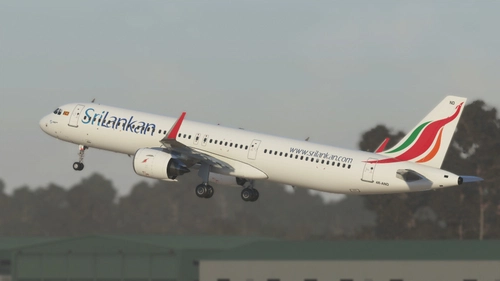
Sri Lankan Airlines (4R-AND) | LatinVFR a321neo | 8K resolution
Fly in style with this high-resolution SriLankan Airlines livery for the LatinVFR A321NEO (REG: 4R-AND). Created by HawkSkullz, this mod offers an 8K resolution texture for a realistic flight experience. Simply drag the folder into your community folder to install and take to the skies in this beautifully detailed livery.
by Rashidar84
Log in to join the discussion
Log InComments(46)
about 3 hours ago
Download and extract,
Copy folder hawkskullz-airport-okkk-Kuwait in the community folder
Start MSFS2044, go to advanced option, experimental, package reorder tool, and move hawkskullz-airport-okkk-Kuwait at the bottom pressing the down arrow next to the package. Takes some repeated presses, but it finally moves at the end. Save and Quit.
Go out of MSFS2024, go back in MSFS2024
2 days ago
5 days ago
However, when I install the add-on that enhances Kuwait International Airport (OKKK) with updated taxiway layouts, all ILS and RNAV data is lost.
I am hoping the developer will consider reviewing and fixing this.
The images show the ILS systems needed for slightly more realistic landings.
Consequently, if I want to create a flight plan for example, from OTHH to OKKK, I need ILS and RNAV capabilities; for now, the only option is to use the default OKKK airport for better realistic experiences.
about 1 month ago
25 days ago
about 1 month ago
5 months ago
5 months ago
5 months ago
6 months ago
4 months ago
7 months ago
8 months ago
8 months ago
8 months ago
8 months ago
8 months ago
8 months ago
9 months ago
I have attached a screenshot of BGLExplorer to verify the navdata deletion. This suggests you have accidentally ticked some boxes in your project to delete parts of the navdata that shouldn't have been ticked. Please refer to the following link for details on how to fix the navdata.
https://docs.flybywiresim.com/dev-corner/other/scenery-developers/#navigation-data
You can fix the problem by unticking the items highlighted in green as those options are meant for navdata deletion. This will affect both 2020 and 2024. Looking at the scenery through BGLExplorer shows you have deleted too much in the airport delete command but please check your exclusion rectangles too.
If you want your scenery to load after the other OKKK scenery, you can try using the package order hint "custom airport patch" while should have your scenery load after all custom airports. This would avoid the manual reordering. More information can be found in the SDK here. https://docs.flightsimulator.com/msfs2024/html/2_DevMode/Project_Editor/The_Project_Inspector.htm#package-hint
I hope this will help you patch the scenery for those having navdata issues with the airport. Feel free to get in touch via DMs if you need more help with it.