Flightsim.to

    Flight Tracking & Analysis

    Browse freeware flight tracking and analysis tools for MSFS 2020 and 2024. Landing analyzers, replays, flight recorders and logbooks. Free to download. Browse 28 addons uploaded by our community.

    Last updated
    About

    This section collects freeware flight tracking and analysis tools for Microsoft Flight Simulator 2020 and 2024, created by community developers from around the world. Most of them connect to the simulator through SimConnect and record telemetry such as vertical speed, G-force, airspeed, crab angle, centreline deviation, and control inputs, turning every touchdown into a measurable result with scores, graphs, and bounce analysis. Replay tools let you watch your approach again, either in a 2D view or inside the simulator itself, while flare and approach coaching helps you understand what went wrong and how to improve it. Flight trackers and ACARS-style clients add automatic flight recording, a persistent logbook, phase scoring, and leaderboards, with some offering post-flight debriefs that explain the factors behind each assessment. Whether you want to refine your crosswind landings, track your progress over time, or simply find out how smooth that last arrival really was, these utilities give you the data to fly better. All tools in this category are free to download.

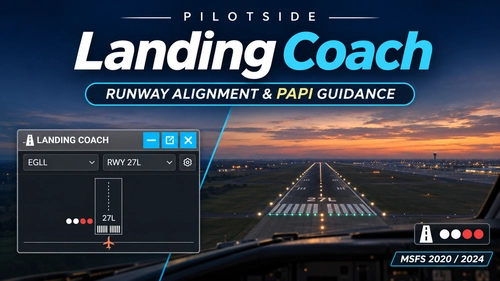
    Landing Coach – Stop Searching for PAPI Lights, Focus on Your Perfect Landing
    New

    Landing Coach – Stop Searching for PAPI Lights, Focus on Your Perfect Landing

    Landing Coach provides an in-game panel that displays PAPI guidance and runway alignment information to assist with approach and landing in Microsoft Flight Simulator 2020 and 2024. The tool offers both a full display and a compact lights-only mode, making it easier to monitor glide path and alignment even in poor visibility or lower graphics settings. When physical PAPI is unavailable, it offers virtual 3-degree glide path guidance. Works independently without requiring additional add-ons and supports seamless operation during flight.

    PilotSidePilotSide
    MSFS2020/24
    0.0(0)
    4
    107.1 KB
    1 hour ago
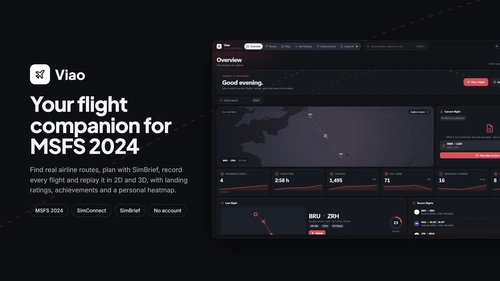
    Viao free Flight Companion for MSFS 2024

    Viao free Flight Companion for MSFS 2024

    Viao is a standalone companion app for Microsoft Flight Simulator 2024 offering real-world route browsing, flight planning integration with SimBrief, and automatic flight logbook recording. The app provides features such as a live map with weather overlays, detailed flight replay tools, and landing performance ratings. Additional capabilities include career progression, achievement tracking, and comprehensive flight statistics. All recorded data remains local to your PC, with optional connections to external mapping and planning services.

    0.0(0)
    26
    78.8 MB
    2 days ago
    Visited Airports - Airport Visit Tracker for the MSFS 2024 EFB

    Visited Airports - Airport Visit Tracker for the MSFS 2024 EFB

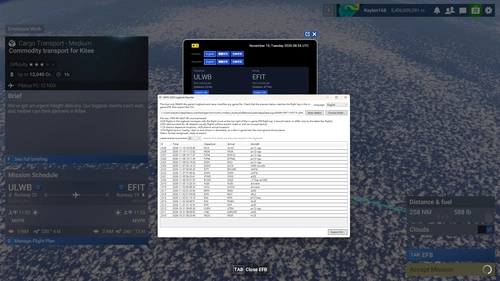
    Visited Airports is an app for the MSFS 2024 Electronic Flight Bag that tracks your visited departure and arrival airports based on flight plans and missions. It displays whether you have previously flown from or to selected airports and shows the distance to each. The app provides short airport introductions from Wikipedia in multiple languages and automatically records new flights. Importing your flight history is supported via an included logbook exporter tool.

    kaylen9339kaylen9339
    MSFS2024
    0.0(0)
    15
    449.3 KB
    3 days ago
    BetterReplay: Automatic Takeoff and Landing Replays

    BetterReplay: Automatic Takeoff and Landing Replays

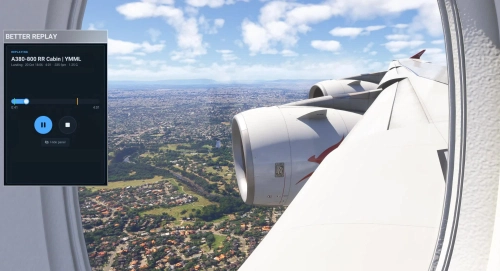
    BetterReplay is an automatic replay recorder for Microsoft Flight Simulator 2024 that captures takeoff and landing events as clips, which can be replayed from a toolbar panel. It operates entirely within the sim, requiring no external application. The tool records key flight variables, manages clips for multiple aircraft types, and allows custom setup for unsupported planes. Recent flight clips are kept for easy review, with options to manually save additional segments of your flight.

    itsjaseitsjase
    MSFS2024
    4.4(8)
    1.2K
    355.5 KB
    4 days ago
    The ULTIMATE Flight Tracker | Pulse by Alpivion

    The ULTIMATE Flight Tracker | Pulse by Alpivion

    Pulse by Alpivion is a dedicated flight tracking utility designed for Microsoft Flight Simulator 2024. It provides real-time monitoring and management of your flights through the Alpivion Network platform. The software requires Windows 10 or 11 and an internet connection. Installation and sign-in with a free Alpivion account are necessary to use its features.

    0.0(0)
    36
    99.6 MB
    1 week ago
    Chocks: Flight Tracker Reminder for Pegasus & LUVCARS

    Chocks: Flight Tracker Reminder for Pegasus & LUVCARS

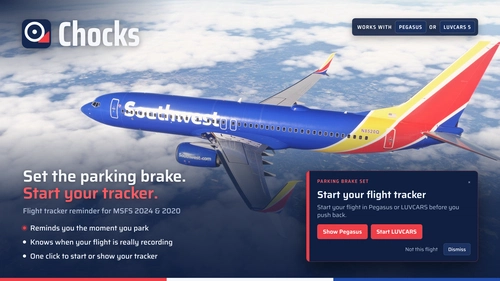
    Chocks is a utility for Microsoft Flight Simulator 2020 and 2024 that reminds users to start flight tracking in vAMSYS Pegasus or LUVCARS 5 before departure. It monitors the parking brake state to provide on-screen alerts if the flight tracker is not recording. The add-on integrates seamlessly, displaying notifications only when needed and remaining unobtrusive once airborne. It connects via SimConnect and requires no special permissions or additional installations.

    hitthebidhitthebid
    MSFS2020/24
    5.0(1)
    15
    62.6 MB
    1 week ago
    Flight Dynamics viewer

    Flight Dynamics viewer

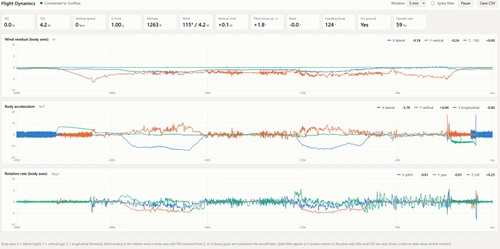
    Flight Dynamics Viewer is a tool that visualizes wind components and aircraft accelerations in Microsoft Flight Simulator. It provides real-time charts of wind residuals, body accelerations, and rotation rates, updating with each simulation frame. Users can review detailed live flight parameters, adjust the time window, and export raw data. The interface offers light and dark modes and allows for detailed analysis of turbulence and weather effects on flight.

    Mark1616Mark1616
    MSFS2024
    0.0(0)
    17
    74.5 KB
    1 week ago
    FlightBrief

    FlightBrief

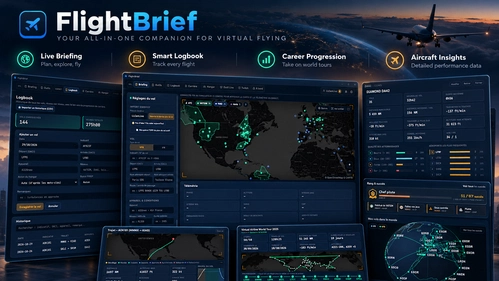
    FlightBrief is an all-in-one free app for Microsoft Flight Simulator that handles preflight planning, live flight tracking, landing analysis, and automatic logbook management. It supports SimBrief import, live maps with VATSIM and IVAO, and includes a voice copilot feature. The add-on offers integrations for streamers with OBS overlays, Twitch chat interaction, and Stream Deck support. An optional EFB app is available for MSFS 2024, allowing in-cockpit access to key FlightBrief features.

    LLCenLiveLLCenLive
    MSFS2020/24
    5.0(1)
    225
    73.7 MB
    2 weeks ago
    Landing HUD — Landing Rate & G-Force for MSFS 2024 (Toolbar + EFB)

    Landing HUD — Landing Rate & G-Force for MSFS 2024 (Toolbar + EFB)

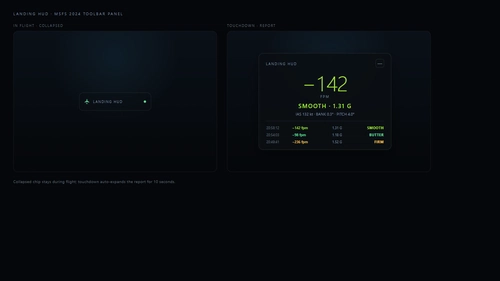
    Landing HUD adds a landing rate and G-force display to Microsoft Flight Simulator 2024, available as both a toolbar panel and an EFB app. The toolbar panel remains unobtrusive during flight, expanding to show a 10-second landing report with key data upon touchdown. The EFB app displays live flight metrics and stores the last 10 landings with aircraft details. Functionality is limited to MSFS 2024 and requires the respective panels to remain open for landing detection.

    xiaojixiaoji
    MSFS2024
    0.0(0)
    101
    149.9 KB
    2 weeks ago
    MSFS Landing Evaluator

    MSFS Landing Evaluator

    MSFS Landing Evaluator is a tool for Microsoft Flight Simulator 2020 and 2024 that analyzes and grades each of your landings automatically. It provides objective scores, a grade, and a detailed report including vertical speed, G-load, and touchdown accuracy. Features also include approach setup, replay of your final approach, and a record of landing history. No internet connection or account is required, and all data remains on your PC.

    EdwardMartinsEdwardMartins
    MSFS2020/24
    5.0(2)
    144
    35.9 MB
    2 weeks ago
    MSFS2024-FDR — Flight Recorder, Charts & Post-Flight Review

    MSFS2024-FDR — Flight Recorder, Charts & Post-Flight Review

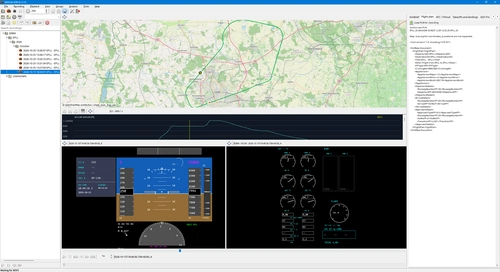
    MSFS2024-FDR records and replays Microsoft Flight Simulator 2024 flights with synchronized maps, charts, cockpit displays and FMC/MCDU screens. Review aircraft telemetry, ATC and GSX activity, flight plans and weather, with optional AI-assisted takeoff and landing analysis. Includes detachable panels, ghost replay and 32 interface locales.

    0.0(0)
    48
    52.9 MB
    3 days ago
    Showing 1 - 12 of 28 results