Flightsim.to

    Cockpit & Controls

    Browse freeware cockpit and controls tools for MSFS 2020 and 2024. Control bindings, remote CDUs, tablet cockpit screens and hardware tools. Free to download. Browse 31 addons uploaded by our community.

    Last updated
    About

    This section collects freeware cockpit and controls tools for Microsoft Flight Simulator 2020 and 2024, created by community developers from around the world. The category focuses on how you interact with the aircraft, from control binding managers that replace the default controls page with a faster, clearer overview of every device to profile and axis tools for joysticks, throttles, yokes, and button boxes. Remote cockpit tools send avionics displays, CDUs, and instrument panels to a tablet, phone, or browser over your home network, often with touch control for buttons and knobs. Hardware-focused add-ons connect physical equipment more closely to the simulator, including force-feedback setups that follow autopilot inputs. Whether you are building a home cockpit, flying with a second screen, or simply want your controls to work the way you expect, these utilities help close the gap between the simulator and the real flight deck. All tools in this category are free to download.

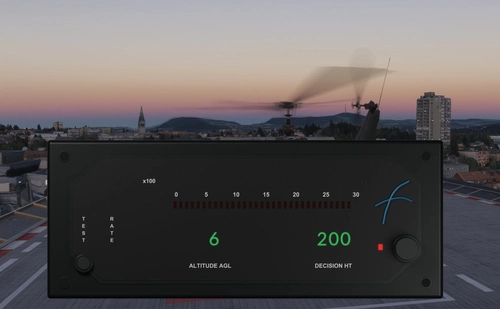
    FreeFlight RAD-45 AGL Meter (Digital Replica Avionics) Toolbar Version
    New

    FreeFlight RAD-45 AGL Meter (Digital Replica Avionics) Toolbar Version

    The FreeFlight RAD-45 AGL Meter is a standalone digital altimeter instrument for Microsoft Flight Simulator 2024, designed as a replica of the real-world device. Integrated into the in-game toolbar, it provides altitude above ground level readings directly on your screen. The instrument can be freely moved and resized, offering flexibility in cockpit setup. Installation is done by dropping the included package into the community folder.

    M-Code2026M-Code2026
    MSFS2024
    0.0(0)
    0
    786.6 KB
    35 min ago
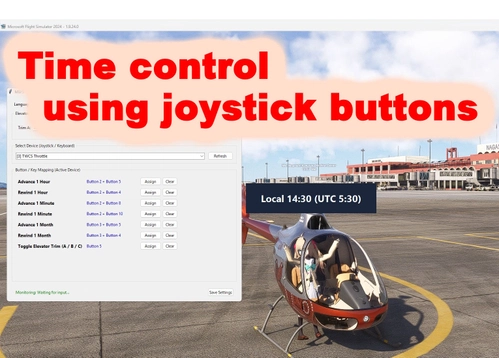
    MSFS Time Controller v1.1

    MSFS Time Controller v1.1

    MSFS Time Controller v1.1 allows users to adjust the in-game time and month using a joystick or keyboard. It offers the ability to define and cycle through three elevator trim settings with a single button. The tool can run minimized in the system tray or launch automatically with Windows. Source code is included for personal modifications.

    Taru2255Taru2255
    MSFS2020/24
    0.0(0)
    12
    25.8 MB
    19 hours ago
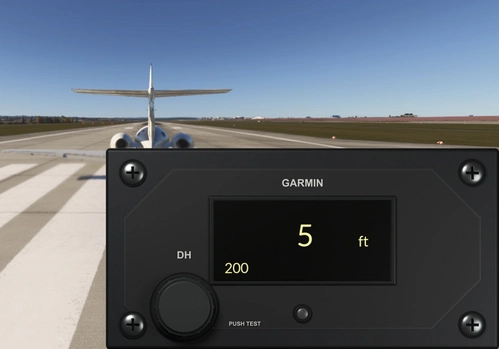
    Garmin GI 205 AGL Meter (Digital Replica Avionics) Toolbar Version

    Garmin GI 205 AGL Meter (Digital Replica Avionics) Toolbar Version

    Digital replica of the Garmin GI-205 AGL Meter for Microsoft Flight Simulator 2024. Accessible through the in-game toolbar, the instrument offers adjustable placement and size. It closely follows real-world functionality based on available documentation.

    M-Code2026M-Code2026
    MSFS2024
    0.0(0)
    10
    2.5 MB
    3 days ago
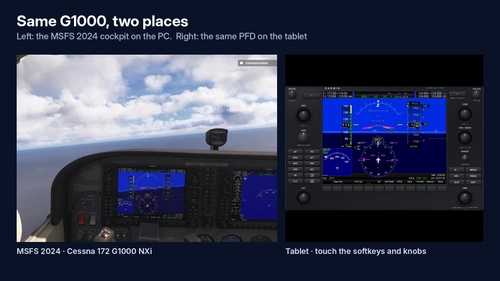
    Max Flight Deck Lite – MSFS 2024 Cockpit Screens on Your Tablet

    Max Flight Deck Lite – MSFS 2024 Cockpit Screens on Your Tablet

    Max Flight Deck Lite allows users to display and interact with real glass cockpit screens from Microsoft Flight Simulator 2024 on an iPad, Android tablet, or any browser over home Wi-Fi. The add-on supports touch controls for cockpit functions, requires no aircraft-specific setup, and works with a range of default aircraft. It automatically records flight data and provides a landing scorecard, as well as an ATC log using local speech recognition. Installation requires no software on the tablet and is limited to one device at a time.

    maxduanmaxduan
    MSFS2024
    0.0(0)
    79
    181.6 MB
    5 days ago
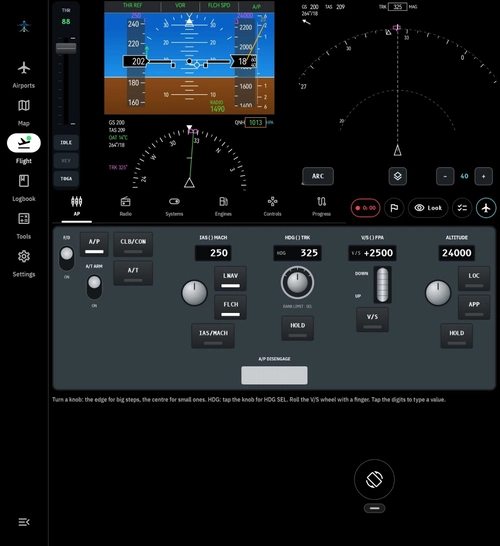
    OpenTakeoff

    OpenTakeoff

    OpenTakeoff is a free mobile companion app for Microsoft Flight Simulator allowing users to control aircraft using their phone’s gyroscope, virtual controls, or a gamepad. It integrates live weather data, airport information, audio ATIS, and flight tools with a customizable mobile cockpit displaying navigation and engine instruments. The app connects via a lightweight Windows client for seamless integration, offering features like automatic flight logging, 3D flight route replay, and built-in calculators. There are no ads or account requirements, and the app is regularly updated with new features and enhancements.

    0.0(0)
    35
    80.1 MB
    1 week ago
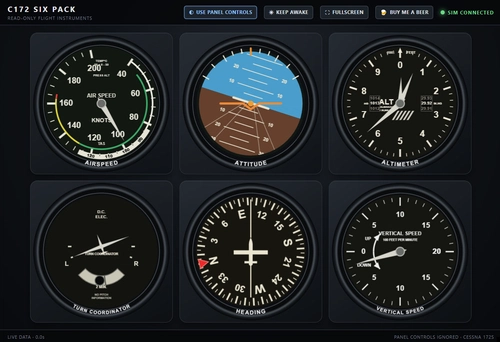
    SixPack172 - C172 Analog Six Pack (Tablet/Phone)

    SixPack172 - C172 Analog Six Pack (Tablet/Phone)

    SixPack172 provides a read-only analog six-pack instrument display for the Cessna 172 in Microsoft Flight Simulator 2020 and 2024. It streams live flight data to a tablet or phone over Wi-Fi, allowing users to view airspeed, attitude, altimeter, turn coordinator, heading, and vertical speed. This add-on requires running a Windows app alongside MSFS, does not include any cockpit controls, and is not installed in the Community folder. The software is currently a public beta and works until December 15, 2026.

    SwedeGravisSwedeGravis
    MSFS2020/24
    0.0(0)
    22
    38.7 MB
    1 week ago
    HeadReticleXR, PC VR OpenXR Cockpit Interaction

    HeadReticleXR, PC VR OpenXR Cockpit Interaction

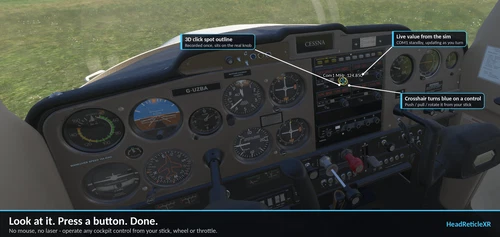
    HeadReticleXR is an experimental utility for PC VR in Microsoft Flight Simulator, allowing cockpit interaction via a configurable crosshair that follows your gaze. It enables users to create custom 3D click spots, automate interactions like push, pull, or rotate controls, and lock the reticle to specific instruments. The tool is compatible with standard controllers, keeping hands on physical controls and eliminating the need for a mouse or VR controllers during operation. Includes a pre-mapped Cessna 152 profile and requires Mobiflight for full functionality.

    0.0(0)
    7
    1.9 MB
    1 week ago
    A320 Overhead Control - Immersive Overhead Panel App for A320

    A320 Overhead Control - Immersive Overhead Panel App for A320

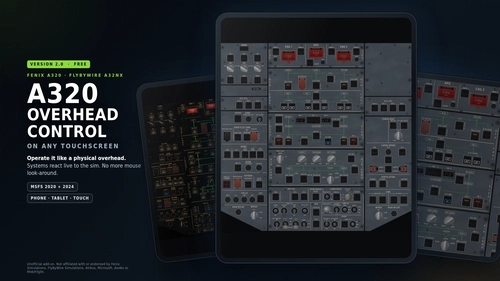
    Your A320 overhead on any tablet, phone or touchscreen: fully backlit, two-way in real time with the Fenix A320 v3 and FlyByWire A32NX, in MSFS 2020 and 2024. No more mouse look-around.

    podrazixpodrazix
    MSFS2020/24
    4.8(4)
    371
    9.1 MB
    1 week ago
    OrangeBox Curve Editor v1.0 for MOBIFLIGHT

    OrangeBox Curve Editor v1.0 for MOBIFLIGHT

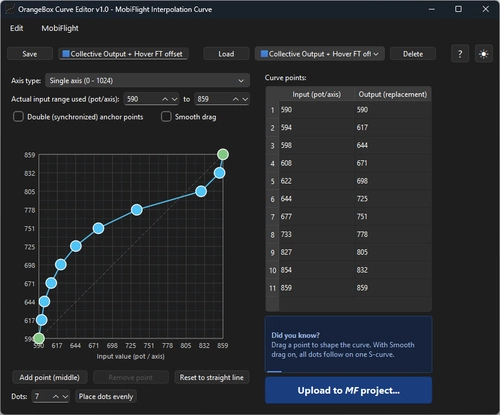
    OrangeBox Curve Editor is a tool for creating and editing axis response curves for MobiFlight projects. Users can visually adjust and apply custom axis curves via a graphical interface, eliminating manual entry of interpolation values. The application supports multiple axis types, curve editing features, and streamlined integration with MobiFlight project files. Compatible with Windows 10 and 11, it includes a user manual for guidance.

    FeGoFeGo
    MSFS2020/24
    0.0(0)
    10
    44.7 MB
    1 week ago
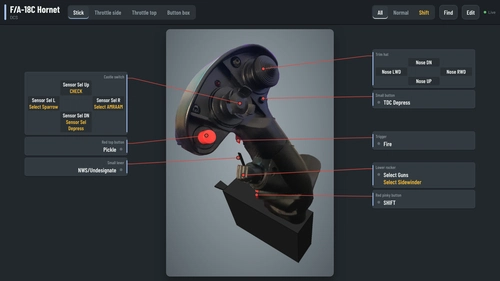
    HiTech Control Map

    HiTech Control Map

    HiTech Control Map is a customizable reference tool for tracking and labeling flight sim hardware controls using personal photos. Users can create profiles for each aircraft, search for functions, and easily edit or share layouts. The tool supports any simulator and can be viewed on devices including phones and VR headsets via a web browser. Installation requires Windows 10 or 11, with optional use on networked devices.

    HiTechHiTech
    MSFS2020/24
    0.0(0)
    49
    4 MB
    2 weeks ago
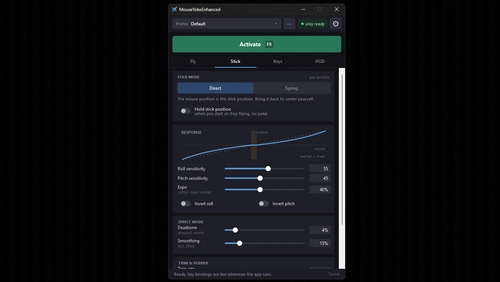
    MouseYokeEnhanced - Fly with your mouse

    MouseYokeEnhanced - Fly with your mouse

    MouseYokeEnhanced enables users to fly in Microsoft Flight Simulator using only a mouse and keyboard, eliminating the need for a physical joystick or yoke. The add-on converts mouse movements into aircraft control inputs and features customizable control modes, keyboard mappings, and an on-screen HUD. Individual aircraft profiles and per-plane settings are supported, along with integration options for vJoy. The tool is suitable for users without dedicated flight hardware, providing flexible and accessible flight control.

    AcmeZERAAcmeZERA
    MSFS2020/24
    0.0(0)
    49
    365.7 KB
    1 week ago
    Showing 1 - 12 of 31 results