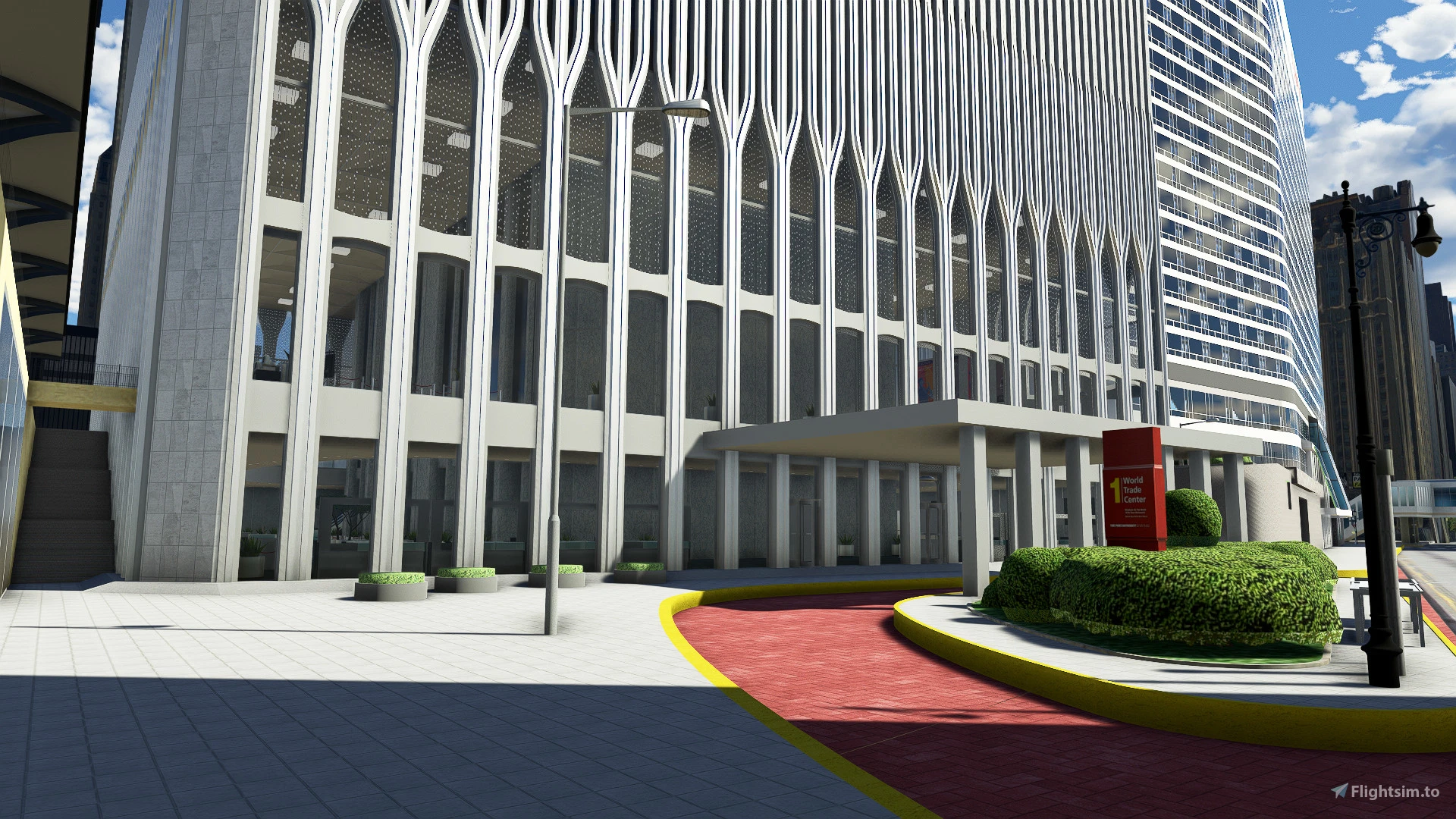
About this addon
The World Trade Cente Twin Towers in 1999
Here we are to live the experience of visiting the World Trade Center in Microsoft Flight Simulator, in different time and climate settings, something unique in the history of games, as it is the first WTC with external and internal views in a modern game. The World Trade Center has been an iconic New York City landmark since opening in 1973.
The complex consisted of 7 buildings, the best known being the Twin Towers, with 417m high (One World Trade Center) and 415m high (Two World Trade Center), they were the tallest buildings in the world for decades. On a typical day, around 50,000 people worked in the towers, with another 200,000 people visiting. The complex was so large that it had its own zip code, 10048. The towers offered spectacular views from the observation deck (located at the top of the South Tower) and from the Windows on the World restaurant (located at the top of the North Tower).
Here the entire complex has been recreated and the buildings contain two functional helipads, the Lobby of the North Tower and South Tower accessible by the player, an office room visible on the 106th floor of the North Tower, the Windows of The World Restaurant on the 107th floor of the North Tower and the Observation Deck on the 107th floor of the South Tower, plus WTC 7, Verizon Building, U.S. Postal Service, the Orthodox Church of St. Nicholas, Edson Parking and the block around the complex, with some parts re-imagined according to the reality of MSFS in-game photogrammetry.
There's a lot of detail to include and I had to be very selective about what I recreated in the project so that it doesn't become heavy and impact frame rate during the simulation.
I hope you like this project, as it is very meaningful to me and I hope it will bring good aspirations and memories to anyone who has visited this amazing and authentic building all over the world.
Check out my website for some extra information and FAQ about Lod and additional information about performance and loading, and stay tuned to the Discord channel to stay aware of updates and news.
https://www.roprodaudiovisual.com/world-trade-center-for-msfs
https://discord.gg/Mu5AexD3YV
HOW TO INSTALL:
- Locate the Microsoft Flight Simulator installation folder
- You need to find and open the folder called "Community"
- Copy the folder "Marine RM World Trade Center", you just extracted into the Community folder
- Start the game and locate the towers in New York City!
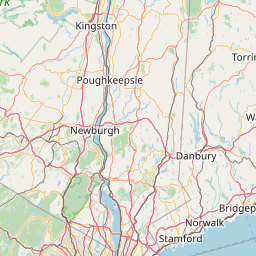
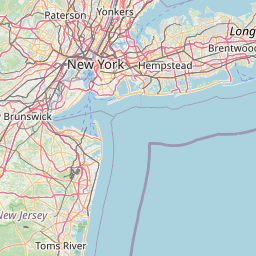
Location

Changelog
Updated base model for better FPS
- Updated general 3D model - Added Lobby in North Tower - Added Lobby in South Tower - Added detailed block - Added Verizon Building - Added U.S. Postal Building - Added Liberty 130 building
CHANGELOG v1.1 ADDED South Tower Restaurant with view to Brooklyn/Liberty Fixed Windows of the World restaurant position in the North Tower New version of the North Tower office created Fixed some texture glitches in interiors Fixed interior lighting
User Reviews

Nashbag
VerifiedAug 12, 2026
Thank you for the wonderful work.

dash8flyer53
VerifiedSep 29, 2024
Detailing was excellent, looks fantastic hats off to the developer, however for me it was an FPS killer. Over Manhattan I would get 35-45 FPS no mods. As soon as the Twin Towers comes into view FPS drops to 15-10 FPS especially close in. Great work, but wish there could be something done about the FPS issue. I have a high end Intel CPU running at 4.8 Ghz and a 4070TI GPU with 32 GB of ram. This is not a low end system.
pepitilevrai
VerifiedDec 5, 2023
how to remove the lag ?

kvartizel
VerifiedMay 20, 2023
The buildings are very detailed, and they blend nicely with the surrounding city, which is made using photogrammetry. At first glance, it's hard to tell whether it's a mod or an actual element of the game. There's the ability to land helicopters on the rooftops of the buildings and explore a few locations inside. The lobbies in both buildings are well done. Unfortunately, due to the probable high number of assets, the game experiences incredibly low FPS levels, which could likely be improved by moving further away from the buildings. However, returning to the lobby area causes significant lag. Regarding the lighting, it's alright, but it should be brighter and denser to create a more natural effect of the buildings being densely populated with people. Buildings 6, 5, and 4 should have improved lighting and more realistic reflections. The missing curtains make the buildings seem empty. Building 7 lacks lighting, but I understand that it may be added in the future. As of May 20, 2023, I rate this project a 4.5 out of 5.
Yes, totally agree w/ the fps issue. Installed this once it was available & noticed a complete drop in it (down to 8fps). Tried a test using default Cessna) & every time that I (as I got near the towers) of the drop. When going off scene (turned away), fps shot up back to btwn the 30-40 range & this is w/ KJFK newest install-no issues w/ that.
RobM
VerifiedMay 9, 2023
Well Now. All I can say is----WOW, What Work. Well Done!!!!
SCMustang
VerifiedJan 16, 2023
I love this, worth the purchase but the size needs to be changed As great as these are in sim they need to be bigger to fit the actual size of the towers as they were in person. I believe that if you used the Memorial pool to base the size and width off of, those pools are about 20% smaller from what Ive seen on similar mods Hope to see the size fixed with how great this mod is
usmarinesoldier
VerifiedDec 8, 2022
Thank you for doing this. Good to see the towers back. Hoping for an option for a slightly taller version

The_LAW__tOot
VerifiedNov 29, 2022
The Scenery is alright, but can you please had colisions to the whole scene, aside from the two helipads you clip throught every roofs and even the plaza ground. With Heli update it's a much needed Fix :)

Thank you! I'm working on improvements to the road and adding the Lobby, and I'm going to add collision only to the top of the towers and not to the whole building to avoid malicious people colliding the planes, this is very annoying I know, but there is a lot of feeling involved when talking of the World Trade Center and we try not to hurt anybody. I see that active collisions only in the helipad region is something that will maintain realism and keep people with bad intentions away
Thanks for the reply, no I'm not talking about vertical surfaces but only honrisontal ones. All the Roofs tops and the plaza, because helicopter generate Ground effect with the new helicopter CFD simulation. To any building landing approach its necessary to simulate the whole surface not just the Helipad.
toshie27
VerifiedOct 23, 2022
Now I've also bought the World Trade Center to see if it really isn't better than the free ones. I think people complaining here just got an idea of the pictures, I flew around now and landed on the landing pads on the roof, with the helicopter. It looks fantastic and do not regret the purchase, on the contrary. Of course, a few things still need to be improved, especially that the ground below is not a path or road, but ghost paths and roads because you fall through there if you want to land there. I would absolutely wish that the entire area on the roof of both buildings would be designed in such a way that you could land on any corner, because there is nothing more beautiful than being able to look at New York from every corner from a helicopter. I hate buildings that are ghost buildings that's the only reason I don't buy any scenery anymore because almost all of them are ghost buildings which takes away any sense of the VR experience. Please make the whole roof on both buildings so that you can land on the whole area that would be my greatest wish here

Asobo has changed the way collision work (likely for the upcoming helicopter update). If there would be roof collisions then you would not be able to explore the interiors with the drone camera anymore - because the camera would just jump to the roof level.
The building can remain like this, I'm only talking about the roof, this is definitely possible, especially since I have already created scenes myself
XoseMoura
VerifiedOct 22, 2022
Such a well done tribute to the most beautiful and iconic landamrk at NYC, thanks for all the time spent developing this addon with a excelent price for it. I love the story of the old twin towers until the unfortunate attack. This addon should be consider a symbol of homage for those who lost their lives on that tragic day. May their lives be remembered forever, along with the memories of this beautiful business complex. Thank you, Rodrigo!
victimblue
VerifiedOct 21, 2022
THIS ADDON IS AWESOME. LOVE OLD NEWYORK
Maxest
VerifiedOct 19, 2022
Thank you for bringing those iconic towers back to life! It was actually the first time ever I brought something directly from Flightsim.to But I am totally understand why some people would not want to have this mod, some memories are just there, and they wont go away. The quality of the towers is done to a high standard and the interior spaces being included is another top work. Speaking of bugs, is there any way to get rid of the moiré effect when viewing the Towers from the distance? I am playing on all Ultra settings with anti-aliasing set to TAA, but regardless of it I got these crazy "dancing lines". Looking at the office, I noticed that it looks way too modern for 1999, more like 2009-2014. For some reasons there's even a Russian magazine from 2010 laying on the desk. Is it possible to remake it into something more authentic looking? Maybe you also could add more office spaces to the both towers with different views, like view to Central Park, NYC bay and so on. I also noticed that all the interiors missing the environment occlusion, and because of that are covered with snow at winter and even have falling snowflakes. I am also not sure about this one, but did the restaurant got misplaced? It seems to be based on "Windows of the World" - but that one was is in the North Tower instead. I am not sure if there was any restaurant in the South Tower at all. Instead it should be placed above the current office in the North Tower.
P.S. I think the night lightning should be more yellowish than bluish.

I am also not sure about this one, but did the restaurant got misplaced? It seems to be based on "Windows of the World" - but that one was is in the North Tower instead. I am not sure if there was any restaurant in the South Tower at all. Instead it should be placed above the current office in the North Tower. I had the same thoughts about the office, and especially Windows of the World. I think a mod like this should be as authentic as possible. The South Tower had an amazing indoor observation deck on the 107th floor that was equipped with telescopes at the windows. I distinctly remember a north and south telescope but can't recall if there were east/west views. But that would be a very cool addition, if the dev were to revise the placement of WOTW to the (correct) North Tower.
Replying to Maxest and Bomber22 Thanks for the comments! I really appreciate the understanding of how vivid memories are for some people. I'll add ambient occlusion in the inner rooms, fix minor texture errors in the interior and exterior, and I have an idea to deal with the texture glitch seen from a long distance, let's hope for that. Yes, you are correct, the Windows Restaurant of the World used to be in the North Tower and it will be moved there in the next update, as the idea is that this is as true to reality as possible. I will update the offices with a fully 1999 look as well, and try to add more rooms, there is a danger here as I can't include too much unfortunately due to the FPS drop. But I want to include the observatory with cafeteria on the 107th floor of the South Tower and the Lobby of the North Tower, with priority being the Lobby of the North Tower, with the possibility for FPS I will include the observatory in the South Tower overlooking Brooklin / Liberty / Hudson Feel free to suggestions and ideas, it's important for me to make the WTC as faithful as possible within what the game allows.
Thank you, those are amazing news! I glad to hear that the update is coming. I think you can improve performance by making the interiors disappear and/or lose details when viewing from the distance (simply speaking adding the lod's). Or maybe even have 2 versions for those who don't want that much details. If thinking about the things to improve next, then maybe is to rework the general façade textures. I think right now it looks a little bit too cartoonish and clean. Then to remove the reflections from the sofas in the restaurant (not only would it make them look more natural but also decrease the GPU load). If you want to further improve the WTC plaza you can put either one or two of those sculptures. https://uploads.tapatalk-cdn.com/20170927/af6a68abf8c73fb1057d6eb3dd079c04.jpg I think for many reasons this one is even better (it existed in 1999 as well). https://uploads.tapatalk-cdn.com/20170927/ad731cdd22a1f6c7c7340776b7027f4c.jpg
P.S. From the upper photo it appears that the Towers are a little bit misplaced, and should be moved apart from each other. Sadly, this doesn't seems to be like an easy fix because the both Towers are integrated into the WTC Plaza in such a way that moving them apart even a tiny bit would also require editing the adjacent buildings and other scenery elements like stairs and so on. But otherwise they look like one single building without that gap from the distant views https://imgur.com/a/p70pWLg So, I am not sure whatever it's a risk you are willing to take. Sorry about that many comments - but it seems like the "edit comment" option is malfunctioning.
World Trade Center Twin Towers
Experience the iconic World Trade Center Twin Towers in 1999 within Microsoft Flight Simulator. Explore the complex with functional helipads, lobbies, observation decks, and more. This detailed recreation includes neighboring buildings and unique viewpoints, offering a memorable and authentic virtual visit. Bring back memories or explore this historic landmark for the first time in a unique gaming experience.
Instant digital delivery • Secure payment
Requirements
Additional Requirements
Minimum system requirements for Microsoft Flight Simulator 2020
- CPU: Intel i5 9600K.
- RAM: 16 GB.
- OS: Windows 10 64-bit.
- VIDEO CARD: NVIDIA GTX 1050 Ti.
- PIXEL SHADER: 5.1.
- VERTEX SHADER: 5.1.
- DEDICATED VIDEO RAM: 2 GB.
- STORAGE: HDD.
More by this publisher


Details
- Category
- Scenery Enhancements
- Release Date
- Oct 18, 2022
- Last Updated
- Jun 23, 2023
- Reviews
- 12
- Compatibility
- MSFS2020/24
- Country
- United States