
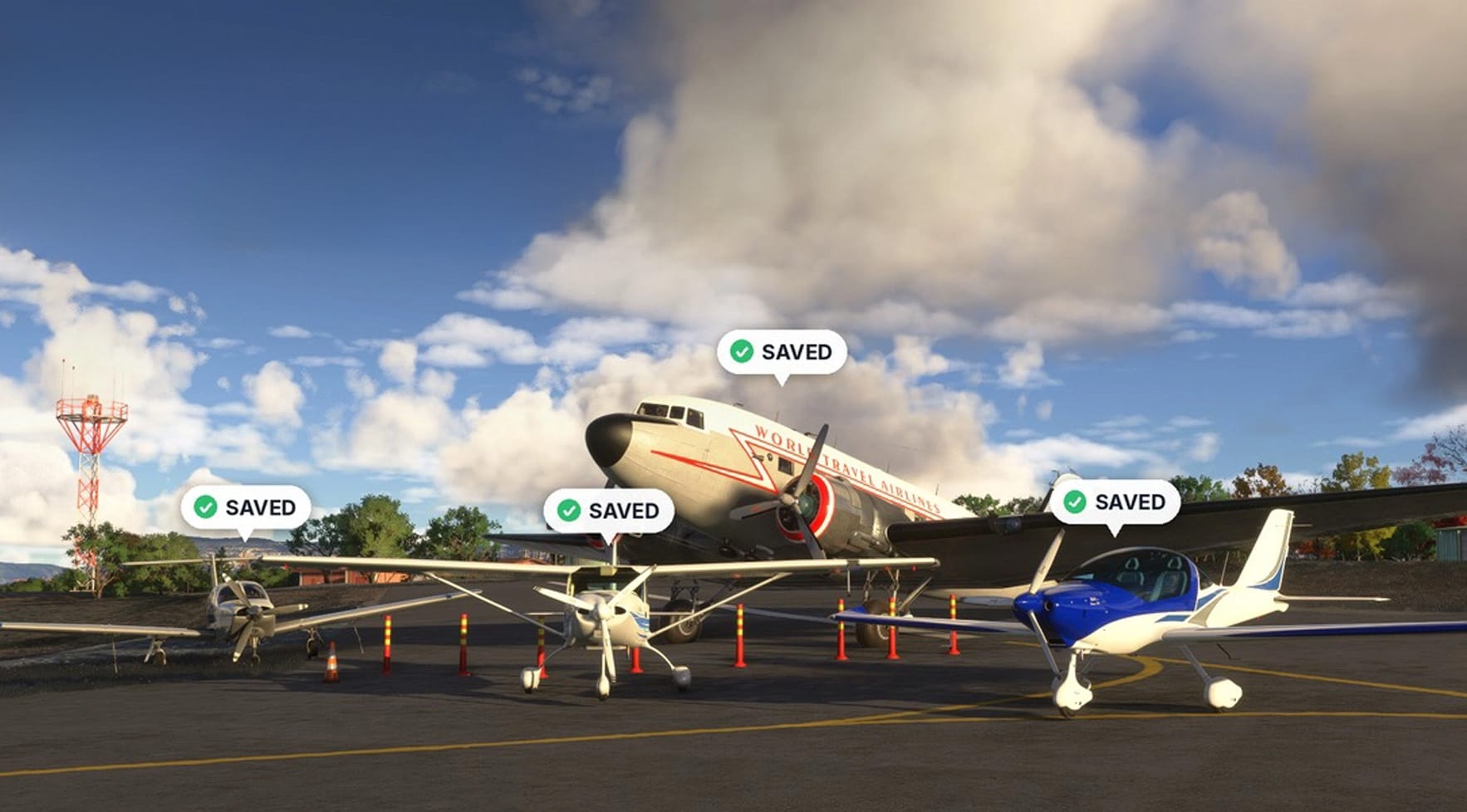
Anyone who has parked an aircraft at the far end of a field, closed the sim and come back later knows the letdown that follows: the next flight begins on a predetermined parking slot, and the aircraft you left sitting askew on the grass is nowhere to be seen. 🔆 Where I Left It, a freeware add-on on Flightsim.to, was built to fix that. It has now received two updates on the same day, both aimed at making the mod behave more reliably on a wider range of PCs.
What the add-on does
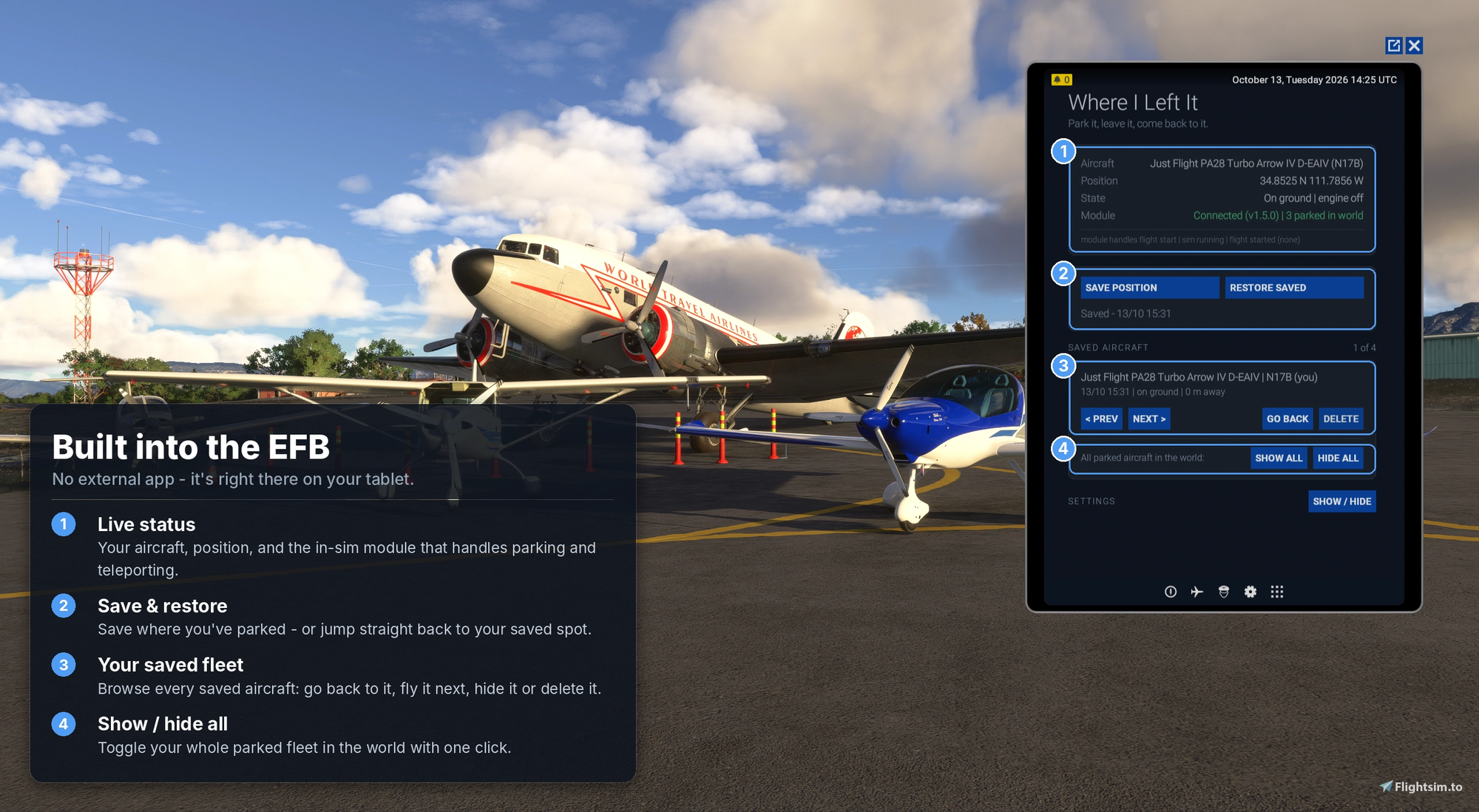
The idea behind the mod is simple. When you leave an aircraft somewhere, the next time you load into that aircraft it is moved back to the spot where you parked it, facing the same direction. The add-on goes a step further by showing your other aircraft in the world too. Park a DC-3 on a taxiway, climb into the Fenix, and the DC-3 will still be waiting there, cold and dark with the engines off and the lights out. In practice, this lets you keep a small personal fleet scattered across hangars and ramps and walk back to any of them later.
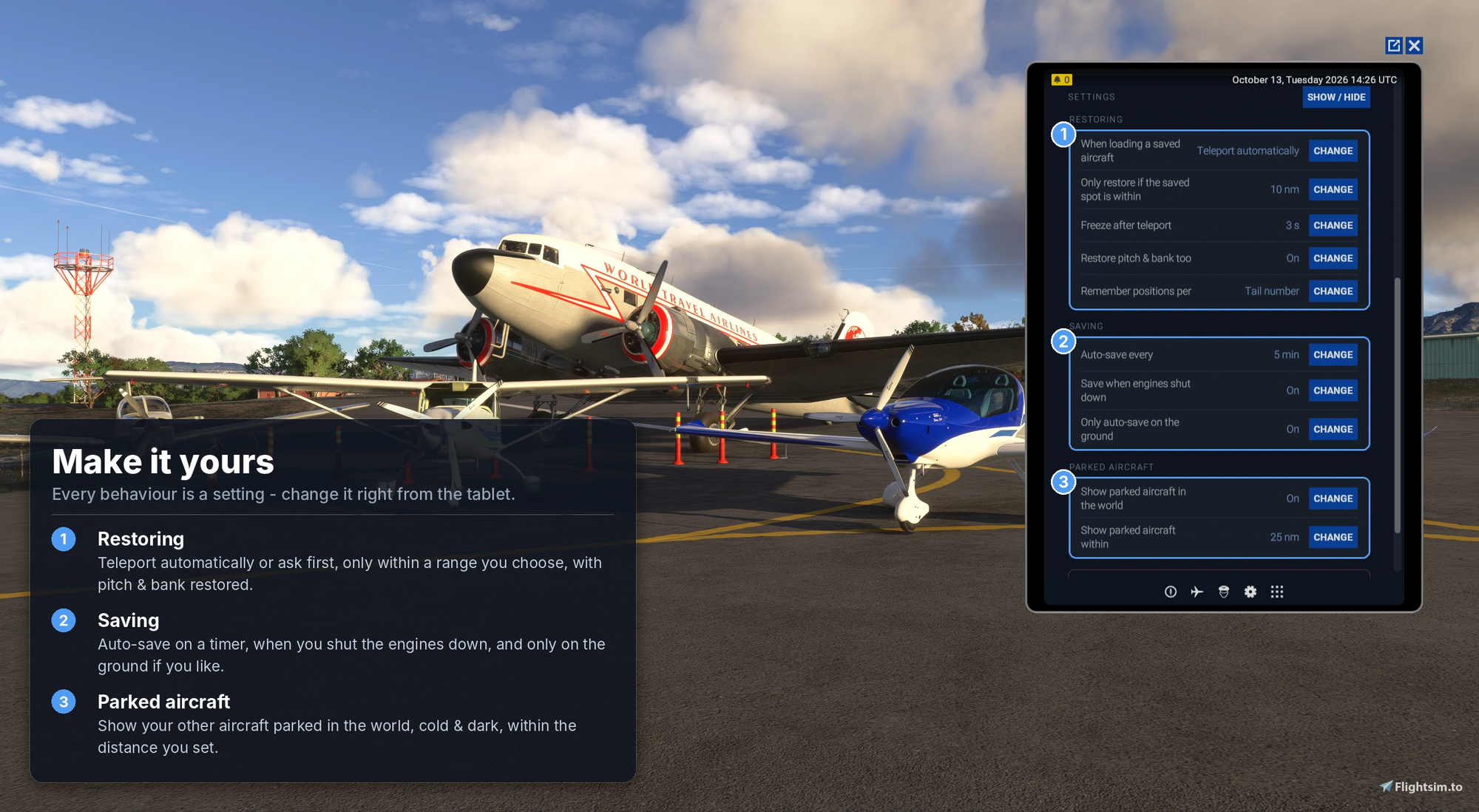
Aircraft are saved by tail number, or by model and livery, so several airframes of the same type can each keep their own location. To save on performance, parked aircraft despawn when you fly beyond a distance you can set, and reappear when you return. A three-hour flight away from home therefore doesn't cost you the aircraft you left behind.
Everything is handled through an EFB tablet app, with no external program to run. The in-sim module works in the background from the moment the simulator starts. From the app you can choose whether saving happens on a timer, when you shut the engines down, or manually. You can also decide whether the teleport back to your parking spot happens automatically, only after a prompt, or not at all.
The author notes that no AI was used to make the mod itself, and that the SDK was learned along the way.
Known limitations
Several constraints stem from the simulator and its SDK rather than the mod. You can't jump directly from one aircraft to another parked one. Instead, you return to the main menu, pick that aircraft and livery, and spawn at the airfield, where it is placed back on its spot. The app's "Fly this" button tells you exactly what to select. In walkaround mode the character cannot be teleported, so you will need to press Ctrl + C to get into the cockpit. Parked aircraft appear in their default state, with doors, covers and switches not restored, and tail-number decals may not display because MSFS 2024 doesn't reliably apply registrations to spawned aircraft.
Getting started
Installation involves extracting the community-whereileftit folder into your Community folder, starting a flight and opening Where I Left It once from the EFB so it can set itself up. After that, it runs in the background. If something misbehaves, the author recommends including the grey diagnostics line under "Module" in the app when reporting a problem in the comments, since it shows what the add-on is currently doing. You can download Where I Left It from its 🔆 Flightsim.to page. As a freeware project, it relies on the goodwill of its community, so if the mod becomes a regular part of your flights, consider donating to its creator to support continued development and fixes.