
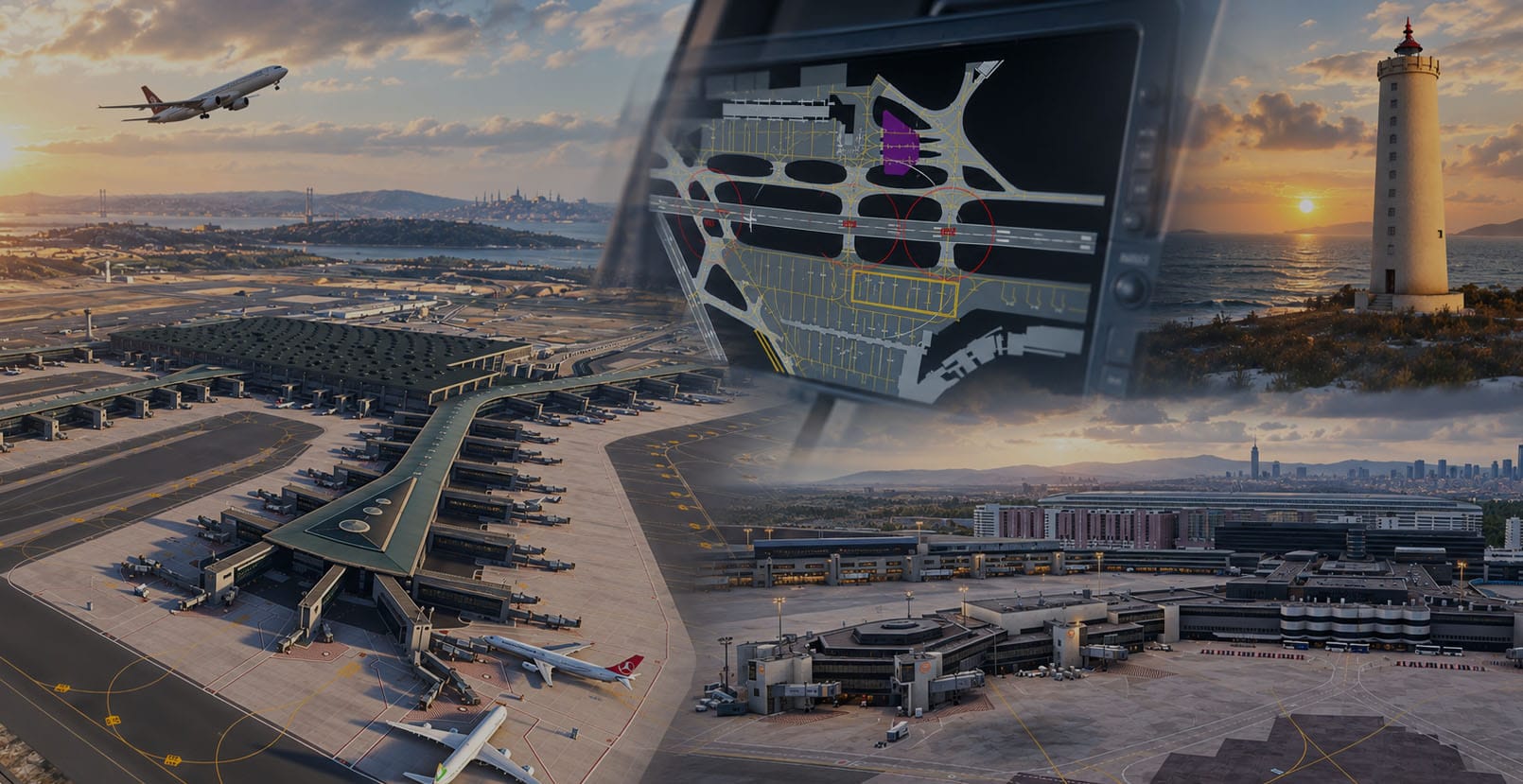
This week's selection of add-on releases and updates covers a broad range of simulation interests, from major international hub airports to a sophisticated avionics enhancement for one of MSFS 2024's newest airliners. Two long-running freeware airport projects have received meaningful updates, a payware cargo hub has had a critical file restored, a newly released avionics add-on for the Synaptic A220 continues to receive rapid refinements, and Reykjavík has finally received the landmark treatment it deserves.
LTFM Istanbul Airport — Version 2.0.40
Istanbul Airport (LTFM) is one of the world's busiest aviation hubs, and this long-running freeware project by malioguducu continues to receive attention well beyond what many comparable payware releases offer. The latest update, version 2.0.40, addresses one of the most practically significant gaps in the scenery to date: ILS data has now been added to all six instrument approaches at the airport, with credit given to contributor @ntnv for supplying the data. This means pilots flying into LTFM in instrument conditions will now find properly functioning approach guidance across all available runway configurations.
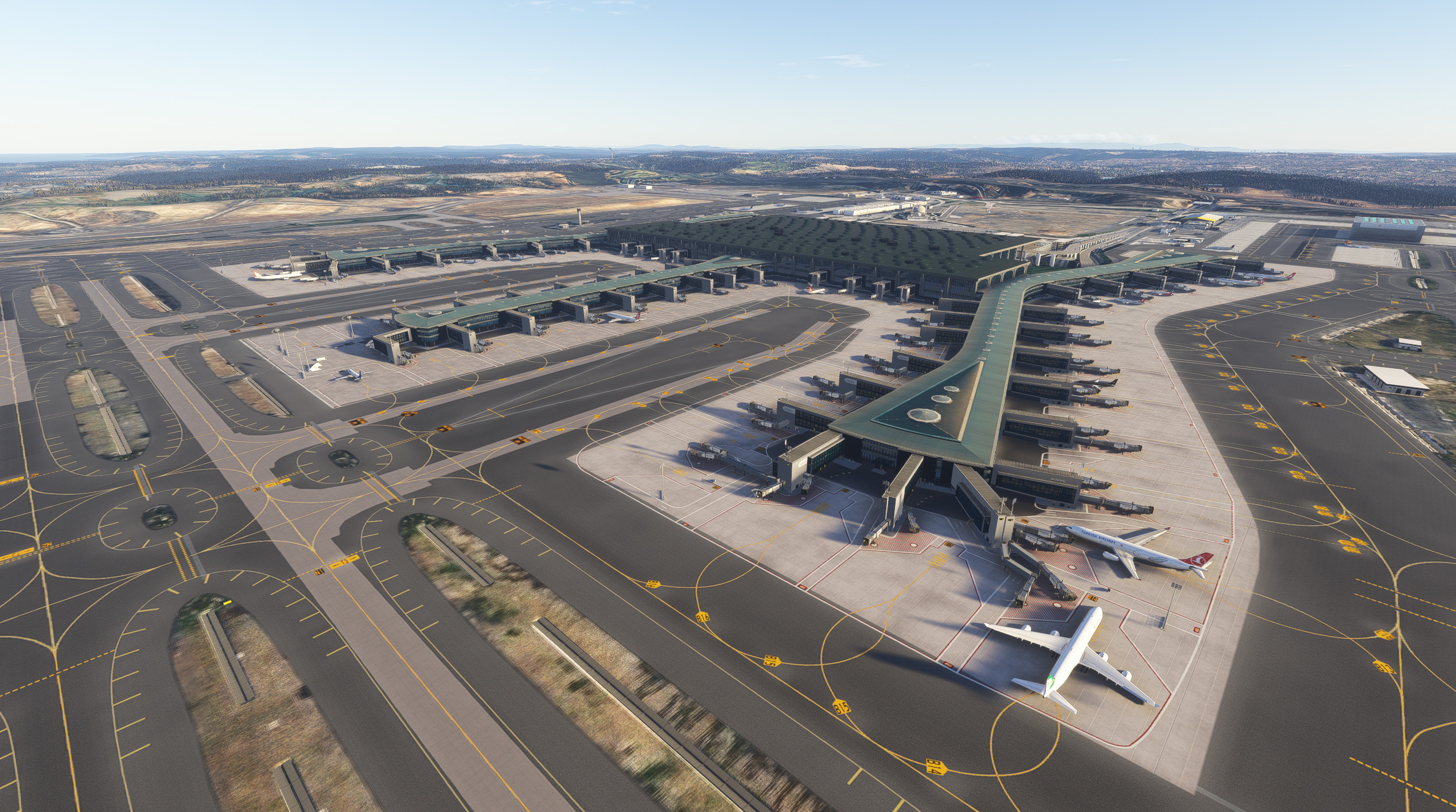
Beyond the ILS data, the update also corrects base mesh geometry along the connecting taxiway segment running from F through to N6, N5, N4, N3, N2, N1, NE, and F7 — areas that had previously exhibited surface irregularities. The asphalt color across the entire airport has also been darkened slightly for a more accurate appearance. These may seem like incremental changes, but the cumulative effect of sustained corrections like these is what separates a maintained scenery from one that stagnates after its initial release.
The scenery remains compatible with both MSFS 2020 and MSFS 2024 and includes a separate GSX profile. It is worth noting that the creator has directed any donations not toward personal benefit, but toward LOSEV, a Turkish leukemia foundation for children. If you fly LTFM regularly and appreciate the sustained development work behind this add-on, consider making a contribution to that cause through the scenery's page: ➡️ LTFM Istanbul Airport on Flightsim.to.
A220 Airport Moving Map — Version 1.0.4
Released only days ago by Gunman5, the A220 Airport Moving Map is already on its fourth update. The add-on integrates a functional Airport Moving Map (AMM) into the Navigation Display of the Synaptic Simulations Airbus A220-300 in MSFS 2024, using the aircraft's existing Navigraph session to retrieve Airport Mapping Database data at runtime. No credentials or separately stored airport data are included; everything is handled in-session.
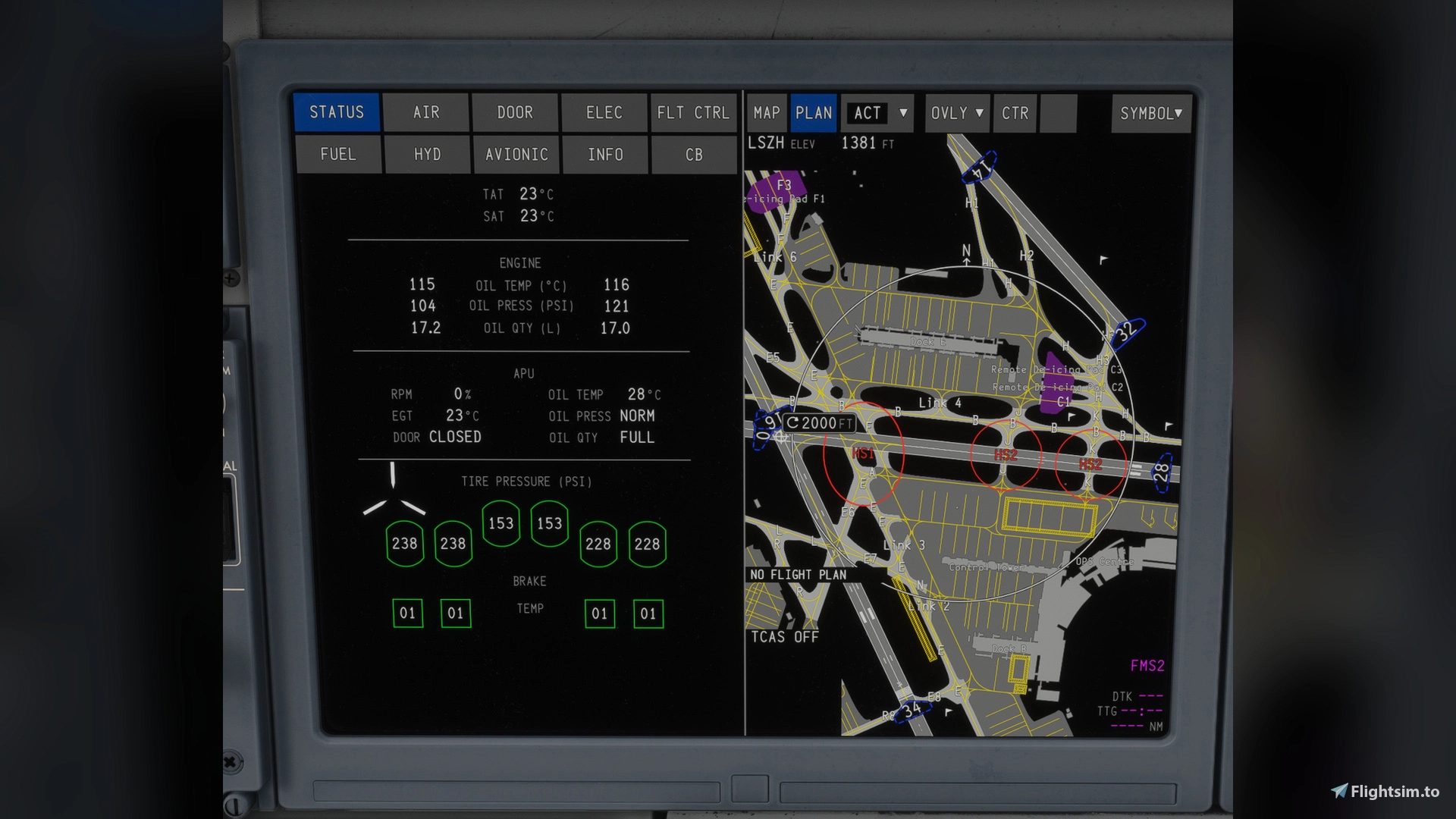
The map supports both MAP and PLAN modes on the ND, with native AMM range steps of 1,000 ft, 2,000 ft, 3,000 ft, and 1 NM. It operates independently on the left and right displays, supports heading-up orientation in MAP mode and north-up in PLAN mode, and renders a comprehensive layer of airport data including runways and their designators, taxiway centerlines, stand guidance lines, hold-short markings, parking stand numbers, terminal names, runway incursion hotspots, and de-icing and construction areas. FMS departure and arrival runways are highlighted in cyan and magenta respectively, consistent with how a real A220 AMM behaves. The system also prefetches AMDBs for departure and arrival airports from the active FMS flight plan, reducing loading pauses during critical phases of flight.
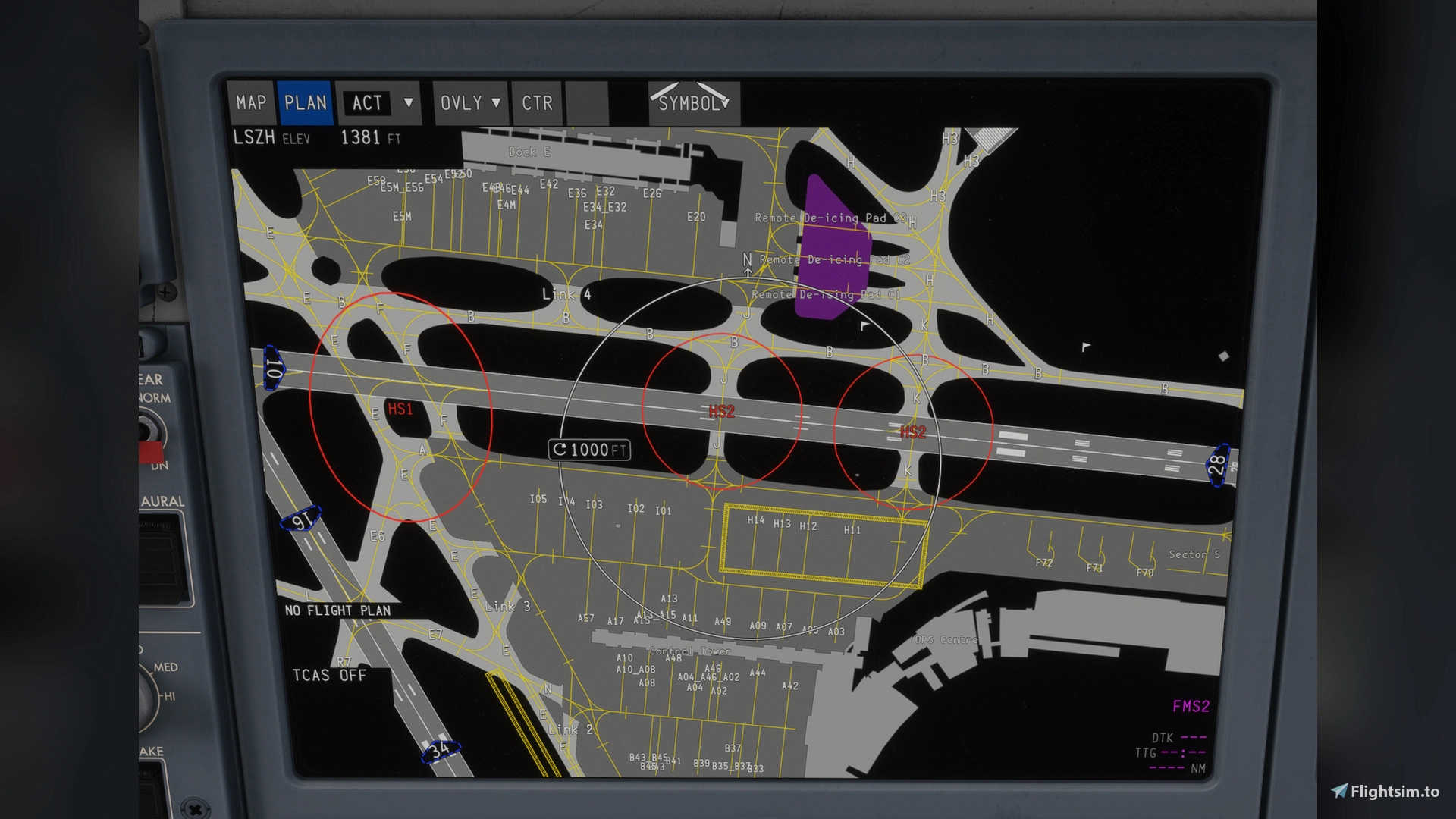
Version 1.0.4, released this week, brings meaningful operational improvements. Airport map loading and cache reuse have been refined for smoother transitions between MAP and PLAN modes, and the handling of temporary Navigraph or network interruptions has been improved so that already-cached airports remain available rather than requiring a fresh fetch. The airport elevation display has been corrected for both departure and arrival airports, runway hold-short markings have been updated to better match the real aircraft's AMM presentation, and a misplacement of holding markings in MAP mode at the 3,000 ft range has been corrected. Map decluttering and label visibility have also been improved across zoom levels, and background rendering activity has been reduced to lower Coherent and MainThread load without introducing any VRAM overhead.
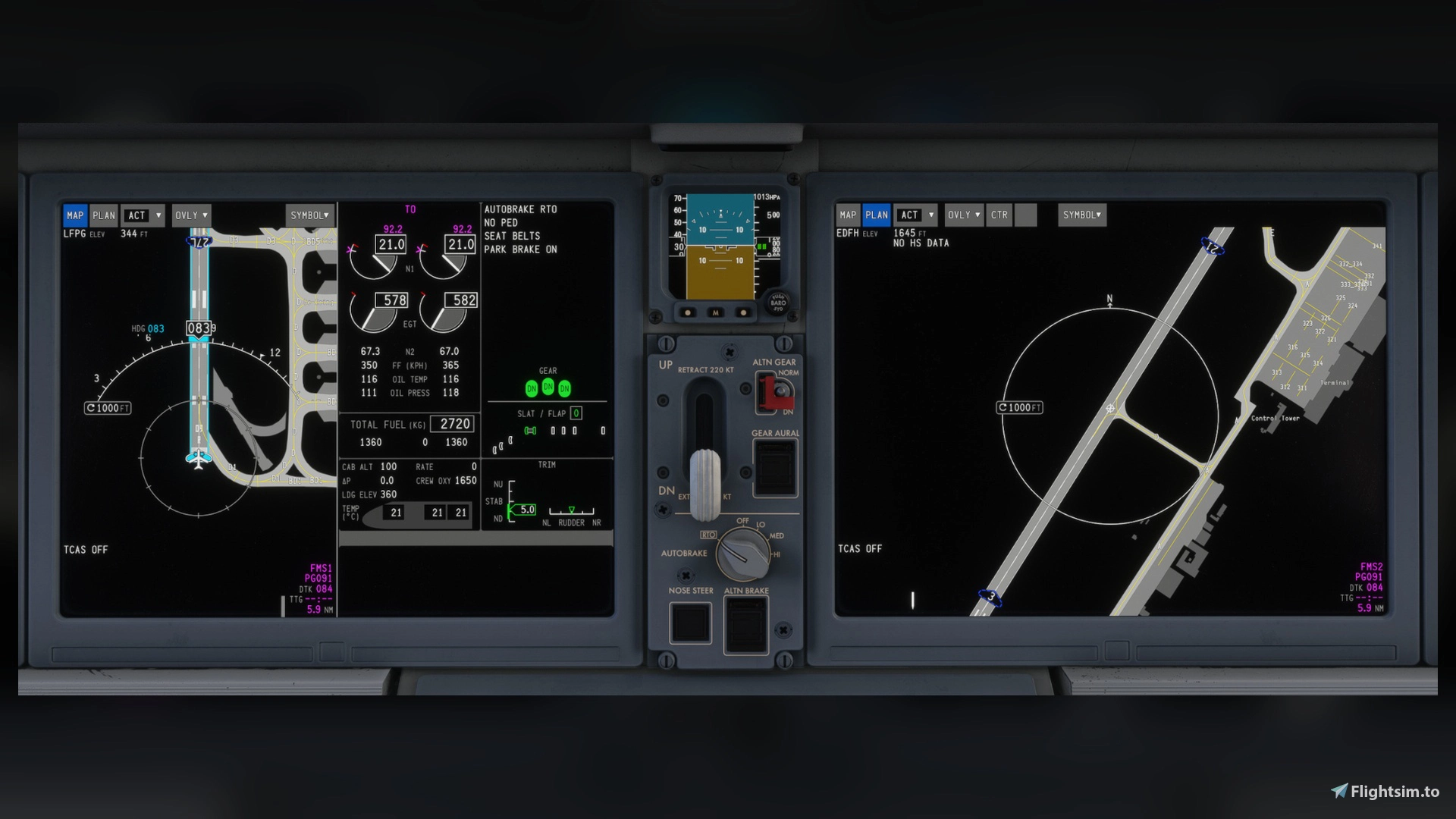
Requirements are the Synaptic Airbus A220-300 at version 1.0.8 or later, MSFS 2024, and a valid Navigraph subscription active through the aircraft's built-in Maintenance Menu login. No separate application is required. If you fly the Synaptic A220 and hold a Navigraph subscription, this add-on closes a notable gap in the aircraft's ground operations capability. The developer accepts support via PayPal and Buy Me a Coffee, both linked on the add-on page — worth considering given the development pace on display here. ➡️ A220 Airport Moving Map on Flightsim.to.
virtualFRA | EDDF Frankfurt Airport — Version 0.16.1
Frankfurt Airport (EDDF) is among the most operationally complex airports in Europe, and the volunteer-developed virtualFRA team has been working on a freeware alternative to Asobo's Premium Deluxe version for some time. Version 0.16.1, released this week, brings a substantial set of additions focused on the airport's ongoing Terminal 3 construction project, which in real life is expected to open in the coming years and is already a visible part of the airport's evolving layout.
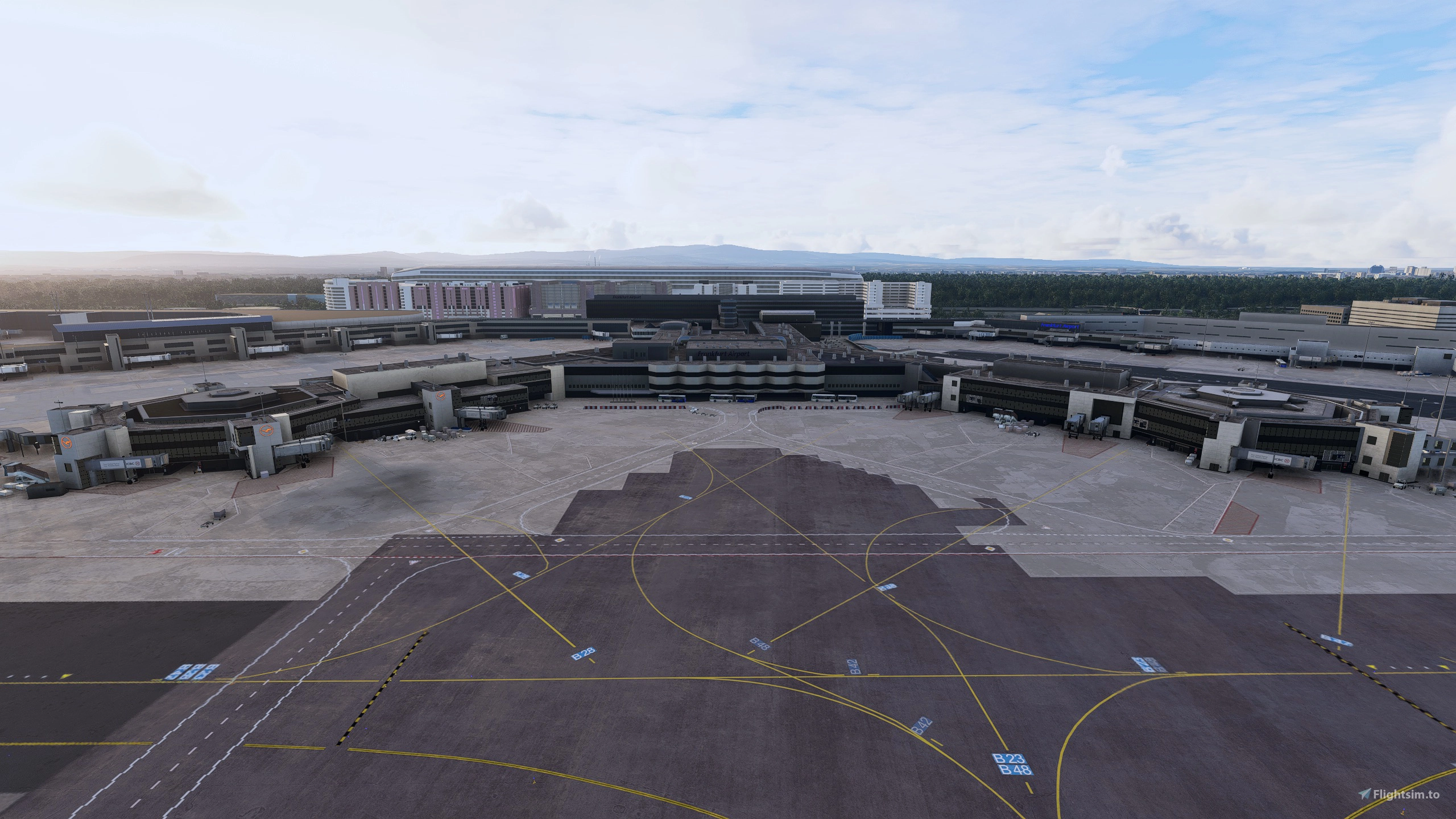
The update adds ten new Terminal 3 taxiways in the Sierra group — S9, S10, S13, S14, S17, S19, S20, S21, S23, and S24 — along with their associated breakaway areas, hold-short lines and lights, taxiway centerline lights, and light poles. Taxiway signs for the new Terminal 3 area are noted as a work in progress. Four new apron gates have been added at positions V335, V336, V337, and V340, along with new vehicle service lines at those stands. The Squaire building, a large mixed-use structure located directly above Frankfurt Airport's long-distance train station, has also been added in this update. Additional corrections include updated concrete apron surfaces along Taxiway M, adjustments to Taxiways L9 and M6, a terraforming fix at bridge P1, updated runway turnoff lights in the green-yellow configuration, and some vegetation polygon reordering near the airport perimeter. The older Terminal 3 light pole positions have been removed and replaced with the corrected placements.
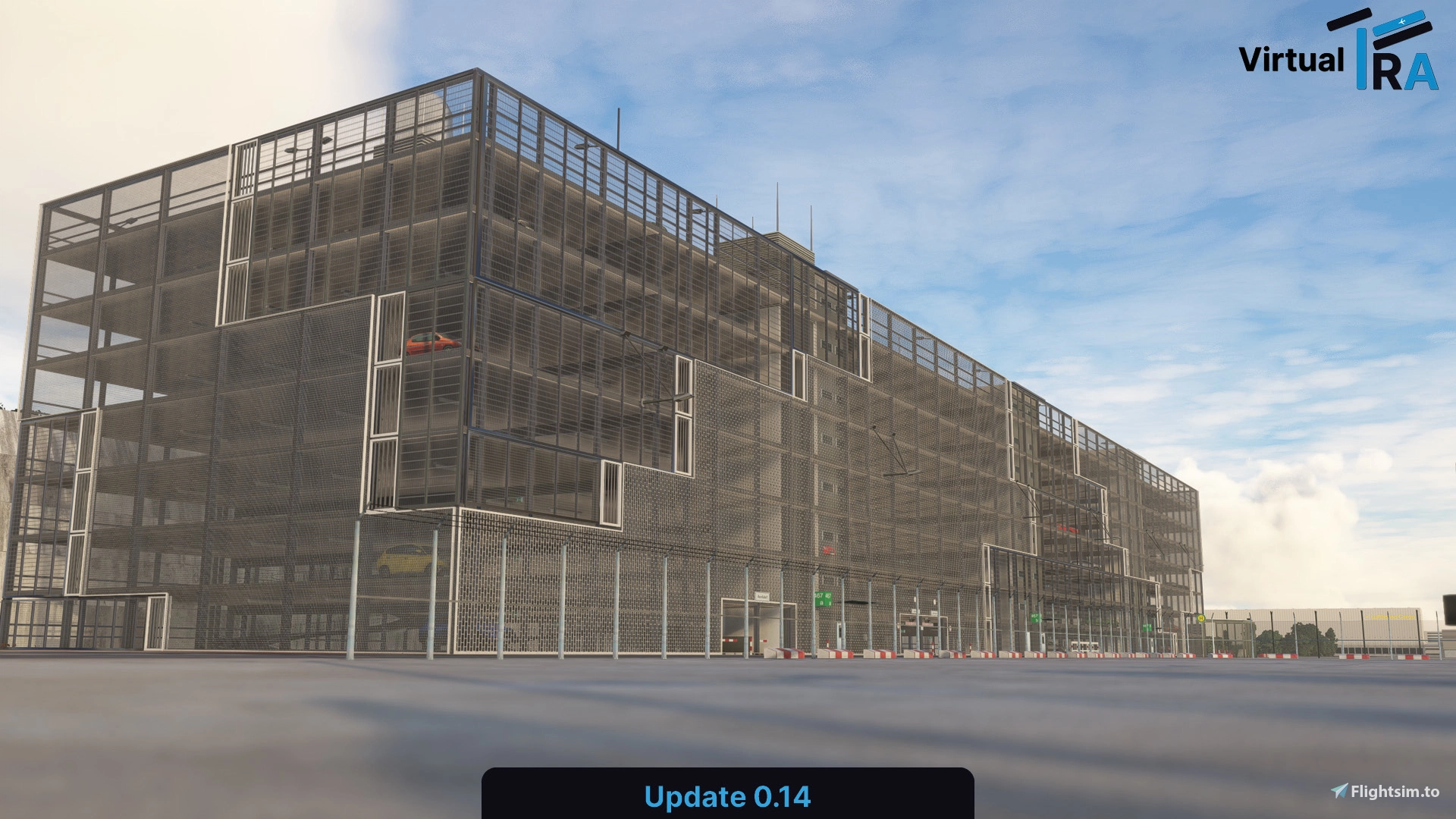
The scenery is compatible with both MSFS 2020 and MSFS 2024, and the team notes that MSFS 2024 users experiencing duplicate objects may benefit from disabling the default Asobo airport. An optional installer is available through the virtualFRA website for Premium Deluxe Edition owners who want to configure how the two versions interact. The project has accumulated over 134,000 downloads and remains an active, community-driven effort. If EDDF is part of your regular route network, the virtualFRA team's work is well worth supporting with a donation. ➡️ virtualFRA EDDF Frankfurt Airport on Flightsim.to.
Reykjavík City Landmarks
Rounding out this week's briefing is a new release from Iron Sim Studios: a handcrafted landmarks pack for Reykjavík, Iceland's capital and the world's northernmost sovereign capital city. The city has long been a destination of interest for VFR pilots in the simulator given its dramatic coastal setting, proximity to BIRK (Reykjavík City Airport) and BIKF (Keflavík International), and the surrounding Icelandic landscape — but the default simulator rendering of the city's most recognizable structures has left something to be desired.
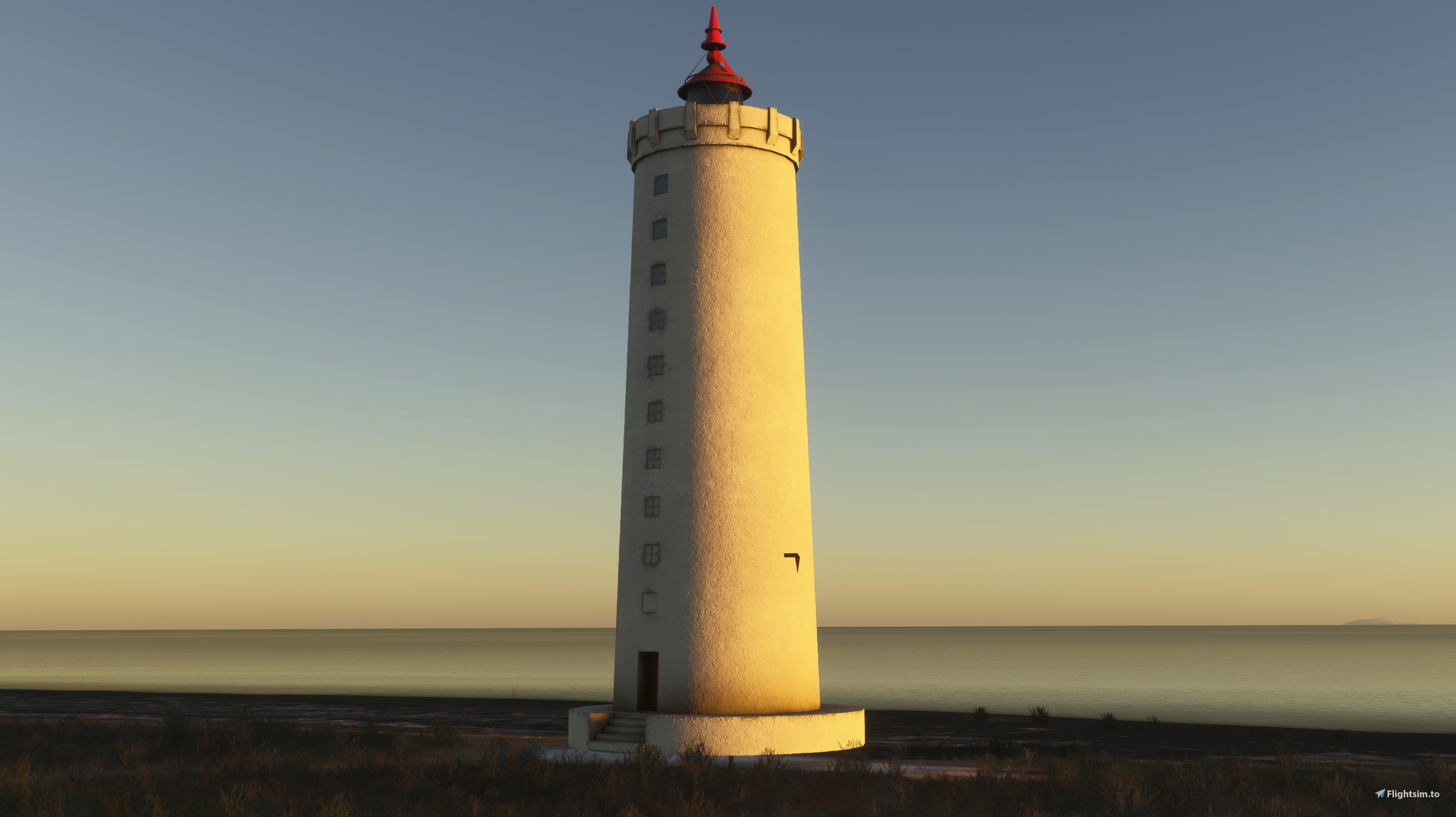
Hallgrímskirkja, the Lutheran church whose basalt column-inspired spire is visible from most of the city and from the air for many miles around, is included alongside the Harpa Concert Hall with its distinctive geometric glass façade, and Perlan, the futuristic dome-topped structure that houses a museum and observation deck on the Öskjuhlíð hill. Models are built to real-world scale using aerial references, include PBR textures and material definitions, are optimized with LODs for performance, and are placed with accurate geographic orientation.
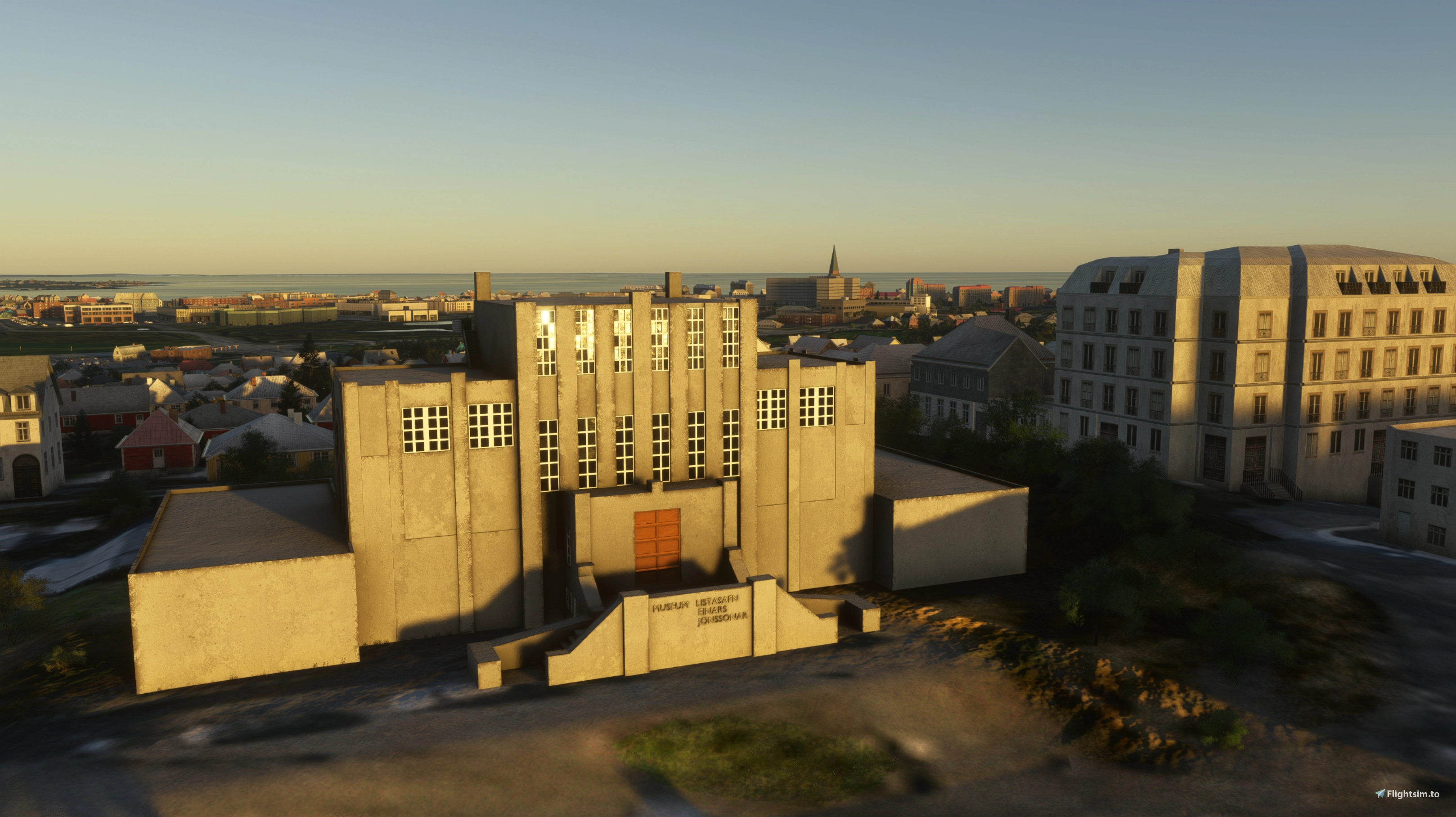
The pack is compatible with MSFS World Updates and targets MSFS 2024. For pilots who regularly fly the Icelandic region for VFR or approach practice at BIRK, this is a meaningful addition to the environment: ➡️ Reykjavík City Landmarks on the Flightsim.to Store.
That concludes this week's briefing. All add-ons listed here are available on Flightsim.to. Freeware creators invest considerable personal time into their projects — if you benefit from their work, consider leaving a rating, a comment, or a donation where the option is available!