
Managing a large Microsoft Flight Simulator add-on library has long been one of the more tedious aspects of the hobby. As collections grow to include hundreds of scenery packages, aircraft liveries, utility mods, and third-party tools, keeping everything organized — and ensuring only the right content is active for any given flight — becomes a genuine time investment before a single engine is ever started. Community-built solutions have existed for years in various forms, but they have rarely brought every aspect of that pre-flight workflow under one roof. Bob Dispatcher, developed by EK Interactive, is a desktop application for both Microsoft Flight Simulator 2020 and 2024 that sets out to do exactly that.
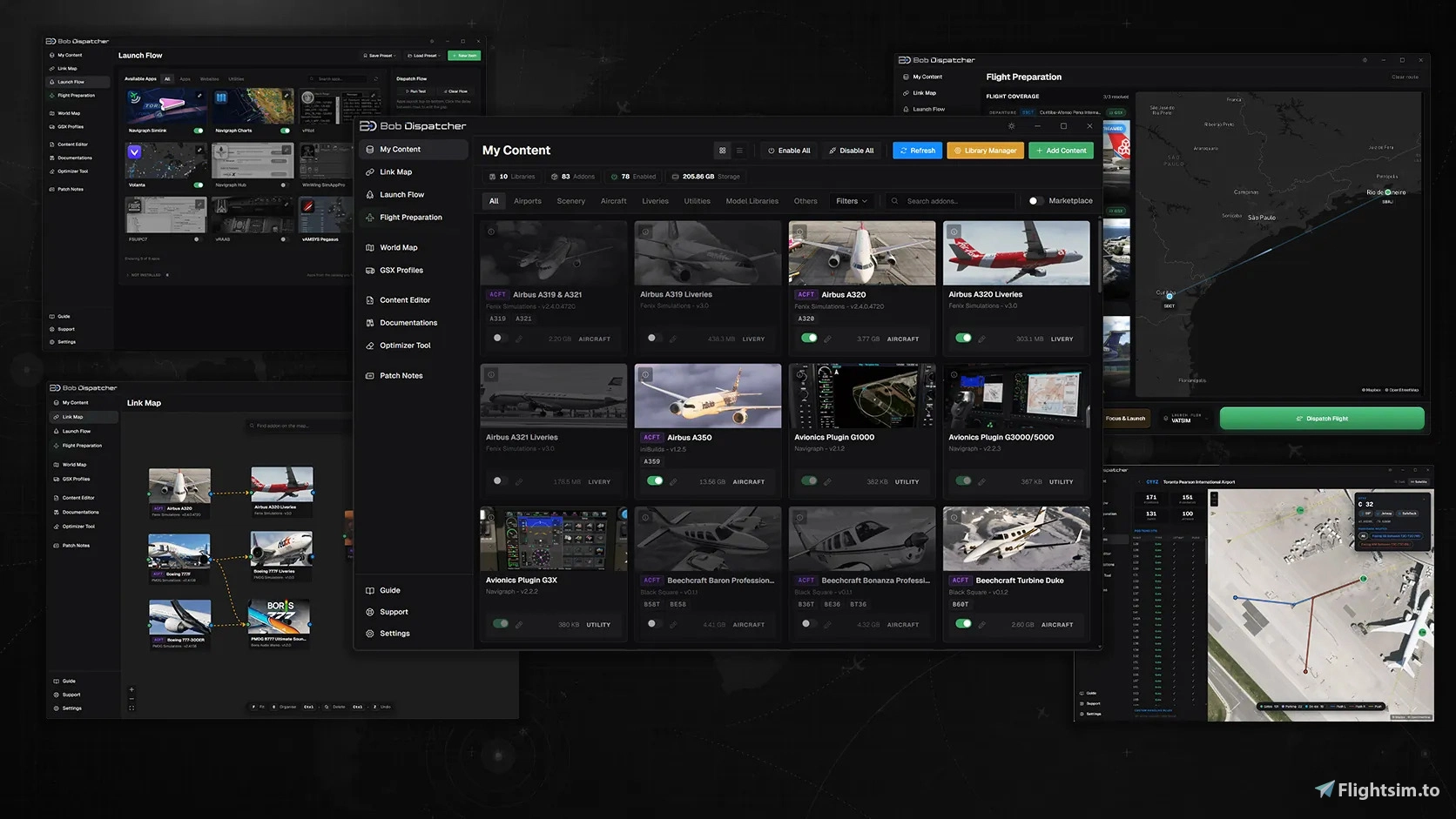
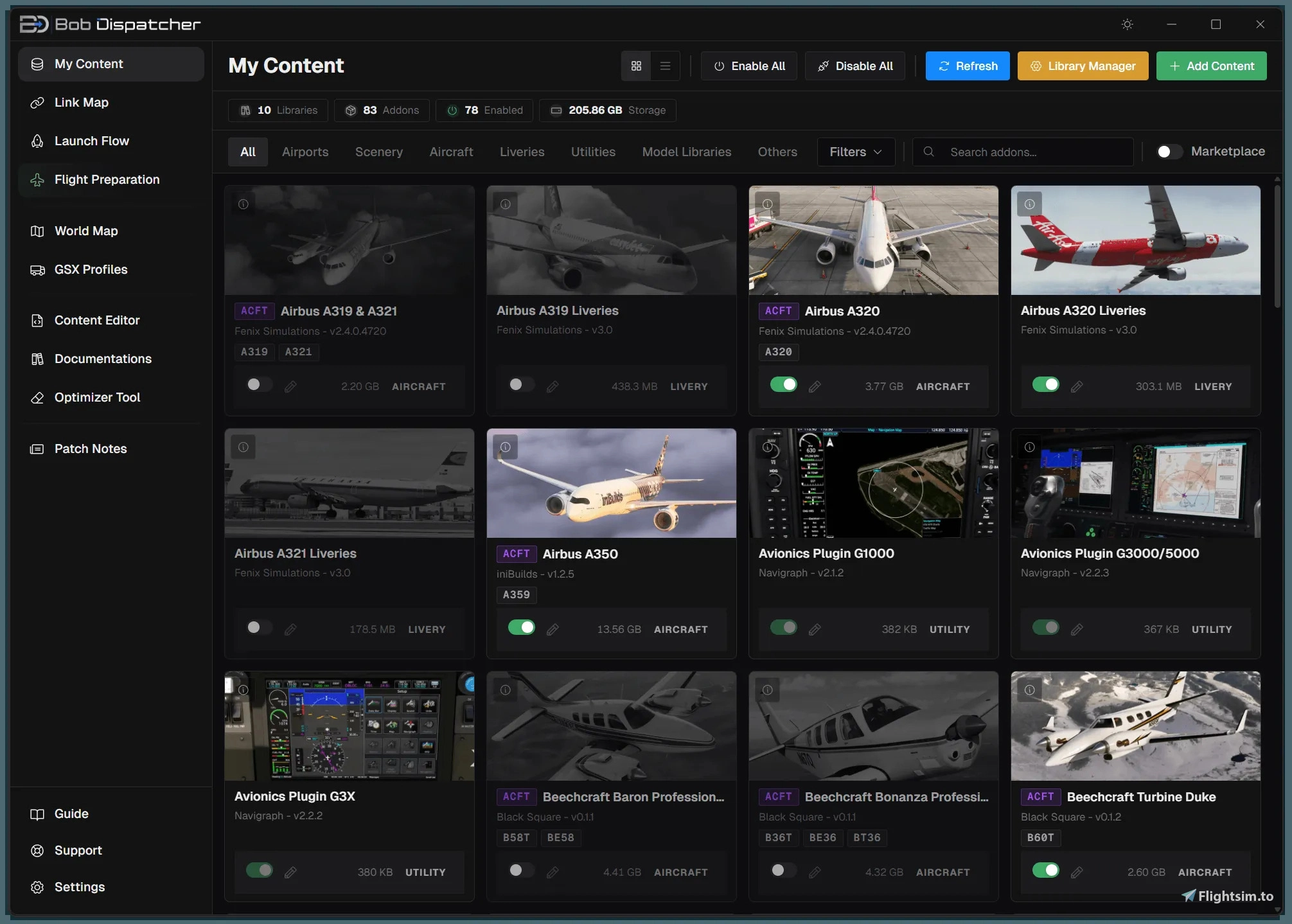
At its core, Bob Dispatcher functions as a content manager, scanning your add-on library folders and presenting everything in a single, navigable interface. From there, you can filter by type, region, country, or developer, search by name, and toggle between grid and list views depending on your preference. Installation of new content is handled through a straightforward drag-and-drop process — drop a `.zip`, `.rar`, `.7z`, or loose folder onto the page, and Bob extracts, classifies, and installs it after your confirmation. That alone removes a number of repetitive manual steps that most simmers will be familiar with.
Where the application begins to distinguish itself is in its route-aware add-on activation. By importing a SimBrief OFP or entering a route manually, Bob identifies which airports, scenery packages, and aircraft your planned flight requires, then enables precisely those items. Optionally, it can disable everything else, keeping your active package list lean and reducing the potential for conflicts or performance overhead from content that has no bearing on the flight at hand.
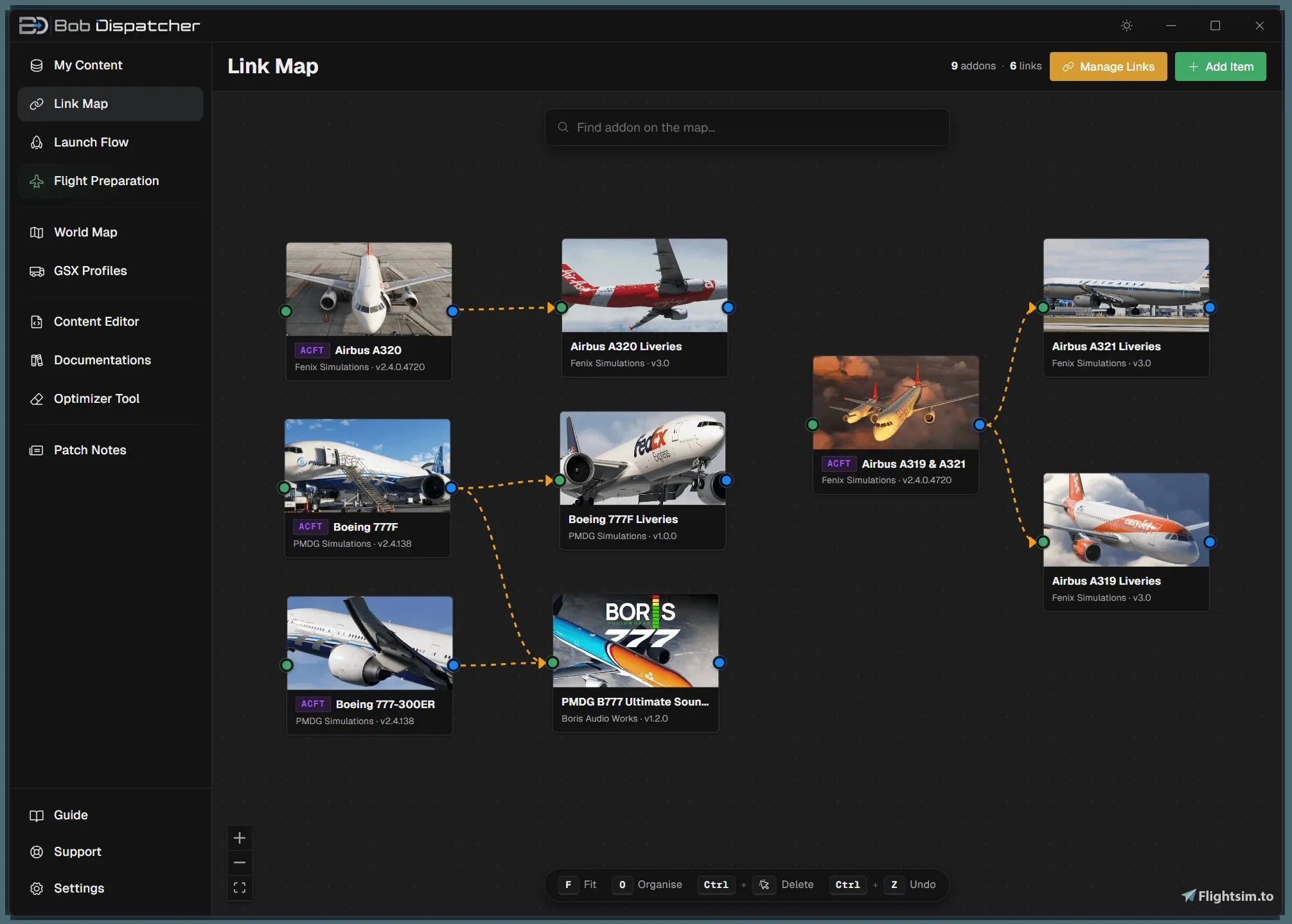
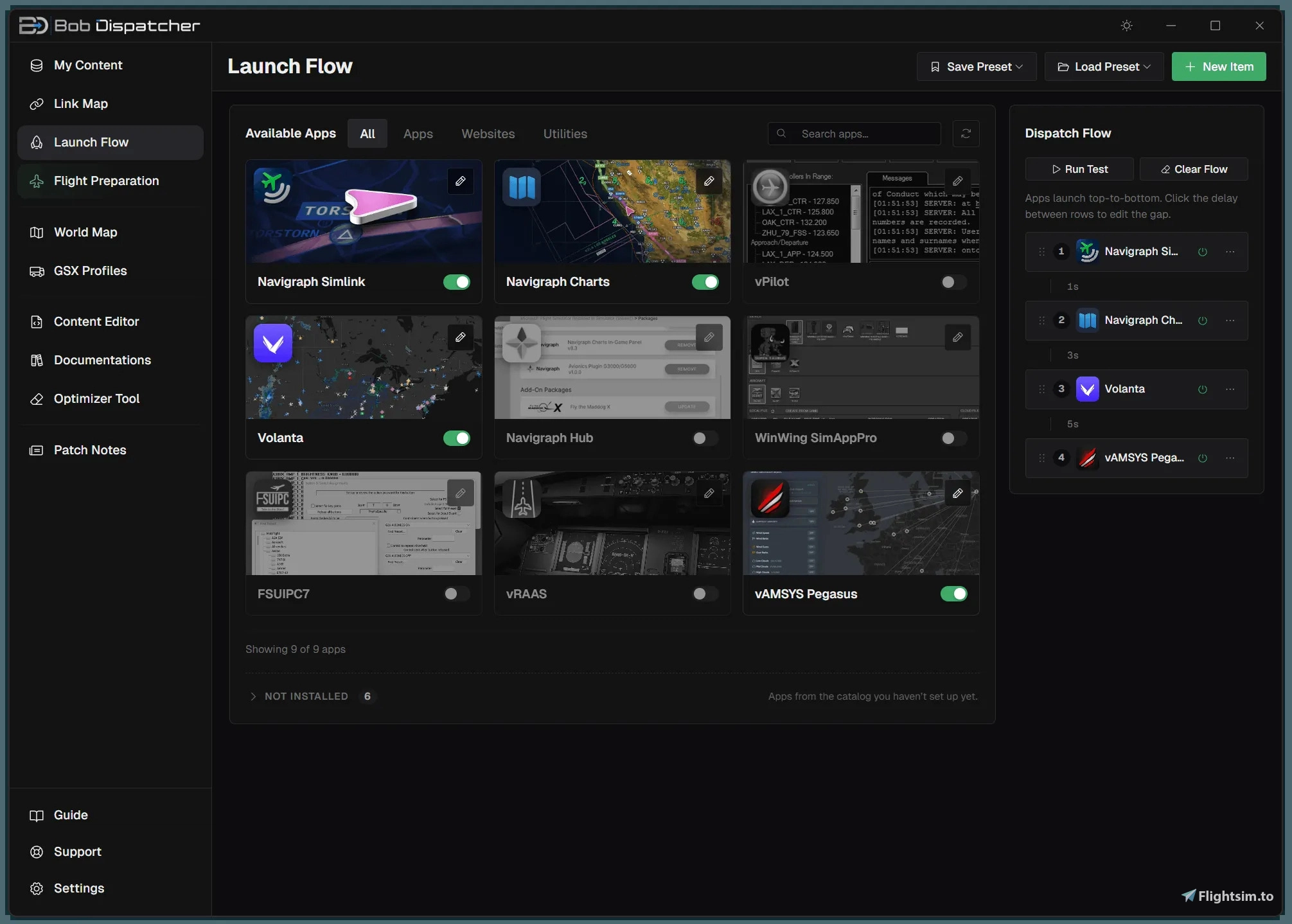
Bob also includes an application launcher, allowing you to sequence the external tools you typically open before a flight — chart applications, virtual airline clients, voice communications software, weather utilities — and then launch them all with a single click. A dependency mapping system complements this by letting you define relationships between add-ons, so enabling a parent package automatically activates any linked child items without requiring you to track those connections manually.
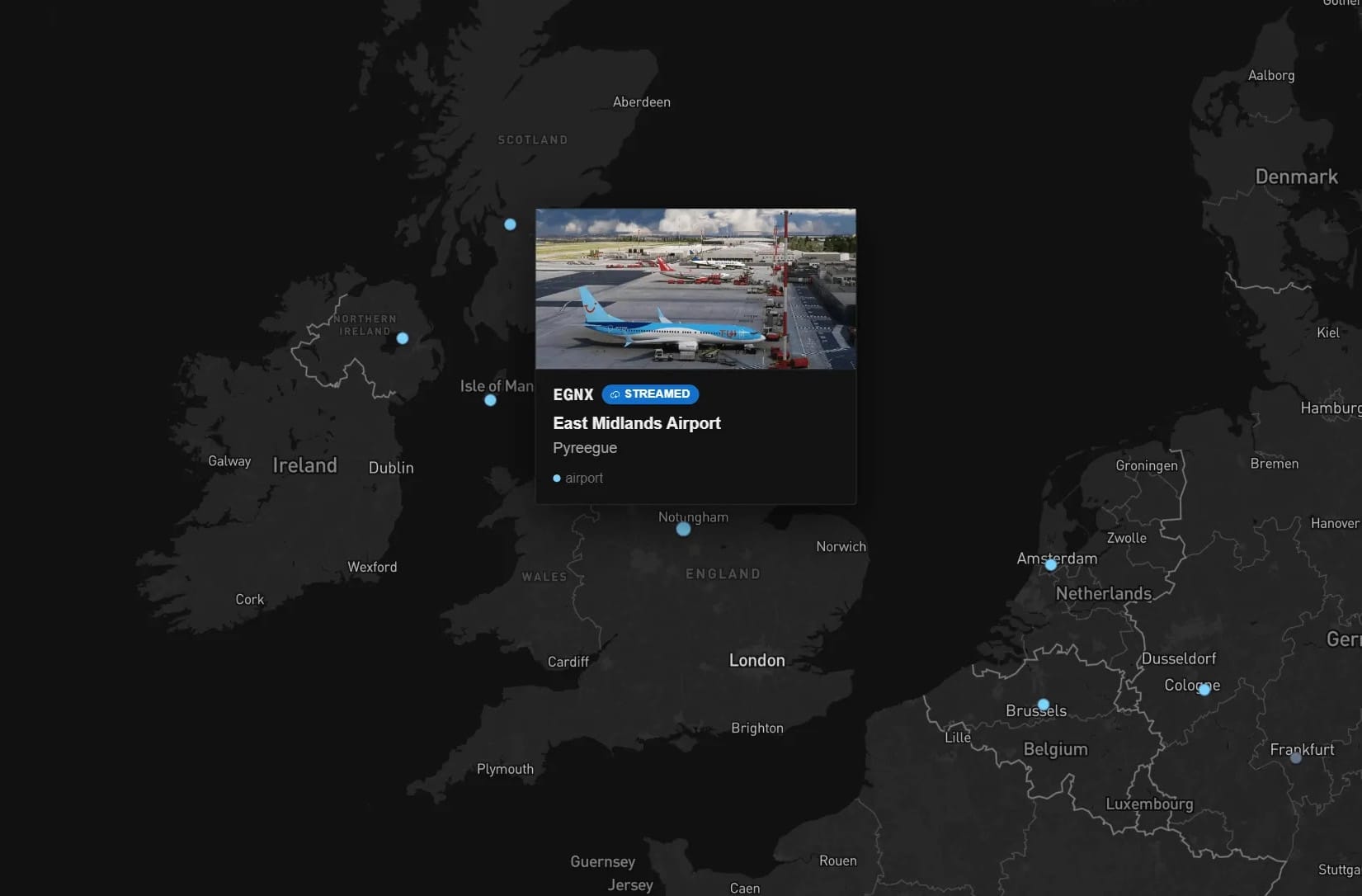
A globe view plots every airport in your library on an interactive map, where selecting a marker enables or disables that airport directly. GSX profile coverage is also surfaced here, letting you check at a glance which of your airports have profiles installed. Each airport entry further includes a full-page diagram showing parking positions, pushback routes, and gate layouts — a practical reference for ground planning. The application also provides a read-and-write view of the MSFS master package manifest, with a backup-first approach that allows changes to be made and reversed with confidence.
Bob Dispatcher supports Microsoft Flight Simulator 2024 in full, with Microsoft Flight Simulator 2020 also supported across all features except the Content Editor. If your libraries have grown beyond what feels manageable with the simulator's built-in tools alone, it represents a considered attempt to consolidate the pre-flight workflow into something more cohesive and repeatable. Bob Dispatcher is available now through the Flightsim.to Store. You can find it and purchase it at 👉 Bob Dispatcher - Flightsim.to Store.