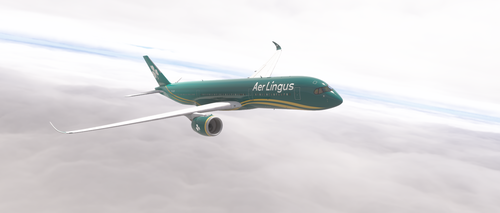
This add-on introduces a fictional Aer Lingus special livery for the iniBuilds Airbus A350-900 ULR in Microsoft Flight Simulator 2024. The livery features a green fuselage with gold bands, white shamrock logos, and a Celtic knot motif on the rear. High-resolution 8K textures are used throughout. The aircraft is registered as EI-ULR.
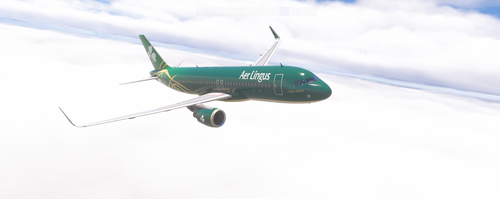
This mod introduces a fictional Aer Lingus “Celtic Spirit” livery for the Fenix A320 CFM with Sharklets in Microsoft Flight Simulator 2024. The design features deep emerald green, golden Celtic ribbons, and authentic Aer Lingus logos. Aircraft registration EI-YCS is included. High-resolution 8K textures ensure a detailed visual experience.
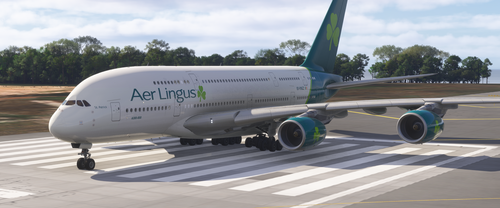
This add-on provides a fictional Aer Lingus livery for the iniBuilds A380 with Rolls-Royce engines in Microsoft Flight Simulator 2024. The livery features a white fuselage, teal tail with a large lime-green shamrock, and unique accent markings. Engine cowlings and wingtip fences are painted with matching shamrock motifs. Aer Lingus branding, including registration EI-YAZ and the St. Patrick name, is prominently displayed on the aircraft.
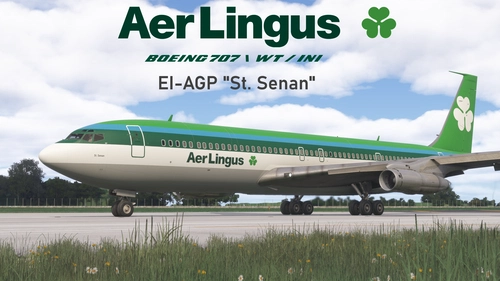
Aer Lingus EI-APG "St. Senan" | Boeing 707-320C WT / INI
This add-on features the Aer Lingus Boeing 707-320C as operated from 1964, representing a pivotal era in the airline's transatlantic services. The 320C variant is modeled for its versatile passenger and cargo configurations. Details reflect historical accuracy up to its retirement in 1986. The livery is designed for use with the Working Title and IniBuilds versions of the 707.
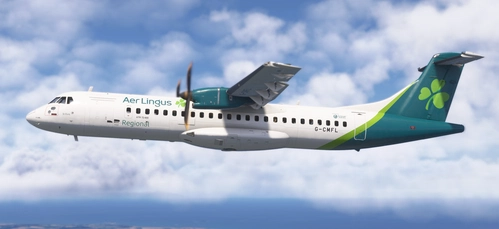
This add-on offers Aer Lingus Regional liveries for the ATR 72-600, featuring both Irish (EI-FSL) and UK-based (G-CMFL) registrations in 4K resolution. It includes two liveries with accurate detailing, though nose gear registrations may be updated in the future. The pack is compatible with Microsoft Flight Simulator 2024. Installation is via simple drag and drop to the community folder.
This add-on provides Aer Lingus livery textures for the LatinVFR Airbus A330-200 GE in Microsoft Flight Simulator. It is compatible exclusively with the LatinVFR payware model available through the marketplace. Users need to install the textures by placing the provided folder into the Community directory. The livery is based on the real-world registration EI-DAA.
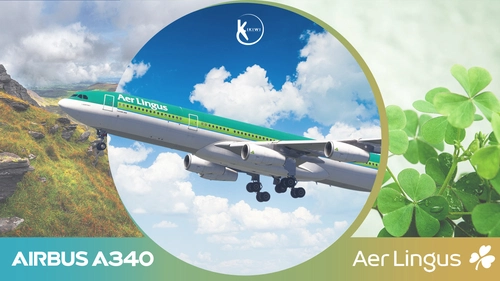
This add-on features a detailed 4K repaint of the Inibuilds Airbus A340-300 in the 1996 Aer Lingus livery. The livery has been recreated to reflect historical accuracy. Installation is done by placing the extracted folder in the community folder. No modification or redistribution is allowed.
PMDG 737-900BW | Aer Lingus | EI-AIA (Fictional) | ER Variant Included
This add-on provides a fictional Aer Lingus livery for the PMDG 737-900BW, including both standard and ER variants. It features improved rivets, panel lines, realistic decals, custom weathering, and reworked textures for wings, engines, and metallic surfaces. The package includes realistic airframe configurations and custom bump maps. Installation guidance is provided for MSFS2024 users.
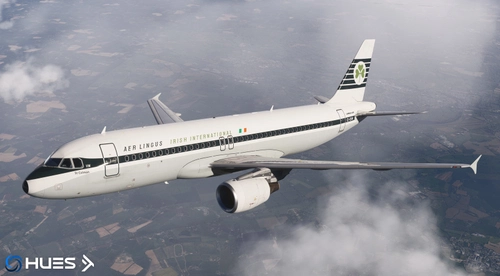
This add-on features an accurate Aer Lingus Retro livery for the A320 with the registration EI-DVM. It includes detailed exterior textures and a custom cabin. An optional installation with Hues zCore files is supported. The package is designed for easy integration into your Microsoft Flight Simulator community folder.
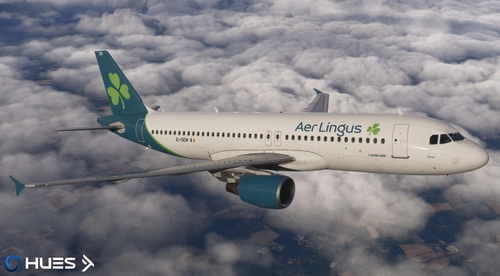
This add-on features the Aer Lingus A320 EI-DEM livery, providing an accurate exterior model with realistic details and a custom cabin. It includes the EI-DEM registration and is compatible with Hues zCore files if desired. Installation instructions are provided for integration with Microsoft Flight Simulator. Modification or redistribution of these files is not permitted without permission from the creators.
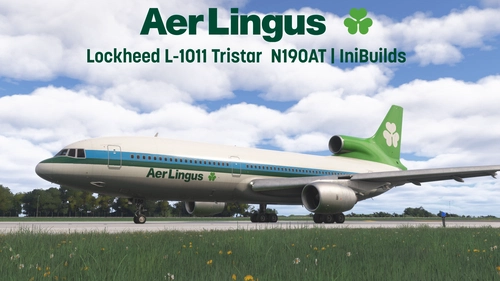
This add-on provides a fictional Aer Lingus livery for the Lockheed L-1011 Tristar for IniBuilds in Microsoft Flight Simulator. The livery is based on Aer Lingus aircraft wet-leased from American Trans Air and Caledonian Airways during the late 1980s and 1990s. It features the registration N190AT and uses the Shamrock callsign. The package is installed by dragging it into the Community folder.

![[LatinVFR] Aer Lingus Airbus A330-200 GE](https://cdn.flightsim.to/images/28/20260526_031745_c712433d52342c16_latinvfr-aer-lingus-airbus-a330-200-ge.jpg?width=500)