
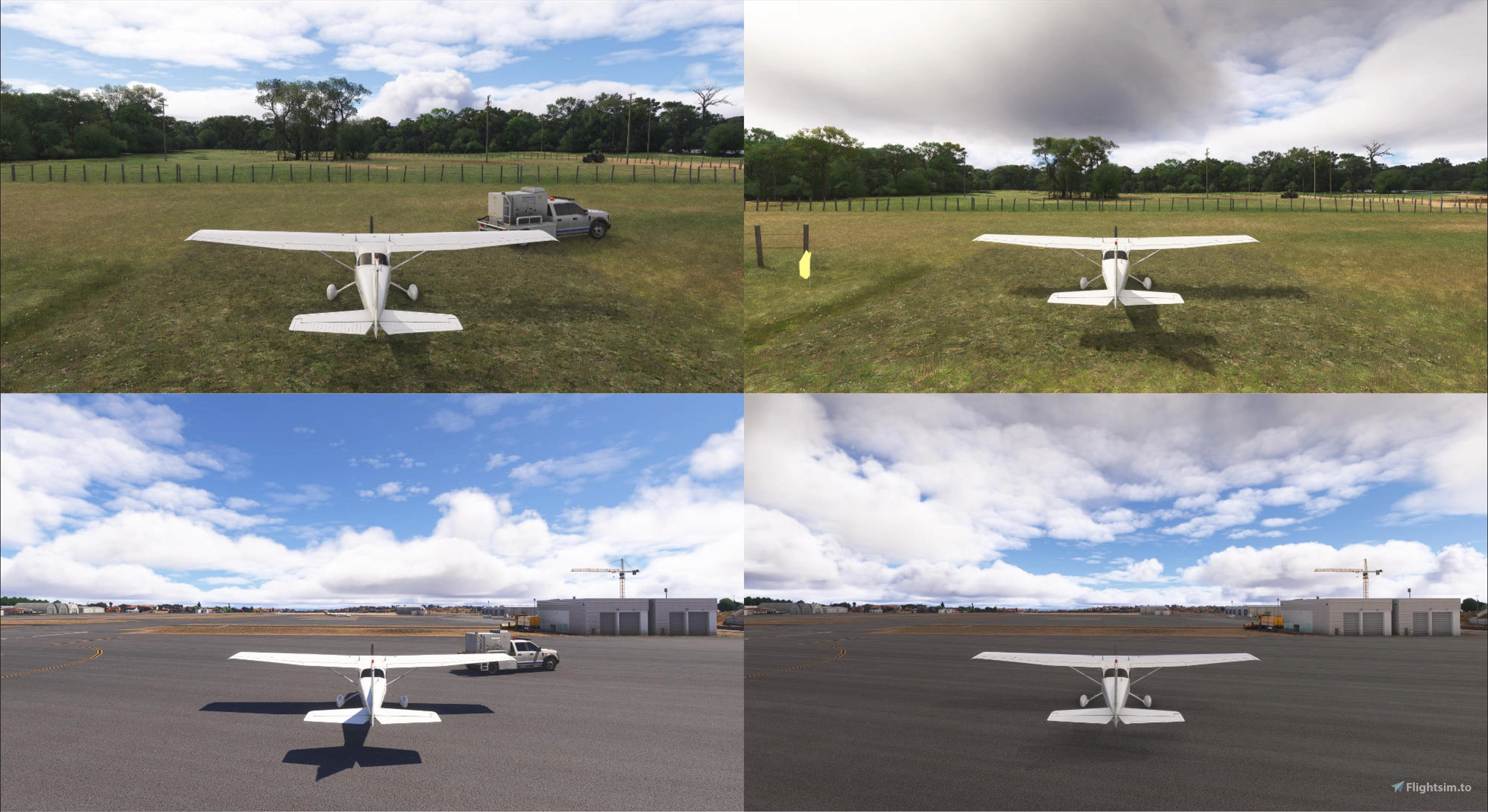
Description
For everyone flying General Aviation, and tired of seeing fuel trucks, pushback equipment and people dressed in green at deserted airports, in beautiful scenery, or even at larger airports, this addon is for you.
It removes all ground services, fuel trucks, ground power unit, pushback, workers, marshaller, etc.
Works perfectly, no conflicts with GSX and Toolbar Pushback.
It works in: MSFS2020, MSFS2024 SU4 (read Warning section) and MSFS2024 SU5 Beta (read Warning section).
INSTRUCTIONS:
- Unzip the file ACN-70 - Hide Ground Services.zip
- Place only one of the folders into your Community folder.
Since MSFS2024 SU4, I can't separate the type of parking.
Please only use the "ACN-70-remove-ground-services-ALL" folder, which will remove the ground services from all Gates and Ramps
- ACN-70-hide-ground-services-ALL – Removes ground services at all Ramps and Gates in all airports.
- ACN-70-hide-ground-services-ONLY_GA – Removes ground services only from General Aviation Ramps in all airports.
WARNING:
- Since MSFS2024 SU4, I can't separate the type of parking.
Please only use the "ACN-70-remove-ground-services-ALL" folder, which will remove the ground services from all Gates and Ramps.
- By choosing the ACN-70-hide-ground-services-ALL folder, ground services will disappear at all airports, even for airliners.
- To disable only ground services on General Aviation ramps, choose the ACN-70-hide-ground-services-ONLY_GA folder.
- Do not use with gliders.
The Wing Runner won't appear and because of that, it's not possible to run the glider.
- This addon may conflict with third-party ground service addons.
The Toolbar Pushback addon works perfectly and without conflicts. (If the parking type has ground services disabled, only the push-back works).
- GSX addon works perfectly and without conflicts
- I don’t know if it affects Career Mode, Activities, or Challenges, I only use the sim for free flight, usually VFR, Cross Country and Bush Flights.
RECOMMENDATIONS:
- Whenever I add or remove an addon, I delete the ROLLINGCACHE.CCC file.
- I only use the sim for free flight, usually VFR, Cross Country and Bush Flights. To avoid hot air balloons and people wearing green, at that remote mining strip, the farm runway, or that airfield at the end of the world, I disable two settings:
Under General Settings / Graphics:
Set Characters Quantity to OFF.
- Parked Aircraft Quantity to OFF.
- These two settings usually only take effect after restarting the simulator.
- To completely remove all vehicles from airports.
This add-on only removes the vehicles from the planes' parking spots.
Set. "Graphics / Airports Services Quantity" setting to Off in MSFS2024.
- In MSFS2020, set the "General Options / Traffic / Airport Life / Airport Vehicle Density" setting to "0".
- Whenever there is an update delete the rolling cache file.
Steam Version:
C:/Users/change-for-your-user-name/AppData/Roaming/Microsoft Flight Simulator 2024/ROLLINGCACHE.CCC
- Whenever there is an update delete everything from this folders.
Steam Version:
C:/Users/change-for-your-user-name/AppData/Roaming/Microsoft Flight Simulator 2024/change-for-your-user-name-in-Xbox/Content.xml
- Steam Version:
C:/Users/change-for-your-user-name/AppData/Local/Temp
- C:/Users/change-for-your-user-name/AppData/Roaming/Microsoft Flight Simulator 2024/cache
- C:/Users/change-for-your-user-name/AppData/Roaming/Microsoft Flight Simulator 2024/Packages/StreamedPackages
- C:/Users/change-for-your-user-name/AppData/Roaming/Microsoft Flight Simulator 2024/SceneryIndexes
INSTALLATION:
- Unzip the file ACN-70 - Hide Ground Services.zip
- Place only one of the folders into your Community folder:
Since MSFS2024 SU4, I can't separate the type of parking.
Please only use the "ACN-70-remove-ground-services-ALL" folder, which will remove the ground services from all Gates and Ramps.
- ACN-70-hide-ground-services-ALL – Removes ground services at all Ramps and Gates in all airports.
- ACN-70-hide-ground-services-ONLY_GA – Removes ground services only from General Aviation Ramps in all airports.
Para quem voa General Aviation, e está cansado de ter camiões de combustível, material de pushback e gente vestida de verde em aeroportos desertos em cenários maravilhosos, ou mesmo em aeroportos maiores, este addon é para ti.
Remove todos os serviços de solo, camiões de combustível, ground power unit, pushback, workers, Marshaller, etc.
Funciona no MSFS2020, MSFS2024 SU4 (ler a secção ATENÇÃO abaixo) and MSFS2024 SU5 Beta (ler a secção ATENÇÃO abaixo).
INSTRUÇÕES:
- Descomprimir o ficheiro ACN-70 - Hide Ground Services.zip
- Colocar apenas uma das pastas, na pasta Community.
Desde o MSFS2024 SU4, não consigo separar o tipo de parqueamento.
Usem apenas a pasta "ACN-70-remove-ground-services-ALL", que vai remover os ground services em todos os Gates e Ramps.
- ACN-70-hide-ground-services-ALL - Remove os serviços de solo em todos os Ramps e Gates em todos os aeroportos.
- ACN-70-hide-ground-services-ONLY_GA - Remove os serviços de solo apenas nos Ramps de General Aviation em todos os aeroportos.
ATENÇÃO:
- Desde o MSFS2024 SU4, não consigo separar o tipo de parqueamento.
Usem apenas a pasta "ACN-70-remove-ground-services-ALL", que vai remover os ground services em todos os Gates e Ramps.
- Ao escolher a pasta ACN-70-hide-ground-services-ALL Os serviços de solo desaparecem em todos os aeroportos mesmo para airlainers.
- Para desativar apenas os serviços de solo nas rampas de General Aviation escolher a pasta ACN-70-hide-ground-services-ONLY_GA.
- Não utilizar com planadores.
O "Wing Runner" não vai aparecer e por isso não é possível arrancar com o planador
- Este addon pode casuar conflitos com aeronaves de terceiros e com Addons de serviços de solo.
O Addon Toolbar Pushback funciona perfeitamente sem conflitos. (Se o tipo de parqueamento estiver com os serviços se solo desativados, apenas o pushback vai funcionar).
- O GSX funciona também perfeitamente e sem conflitos.
- Não sei se pode afectar o modo carreira, actividades e desafios, eu apenas uso o Sim para voo livre e normalmente VFR, Cross Country e Bush Flights.
RECOMENDAÇÕES:
- Eu sempre que adiciono ou retiro algum addon, apago o ficheiro ROLLINGCACHE.CCC.
- Eu apenas uso o Sim para voo livre e normalmente VFR, Cross Country e Bush Flights e para evitar balões de ar, e personagens vestidos de verde, naquela pista de garimpo escondida, na pista da fazenda, ou naquele aeródromo no fim do mundo, eu desativo duas configurações.
Em Configurações Gerais / Gráficos
Characters Quantity para Desligado.
- Parked Aircraft Quantity para Desligado.
- Estas duas configurações normalmente só tem efeito depois de reiniciar o simulador.
- Para remover completamente todos os vaiculos dos aeroportos.
Este add-on apenas remove os veiculos nos parking spots dos aviões.
No MSFS2024, alterar Configurações Gerais / Gráficos / Airports Services Quantity para desligado.
- No MSFS2020, alterar Opções Gerais / Tráfego / Rotina do Aeroporto / Densidade de Veículos do Aeroporto para "0".
- Sempre que houver uma actualização apagar o ficheiro rolling cache.
Steam Version:
C:/Users/change-for-your-user-name/AppData/Roaming/Microsoft Flight Simulator 2024/ROLLINGCACHE.CCC
- Sempre que houver uma actualização apagar tudo dentro destas pastas.
Steam Version:
C:/Users/alterar-pelo-seu-nome-de-usuario/AppData/Roaming/Microsoft Flight Simulator 2024/change-for-your-user-name-in-Xbox/Content.xml
- Steam Version:
C:/Users/alterar-pelo-seu-nome-de-usuario/AppData/Local/Temp
- C:/Users/alterar-pelo-seu-nome-de-usuario/AppData/Roaming/Microsoft Flight Simulator 2024/cache
- C:/Users/alterar-pelo-seu-nome-de-usuario/AppData/Roaming/Microsoft Flight Simulator 2024/Packages/StreamedPackages
- C:/Users/alterar-pelo-seu-nome-de-usuario/AppData/Roaming/Microsoft Flight Simulator 2024/SceneryIndexes
INSTALAÇÃO:
- Descomprimir o ficheiro ACN-70 - Hide Ground Services.zip
- Colocar apenas uma das pastas, na pasta Community.
ACN-70-hide-ground-services-ALL - Remove os serviços de solo em todos os Ramps e Gates em todos os aeroportos.
- ACN-70-hide-ground-services-ONLY_GA - Remove os serviços de solo apenas nos Ramps de General Aviation em todos os aeroportos.
- Desde o MSFS2024 SU4, não consigo separar o tipo de parqueamento.
Usem apenas a pasta "ACN-70-remove-ground-services-ALL", que vai remover os ground services em todos os Gates e Ramps.
Remove Ground Services in all Airports
This add-on allows users to remove ground services such as fuel trucks, pushback equipment, and personnel from all airports or specifically from General Aviation ramps in Microsoft Flight Simulator. It offers two installation options: one that eliminates ground services across all ramps and gates, and another that targets only General Aviation areas. The mod aims to enhance the visual experience for those flying in remote or less populated settings by minimizing unwanted ground activity.
Supporters


User Reviews
19 reviews
Version History
The folder structure was changed so it can also be used in the MSFS2024 SU4 Beta.
Related
Enhanced Ground Vehicles
Enhanced Ground Vehicles offers 30 European/German themed liveries for default airport ground vehicles. Each vehicle comes as its own mod package for easy customization without impacting performance. The add-on includes detailed textures and is compatible with various liveries, providing a realistic airport experience.
by JBF23
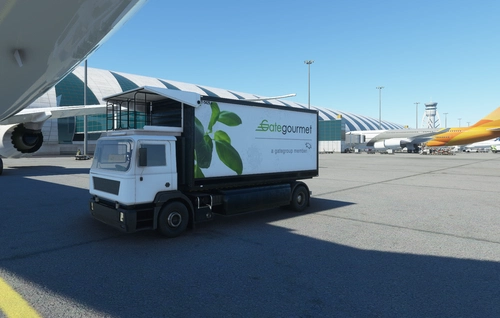
GateGourmet Catering Truck
Enhance your airport scenery with the GateGourmet Catering Truck livery add-on. Version 1.2 features updated truck details including black sidepods, caution decals, rear decal changes, and signs of use. Simply copy the file to your Community folder and enjoy the upgrades! Thank you for your support!
by TheGodlyLuzer
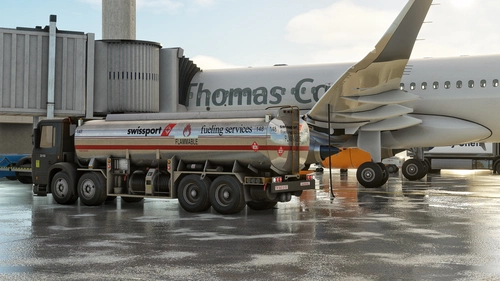
Swissport Ground Service Textures
Enhance your ground service experience with this Swissport Ground Service Textures add-on. This mod includes updated textures for Pushback Tug, Power Unit, Catering truck, and Fuel truck. Simply unzip the file and place the folder in your community folder to enjoy these new textures.
by Porter2411
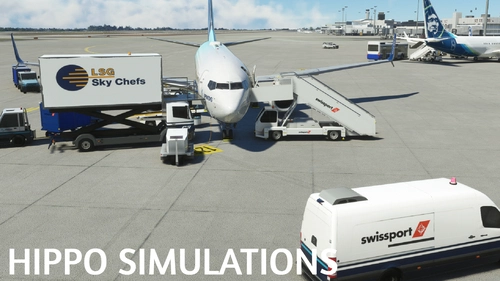
Realistic Services For PMDG 737-700
This is a realistic services pack for the 737 by PMDG. Also I often don't Make these and I'm unaware how to make the installation easier. I uasally just make scenery. if any developer know and is willing to help me with the package please dm me on discord or go to our main chat on discord.
by ianthehippo and oliveiralberto
Log in to join the discussion
Log InComments(98)
about 10 hours ago
6 months ago
ACN-70-hide-ground-services-ALL
KSRQ No removed.
6 months ago
Thanks for your comment.
I tried MSFS2020 at the same KSRQ airport in different parking spots.
Using the "ACN-70-remove-ground-services-ALL" folder, no ground services appear in any type of parking.
Using the "ACN-70-remove-ground-services-ONLY_GA" folder, ground services don't show up only on ramps, but they do appear at the gates.
Try deleting the "ROLLINGCACHE" file and everything inside the "SceneryIndexes" folder.
I hope you can fix the problem.
Regards.
Photos:
- https://drive.google.com/file/d/1OQGhZUx3NlzUDWe92B7mP98gjSPNbPJH/view?usp=sharing
- https://drive.google.com/file/d/1yiUb3J4w3CLXLEOooIg1wh-MG3nbUEJ_/view?usp=sharing
- https://drive.google.com/file/d/1LqhJWGDtWto2twUTBZDbBtmKfBQdmNMg/view?usp=sharing
7 months ago
7 months ago
Thank you for your comment and for your alert about the problem.
I haven't been able to use the simulator since SU4 because I left my computer behind when I moved to a different country and continent.
The hardware I have now makes it impossible for me to properly test the addon.
I need to try soon to see what I can do, but I can't promisse.
Regards.
6 months ago
I try the add-on today with SU5 Beta and it works well.
Whenever there is an update I delete the rolling cache file
C:/Users/change-for-your-user-name/AppData/Roaming/Microsoft Flight Simulator 2024/ROLLINGCACHE.CCC
And everything from these folders:
C:/Users/change-for-your-user-name/AppData/Roaming/Microsoft Flight Simulator 2024/change-for-your-user-name-Xbox/Content.xml
C:/Users/change-for-your-user-name/AppData/Local/Temp
C:/Users/change-for-your-user-name/AppData/Roaming/Microsoft Flight Simulator 2024/cache
C:/Users/change-for-your-user-name/AppData/Roaming/Microsoft Flight Simulator 2024/Packages/StreamedPackages
C:/Users/change-for-your-user-name/AppData/Roaming/Microsoft Flight Simulator 2024/SceneryIndexes
Regards.
7 months ago
7 months ago
Thank you for your comment.
Enjoy it.
Regards.
10 months ago
Since the SU4 beta, I always get stairs or the jetway automatically connecting to my aircraft, even when I request ground handling via GSX.
There is always a default Microsoft/Asobo stairway approaching my aircraft.
I tried your mod, but unfortunately it doesn’t seem to prevent those stairs from appearing, so it doesn’t solve the issue for me.
10 months ago
Thank you for your comment.
I'm going to try to find a solution to the problem, unfortunately I haven't been able to use MSFS, but as soon as I fix it I'll release a new update.
Regards.
10 months ago
10 months ago
Thanks for your comment.
Unfortunately with SU4 we can use only the version "ACN-70-remove-ground-services-ALL".
Regards.
11 months ago
11 months ago
Unfortunately, there's no easy way to do it, the number of items that can appear around the planes is very limited.
What's possible is for someone with more knowledge to create a specific add-on for a stand-alone GPU, but I can't.
Regards.
12 months ago
12 months ago
I'm happy to be able to help.
Enjoy it.
Regards.
12 months ago
12 months ago
I'm happy to be able to help.
Enjoy it.
Regards.