
Description
Welcome!
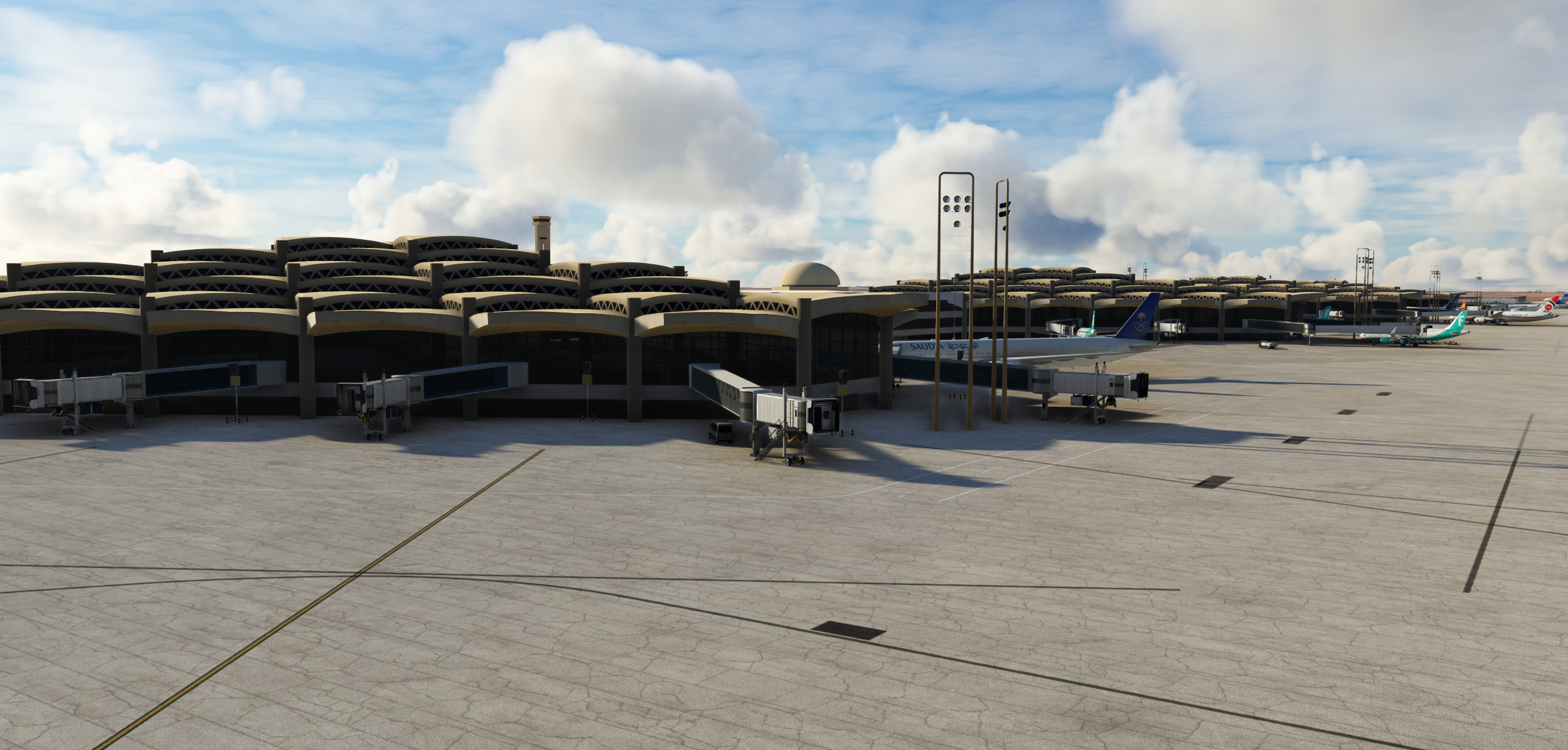
Thank you for checking out our scenery, many hours have been put into this project to hopefully be an accurate rendition of Riyadh's King Khaled Airport (Updated to match 2023 changes!)
King Khalid International Airport was opened in 1983 in Riyadh city. It is located in an area of 375 km2 about 35 km from the city center, consisting of five passengers’ terminals, which together serve more than 28.5 million passengers a year.
There are still many aspects that are still in WIP, and will continue on building on them as I am able to, but will keep sharing the latest layout for those who are using the latest charts and/or Vatsim, so be sure to check the changelog whenever an update is available!
This scenery DOES NOT contain static aircraft at gates, the ones you see in the screenshots are AI aircraft
Installation
- Unzip the Main File, then drag and drop "banditsim-airport-oerk-riyadh" into your community folder.
GSX Users
- Grab the GSX profile from the downloads, and paste the .ini file into
Users\*username*\AppData\Roaming\virtuali\GSX\MSFS
- Disable OERK GSX jetways from the FSDT Installer/GSX Config
Features
- Realistic aprons (including taxiway layouts, parking positions, ground materials, custom decals)
- Custom 3D Modelled Buildings
- Terminal 1-4 (International Terminals)
- Terminal 5 (Domestic Terminal)
- Royal Terminal
- Control tower
- Ground control & fire building
- Airport mosque
- Custom 3D modelled objects
- Functional jetways
- Functional roadway/bridge between Royal Terminal, Tower & Mosque
- GSX Integration (not 100% completed)
Known Issues
- Tower, fire station and mosque are currently untextured
- Traffic drives on taxiway bridges
- Terminal 5 has multiple modelling and UV errors (will be redone, eventually)
- Many buildings are missing/not yet modelled
Footnote
If you have any suggestion, please feel free to leave a comment below
If you wish to check out the project's development and try out updates before they are updated here, kindly visit the project's GitHub page
Location
OERK - King Khaled Intl. Airport, Riyadh
Explore an accurate rendition of Riyadhs King Khaled Intl. Airport, updated to match 2023 changes. This scenery features realistic aprons, custom 3D buildings, functional jetways, and more. Note that static aircraft are not included. Installation is simple - just drag and drop the files into your community folder.


User Reviews
55 reviews
Version History
- Removed Construction and added gates 301-307, 401-407 - Added new Private Terminal stands G801-808 - Added new Western Parking apron (No parking stands yet) - 3D modelling of basic interiors for Terminals 1&2 - 3D modelling of interior & check-in counters for new Terminals 3&4 (SVA Intl T4. KNE, FAD, JAZ Intl T3) - Interior lighting for Terminals 1-4 - Parking stand signs for Terminals 1-5 Parking - GSX Profile (separate file) - General Fixes and updates
Featured in Collections(1)

Related
![Saudia | PMP A330-300 [8k]](https://cdn.flightsim.to/images/09/YxKUvrui.jpg?width=500)
Saudia | PMP A330-300 [8k]
Experience Saudias white livery on PMP A330-300 with this mod. Please note the presence of some graphical errors. PSD files included for customization. Add your own touch and share on flightsim.to.
by aboodilatif
L-1011 Livery Pack
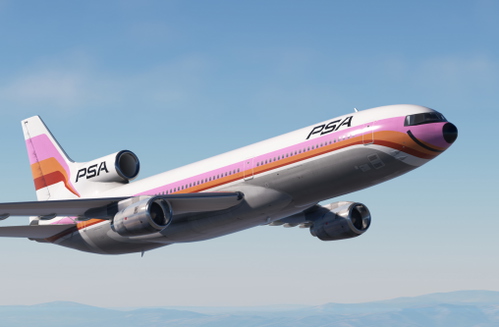
Explore a variety of liveries with the L-1011 Livery Pack by BanditSim contributors Aboodilatif, Charles210, desmond, and mightymackrel. Please note that this pack complements an early in-development aircraft by BanditSim and may come with some issues. Make sure to review the requirements and installation instructions before use. Liveries include Pacific Southwest Airlines, Saudia, Trans World Airlines, Eastern Airlines, Delta, and Cathay Pacific.
by BanditSim
![Saudia (White) | PMP A330-300 [8k]](https://cdn.flightsim.to/images/09/9FMBrhKu.jpg?width=500)
Saudia (White) | PMP A330-300 [8k]
Experience Saudias white livery on the PMP A330-300 with this add-on, showcasing the seasonal lease color scheme. Operated by Onur Air, this mod features the specific registration TC-OCJ.
by aboodilatif
Log in to join the discussion
Log InComments(133)
7 months ago
8 months ago
10 months ago
about 1 year ago
about 1 year ago
about 1 year ago
over 1 year ago
over 1 year ago
over 1 year ago
over 1 year ago
over 1 year ago
almost 2 years ago
almost 2 years ago
almost 2 years ago
almost 2 years ago
almost 2 years ago
about 2 years ago
about 2 years ago
It's different from the preview photos you posted. I did everything as you explained above. What's the reason?
almost 2 years ago
about 2 years ago