
Description
Welcome to Straubing Airport !
ICAO: EDMS, IATA:RBM
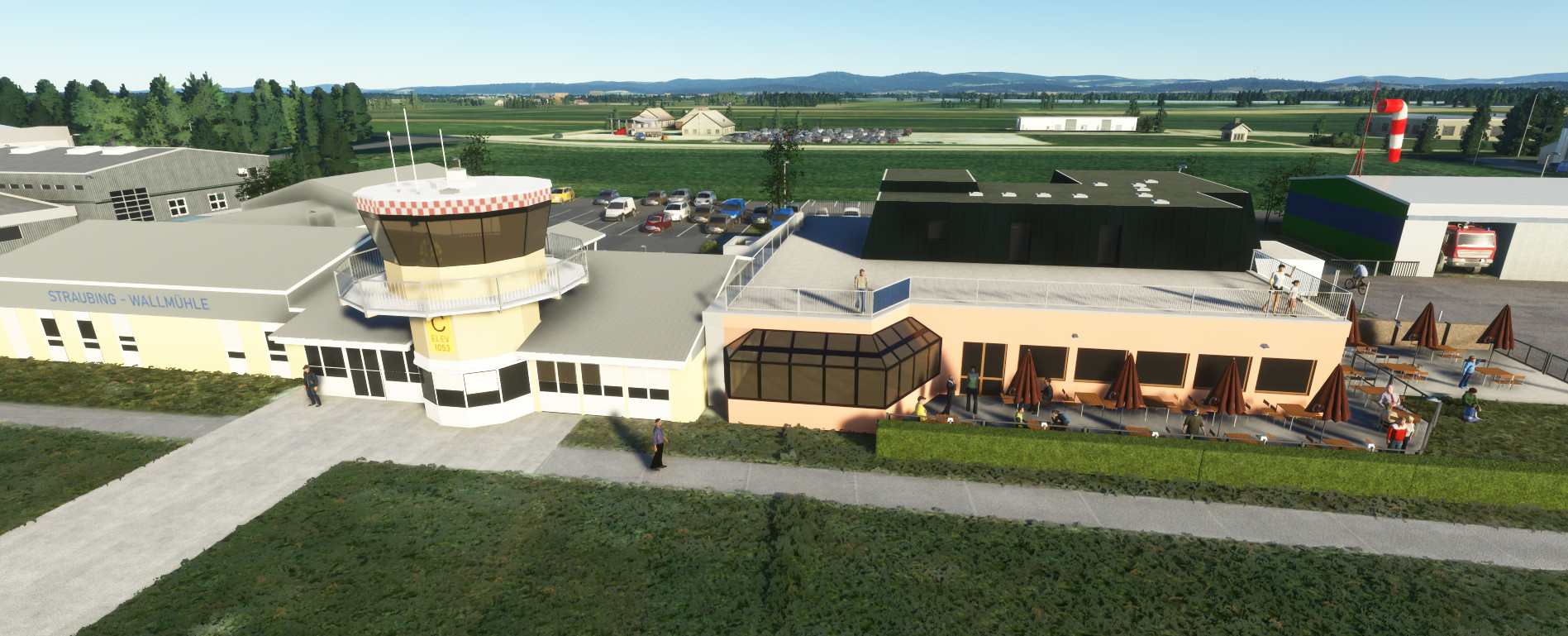
This Airport is about 2.5 NM northwest of the city of Straubing in Eastern Bavaria, Germany. It's mainly used for Business and Privatflights as well for aircraft maintenance and upgrade. The runway 09/27 is 1350 x 30 m made of asphalt and supports the aircraft categories PCN 40, HEL PCN 40, GLD (P), GLD, UL.
Limitations- Some Buildings are still generic Microsoft / Asobo objects.
- Custom handcrafted Main buildings:
- Tower and connected buildings
- Restaurant
- Hangars 2 & 3
- MT-Propeller main building
- Avionik Straubing hangar
- MB Flight Services Hangar
- Other buildings adjusted / replaced to better fit with reality
- Improved Taxiway, Apron textures
- Custom Fuelstation at the main Apron added
- Windsock at Hangar 1 added
- Parking stand marks added
- Lights added
- Fences, Cars and Trees added
- Added some details and important buildings to the west and east of the airport
How to install
Just unzip the folder "jtb-airport-edms-straubing" to to your community folder.
If you should have FSDG Landmarks of Germany - Bayern nothing else is to do. If you dont have this Addon, you may also want to download and install the additional EDMS Addons package. It includes the Stadtturm and the church of St. Jakob which are not included in the main file anymore.
Optional
If you want to have some static aircrafts visible, you need to install totof- aircraft library v4
If you want to see more people at the airport, you may want to install Dave's 3D People Library.
Location
EDMS Straubing-Wallmühle
Welcome to EDMS Straubing-Wallmühle Airport in Eastern Bavaria, Germany. This add-on features custom handcrafted main buildings, improved taxiway and apron textures, and added details like a custom fuel station and windsock. Enhance your flight experience with this realistic airport scenery.


User Reviews
17 reviews
Version History
- added MB Flight Service Hangar - removed Stadtturm and St. Jakob from main file (available as add. file now) - minor adjustments for better MSFS 2024 compatibility
Log in to join the discussion
Log InComments(62)
10 months ago
10 months ago
10 months ago
11 months ago
wird neue Gebäude in der Stadt hinzufügen? z.B JVA, Eisstation; Peterkirche
11 months ago
Wenn die Umgestaltung des realen Flugplatzes halbwegs abgeschlossen ist, hab ich genug zu tun den virtuellen auf den aktuellen Stand zu bringen (neue MT Propeller Hallen, Parkplatz, Zufahrten, etc.).
12 months ago
I got a problem with two buildings. FSDG landmarks Bayern includes Stadtturm and St Jakob church Straubing. Now both versions show up at the same time and are overlapping with yours. Changing the order with the Asoso reorder tool doesnt help. Maybe you can make a second download version without these 2 objects ore make exclusion rectangles? Thanks
12 months ago
11 months ago
11 months ago
about 2 years ago
Vielen Dank dafür. Tolle Arbeit.
Gruß aus EDPD
about 2 years ago
wow Straubing... Darf ich mal fragen: Ob gelbe Wasserturm auch vorhanden, auch Peterskirche? vielleicht könntest du komplette Innenstadt mit Kirchen machen? Kennst du sicher auch Kirche auf dem Bogenberg? Kirche in Alburg nähe Flugplatz
over 2 years ago
about 2 years ago
over 2 years ago
over 2 years ago
the airport works fine.
almost 3 years ago
about 3 years ago
Fliege am Flugplatz Straubing und es macht Spaß auch im Sim den Flugplatz zu haben!
about 3 years ago
MFG
Aus Straubing
about 3 years ago
about 3 years ago