
Description
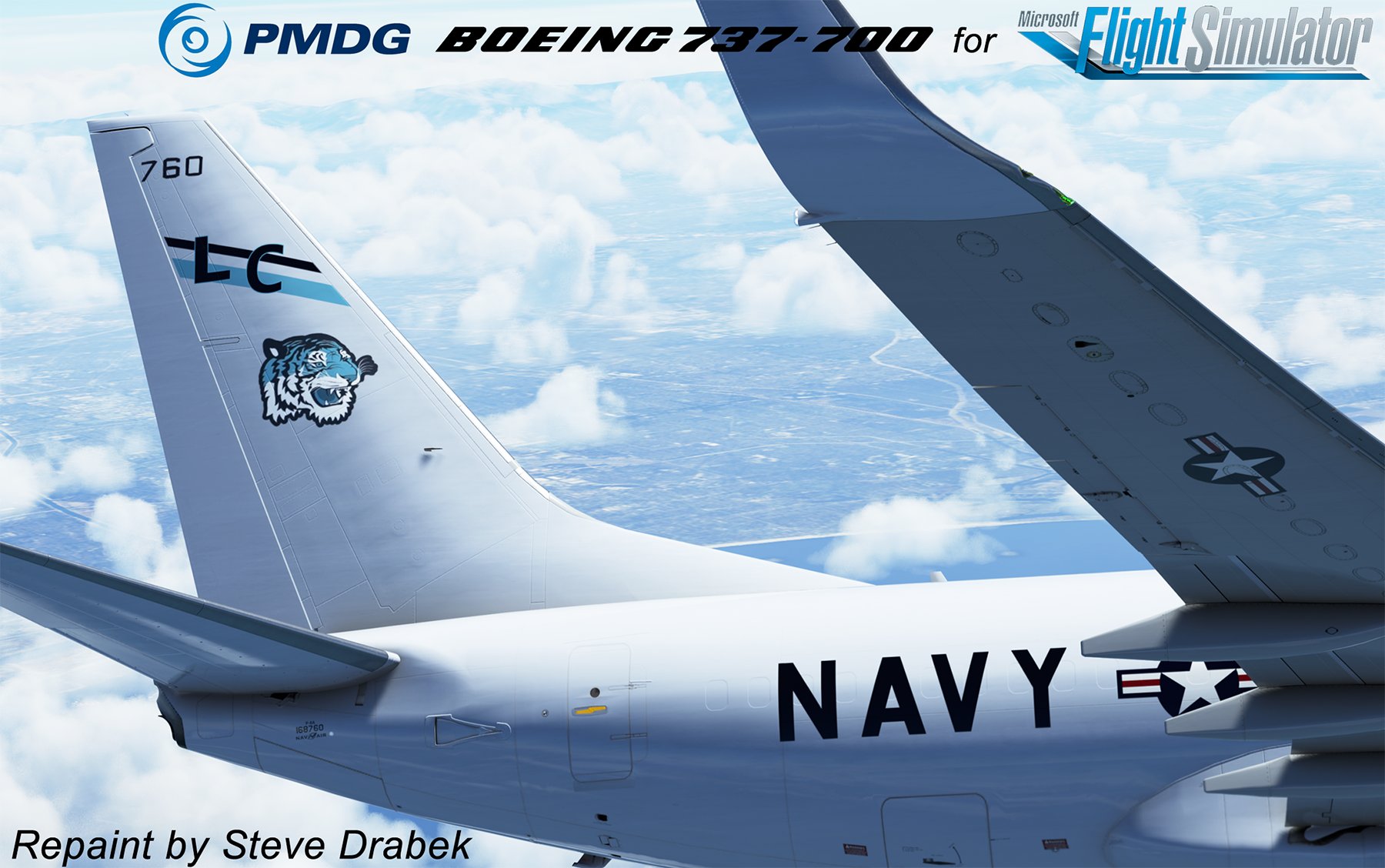
IMPORTANT NOTE REGARDING THIS MODEL: Due to the fact that there is not an actual "P-8" model where we'd have all the antennas, hard points, sensors, etc, and since the Cargo model does not have passenger windows, I decided to base this plane on the Cargo version. This is the best way visually, That said: The sole passenger window is baked into the model, thus I can'y move or delete it. So I added a fake (but pretty convincing) passenger window at the emergency exits. Also, naturally this model does not have the large observation window, so that too is painted on as well.
I may add other Squadrons as time permits....but I have a very packed paint hangar and I also spend a LOT of my time beta-testing new builds of this product...I will review requests, and your's will take a higher priority if you do the legwork and provide me with LINKS to good pics of the very specific plane you want. Please don't send pics themselves, but links to them. The more/better pics I have, the easier it is for me to not use a ton of time researching the paint myself and let's me focus on the painting. :)
Fellow simmers,
Here is my Livery of the PMDG 737 for MSFS2020.
The PMDG line of products use their custom utility called The PMDG Operations Center (OC2).
To maintain your entire PMDG fleet of aircraft (The DC-6 as well you own it), also provides you with a very easy way to install/uninstall/update your liveries. Please follow the detailed instructions below to install this paint. It may look like a lot of steps, but I made sure every step was covered from download to install.
NOTE: I will not offer this as a “Drag and Drop” livery as this method, while operational, does not ensure everything is created properly in the complex MSFS folder structure. When painters use the OC to package their paint, the installer takes care of all the items needed (json updates, aircraft .cfg edits, etc) automatically.
Also…should updates to the aircraft become available, the OC ensures all items are updated properly.
Here are the instructions:
1. Extract the PTP file from the downloaded zip file.
2. Place it anywhere your PC (typically the downloads folder).
DO NOT place it in the MSFS folder structure, including the Community folder (The OC2 will properly extract it there and update the Layout.json file automatically)
3. Press the Windows key on your keyboard
4. Type PMDG
5. Select the PMDG Operations Center and open as an Administrator
6. Follow these steps when Ops Center is open.
1. Click the Aircraft and Liveries menu
Choose Livery Utilities
2. Select the Simulator,Select the Product,Select the Variant
3. Click Install from PTP file
7. After the Open window opens, navigate to the folder you saved/extracted the PTP file to
8. Click Open.
9. Done
If you have any issues with the installation of the livery through the OC2, please contact PMDG Support at https://support.precisionmanuals.com/Main/
You an also go to their forums as many members can help with issues and the support team monitors there as well.
A special thanks goes to PMDG and the beta test crew I had the privilege to work with during the development of this fantastic plane.
Credits: All base textures included in my paints are included by permission from PMDG, as with any livery created by 3rd party painters. I would especially thank the PMDG Paint crew for the fantastic textures they gave us to work with, you guys are awesome!
PMDG 737-700BDSF NAVY P-8A VP-8 (168760 - 2017)
A detailed livery of the PMDG 737 for Microsoft Flight Simulator 2020 featuring modifications based on the Cargo version for improved visuals. Utilize the PMDG Operations Center for easy installation and management of liveries, ensuring proper integration with the simulator. Follow specific instructions provided for a hassle-free installation process and contact PMDG Support for any assistance needed. Credits to PMDG for providing base textures and the community for support during development.

User Reviews
3 reviews
Version History
No version history available.
Featured in Collections(1)

Related
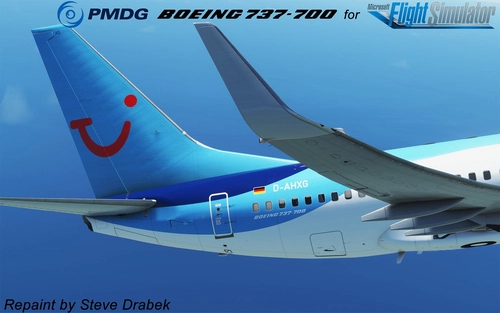
PMDG 737-700 TUI (D-AHXG - 2015)
Custom livery for the PMDG 737-700 TUI (D-AHXG - 2015) aircraft in MSFS2020. Follow detailed instructions to easily install/uninstall/update liveries using the PMDG Operations Center. This paint package ensures proper integration into the MSFS folder structure and automatic updates with the OC. Special thanks to PMDG and the beta test crew for their collaboration in creating this realistic livery.
by SteveDra
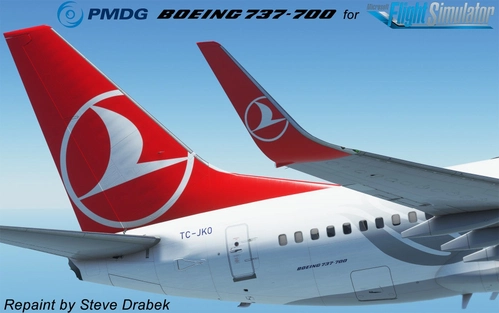
PMDG 737-700 Turkish (TC-JKO - 2015)
Livery for the PMDG 737-700 Turkish (TC-JKO - 2015) for MSFS2020. Instructions provided for easy installation using the PMDG Operations Center. Additional support available from PMDG if needed. Created with base textures from PMDG and collaboration with beta test crew.
by SteveDra
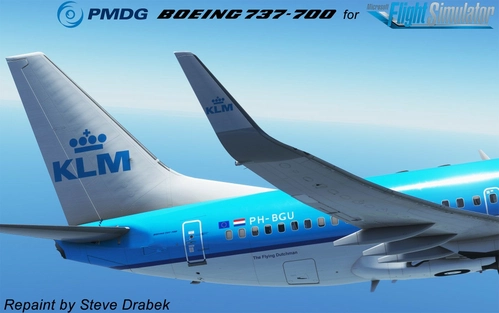
PMDG 737-700 KLM Royal Dutch Airlines (PH-BGU - 2015)
A custom livery for the PMDG 737-700 in the iconic KLM Royal Dutch Airlines design. Follow detailed instructions for easy installation using the PMDG Operations Center. This livery for MSFS2020 ensures all elements are properly updated and maintained, offering a seamless experience for simmers. Created with base textures from PMDG, enjoy this high-quality addition to your virtual fleet.
by SteveDra
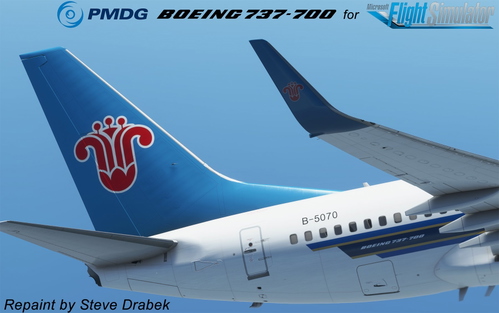
PMDG 737-700 China Southern (B-5070 - 2013)
This PMDG 737-700 China Southern livery for MSFS2020 is available through the PMDG Operations Center for easy installation and updates. Follow the detailed instructions provided to add this custom livery to your simulator. Special thanks to the PMDG team and beta testers involved in the development of this high-quality aircraft repaint.
by SteveDra
Log in to join the discussion
Log InComments(14)
9 months ago
about 3 years ago
about 4 years ago
Thanks for these US P8 liveries. I'm very much looking forward to you updating these for the -800 that just came out! Will fly them every day! Would really love it if PMDG released a P8 model!
over 4 years ago
why didnt you upload this to the OP Center for easier install?
over 4 years ago
Not sure wheat you mean? Its in PTP format (after you unzip it) and you use the OC to install it, just like my other 20+ 737 paints. Are you having an issue installing it thru the OC?
over 4 years ago
ive been waiting for this moment forever thank you . i live near NAS jax and they fly over all the time and i watch their flight plans and its just nice to finaly have the livery again thank you
over 4 years ago
I'll probably be painting a VP-30 bird if Skunkape29 gets back to me with his info so I can paint the nosegear door with him as the plane captain. Just check back here or watch my flightsim.to page to see my releases.
I may not be as fast as some of these young guys, but you'll be hard-pressed to find liveries more accurate than mine. ;)
over 4 years ago
an accurate statement they are the most accurate livery to date on the PMDG aircraft
over 4 years ago
Beautimus, Steve! VERY nice! Chief
over 4 years ago
super accurate livery i was a Plane Captain at vp30 for while this is as good as you could make it
over 4 years ago
Thanks! I used to work right across the street from the VP-30 hangar at NAMTRAGRUDET (I was an instructor for SH-3 avionics) back in 88 to 91. Spent a lot of time on the sea wall when I was in HS-1 as well.
If you'd like, I can throw an LL and Eagle on the tail...I saw a good pic here:
https://www.flickr.com/photos/md11forever/35636497964
Hehe...I can even add you as the Plane Captain on the Nose gear door if you'd like. ;)
Of course, I don't imagine you went as "Skunkap29" when you were in.
Send me a PM with your name, rank, hometown and I'll personalize one for ya. ;)
over 4 years ago
cool yea a LL and an eagle on the tail would be awesome. You don't need to add all that PC stuff the LL would be cool enough
over 4 years ago
i actually worked as a contractor which is better than being staff at 30 i think
over 4 years ago
IMPORTANT NOTE REGARDING THIS MODEL from the author: Due to the fact that there is not an actual "P-8" model where we'd have all the antennas, hard points, sensors, etc, and since the Cargo model does not have passenger windows, I decided to base this plane on the Cargo version. This is the best way visually, That said: The sole passenger window is baked into the model, thus I can'y move or delete it. So I added a fake (but pretty convincing) passenger window at the emergency exits. Also, naturally this model does not have the large observation window, so that too is painted on as well.
I spent a LOT of time making this livery as accurate as possible with the exception that its not a P-8, hehe.
All the markings are as close to accurate as you'll see on any paint, the color is matched to real world specs and adjusted for MSFS variations with its shader engine, and I hope you'll agree the quality is worth replying that you like her. :)
I also included a screenshot of my other Navy release, the C-40 if you're inclined to also fly her.