
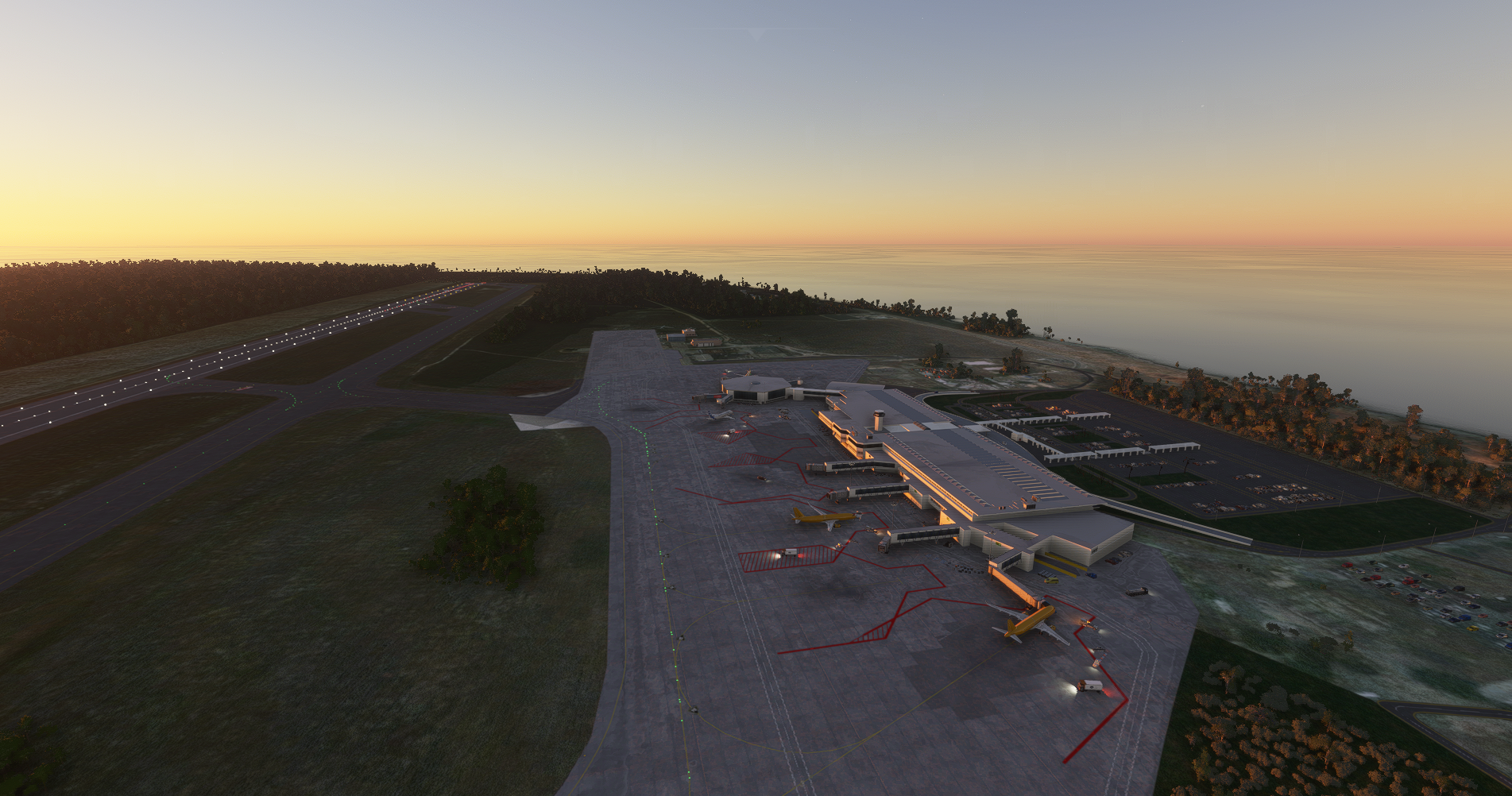
Description
About this file
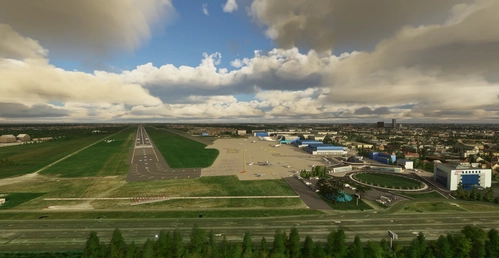
Las Americas International Airport is located 28 km East of Santo Domingo, Dominican Republic, ICAO code MDSD.
Hand crafted terminal..
Installation
Extract the “mdsd” folder from the “mdsd.zip” file to your Microsoft Flight Simulator “Community” folder.
Depending of your MSFS installation, you may find the “Community” folder:
Microsoft Store edition AND/OR Gamepass edition:
C:\Users\[YOUR USERNAME]\AppData\Local\Packages\Microsoft.FlightSimulator_\LocalCache\Packages\Community
Steam edition:
C:\Users\[YOUR USERNAME]\AppData\Roaming\Microsoft Flight Simulator\Packages\Community
Location
MDSD - Las Americas International
Discover the handcrafted Las Americas International Airport in the Dominican Republic with ICAO code MDSD, located 28 km East of Santo Domingo. Enhance your Microsoft Flight Simulator experience by adding the detailed terminal and scenery to your sim. Installation is simple - just extract the provided folder to your sims "Community" folder based on your installation type.


User Reviews
12 reviews
Version History
SU 5 - fixed jetways
Related
LROP - Otopeni (Bucharest) International Airport
Explore the hand-crafted Otopeni (Bucharest) International Airport, located 7 km North of Bucharest, Romania (ICAO code LROP). This add-on includes meticulously detailed terminals, buildings, and aprons with markings and taxiways. Installation is simple - just extract the provided folder into your Microsoft Flight Simulator "Community" folder.
by Lucian CRISTEA
LRCL Cluj-Napoca International Airport
Experience the beauty of Cluj-Napoca International Airport with handcrafted terminals, buildings, and aprons. Note that manual configuration of approach/departure procedures is required due to default MSFS database limitations. For an updated AIRAC database, NAVIGRAPH subscription is recommended. Simply extract the files to your MSFS "Community" folder for installation.
by Lucian CRISTEA
MDST - Cibao International Airport
Experience Cibao International Airport, located in the Dominican Republic with ICAO code MDST, featuring hand-crafted terminal and buildings. Installation is simple by extracting the provided folder to your Microsoft Flight Simulator "Community" folder. Enjoy a detailed and immersive airport experience in the palm of your hands.
by Lucian CRISTEA
LRBS - Baneasa (Aurel Vlaicu) International Airport
Explore the historic Baneasa (Aurel Vlaicu) International Airport located in Bucharest, Romania (ICAO code LRBS), one of the worlds oldest airports with a terminal dating back to 1952. This add-on features meticulously detailed hand-crafted terminals, hangars, and aprons. Simply extract the files to your Microsoft Flight Simulator "Community" folder for installation.
by Lucian CRISTEA
Log in to join the discussion
Log InComments(23)
26 minutes ago
11 months ago
11 months ago
11 months ago
12 months ago
MDSD: https://aip.sna.gob.do/Datos/1AD/Charts_Proc/Charts/MDSD_Charts_AD2/Aerodrome_Ground_Movement_Chart.pdf
over 1 year ago
over 1 year ago
over 2 years ago
almost 3 years ago
almost 5 years ago
There are some trees right at the threshold of rwy 35, hope you could do something about that. Thanks and great scenery.
about 5 years ago
Missing gateways after Sim Up 5
about 5 years ago
Try version 1.7
about 5 years ago
Very good! Thank-You! :-D
about 5 years ago
Looks good, I didn't have any CTD. Thank you
over 5 years ago
over 5 years ago
Thanks.
almost 6 years ago
almost 6 years ago
almost 6 years ago
almost 6 years ago