

Description
C-172 Garmin 1000 Profile for Streamdeck XL (need LORBYs Axis And OHs SD plugin)
To run this you need to have AAOs plugin installed on your StreamDeck. Get it from here. Also get the FlightTracker Plugin.
It is for the XL version (32 buttons) ONLY! I completely reworked, reorganized and updated missing and new VARs.
Features in this profile:
- Main Page
- Lights Page
- G1000 PFD Page
- G1000 MFD Page
- G1000 AP Page
- G1000 Baro Page
- G1000 NAV Page
- Views Page
Tested and works with the Asobo Cessna 172 Garmin 1000 version (NOT the standard C172 version). It might be possible that you have to adjust certain functions to your specific setup (especially views which are mounted to ALT-x commands). If help is needed just drop a line in the comments.
Installation:
First make sure that you have the AAO SD plugin and the C172G1000.xml scripts installed properly (import scripts within AAO).
Then just double click on the profiles provided in this download
- C172 G1000.streamDeckProfile
- CESSNA 172 G1000 VIEWS.streamDeckProfile
If you find some bugs, need some help or have some suggestions just let me know and drop a comment. For support join my discord channel.
Credit: Thank you for Guenseli as some graphics were used in this profile. Usage and upload permition granted by the author!
StreamDeck XL Profile for Cessna C-172 G1000 Version
A comprehensive StreamDeck XL profile for the Cessna C-172 G1000 version, tailored for pilots using the Asobo Cessna 172 Garmin 1000 model. Features include various pages such as Lights, G1000 PFD, MFD, AP, Baro, NAV, and COM/ATC. Ensure to have the required plugins installed for optimal functionality. Adjustment for specific setups may be necessary, with support available through comments or the creators Discord channel.

Supporters

User Reviews
4 reviews
More Information
Version History
Changes in this update: - added STBY BATT switch - added scripts for STBY BATT switch Erase old SD profile and import new version. Import and overwrite scripts in AAO.
Related
StreamDeck XL and SD+ Profile for FBW A320neo
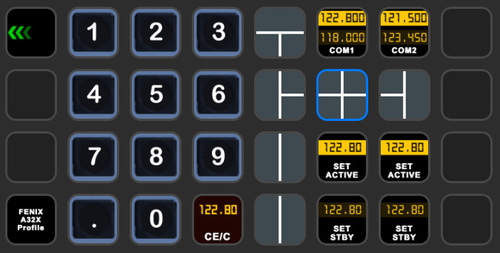
Enhance your FBW A320neo experience with a comprehensive StreamDeck XL and SD+ profile. Enjoy features like Main page, Overhead Panel, MCDU, ECAM, and much more. The profile is tested and works with the latest FBW A320neo experimental version, offering customization options for specific setups. Easy installation process with detailed instructions provided for a seamless setup.
by ChrisG9111
StreamDeck XL and SD+ Profile for FENIX A3XX (incl. compl. Script package and FCU readouts and more)
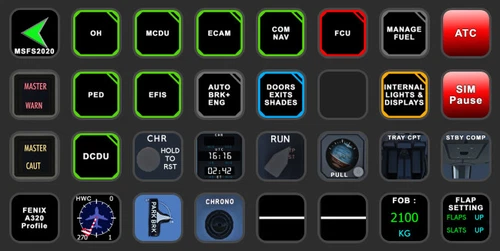
Enhance your FENIX A3XX experience with this StreamDeck XL and SD+ Profile add-on, featuring a complete Script package, FCU readouts, and more. Access various cockpit functions such as the Overhead Panel, MCDU/DCDU, ECAM, and Internal Lights with this detailed profile. Compatible with the latest FENIX A320, this add-on offers a seamless integration for a more immersive simulation experience.
by Chris_PU_A320
StreamDeck XL and SD+ Profile for A330-900neo (Headwind)
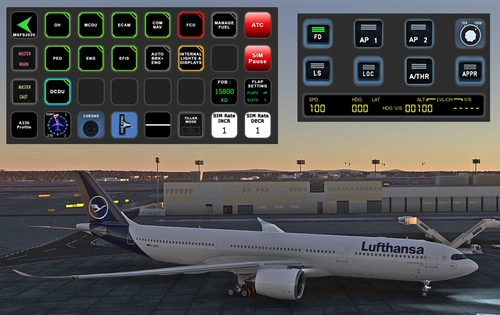
Customize your flying experience with the Headwind A330-900neo StreamDeck XL and SD+ Profile. This feature-packed profile includes functions for Main Page, MCDU, ECAM, EFIS, COM/NAV, and more. Compatible with the latest version of Headwinds A330Neo, adjustments may be needed for specific setups. Join the Discord server for support and enjoy enhanced control over your aircraft systems.
by Chris PU A320
Cessna 414 STREAMDECK XL PROFILE (need Lorby AAO)
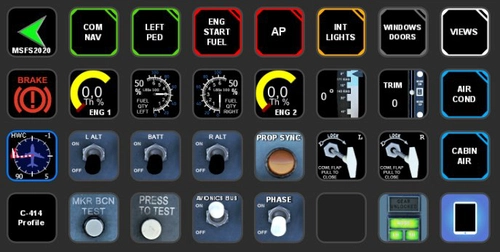
Customize your flight experience with the Cessna 414 Streamdeck XL Profile add-on, designed for use with LORBYs Axis And OHs SD plugin. This profile includes various pages for different functions such as COM/NAV, ENG START, AP, and more. Stay tuned for updates as new features are added. Compatible with all Flysimware models of the Cessna 414.
by Chris_PU_A320

Comments(38)
Log in to join the discussion
Log In8 months ago
I absolutely love your Fenix A320 profile for 2024.
8 months ago
For further support and chat pls join my discord server as I don't check the messages here very often.
Rgds
Chris
8 months ago
https://de.flightsim.to/file/26780/streamdeck-xl-profile-for-cessna-c-172-g1000-version
Rgds
Chris
8 months ago
over 1 year ago
Is it imperative to download the FlightTrackerPlugin as well as AAO in order to achieve full functionality of the profile ?
I have followed your link to FlightTrackerPlugin and see a list of folders. I'm afraid I haven't the foggiest idea about which folders I need.
Please keep up your brilliant efforts..... Appreciated..
Regards........................................
over 1 year ago
Rgds
Chris
over 1 year ago
over 1 year ago
There is one little thing I cannot get to work properly.
The only "lights" button on my streamdeck xl that works properly is the avionics button.
Pedestal, STBY IND and Panels do not work when manipulated. Do you know what could be the issue?
Thanks a lot!
over 1 year ago
Rgds
Chris
over 1 year ago
rgds
Chris
over 1 year ago
about 2 years ago
however any GPS 530/430 or yours doesn't at all?? all the scripts are imported I have all the latest version installed so why did GPS doesn't work? same for ADF XPDR or KAP140.
Planes are working like Honda Jet, Vision, Cessna 152 and 10 others all paid planes just never that GPS and ADF ect.
Amazing work and I hope you can help me
about 2 years ago
Rgds
Chris
about 2 years ago
over 2 years ago
over 2 years ago
Nothing works without plugins ;-)
cheers
Chris
over 3 years ago
Hi!
Thanks for this! it is truly great!
Would it be possible to add in the NAV page a way to change COM and NAV frequencies? like the knobs you created for the other features (CRS, HDG etc..)
thanks!
over 3 years ago
I appreciate that you like my work. This function you are looking for is already there. If you go to the COM/NAV page you can change the freqs easily by using the COM/NAV buttons. Long press on these buttons brings you the opportunity to enter the frequencies.
cheers
Chris
over 3 years ago
HAving a problem with the AP where the Altitude increase and decrease buttons don't work. Any ideas?
over 3 years ago
Thanks for the hint. This issue has been fixed now. Please download the updated version. Also make sure you update your SD software as there has been made fixes too.
regards
Chris