
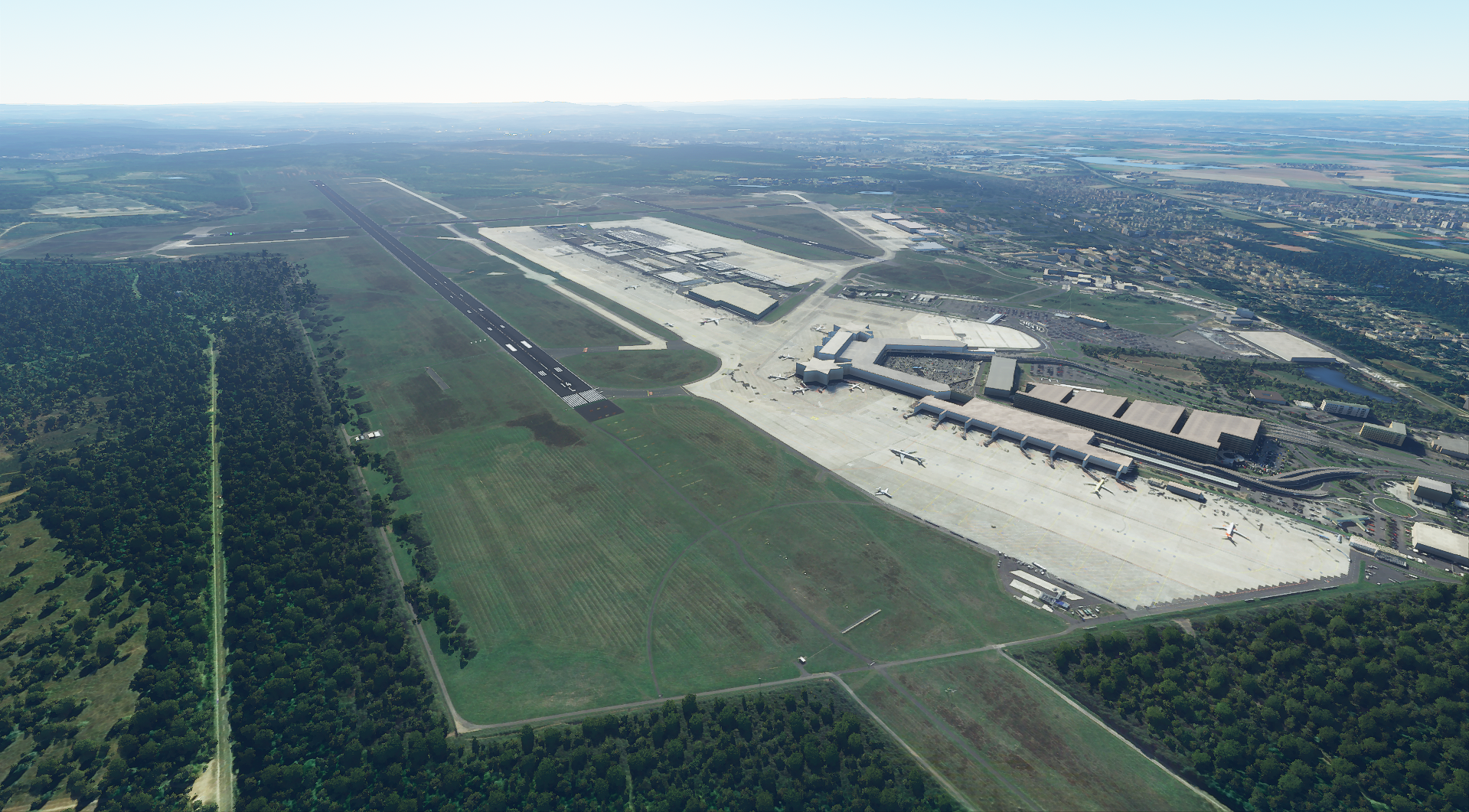
Description
There are known issues (some taxiways are “see through”, the runway is not perfectly aligned, etc.) which I will improve in further versions. I am currently in the process of enhancing EDDK overall and will provide my rendition of the airport in the coming weeks along with an improved aerial image.
As this is my first attempt to provide the community with an improved version, please feel free to share any thoughts, concerns and critique (please stay on topic). Thank you and have fun!
Installation Just drag & drop the file into the community folder. Feel free to help yourself with one of the thousands tutorials on how to do so, similar to this one: https://www.youtube.com/watch?v=iMiTToP9QxU&ab_channel=Q8Pilot
Credits The imagery is based on the images provided by Google Earth Pro, dated 8/24/2016.
Location
EDDK Enhanced Aerial Image
Enhance your Cologne/Bonn airport experience with this add-on featuring an improved aerial image based on an older image to remove construction marks and enhance image quality. While the download size is large, the creator is working on resolving known issues and plans to enhance the airport further in upcoming versions. Drag and drop the file into your community folder to enjoy the enhanced visuals.


User Reviews
6 reviews
Version History
No version history available.
Related
EDDK new LED lights
Enhance your visuals at Aerosoft EDDK with new LED lights, replicating the bright and modern lighting found in real life. Simply extract the file to your Community folder to update the terminal lights. To ensure a smooth installation, remember to remove any previous versions beforehand.
by Segelflieger98
EDDK MSFS 2024 Asobo / Inibuilds rework
This add-on enhances Cologne Bonn Airport (EDDK) for Microsoft Flight Simulator 2024, integrating features from the Asobo/Inibuilds scenery. Notable improvements include the addition of heavy stands, reopened positions A35 to A29, and new runways 31L/13R and 31R/13L. The update also includes taxiway signs, runway guard lights, and corrections to taxiway glitches, along with a complete GSX profile.
by Nevermind1982
Microsoft EDDK Cologne Bonn AI Config Enhancement
Enhance your Microsoft Flight Simulator experience with the EDDK Cologne Bonn AI Config Enhancement add-on. This mod boosts AI operations at the airport, featuring optimized taxi routes, updated airline coding, and added ground vehicle routes. Enjoy increased realism with airline-specific gates and cargo airlines coded to their respective spots. Simply drag and drop the files into your community folder for easy installation.
by Ryanosaurus13
Aerosoft EDDK Fly-Affairs Extension
Enhance your Cologne-Bonn airport experience with the Aerosoft EDDK Fly-Affairs Extension. This add-on includes Fly-Affairs logos and a cargo terminal, offering a new level of detail to your virtual flights. Install by moving folders to the community and EDDK directories, and stay tuned for occasional updates.
by dave3105
Log in to join the discussion
Log InComments(22)
5 months ago
over 2 years ago
over 2 years ago
almost 2 years ago
over 5 years ago
Any ideas?
If it´s working you will get 5 stars ofcourse.... ;)
over 5 years ago
Please note that this is an aerial image ONLY. No objects/models were added to the actual airport.
over 5 years ago
Hope it helps to find out the reason.
Gerd
over 5 years ago
I kindly want to make sure we dont misunderstand each other :) This mod is standard scenery but changes the photo-realistic ground textures. Nothing more. Taxiways, buildings, elevation, etc. is not touched with this mod.
If you dont see the aerial image, please make sure that the folder structure is like this:
[MSFS2020 INSTALLATION FOLDER]\Community\eddk-aerial
and NOT like this:
[MSFS2020 INSTALLATION FODER]\Community\CGL... Layout.json... Manifest.json...
over 5 years ago
Gerd
over 5 years ago
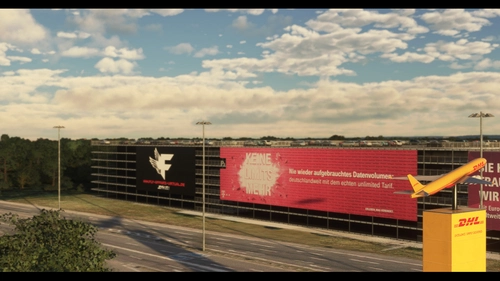
that is exactly what this mod is supposed to do. It ONLY replaces the ground and is NOT adding any 3D scenery objects (like the ad tower in the parking area).
---
Hi Gerd,
das ist genau das, was diese Mod machen soll. Die Mod ersetzt NUR die Bodentexturen, ohne dabei 3D Objekte, Landschaften (Höhendaten, etc) oder sonstiges zu platzieren. Es tauscht lediglich die Bodentextur aus, da es im "normalen" MSFS nicht so toll aussieht. Den Werbebanner am Parkplatz, das Terminal, die Gates, etc. werden NICHT durch die Mod ersetzt. Ich habe für andere Modder mein Work-In-Progress hier auch hochgeladen. Wenn Du magst, kannst Du dies gerne benutzen, bzw. weiter modifizieren. https://flightsim.to/file/3581/unusable-looking-for-dev-eddk-enhanced
over 5 years ago
Ah ok. Das ganze in unserer Landessprache macht es noch einfacher. Danke für die Erklärung. Jetzt hab ich das verstanden. Waren also 2 Projekte. Alles gut. Ich kann leider nicht "scenerie gestalten". Somit muss ich warten bis mal etwas kommt. So wie die EDDP Scenerie wäre ja schon toll. Alles klar. Danke dir nochal für deine Erklärungen. Bleib gesund.
LG Gerd
PS.... hab mir Kölle als Payware gegönnt!..:)
over 5 years ago
almost 6 years ago
almost 6 years ago
its my home airport ;-)
almost 6 years ago
Really great, but keep it on ;) There is much more to do, like already said the size of the file is really really big :P
As well it is in the wrong folder structure here, this should be at "Airports" not at others ;) Nothing to hide for here in this topic.
almost 6 years ago
almost 6 years ago
almost 6 years ago
weiter so !