
Description
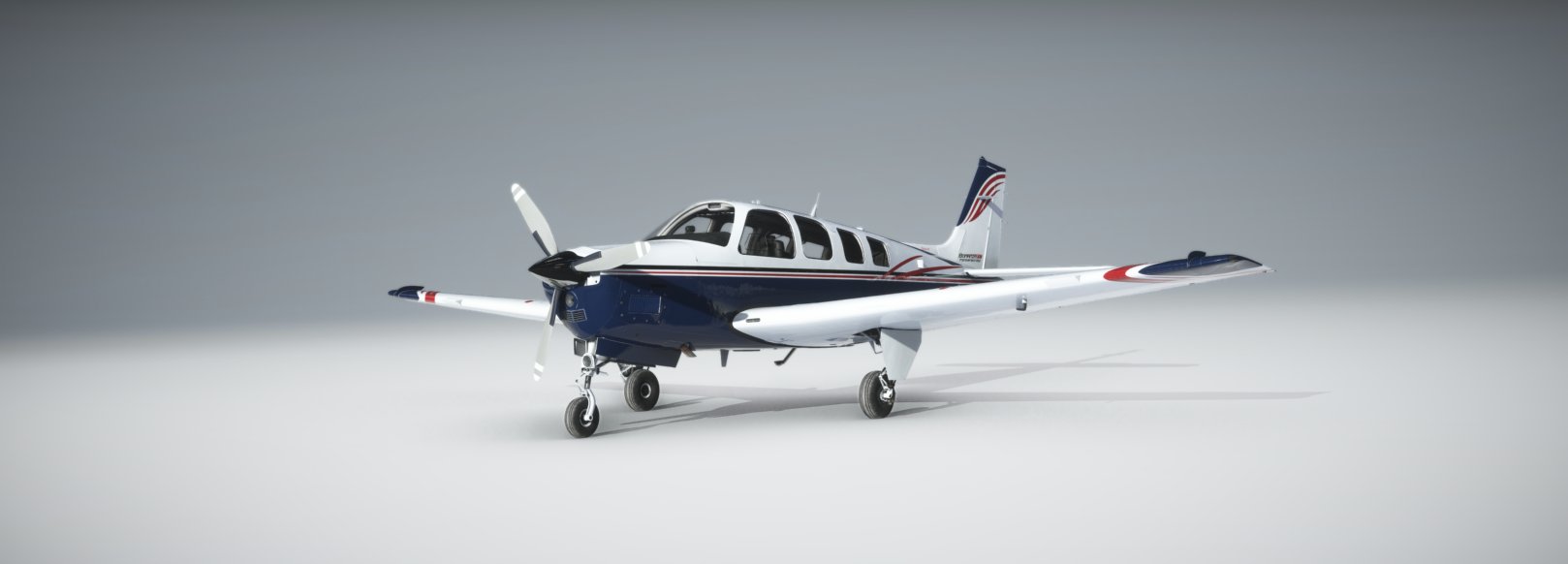
This is the improvement project for the MSFS default G36. It all started as a simple edit of some configuration files but it has since grown into a fully-fledged modification that improves all aspects of the default G36 and introduces new features. This was made possible with the help of the community consisting of both enthusiasts and G36 pilots (for a list of contributors, see the end of this readme).
We now have a discord channel! https://discord.gg/JVPMYdKx86 or you can continue to use dedicated MSFS forum post https://forums.flightsimulator.com/t/g36-improvement-project/216094 we value your constructive feedback.
Installation:
- Download and unzip the folder ‘bonanza-g36-improvement-project’ in to your MSFS Community folder
- The Bonanza G36 Improvement Project is now listed as it's own aircraft in the menu rather than overwriting the default aircraft (please see livery note)
Changelog:
- Fix to state saving on the prop handle axis, spotted by @MilitaryMav in the forums and a suggested fix via github by @VA3DBJ
- WT G1000 NXi now default in all aircraft, no need to download and add this mod.
- Update of lighting with addition of newest Uwajimaya's lighting mod release
Liveries
We have split out the files from modifying the default Bonanza to becoming its own aircraft. This is so we can complete further 3d model changes, and work on the hangar module and deeper systems modelling. Liveries will need to be amended to reflect this new aircraft to work. More information here https://forums.flightsimulator.com/t/g36-improvement-project/216094/1943
Features:
Bonanza Hangar
- A custom in game panel where you will manage your aircraft. This is a work in progress feature but aims to replicate some of the features found in the A2A aircraft hangar. This is still very much a WIP feature and will evolve over time.
- Added functionality to Hangar Module (we now save engine hours, miles flown, and count down to annual and 100hr service per livery) state saving items are shown on the State page (menu link at top)
Flight dynamics/performance
- Addition of the new Prop modelling and CFD dynamics.
- Adjusted climb and cruise performance to match the Bonanza G36 POH charts.
- Adjusted flap and gear drag
- Slightly reduced pitch effect due to elevator deflection + propwash
- Slightly increased nosewheel steering angle
- Added drag due to cowl flaps. This causes a 3-4 kts cruise speed loss.
- Decreased yaw sensitivity by lowering deflection rate as a function of speed
- Increased overall stability: less 'twitchy' feeling
Engine & Fuel system
- Completely overhauled engine parameters: realistic fuel flow, mixture-EGT interaction, engine performance at all pressure altitudes.
- Simulation of Spark Plugs & Spark Plug Fouling
- Simulation of the electric fuel pump
- More advanced simulation of engine start-up:Cold starts: correct use of the fuel pump, throttle and mixture required depending on engine and ambient temperature
- Under some conditions, idling the engine too soon after start may cause it to quit.
- Flooded engine: pumping too much fuel to the engine may cause it to ignite slower or not at all.
- Flooded engine start procedure (mixture low/cut, throttle halfway) may resolve this.
- A hot engine running idle with little airflow may quit because the fuel evaporates.
- Tweaked fuel flow as current flow slightly less than book figures (Rpt by @JayDee6281)
Systems
- Added new working systems and switches:Airco (has a negative effect on engine performance, you will see a few kts lower cruise speed)
- Airco and ventilator switches are functioning and part of the electrical system
- Annunciator test
- Electrical system overhaul:Completely revised electrical buses: all individual systems hooked up to the correct bus
- Bus tie logic added
- Correct voltage indications of BUS2 due to reverse current blocking diodes
- Correct alternator loads
- Made all indications smooth, rather than instant jumps to a new value
- Autopilot tweaksFixed holding the wrong altitude at non-standard atmospheric pressures
- Max pitch and bank angles adjusted for smoother AP behaviour
- Added maximum and minimum IAS_ref speeds for FLC mode
- Adjusted autopilot PIDs
- Integration with the Working Title NXi mod, with customized ENGINE, LEAN and SYSTEM pages.
- Completely redone G1000 annunciators: all annunciators of the real G36 were implemented (except for door open warnings)
- Corrected fuel gauge scale
- Fixed missing altitude alert tone @200ft to go
- Fixed missing decimal point to manifold pressure gauge
- Added SU8 Prop Modelling - This has changed the speeds/fuel flows it may take a little while to dial this in. At the moment the climb fuel flow is slightly lower than book and cruise is about there.
Textures & effects
- Including the latest version of Uwajimaya's lighting mod (https://uwajimaya.github.io/FS2020/)
- Corrected decals (e.g. shoulder hardness -> harness)
Checklists
- Interactive checklists for every stage of your flight that follow the POH
ATC
- You are now referenced as Bonanza > Your Callsign in the game ATC
AIRCRAFT PERSISTENCE / STATE SAVING / MAKING THE PLANE 'REAL' (WORK IN PROGRESS)
Your aircraft now remembers how you left it! States are saved for each aircraft livery, so you can multiple 'living' Aircraft. On first flight load of the new 0.6.6, your aircraft is set cold & dark with 64 gallons of fuel. The aircraft now saves the following tank levels, switches and levers every 5 seconds.
Left & Right Fuel Tank Level, Battery 1 & 2 switch, Alternator 1 & 2 Switch, Parking Brake lever, Avionics Switch, Airconditioning Switch, Blower switch, Vent Blower switch, Aux Fuel Pump Switch, Magneto Switch, Pitot Heat Switch, Prop De-Ice Switch, Strobe Switch, Beacon Switch, Nav Light Switch, Flood Light Switch, Panel Light Switch, Taxi Light Switch, Landing Light Switch, Fuel Selector , Position, Defrost switch, Throttle Position, Propeller Position, Mixture Position, Cowl Flap Position, Flaps Switch, Flaps Physical Position, Pitch Trim Position, Aileron Trim Position, Floodlight Brightness, Pilot & Passenger Yoke Visibility,
When you next climb into your aircraft you will find it just as you left it!
NOTE: The aircraft state is only loaded if:
- You are on the ground in a parking spot or
- You are on the ground somewhere else and your engine is off.
- This allows the aircraft to load in flight or ready at the end of the runway without messing with the aircraft load. It WILL however, still record switch states and tank levels etc.
Our contributors (by their MSFS Forum name)
FrettFS, CaptMatto, Coppersens, Uwajimaya, dciskey, Matchrocket, JuiceBox7535, jonasbeaver, Exp232, nickc95, GuiFarias31 and MrTommymxr. Special thanks to the Working Title team for their excellent NXi implementation!
Frequently Asked Questions
Bonanza G36 Improvement Project
It all started as a simple edit of some configuration files but it has since grown into a fully-fledged modification that improves all aspects of the default G36 and introduces new features such as state saving, engine fouling, a aircraft hanger and more planned!!


User Reviews
69 reviews
Version History
Small SU10 maintenance update: 1. Fix to state saving on the prop handle axis, spotted by @MilitaryMav in the forums and a suggested fix via github by @VA3DBJ 2. WT G1000 NXi now default in all aircraft, no need to download and add this mod. 3. Update of lighting with addition of newest Uwajimaya's lighting mod release 4. Ground handling tweak for better cross wind control
Log in to join the discussion
Log InComments(346)
3 months ago
10 months ago
12 months ago
Keep up the good work, I would willingly pay for this one.
(And I hope for it to enter MSFS2024 in due time. )
over 1 year ago
over 1 year ago
about 2 years ago
over 1 year ago
You need to put the folder bonanza-g36-improvement-project that is in the G36 improvement folder into your Community folder.
over 2 years ago
over 2 years ago
over 2 years ago
over 2 years ago
almost 3 years ago
almost 3 years ago
almost 3 years ago
Any suggestions? Please help. My Daher 930, Cessna 172, Cessna 208 all preform very well.
almost 3 years ago
The Pitch Trim will not save position and the yoke visibility will not save either.
almost 3 years ago
about 3 years ago
over 3 years ago
I have put the mod into the communtiy folder and i cant see the aircraft in the sim the folder is 'bonanza-g36-improvement-project'