
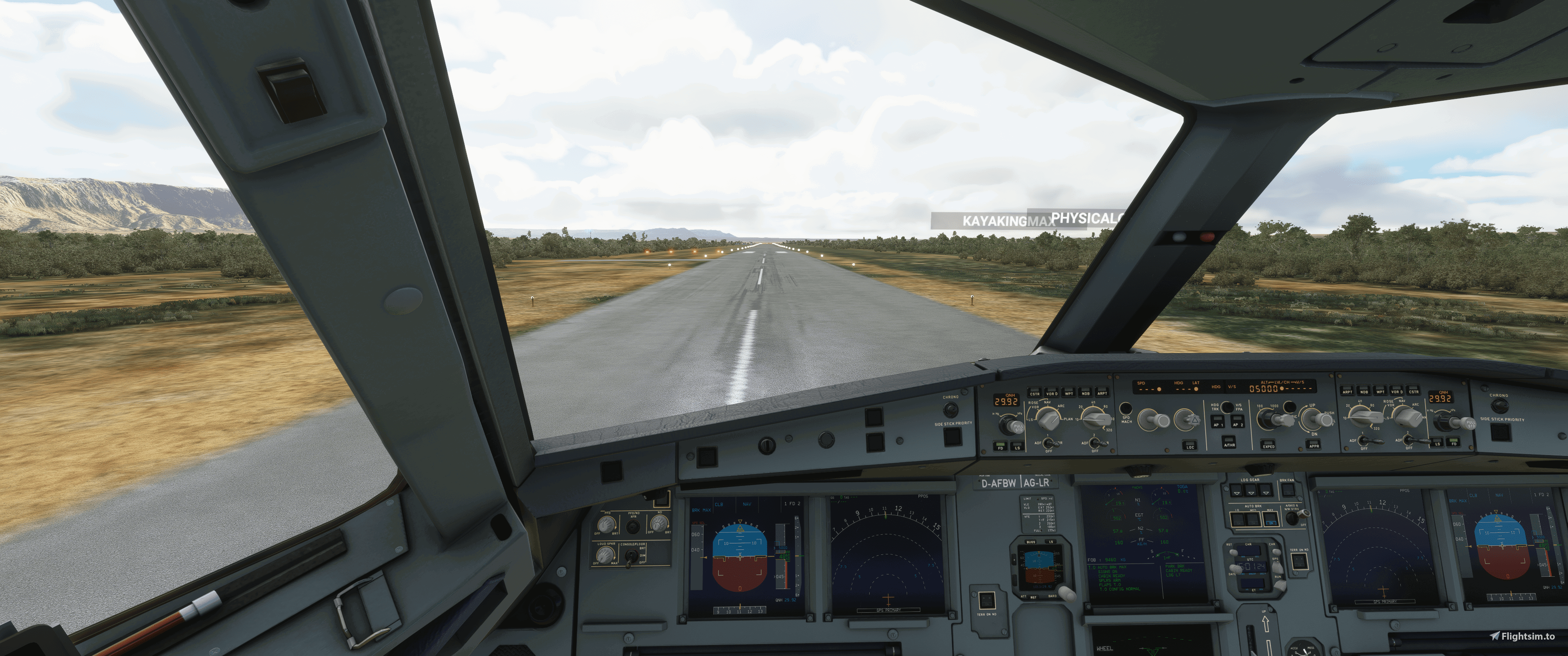
Description
This is my camera veiws for the A320 and i wanted to share them with the community!
How to install: Unzip the file (A320 Cameras) then follow this path
C:\Users\[UserName]\AppData\Local\Packages\Microsoft.FlightSimulator_8wekyb3d8bbwe\LocalCache\Packages/Community/flybywire-aircraft-a320-neo/SimObjects/Airplanes/FlyByWire_A320_NEO
Put the file in the FlyByWire_A320_NEO folder and replace it :) BE SURE TO MAKE A COPY OF THE ORIGINAL COPY!!
THIS IS THE NEW STAND ALONE A320 FROM FLY BY WIRE
Enjoy
A320 Preset Camera Views
Customize your A320 experience with this set of preset camera views, designed to enhance your immersion in the cockpit. Easily install these views to enjoy a new perspective while flying the standalone A320 from FlyByWire.

User Reviews
1 reviews
Version History
No version history available.
Related

787 Preset Camera Views
Enhance your Boeing 787 experience with custom preset camera views to improve your simulation immersion. Simply unzip the file and follow the easy installation instructions provided. Customize your view within the cockpit and enjoy a more personalized flight experience.
by TeslaBNA

CRJ-700 Preset Camera Views
Customize your CRJ-700 flight experience with this preset camera views pack. Easily install and switch between various camera angles to enhance your simulation immersion. Find your perfect cockpit perspective and take your virtual flights to new heights.
by TeslaBNA
Log in to join the discussion
Log InComments11
is not working...
I did 1,2,3,4,5,6,7,8,9 on my right side of the keyboard the numberpad but it dont work.
I have downloaded it, and put the file exactly where it says on the description but how do I get it to work?
so you just load in to the A320 and you press 1-9 on the numbers (right hand side of the keyboard) and that goes though the views
THIS IS SO GOOD TY SO MUCH
Thanks!