

Description
Customizable Keyboard Layout with Default MSFS Commands
April 8th, 2021 - v01
OK, it is true: MSFS has more than a THOUSAND commands.* BUT, we can also assign until SEVEN commands to almost every key in our keyboard. I know this would be crazy, but I think you could find useful a layout for remember your custom assignements beside or instead of the default ones.
Here you have such a document in two formats: a solid PDF and a fully editable MS Word DOCX, both of them printable in A3 format.
Despite the picture I have attached here, the version of the layout you have downloaded has only default assignements; there is plenty of space for your changes there.
My keyboard has an European Spanish layout, and I haven't changed that because you can easily adapt the "idiomatic" keys to your own layout.
Feedback and suggestions welcome. I hope you enjoy.
Felix Fernandez de Castro (Oviedo, Spain) – felixser@telefonica.net
_ _ _ _ _ _ _ _
*If you want the complete list of commands, maybe this document could be useful to you:
https://flightsim.to/file/9874/msfs-controls-list
Dependencies
Customizable Keyboard Layout with Default MSFS Commands
Customize your MSFS experience with this downloadable Keyboard Layout featuring default commands, easily adaptable to your preferences. Available in both PDF and MS Word formats for easy customization, this tool offers up to seven commands per key for enhanced control. Created by Felix Fernandez de Castro, this layout is designed to help you remember your custom assignments alongside or in place of the default ones. Feedback and suggestions are welcome for future updates.

User Reviews
1 reviews
Version History
No version history available.
Related
MSFS Controls List
A comprehensive guide to the more than 1200 assignable commands in MSFS, categorized into 29 sub-chapters for easy reference. Includes a printable A5 format in PDF and Word versions with bookmarks for free editing. Additionally, a customizable keyboard layout is provided as a useful complement to the guide.
by felixfer
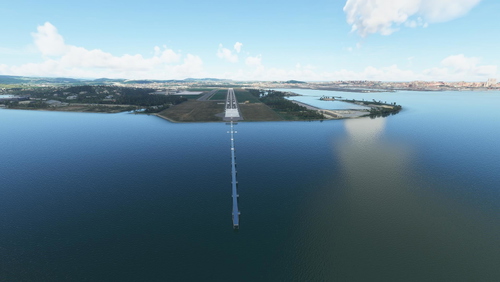
Minor enhancements for LEXJ - "Aeropuerto de Santander", Parayas (Cantabria, Spain)
Enhance LEXJ - "Aeropuerto de Santander" with this add-on featuring minor but necessary improvements. Updated using ADE 2020, this version includes fixes and enhancements detailed in changelogs. Enjoy the enhanced scenery by placing the folder in your "Community" folder. Feedback welcome from Felix Fernandez de Castro.
by felixfer
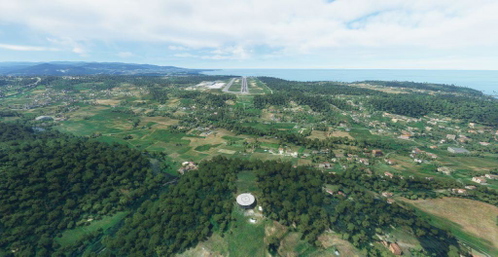
Minor enhancements for LEAS - "Aeropuerto de Asturias", Ranon (Asturias, Spain)
Enhance your experience with minor but necessary enhancements to the LEAS "Aeropuerto de Asturias" in Spain. Choose from two versions: one with jetways and one without, both crafted using ADE 2020. Feedback welcomed for a more realistic airport experience.
by felixfer
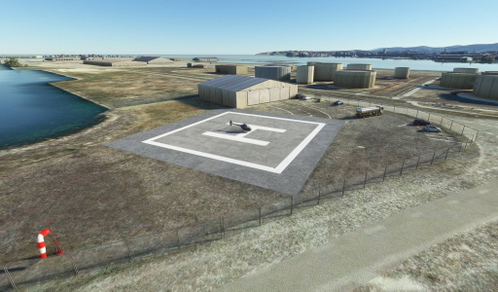
LEEL - Helipuerto de El Musel
LEEL - "El Musel" Heliport, Gijón, Asturias (Spain). The port of "El Musel", located in the city of Gijón, is one of the most important in Northern Spain. The LEEL El Musel heliport is located there, and it is the base of operations for the helicopter of the Spanish Maritime Safety and Rescue Society (SASEMAR).
by felixfer
Log in to join the discussion
Log InComments(8)
over 5 years ago
The only problem is that there are more! MSFS sees [right Ctrl] and [Alt Gr] different key from left Ctrl and Alt.
over 5 years ago
over 5 years ago
Thank you for sharing the word version too - that can help people update with their own assignments.
over 5 years ago
over 5 years ago
over 5 years ago
over 5 years ago
over 5 years ago