
Description
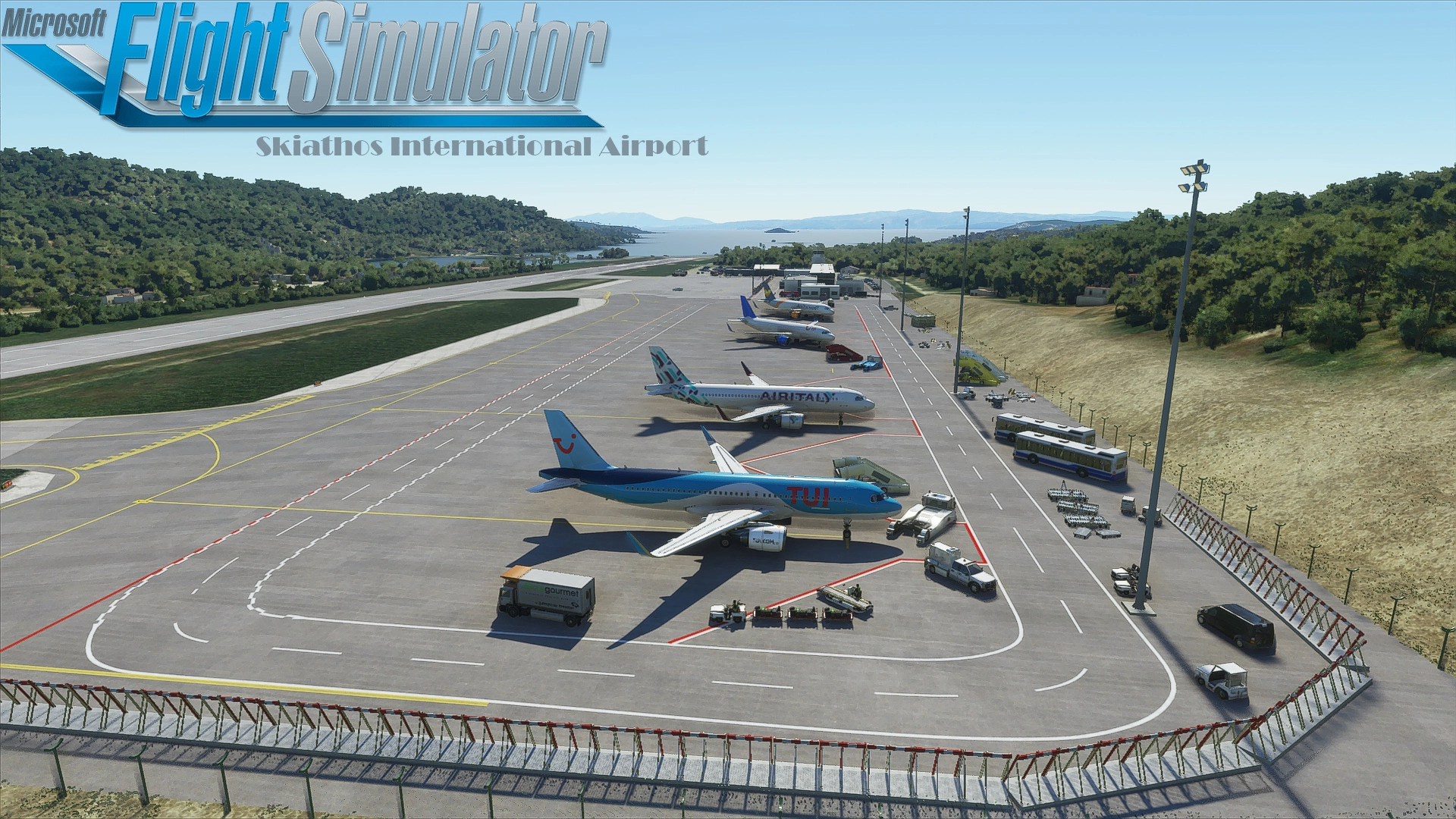
Take flight to the scenic greek island of Skiathos in the Aegaen Sea, well known for it´s short runway and proximity to the sunny beaches!
This is version 1.10 of my free airport addon bringing you the famous Skiathos Alexandros Papadiamantis Airport (LGSK).
Changelog V1.10:
*Added many new details all around the airport!
*Replaced all previous buildings with new generic ones that are now VISIBLE FOR ALL versions of MSFS
*Improved/Added ground textures around the airport to better match reality
*Tweaked terraforming on many places
*Added vegetation where it was missing
Improvements to the original version of LGSK:
*Changed runway designators from 20/02 to 19/01
*Improved runway layout overall (can´t get precision markings to show)
*Corrected Runway slope to be closer to reality
*Added the new apron built in 2016/2017 with relatively accurate markings
*Added accurate Taxiway Signs
*Corrected Taxiway names to match reality
*Added close to reality apron lights
*Added many static objects around the airport
*Added functional Tower and Approach (ATIS currently not working)
*Added functional parking stands
*Added boats and some items around the beach of runway 01
*Replaced autogenerated terminal buildings with some generic buildings
For further informations read the readme file included in the download!
Support in form of Likes, Suggestions and donations for my free work is always welcome!
For donations please consider this
You can also buy me a coffe here!
As always Have fun and don´t hesitate to report bugs or suggest improvements!
MSFS 2020MSFS 2024
Skiathos International Airport (LGSK)
Explore the charming Skiathos International Airport (LGSK) in the Aegean Sea with this detailed free addon for Microsoft Flight Simulator. Version 1.10 brings numerous improvements including new airport details, enhanced ground textures, and accurate runway designations. Dive into the beauty of Skiathos Island and enjoy a more realistic flying experience with this update.
Downloads27K
Version1.10
File Size25.77 KB
Published6 years ago
Updated6 years ago


User Reviews
4.9
23 reviews
5
83%
4
9%
3
0%
2
0%
1
0%
Version History
- Added many new details all around the airport! - Replaced all previous buildings with new generic ones that are now VISIBLE FOR ALL versions of MSFS - Improved/Added ground textures around the airport to better match reality - Tweaked terraforming on many places - Added vegetation where it was missing

Log in to join the discussion
Log InComments(70)
9 months ago
about 2 years ago
about 2 years ago
You need to install the "lgskv1" file in your comunity folder, or else it will not work.
over 2 years ago
almost 3 years ago
almost 3 years ago
about 3 years ago
over 1 year ago
(foulder.name)/scenery/etc it shouldnt look like (foulder.name) and then (foulder.name),
over 3 years ago
Too outdated to work properly, CTD
over 3 years ago
THANK YOU!
over 3 years ago
Amazing Scenery Great for some manual landing your 737-800
about 4 years ago
Unfortunately, it causes CTD under SU9.
about 4 years ago
When you say under you mean for SU9 itself or if you don't have the SU9 then you get the CTDs? In other words does it work at SU9?
about 4 years ago
Hi! I meant it crashes WITH Sim Update 9 :( I deleted everything from community and tried that way but still... moving around the drone and within a minute it crashes.
over 4 years ago
SU9?
over 4 years ago
Does it work on SU9?
over 4 years ago
Yes work on SU9
over 4 years ago
Causes CTD s in SU7 :(