
Description
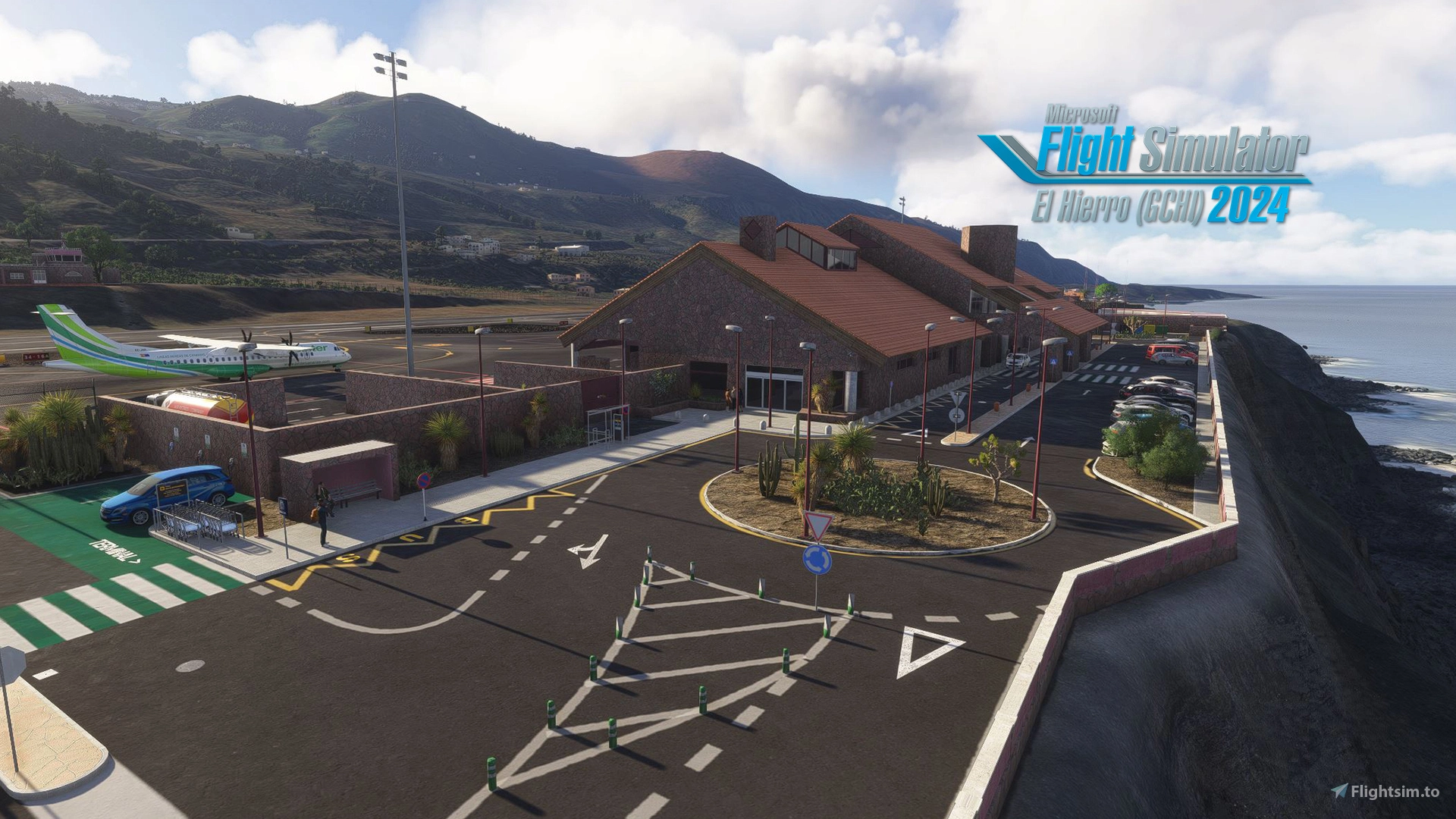
El Hierro Airport (GCHI) is a unique destination for flight simulation enthusiasts. Despite its small size and operations focused on inter-island flights with the rest of the Canary Islands, it stands out for its efficiency and unique geographical setting.
Despite its low traffic volume, El Hierro Airport has been recognized multiple times by ACI World as the "Best Airport in Europe" in its category (less than 2 million passengers), highlighting its quality, safety, and dedicated staff. This is an interesting detail to include in the description of the virtual stage, and a reflection of Aena's excellent management work.
Characteristics of this scenary:
- Retopology of the terrain at the real level.
- Real runway curvature.
- Complete realistic modeling of all its infrastructures.
- Complete realistc modeling of terminal interior.
- 3D animated people.
- LOD levels for better optimization.
- PBR textures high resolution.
- Custom lights like in real life (inside & outside).
- Real parking gates.
- Construction details updated to 2025.
Installation:
Unzip the file into your community folder.
Please note that it is important that all MSFS 2024 resource packs are fully updated.
If you have a previous version of this scenery in your community folder, delete it and replace it with the latest version.
IMPORTANT NOTE: This scenery only supports the default MSFS2024 terrain elevation.
Location
GCHI - El Hierro Airport
El Hierro Airport (GCHI) is a meticulously crafted add-on for Microsoft Flight Simulator, reflecting the airports unique characteristics and operational focus on inter-island flights within the Canary Islands. Recognized as the "Best Airport in Europe" in its category, the add-on features accurate terrain retopology, realistic runway curvature, and detailed modeling of infrastructure, including the terminal interior. Up to date with construction details as of 2025, it aims to provide an authentic representation of this small yet efficient airport.






User Reviews
42 reviews
Version History
Implemented vegetation exclusions to clear coastal tree autogen incorrectly generated by Sim Update 6. Restored missing scenery assets due to object library conflicts introduced in Sim Update 6. Minor scenery optimization and general polish.
Related
El Hierro | Airport | GCHI
Explore El Hierro Airport (IATA: VDE, ICAO: GCHI), the sole airport on the island of El Hierro in the Canary Islands, Spain. Inaugurated in December 1972, this add-on offers a realistic rendition of the airport with ongoing updates for an enhanced experience. Check out other airports by the same developer such as Ciudad Real (LERL), Tenerife Norte (GCXO), and San Sebastian (LESO).
by SrTeam
GCHI - El Hierro Enhancement - Beta 1
Enhance your virtual experience with the GCHI - El Hierro Enhancement - Beta 1 add-on by developer Michael Trickett. Explore the second-smallest Canary Island with updated airport features and upcoming improvements, including new buildings and custom taxiways. Discover the beauty of El Hierros landscapes and landmarks in Microsoft Flight Simulator.
by VectoringDesigns
GCHI - El Hierro Airport
This add-on features an updated version of El Hierro Airport (GCHI) in the Canary Islands, enhancing the scenery for a realistic flight experience. Improvements include a revised ground layout, adjustments to objects, and optimized performance for better immersion. The update addresses various aspects such as fences, runway, and terrain data, with plans for a more realistic terminal model in the future. Ideal for those interested in exploring the Canary Islands within Microsoft Flight Simulator.
by Kroxen
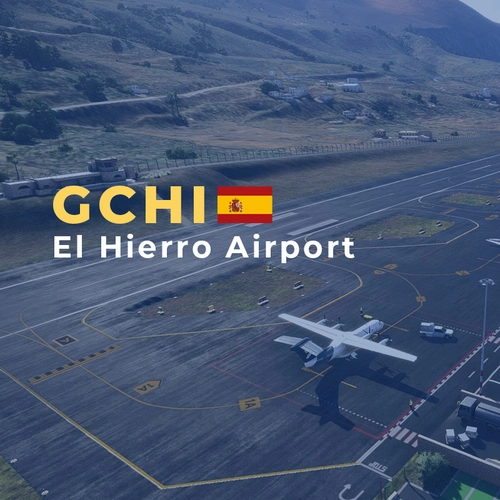
GCHI - El Hierro Airport
GCHI - El Hierro Airport is a meticulously crafted scenery add-on for Microsoft Flight Simulator, depicting the small regional airport on El Hierro Island in the Canary Islands, Spain. The airport features realistic 3D buildings, detailed terminal interiors, and high-resolution textures, enhancing the immersive flying experience. Designed to reflect the airports unique geographical challenges and atmosphere, it also includes accurate ground and traffic signage. This add-on provides a comprehensive representation of El Hierro Airport as it stands in 2025, suitable for both MSFS 2020 and 2024.
by AG Sim
Log in to join the discussion
Log InComments(157)
about 1 month ago
about 1 month ago
about 1 month ago
OLE TUS HUEVOS
about 1 month ago
Gracias!! Enjoy it!!! :)
about 2 months ago
about 1 month ago
about 2 months ago
about 2 months ago
2 months ago
Thank you for this fantastic new place for me to fly. The fun never ends :-)
about 2 months ago
Thank you so much for your kind words. Hearing that you're enjoying GCHI and noticing the details makes all the hours of development completely worth it.
Enjoy your flights around El Hierro, and see you in the skies! Happy flying! :-)
2 months ago
2 months ago
I'm thrilled to hear that you are enjoying my El Hierro scenery. Happy flying!
2 months ago
2 months ago
Regarding your feedback, I’d love to share a bit of the behind-the-scenes:
1. The Parking Lot: This was a choice for performance optimization. Rendering high-res cars everywhere would hit the FPS for users with modest PCs. I wanted to ensure El Hierro runs smoothly for everyone, so I prioritized the vehicles right in front of the terminal.
2. The Tower and Terminal: I would love to tweak those internal collisions! I know how to fix them, but as this is a passion project I develop in my limited free time outside of my daily work and life responsibilities, time is always a bit short. I will definitely keep it on my radar for when things quiet down!
3. The Pool Area: You can actually reach it through the doors, but you can't go through the solid walls—think of it a bit like a fun Pac-Man maze!
Thanks again for your understanding, your amazing support, and for helping me improve. Happy flying!
2 months ago
2 months ago
2 months ago
2 months ago
2 months ago
2 months ago