
Description
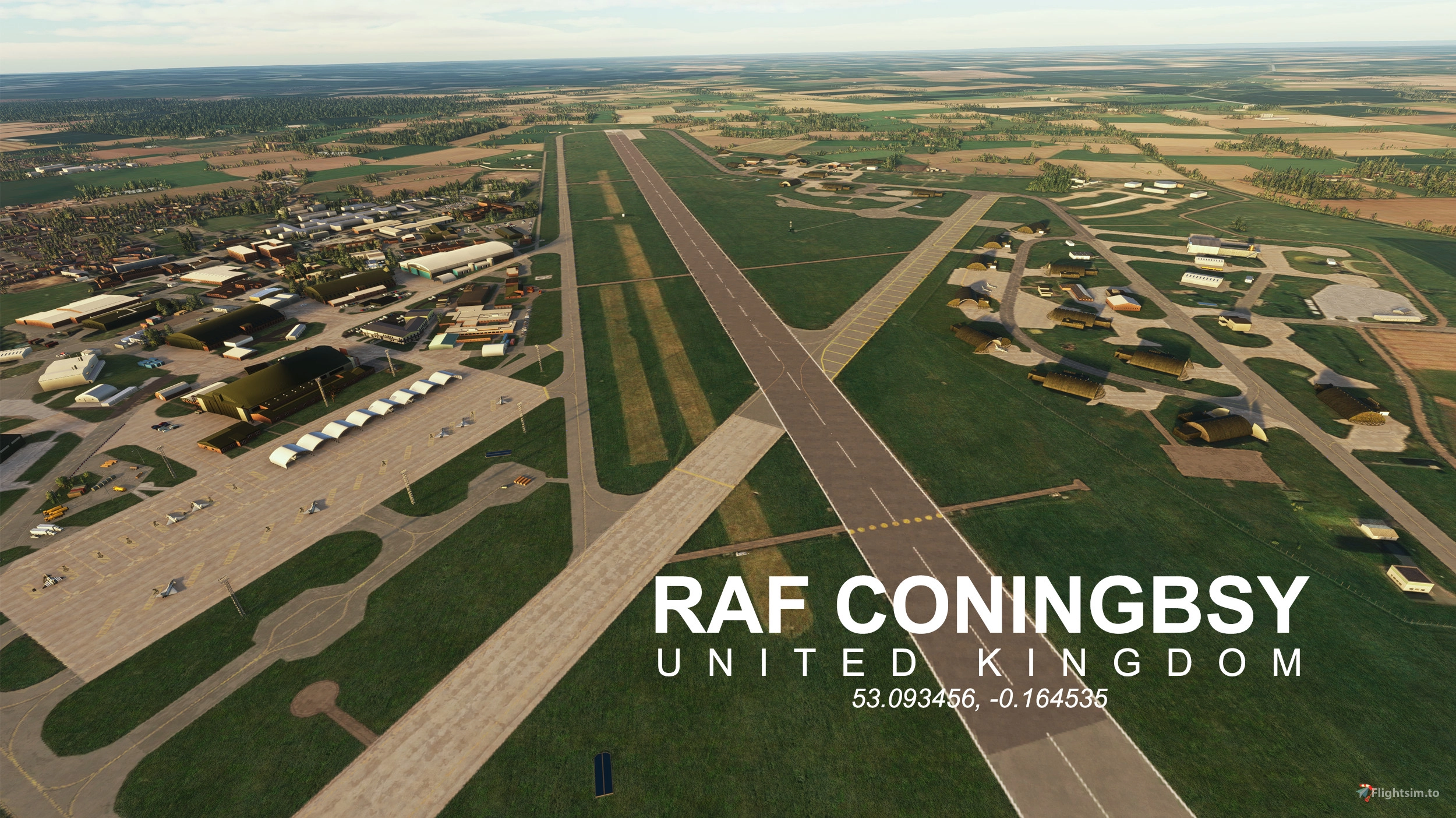
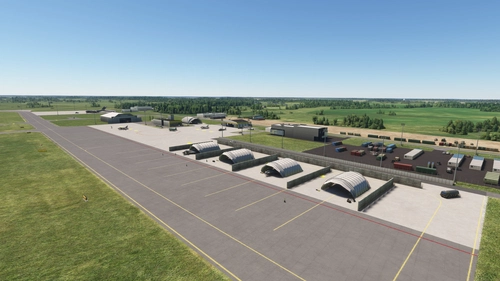
RAF Coningsby is a major Royal Air Force station located in Lincolnshire, England. It plays a critical role as the home of the UK’s Southern QRA (Quick Reaction Alert), ready to launch Typhoon jets at a moment’s notice to intercept potential air threats.
The base hosts several frontline Eurofighter Typhoon squadrons, including No. 3 (Fighter) Squadron, No. XI (Fighter) Squadron, and No. 29 Squadron, which operates as the Typhoon Operational Conversion Unit. It's also the home of the historic Battle of Britain Memorial Flight.
This scenery has been entirely handcrafted using a mix of satellite and online imagery to replicate the layout and feel of the real base as accurately as possible.
Special thanks to NickB007 for assisting with various models, Claytzz for creating the most recent additions, and a massive thank you to Nattani for the excellent T3 models featured on the ASP.
Please note: a few default sim buildings remain and are intentionally left in for now — they'll be replaced or updated in a future version along with additional detailing and improvements.
If you encounter any issues, feel free to send me a DM before commenting — most things can be resolved quickly with a message.
If you enjoyed the scenery, please share some screenshots and dont hesitate to leave a comments and or a few starts below the post
if you have the removal fix for the payware scenery by nickb007 , make sure you disable that or you will not see the BBMF hangars
UPDATE Sept 2025
A fair amount of users have reported extensive lags and stutters using the scenery.
This has been fixed, and now is running smooth wherever you are in the airfield.
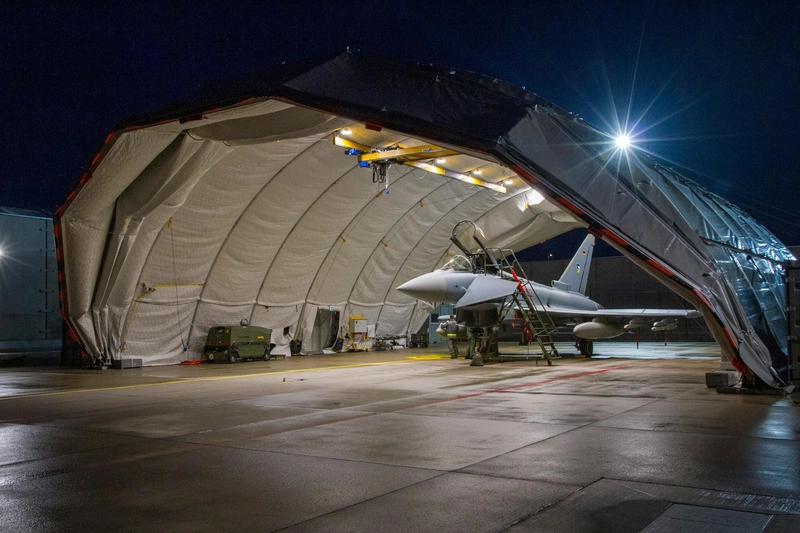
Various buildings added, New HAS shelter and New Typhoon Models, line rework and BBMF detailing
This update wouldnt have been possible without the legendary NickB007, who offered unvaluable help for this update.
2024 USERS
Please download the main scenery file as well as the 2024 fix separate file and drop both into your community folder
Location
EGXC - RAF Coningsby
RAF Coningsby (EGXC) is a detailed representation of the prominent Royal Air Force station located in Lincolnshire, England. This add-on features a handcrafted scenery that accurately mimics the real-life base, home to several Eurofighter Typhoon squadrons and the historic Battle of Britain Memorial Flight. The design incorporates a combination of satellite and online imagery to enhance realism. Note that some default sim buildings remain present, with plans for future updates to enhance details and compatibility for MSFS2024.

User Reviews
11 reviews
Version History
connected taxiway links to parking and runways so ATC, Fuel Supply and programs like GSX can work with the scenery, also repositioned the Runway Caravan to its correct position
Featured in Collections(2)

Related
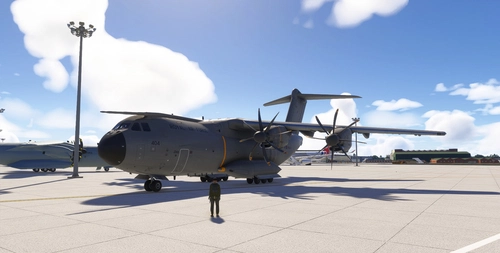
Inibuilds A400M - RAF Royal Air Force - All Tails (8k)
This add-on features a comprehensive tail pack for the INIBUILDS A400M within Microsoft Flight Simulator 2024. It includes 22 distinct Royal Air Force tail designs, showcasing aircraft from ZM400 to ZM421, with ZM416 displaying the special RAF 100th Red marked tail. Installation is straightforward, requiring users to place the folder in their community directory.
by 168Studios
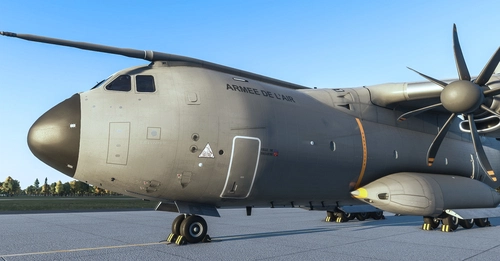
Inibuilds A400M - Armée de L'air (Tail pack) 8K
This add-on features a collection of high-resolution 8K tail designs for the Inibuilds A400M aircraft, specifically representing the Armée de Lair (French Air Force). Included are the liveries for F-RBAB "Ville de Toulouse," F-RBAF "Ville de Colmar," and F-RBAM, with additional designs planned for future releases. Installation is straightforward, requiring users to simply drop the livery folders into the MSFS 2024 community folder.
by 168Studios

Beechcraft Shadow R.MK.1 - Radar MOD and Tail Pack (2020 & 2024)
The Beechcraft Shadow R.MK.1 - Radar MOD and Tail Pack is an add-on for Microsoft Flight Simulator, featuring the specialized Shadow R.1 aircraft operated by RAF Waddingtons 14 Squadron. Enhanced with high-definition sensors and a defensive aids suite, the model includes detailed features such as under fuselage sensors and roof antennas. This update introduces the Shadow as an individual aircraft rather than a livery, with accurate fuel consumption and engine performance. Compatibility is ensured for both MSFS 2020 and 2024 versions.
by 168Studios
Lielvarde Air Base - EVGA - NATO Baltic Air Policing (V2.0)
Lielvarde Air Base- Latvia, modelled as in its current NATO configuration with shelters and German Typhoons.
by 168Studios
Log in to join the discussion
Log InComments(59)
about 3 hours ago
6 months ago
Just wondering is there anyway that the object and ground texture render distance could be improved, as I've noticed like the, fences, typhoons and other objects disappear a lot closer compared to the pay ware version and ground textures go fuzzy earlier too. Not too big of a deal tho as its amazing for free ware
6 months ago
7 months ago
7 months ago
if you look at my Typhoon livery packs for the IFE typhoon and download one, there should be in the folder a MSFS layout generator exe file this is what we use to generate the layout Json file automatically. Copy that exe file into the 168 studios Coningsby folder with the two json files, then all you need to do is drag and drop the layout.json file onto the MSFSlayoutgenerater and it will rewrite the json. It will just pop up a black window and this will close, it might ask you to run it but say yes. This worked for captstonersmurf
7 months ago
7 months ago
7 months ago
7 months ago
7 months ago
7 months ago
7 months ago
7 months ago
7 months ago
For comparison I just downloaded Gobby's RAF Northolt scenery from Flightsim.to, installed into MSFS2020 Community folder in exactly the same way as I did for Coningsby, and Northolt works fine?
Similarly @nickb007 scenery for RAF Lossiemouth installs and works fine so I'm not sure it's a folder issue - really strange!
This is a brand-new install on a new PC & the only scenery that fails to load - it's a really odd situation so interested that @nickb007 it works for you but not for me and @Sprlyy - I'm not running any other payware or freeware that I know of that might interfere with this scenery and AFAIK my version of MSFS2020 is up-to-date?
7 months ago
This comment has been deleted
7 months ago
7 months ago
7 months ago