
Description
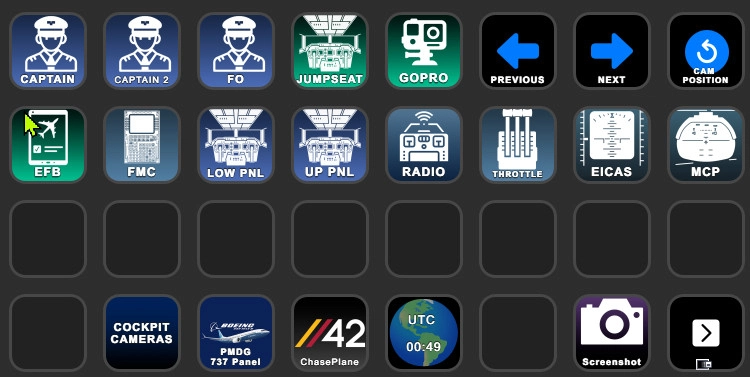
This is a SImple Stream Deck 32 Key Profile for parallel42's awesome product Chaseplane. This works on the 32 Key 8x4 Streamdeck XL or 8x4 streamdeck mobile, (For Mobile you will need to import the desktop profile)
Because of the versatility of the software, I have included a PSD source for customizing the icons.
Customize it to your tastes, and maybe share your creations or improvements, and if someone makes a nicer one make sure to share it with me
I have included an Icon for ShareX which is what I use for screenshots, and for FlightPanels PMDG 737 but these can be customized, REMEMBER this is just a base, you can configure it however you like
Disclaimer: You will need to customize each individual airplane profile, if you notice weird things like having to press twice to get the correct view it is most likely you have duplicate keys assigned;.
IMPORTANT: This is Set up for the PMDG 737-800 as a Base, You must map the keys for your Chaseplane setup, the window seats are available to be downloaded from the chaseplane community look for the prefix {VAPJ} - any questions, post a comment
You May need the Following Free Plugins for Streamdeck - (WorldTime from BarRaider) and (SuperMacro by BarRaider)
For the seating hotkeys I used key Combinations like A 1, A 2 etc, you must use the super macro to make this work as Streamdeck doesnt support key combinations like that
here is the macro I used
{{KeyDown:VK_F}}
{{PAUSE:75}}
{{VK_9}}
{{PAUSE:75}}
{{KeyUp:VK_F}}
then I chaned the VK_F to VK_A as needed and VK_( in this sample is the number key used
Documentation is here - https://docs.barraider.com/faqs/supermacro/getting-started/
Confirmed, This works for in MSFS 2024 with the new Chaseplane
if you like this and feel like donating i wont stop you :)
Streamdeck Profile for ChasePlane
This add-on provides a 32-key Stream Deck profile specifically designed for ChasePlane, developed by parallel42. It includes a PSD file for users to customize the icons according to their preferences. Users are encouraged to personalize their experience and share their designs or enhancements

Supporters


User Reviews
2 reviews
Version History
Added New Icons , adjusted the Layout a bit
Related
Ramp Status Monitor - GSX Ground Ops Dashboard
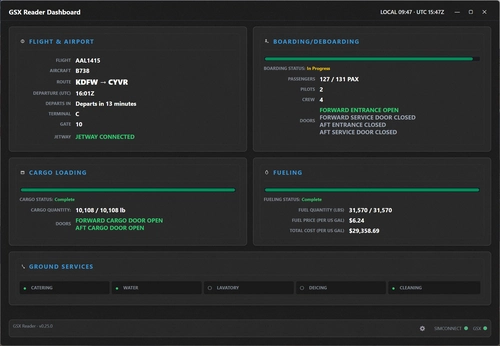
Ramp Status Monitor (formerly GSX Reader) is a professional real-time dashboard for GSX Pro. Track boarding, fueling ETAs, and cargo progress in one immersive "Glass Cockpit" display. Mirror the dashboard to any tablet or phone via your web browser for a dedicated "Ground Ops" screen. Featuring SimBrief integration and live status indicators, it's the perfect companion for a realistic and organized turnaround experience in MSFS.
by VAPilotJason
Airline Boarding Timeline Assistant
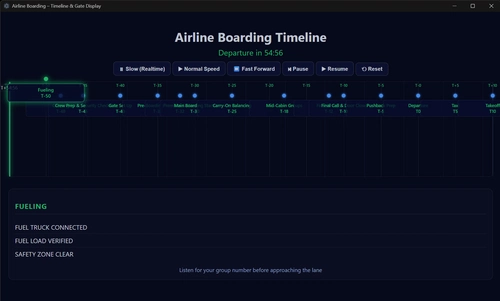
The Airline Boarding Timeline Assistant is a utility designed to enhance the realism of boarding sequences in Microsoft Flight Simulator. It provides guidance on the timing of key tasks such as fueling and catering during the boarding process. This add-on does not perform any loading of passengers or fuel but serves as an immersion tool to help ensure timely departures.
by SVAPilotJason

Route Cleaner — SimBrief Flight Plan & Weather File Cleanup
Route Cleaner is a utility for managing and removing old SimBrief flight plan and weather files generated by the SimBrief Downloader. It automatically detects your export folders and supports manual or automatic cleaning modes based on file age. The tool safely moves deleted files to the Recycle Bin and only targets files matching SimBrief’s exact naming patterns. It requires no installation or .NET runtime and is compatible with Windows 10 and 11.
by VAPilotJason
Log in to join the discussion
Log InComments(22)
6 months ago
6 months ago
9 months ago
9 months ago
6 months ago
9 months ago
9 months ago
9 months ago
9 months ago
10 months ago
10 months ago
10 months ago
10 months ago
EDIT: Don't mind me. I'm an idiot. Excellent pack! Thanks for sharing!
10 months ago
10 months ago
10 months ago
10 months ago
Alone the icons itself are superb.
10 months ago
10 months ago
10 months ago