

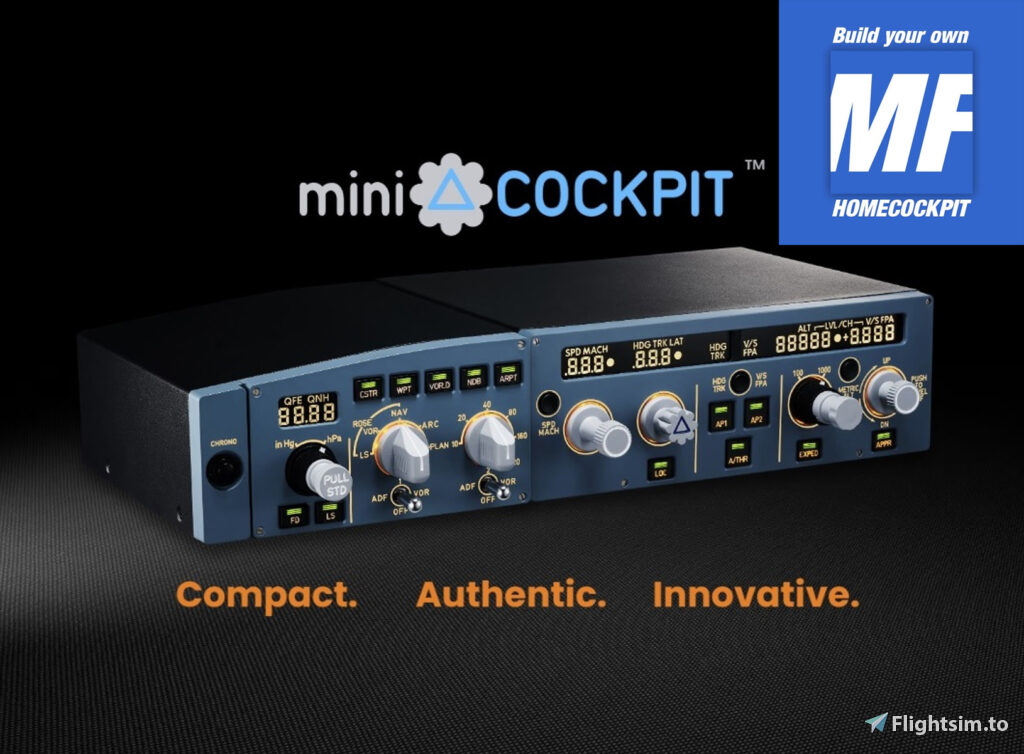
Description
I am excited to announce that I have created a profile for Mobiflight that enables the Mini FCU and EFIS in the iniBuilds A350. This profile enhances your flight simulation experience by providing seamless integration and improved functionality. Enjoy your flights!
the zoom mode is mapped onder the hidden rose key
Usage:
Download this profile and unzip the contained .mcc file somewhere permanent (choose the correct one based on the units you own)
Download MobiFlight version 10.4 or higher from the official https://www.mobiflight.com website
Install the software and run it
Then go to File -> Open and select the .mcc file you unzipped earlier
A dialog will show up to assign "orphaned serial" (see animated GIF at the top):Select at the top the "orphaned serial"
Select in the dropdown below your Minicockpit FCU
Click "Assign", then "OK"
Press "Save" in the toolbar to avoid having to do the serial assignment again!
Enable "Auto Run" in the toolbar at the top (turns on the light bulb) to make sure MobiFlight starts working as soon as MSFS is runningAlternatively manually press "Run" as soon as MSFS is running to start operation
Mini FCU + Efis inibuilds A350 profile for mobiflight
This add-on provides a profile for Mobiflight that allows the integration of the Mini FCU and EFIS within the iniBuilds A350 in Microsoft Flight Simulator. It enhances functionality and offers smooth control for the cockpit interface. The included setup instructions guide users through the installation and configuration processes to ensure optimal performance. Additionally, it features a mapped zoom function for added convenience.


User Reviews
2 reviews
Version History
fixed FD button tested in 2024
Related

Mobiflight profile for headwind A339X (Minicockpit FCU + Efis and Winwing MCDU)
This add-on provides a Mobiflight profile specifically designed for a mini cockpit setup compatible with the Headwind A330-900 NEO. It requires the use of a mini cockpit FCU, EFIS L, and a Winwing MCDU for full functionality. Users must have the Mobiflight beta software version 10.5.3.2 along with Python installed to enable the MCDU screen. Detailed installation instructions are available through the provided link.
by belpilot128

Ultimate MobiFlight Profile: Winwing PAP3 & PFP 3N for PMDG 737 Series
This add-on features an all-in-one profile for the PMDG 738 optimized for use with the Winwing PFP3N and PAP3 hardware. It includes support for screen functionality, button inputs, and LED indications, enhancing the flight simulation experience. Installation requires Python and specific updates to PMDG configuration files. Designed for MSFS2020, this profile aims to streamline the operation of the PMDG 737 series.
by belpilot128

PMDG 738 fmc for winwing pfp3 N
This add-on provides a customized profile for the PMDG 738 aircraft on the Winwing PFP3N device, designed to optimize control settings and enhance usability. It supports functionality for the screen and all buttons, improving the overall flight simulation experience. Installation requires Python, along with specific setup procedures to enable data communication for the PMDG aircraft. The profile has been tested specifically on MSFS2020 and may require manual adjustments for other 737 variants.
by belpilot128

Mobiflight Profile for PMDG 737 to work with Winwing PAP3
This add-on provides a comprehensive profile for the PMDG 738 tailored specifically for the Winwing PAP3 hardware. It includes optimized settings for screen displays, button functionalities, and LED indicators, enhancing the simulation experience for users. The profile is designed for pilots of all skill levels, offering improved control and realism during virtual flights. Additionally, users are advised to ensure they have the latest events from HubHob to fully utilize all features.
by belpilot128
Log in to join the discussion
Log InComments14
I dl'ed the zip file, however, the file included is .mfproj. Am I missing something here?
Maybe an update is required for SU3 but you know better
Is there any way we could get input acceleration for the heading knob? Would be great for, like, these 180° course changes.
and make shure you update the firmeware of the mini fcu board to 1.0.1 via the software.
up cause im beyond confused
follow his steps. and for the a350 select the profile you downloaded.