
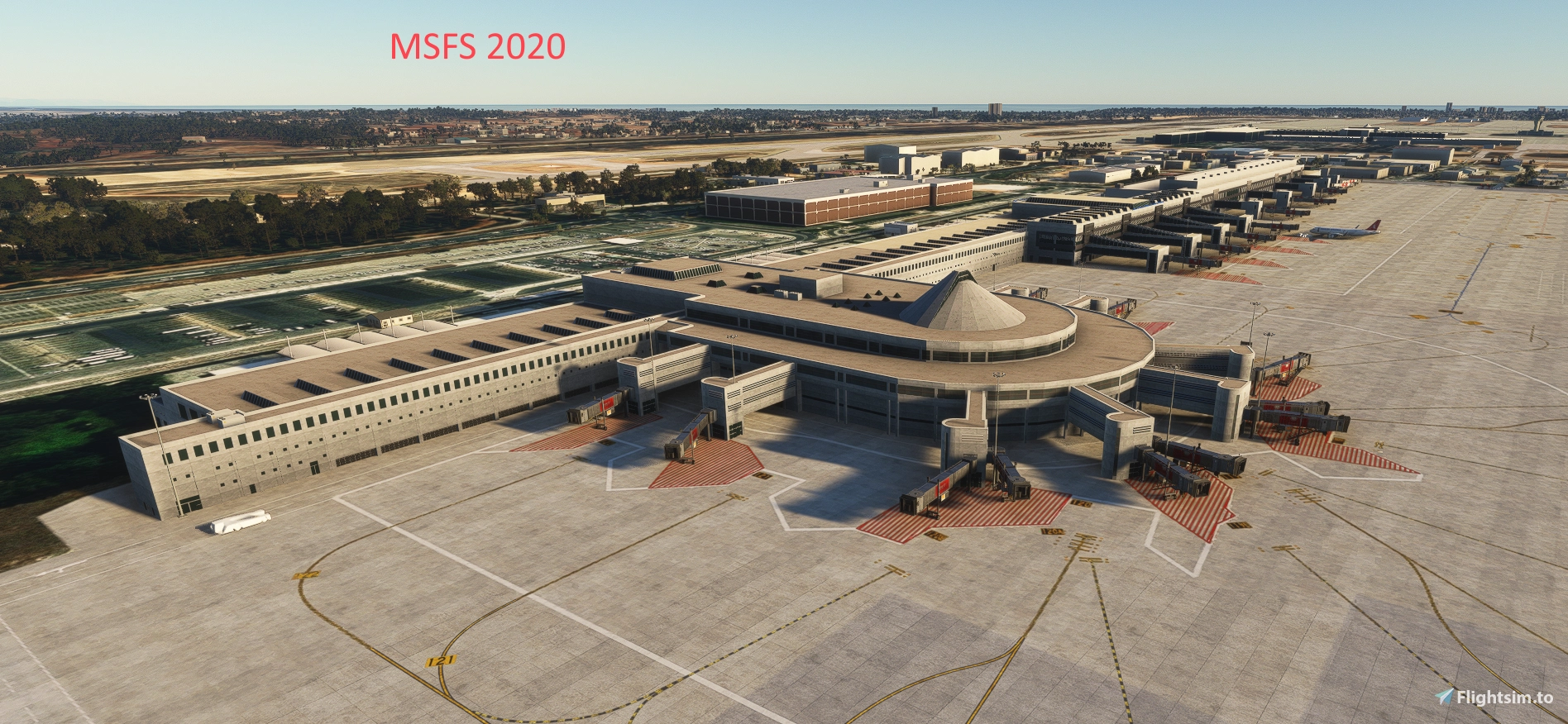
Description
PLEASE MAKE SURE TO DELETE PREVIOUS VERSION FROM YOUR COMMUNITY FOLDER BEFORE EXTRACTING v1.2.6
This scenery is created using MSFS2020 SDK and was initially intended for MSFS2020 but works totally fine with MSFS2024 so I decided to stop developing MSFS2024 version with 2024 SDK.
v1.2.7
- Transparency of some taxiway and apron textures maximized to cover underlying imagery - my bad, sorry.
v1.2.6
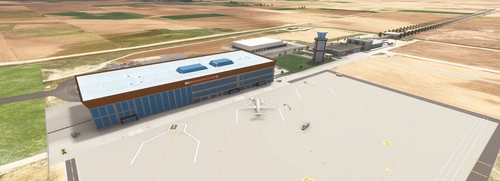
- Added the new much detailed 3D model of Terminal 1 created by @Fazulye to the scenery in place of my simple object. Many thanks to @Fazulye for his contribution. He will be working on Terminal 2 now and we will also share that in a future update.
- An enhancement pack is being prepared by @737_Flyer and will be shared by him which will add more realism to the scenery.
- Many more ground markings on Apron 1 had been added since v1.0.9.
v1.0.9
- Re-arranged APRON 2 based on recent Jeppesen charts dd 17/04/2026.
- Added hold short lights (directional yellow) and runway entry stop bars (red).
- Ground direction and location marks will be added going forward as long as I can find reliable visual sources.
- Please note that due to massive changes in parking positions and taxi lines/routes on Aprons 1 and 2, current GSX profile most probably will not work as expected.
v0.9.3
- Re-arranged outdated APRON 1 based on recent JEPPESEN charts I received from a friend which is dated 17 APR 2026. Whole ground markings and taxi lines are now as per this chart.
- Be aware that current GSX profile may not work as expected as some parking positions and ALL taxi lines on the apron are changed. Your options are: a) Remove the appropriate file from its location and use custom GSX settings until someone create a new profile to reflect these changes, or b) use it at your own discretion. You can still use current GSX profile if you start or end your flight on ALL other aprons.
- Corrected all 8 taxi exit numbers out of APRON 4.
- Similar changes will be applied to APRON 2 ground markings and taxi routes asap.
***********************************************************************************************************************************************
This scenery is intended for MSF 2020 and it is a WIP project. I am planning updates as needed. Package includes my reference base imagery from Google.
v0.8.4
- Changed taxiway numbers K1-K4 and L1-L4 based on recent changes on latest charts dd 19/Dec/2025 (informed by RonyRo)
- Tried to flatten the mesh "step" at Runway starts 18R and 18C as much as I could with the limited knowledge that I have over meshes.
- Minor changes and corrections/additions on taxiway names and taxiway signs.
- GSX profile can be uploaded from this link: https://drive.google.com/drive/folders/1Mj81uP6yId5cNm8hiF0xI4gaHmFzYdrC?usp=sharing
v0.8.0
- Completely replaced stock jetways with custom models on Apron 1.
- All ground markings completed / corrected, appropriate parking spot markings placed.
- Replaced custom jetways attached to Terminal 2 extension piers, remaining stock jetways will be replaced in the next update.
- GSX profile is included in the package. Please copy it to Virtuali folder but make sure you don't have another one there.
v0.7.85
- Minor update to test custom jetways and corrected some errors related to atc networking and parking setups.
- Added GSX profile in the package for anyone interested but it is also WIP - currently Gates 106 - 122 are customized.
v0.7.77
- Completed ground markings and parking location numbering of stands 123-132 (A and B included).
- Added State Guest House and VIP terminals (stock items).
- Added several missing apron lights.
- Corrected atc network but there are some more work to be done later on when I have time.
v0.7.73
- All additional exits off of Runway 18C completed and added to atc network.
- Terminal 1 area and its southern extension park spots, markings and atc network completed.
- New northern part of Apron 1 is going to be completed in the next update.
- More missing items around the airport are added.
- New extension of Terminal 2 apron ground markings will be completed in future updates.
v0.7.51
- Apron 3 parking spots revised as per ADC chart. All ground markings and taxi lights altered and completed.
- New Taxiway E fully operational although some taxi signs are most probably missing.
- Exit G5 added but not completed yet. E1 connection also added to Apron 1, Ramps 149 and 148 removed as per the chart.
- Runway starts at each end of all 3 runways are moved over to runway numbers to allow AI ATC tools use runways properly.
- Added more objects to populate the airport area further (some items from UK2000 library are also used).
- Reference base imagery CGL files included in the package (from Google).
- All aprons except Apron 1 are almost complete based on the ADC chart but there may be several markings/items missing here and there. Now main objective is to complete Apron 1 markings and numberings.
v0.7.47
Almost completed Apron 2 gates, jetways and numbering along with taxi lines and taxi lights as per a/m ADC chart. Will check and correct any errors in future updates. Gates are placed based on underlying construction imagery and may differ from real life (AFAIK the terminal is not opened yet).
v0.7.32
After obtaining the new ADC for the airport that reflect recent changes to the airport which will be effective as of April 17, 2025, I started applying these as close to real life as possible without a base imagery:
- Domestic Terminal building extension added to Terminal 1 to reflect recent changes based on the ADC.
- Gate / Ramp numbers on Apron 1 altered accordingly.
- Gate / Ramp numbers on Apron 2 is being changed / added / altered accordingly - not completed yet.
- Taxi lines and taxi lights are not complete on Apron 1.
- Taxi lines and taxi lights are not complete on Apron 2.
- Park spots, taxi lines and taxi lights are as before for Apron 3.
- There will be no changes to Aprons 4, 5, 6 and 7. They are FINAL.
- Some ground markings are missing and will be added going forward.
v0.7.21
- International Terminals 1 and 2 along with Domestic Terminal are complete with their piers, jetways and parking spots. As per the reference imagery, extension of international Terminal 2 is under construction therfore there are no jetways attached to its piers.
- All published parking spots are in place on Aprons 1, 2, 3, 4, 5, 6 and 7 as per the official charts dd 12/04/2024 except 216-223 due to construction nearby.
- Ground markings and taxi signs are almost complete on Aprons 7, 6, 5, 4 and 3 except parking spot numbering on apron 4.
- Taxiways in use and taxi lines and taxi lights connecting them to aprons are almost complete.
- Aprons 1 and 2 are transparent because they are not complete yet thus left as such for guidance to users from the underlying stock imagery. Disregard some ground markings left visible, they are for my future reference only.
- Even though runways 18L-36R and 18C-36C are mostly transparent, there are markings on them and they are usable. AFAIK, RWY 18C-36C is currently closed with a NOTAM probably due to new exits being under construction.
- ATC network along with Vehicle service network is mostly completed hoping that service vehicles do not confront you on taxiways.
Location
LTAI Antalya Intl. Airport MSFS2020 (W.I.P) v1.2.7
LTAI Antalya International Airport is a work-in-progress scenery add-on for Microsoft Flight Simulator 2020. This project features detailed representations of the international and domestic terminals, complete with piers, jetways, and parking spots based on current official charts. Key areas, including taxiways, ground markings, and the ATC network, are being developed, while certain sections remain transparent to provide guidance as they undergo updates. The final package will incorporate detailed reference imagery from Google.

User Reviews
17 reviews
Version History
Texture transparency corrected.
Featured in Collections(1)

Related
LTAI Antalya Intl Airport (MSFS 2024 ONLY) v1.2.3
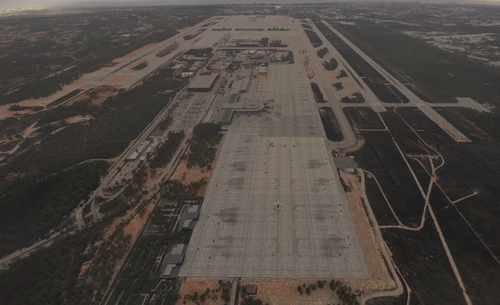
Enhance your Antalya airport experience with this add-on featuring custom terminals, ground markings, and taxiway details. Explore updated aprons, ATC routes, and military bunkers in this scenery refresh. Experience improved apron lights, jetway piers, and accurate ramp numbers based on real charts. Upgrade your default LTAI Antalya Intl. Airport with added features and visual enhancements.
by Argaeus
LTAI Light-Enhancement (JustSim)
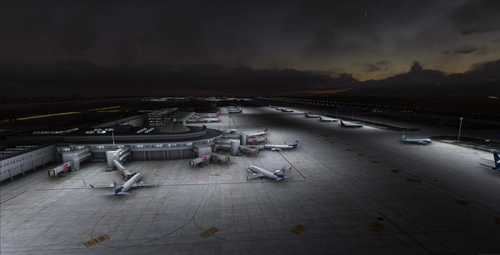
Enhance the lighting at LTAI Antalya airport with this light enhancement add-on by JustSim. Simply extract to your community folder and elevate your flight sim experience. Special thanks to "dominik.krh" for their help and testing contributions.
by Segelflieger98
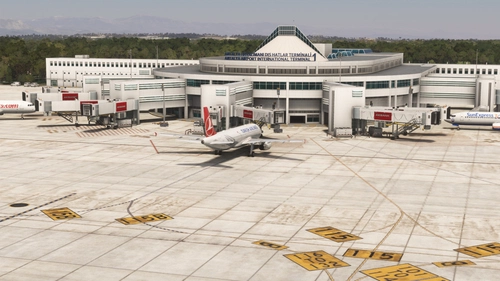
LTAI Antalya FSLTL Static Aircraft
Enhance your Antalya airport experience with StaticSceneries! This add-on utilizes FSLTL models to bring static aircraft to the payware Antalya airport by JustSim. Please note that these enhanced models are stationary and do not impact FPS, providing a more lively atmosphere without the need for FSLTL Injector. Remember to disable in-sim traffic for optimal performance.
by StaticSceneries
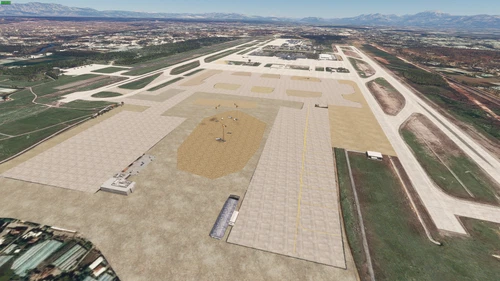
LTAI Antalya MEGA Update
Enhance your Antalya Airport with this MEGA update featuring a new big apron, improved runway markings, and Google Earth accurate aircraft models and buildings. Experience overall scenery enhancement for JustSim LTAI Antalya Airport. Simply unzip the folder in the "Community" folder to enjoy these updates.
by TRA_Official
Log in to join the discussion
Log InComments(76)
about 9 hours ago
One last question: are you planning to add the terminal interiors, the airport surroundings, roads, and other details? And will you be adding the “Welcome to Antalya” signs at both terminals as well?
9 days ago
I’m having an issue with this airport add-on. Whenever I start my descent and touch down on the runway, or when I line up on the runway for takeoff, my FPS drops dramatically to around 10–11 FPS.
There are no stutters or performance issues on the airport apron or around the gates. However, as soon as I get close to the runway, there is a severe FPS drop.
I’d also like to mention that I’m a user who has been using your LTFM scenery without any issues and I really enjoy it. This problem only occurs on the runway area of LTAI.
I just wanted to let you know in case it helps with identifying the issue.
Sim: MSFS 2020
9 days ago
My advice (if you have not done so before or lately) is to delete your SceneryIndexes folder along with your RollingCache file and test again. Only mesh alteration/correction in this scenery is on Runway 18C to soften the crack that is causing a step just before the Runway numbers.
PS. Also check for any custom scenery nearby if you want. I only have a few in my 2020 community folder which are the ones that I am currently working on - at least 300 miles away from Antalya.
24 days ago
25 days ago
25 days ago
25 days ago
26 days ago
26 days ago
about 1 month ago
29 days ago
29 days ago
about 2 months ago
about 2 months ago
2 months ago
3 months ago
3 months ago