

Description
Update: simplified install via Community folder.
Just move the "TM_TFHO_"ALTERNATIVE" folder to the Community folder of your MSFS2024.
Inside the folder there is an image showing the function of each button.
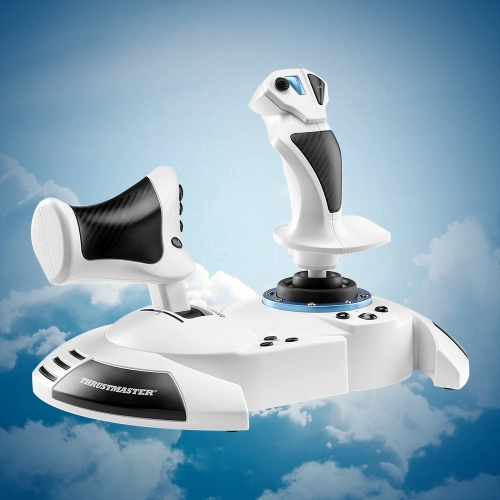
This package contains an alternative control profile for the Thrustmaster T.Flight Hotas One (black or white version), which fixes an incorrect mapping of the rudder associated with the throttle in the default profile.
It also provides better mapping for the view controls and includes the main essential commands for airplanes.
Please let me know your feedback about the profile. Do not hesitate to ask for some specific mapping profile.
Have nice flights!
Alternative mapping profile for Thrustmaster T.Flight Hotas One
This add-on features an alternative control profile for the Thrustmaster T.Flight Hotas One, addressing the default rudder mapping associated with the throttle. It enhances view control mappings and includes essential commands for aircraft operations.


Version History
Install via Community folder
Related

Thrustmaster TCA Quadrant Airbus Edition profile for Cessna 172
This add-on provides two custom control profiles for the Thrustmaster TCA Quadrant Airbus Edition, specifically designed for use with Asobos Cessna 172 aircraft. The profiles include mappings for essential controls such as magnetos, master battery, alternator, fuel, and mixture settings. Instructions for installation are included, along with a recommendation for the "MSFS Control Profile Backuptool" to facilitate the setup process.
by cristianodesa
Control profile for Thrustmaster T.Flight Hotas 5
This add-on provides a control profile for the Thrustmaster T.Flight Hotas 5, based on default profiles from previous versions of the device. It allows users to easily integrate tailored control configurations into Microsoft Flight Simulator. Installation can be done by placing the folder in the Community directory or using the Import option. This profile aims to optimize compatibility and ease of use for T.Flight Hotas 5 users.
by Speedbird1123
Log in to join the discussion
Log InComments(10)
3 months ago
I moved this folder to the Community folder as instructed, however, it does not show up in the game after restarting my PC and game. I also tried the import option in the settings, but i do not know which file to import, as all of them seem to either failed to be imported or straight up crash my game.
5 months ago
5 months ago
I have tested once again and it is still working on my side.
But, if still not working for you, now you can use the option "Import" to load the profiles directly on MSFS2024 control options.
I hope it works this way.
Good luck
almost 2 years ago
almost 2 years ago
over 1 year ago
Sorry about my late reply. I just sent an updated package. Now the install process in simpler, you just need to unzip the file and put the main folder into your MSFS 2024 Community folder.
almost 2 years ago
Would it be possible to configure this for the basic version Thrustmaster T-Flight Stick X. Thanks
almost 2 years ago
almost 2 years ago
Don't you like the FS2020 default profile?
almost 2 years ago