
Description
Version 2.2 Completely revised user interface and other improvements.
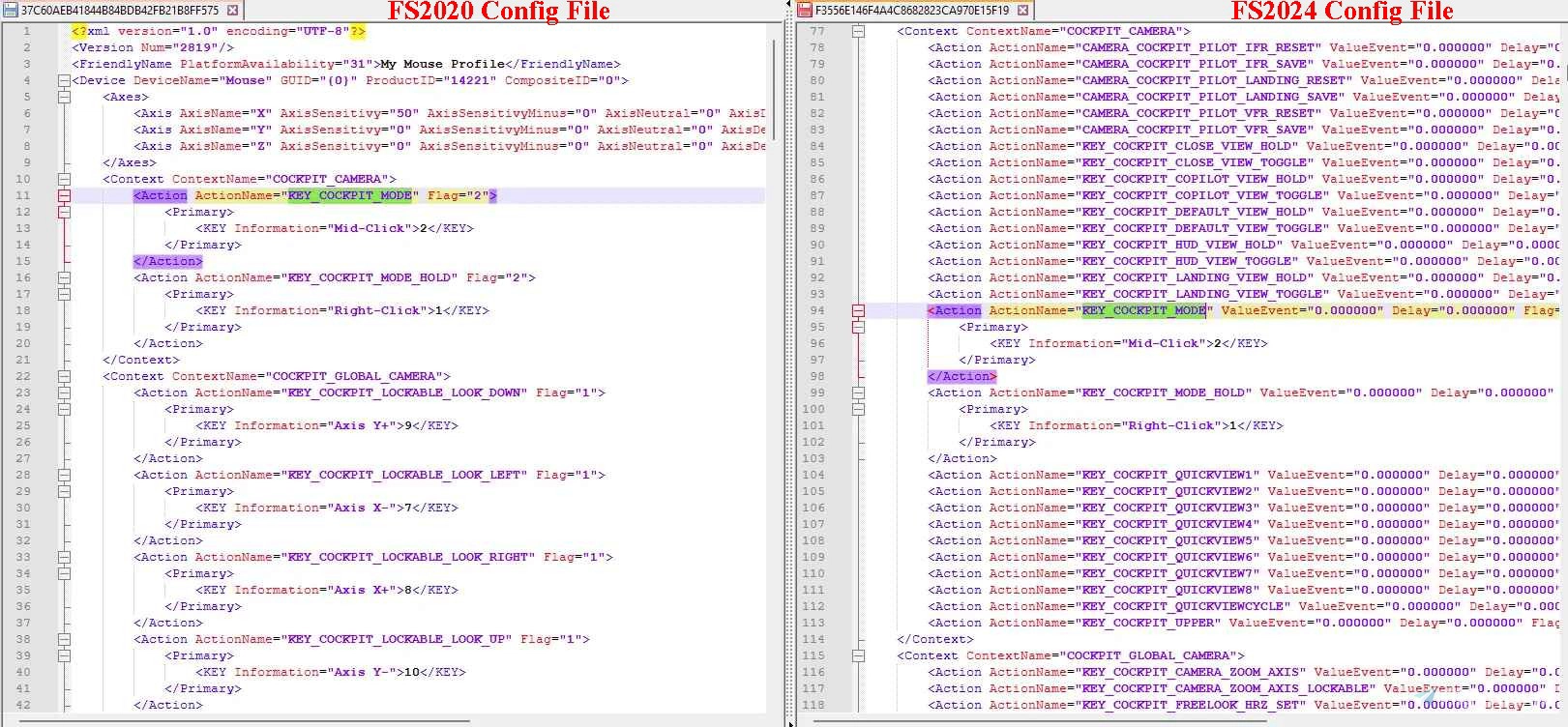
I collaborated with ChatGPT to write a windows Python script that will take an FS2020 controller config file and copy it's settings over to an FS2024 config file.
I have successfully migrated several devices over with no obvious issues, but I offer no assurances, warranties or support.
Note: The script does not "clear" all the FS2024 assignments as you may miss out on some important new ones. It only "adds" to the FS2024 file output and will only replace if an exact match is found, (many other FS2024 assignments will remain). You should check the assignments once you are back in FS2024 as you may end up with both FS2020 and new FS2024 assignments for a partticular control item.
In FS2024, Do a "search by input" on all your buttons and axes to check after you've done the migration.
I provide this script for others to save them the effort (and memory) required to re-create all their configs in FS2024 with the understanding that it should only be used by someone who knows what they are doing and takes the necessary steps to minimise any risk.
This script is intended to be used by someone who has a good understanding of the FS2020 and FS2024 file structure. It is not intended for a novice to use. So please do not use if you are unsure what you are doing.
Note: If you get a "permission denied" error, try copying the folders off C: drive and process the files in the new location and copy back when finished processing.
A portable portion of standalone Python is included (Thanks go to WinPython .. https://sourceforge.net/projects/winpython ). Otherwise, direct execution of the script will require you to install a small Python interpreter ( https://www.python.org/downloads ). When installing, tick the checkbox to enable PATH integration (so you can simply double click the script to execute it)
Take your time and think carefully while using the script.
By using this script, you agree to not hold me responsible for any damage that might occur. The onus is on YOU to USE AT YOUR OWN RISK and BACKUP! BACKUP! BACKUP! BACKUP! BACKUP! BACKUP! BACKUP!
Full instructions are included in the zip file. PLEASE READ THE INCLUDED README CAREFULLY!!!
Instructions have changed with the release of Version 2
BACKUP YOUR CONFIG FOLDERS !!!Before you use this script
USE AT YOUR OWN RISK.
By the way, if you're looking for an excellent profile/config backup tool, check out this excellent Control Profile Backup Tool written by Senchay.
Migrate FS2020 Controller Configs to FS2024
This add-on provides a Python script designed to facilitate the migration of controller configuration files from Microsoft Flight Simulator 2020 (FS2020) to Microsoft Flight Simulator 2024 (FS2024). It aims to simplify the process for users familiar with the file structures of both simulators, while emphasizing the importance of caution and proper backups. The script requires a basic understanding of Python and comes with instructions, but its recommended for advanced users only due to potential risks involved.


User Reviews
7 reviews
Version History
Minor update
Related
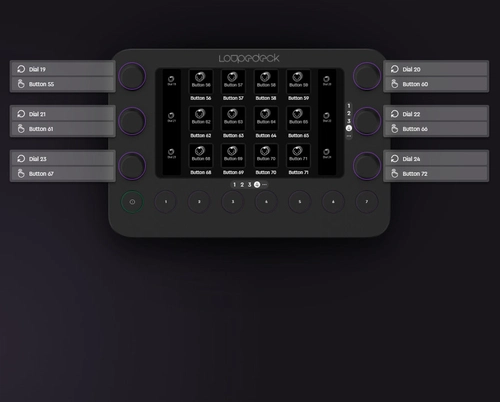
LoupeDeck Live -> SPAD.neXt Profile
Template profile for using LoupeDeck Live with SPAD.neXt, including 4 pages of buttons and dials. Instructions provided for easy setup, including configuration tips for MSFS. Watch tutorials for assistance.
by MSFSFan
Temporary Camera Fix - Microprose B17
This add-on provides a temporary fix for camera issues in the Microprose B-17 "Early Release," specifically targeting incorrect left and right view distances. The modification includes a replacement cameras.cfg file to adjust these settings until an official update is released by Microprose. Users can easily install the fix by copying the provided folder into their community folder or by manually replacing the cameras.cfg file, with a backup option available for the original settings.
by MSFSFan
Log in to join the discussion
Log InComments(30)
8 months ago
about 1 year ago
about 1 year ago
over 1 year ago
I have tried the software, everything was transferred over but AXIS do not work. I am on the SU 3 beta for Microsoft 2024.
Any idea why?
over 1 year ago
In anycase, if some things didn't transfer, it's perfectly fine to add them manually with the knowledge that the script has at least done much of the work for you.
Cheers.
over 1 year ago
Ive double checked everything and it looks good. It may be a beta bug.
over 1 year ago
over 1 year ago
I have altered the script to handle Steam not installed.
over 1 year ago
over 1 year ago
over 1 year ago
over 1 year ago
over 1 year ago
over 1 year ago
over 1 year ago
over 1 year ago
over 1 year ago
In anycase , I have modified the code to only use "/" in the filename and path and prevent cut/paste as the code now pre-selects the folder locations.
over 1 year ago
Did i miss something? I watched your tutorial video, and changed the config for 2020 to a steam path like this with no luck.
(C:\Users\(myusername)\AppData\Roaming\Microsoft Flight Simulator)
Any solution? Thank you!
over 1 year ago
In the enclosed instructions, I suggest (assume) that the steam version config locations are as follows ....
FS2020
"(Steam Installed Location)\Steam\userdata\[YourSteamID]\1250410\remote"
FS2024
"(Steam Installed Location)\Steam\userdata\[YourSteamID]\2537590\remote"
Unfortunately I don't have the steam version so I am unable to solve your issue with any certainty.
I do feel that it is most likely a file location issue.
Perhaps another kind user can post a solution here for you.
In the meantime, I would search through the folders manually to confirm that you have selected the right locations.