
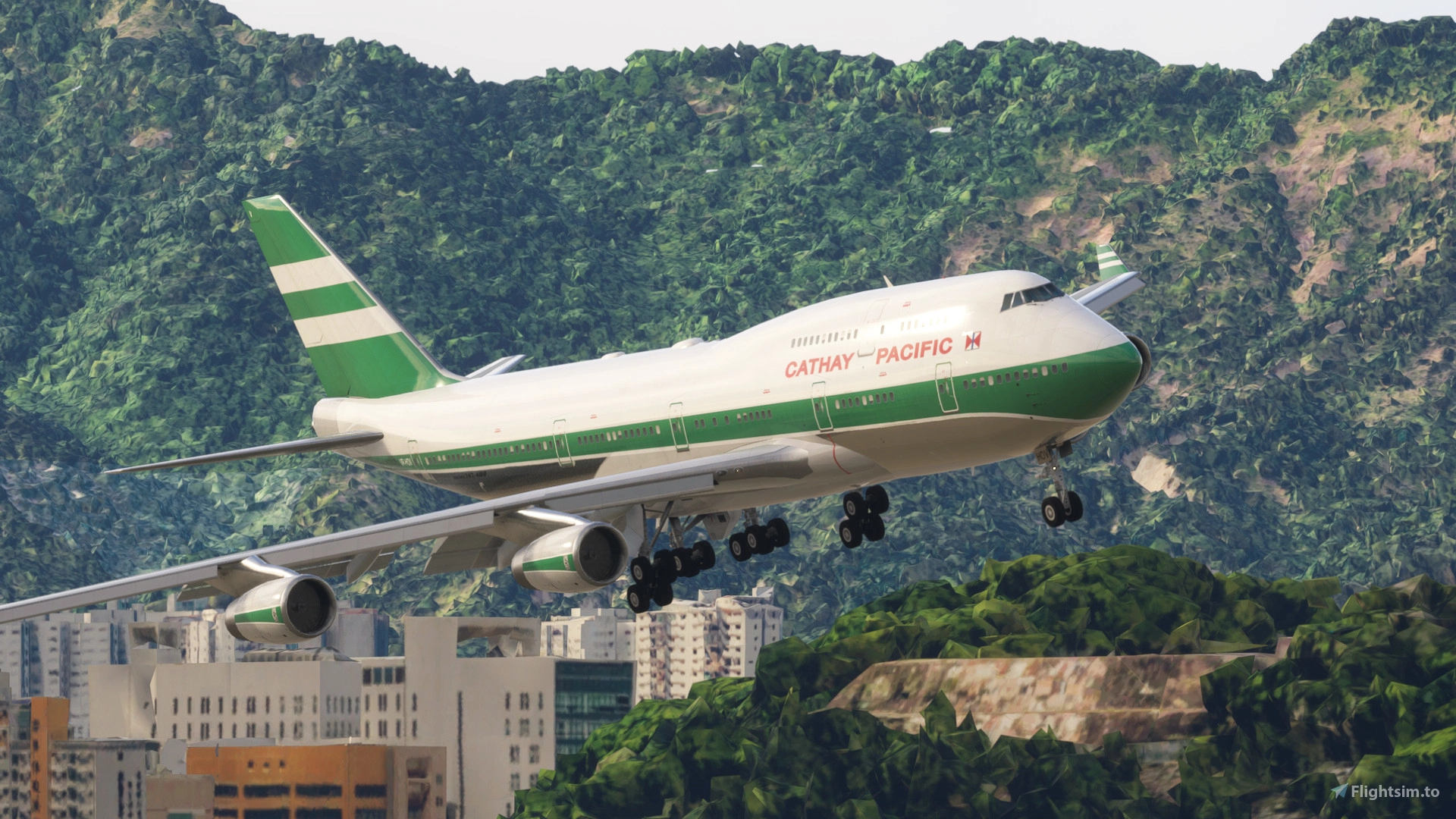
Description
This aircraft uses the default 747-8 cockpit and the FAIB 747-400 model. Some systems have been modified to make it closer to the -400 model and the cockpit textures have been enhanced.
IMPORTANT: THE ENGINE VOLUME IN THE MSFS SOUND PANEL TO APPROXIMATELY 10%.
INSTALLATION:
1. Download and unzip the "Boeing 747-400 v4" file.
2. Paste the folders "asobo-aircraft-b747-400 V4", "asobo-vcockpits-instruments-b747-4" and "workingtitle-instruments-b747-4" into your community folder.
TROUBLESHOOTING:
1. Adjust the engine sound volume to 10% in the MSFS sound panel if they are too loud.
2. In the FMC you have to press the key next to every take off speed to activate it (when they have been calculated automtically), then they will appear in the PFD. If you enter them manually they will appear in the PFD without any problem.
3. Do not press the letter L in order to control the lights because it affects the overhead panel light.
4. The map light on the first officer side must be partially on in order to display correctly the dome light.
5. The default 747 does not insert automatically the ILS frequencies in the NAV RAD PAGE of the FMC. The frequency and the course must be inserted manually.
6. The beacon light must be on during flight, otherwise the elevators point down.
TAKE OFF CALCULATION, THRUST LIMITATION AND PERFORMANCE:
I recommend using TOPCAT to calculate the take off speeds and the thrust level. The trial version contains the B747-400F. I would not use climb2 because the engines have 59470 Lbs of thrust, less than the 747-8. I recommend using the simbrief 747-400 and 747-400F profiles in the flightplans.
REPAINTS:
·I have created a pack where I will be uploading new liveries: https://flightsim.to/file/81955/boeing-747-400-project-i-livery-pack
·You can find repaints for the FAIB 747-400 in the AVSIM library. Follow the next steps using GIMP:
1. Image>transform>rotate 180º
2. Tools>transform tools>flip
3. Export as a .dds file (the name depends on the engine model).
Compare the alpha channel with the textures in this addon and make sure it looks similar. I also add custom windshield textures and modify the engine blurry texture.
Boeing 747-400 Project I
The Boeing 747-400 Project I is an add-on for Microsoft Flight Simulator that features the default 747-8 cockpit paired with the FAIB 747-400 model from FSLTL. Key modifications include adjustments to systems for a more authentic 747-400 experience and enhanced cockpit textures. Installation requires the FSLTL package; however, exterior models are pending permission for upload.

User Reviews
67 reviews
Version History
The Rolls-Royce passenger model has been updated and now displays the correct hump.
Related
Boeing 747-400 Project I livery pack
This livery pack for the Boeing 747-400 Project I includes a variety of well-known airline designs such as Lufthansa, Asiana Cargo, British Airways, Japan Airlines, and Silkway. The add-on enhances the visual variety of the aircraft in Microsoft Flight Simulator. Installation is straightforward: simply unzip the pack and place the contents in the community folder. Repaints are sourced from FAIB and available on AVSIM Library.
by msmauri
Boeing 747-400 Extended Range
The Boeing 747-400 Extended Range add-on features an enhanced version of the Asobo 747 cockpit utilizing the FAIB 747-400 model. This modification includes adjusted technical specifications and textures to accurately represent the 747-400 ER variant. Detailed installation and setup instructions are provided, along with a link to access simulation profiles via SIMBRIEF for improved flight planning. Additionally, thrust settings are recommended to optimize performance during flights.
by msmauri

La Vila Joiosa, Alicante, Spain
This add-on features detailed 3D photogrammetry scenery for the cities of La Vila Joiosa, Orxeta, and Finestrat in Alicante, Spain. Utilizing data sourced from Google Earth, it enhances the visual experience of the region within Microsoft Flight Simulator. Installation instructions include pasting specific files into the community folder for proper functionality. The scenery is recommended to be used alongside additional enhancements for an improved experience.
by msmauri
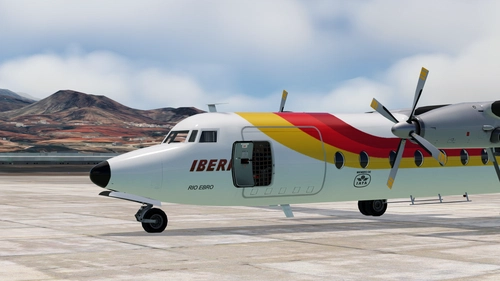
IBERIA 1979 EC-BMS "Rio Ebro" - (4K) Fokker F27 Friendship
This add-on provides a 1979 Iberia livery for the Fokker F27 by Bgaurant, featuring the EC-BMS "Rio Ebro" aircraft. The livery includes 4K textures based on the work of Carlos Peroni. Installation involves copying the livery folder to your community folder. Compatibility with MSFS 2024 is expected but unconfirmed.
by msmauri
Log in to join the discussion
Log InComments(331)
about 9 hours ago
is there a way to do this
8 days ago
about 2 months ago
Open flight_model.cfg
Under [AIRPLANE_GEOMETRY]:
spoiler_limit = 35
spoilerons_available = 1
aileron_to_spoileron_gain = 1.0
min_ailerons_for_spoilerons = 15
Under [AERODYNAMICS]:
lift_coef_spoilers = -0.10000
drag_coef_spoilers = 0.045
pitch_moment_spoilers = 0.00000
roll_moment_spoilers = 0.0
yaw_moment_roll = 0.05000
now Open engines.cfg
reverser_available = 0.45
but be aware do not use hold reverse thrust at max option as its making it crash
I did a test and when i was using f1 as ideal and by holding f2 as reverse it was working without any issue
also fixed the nose drop while using the spoilers too in this
please check it and update the files
about 2 months ago
2 months ago
For those who want it fixed:
Go to engines.cfg and change
min_throttle_limit = 0.00 and
reverser available = 0.0
This will disable reverse thrust but it wont spin around anymore as soon as you go to reverse detent.
2 months ago
2 months ago
3 months ago
3 months ago
4 months ago
great MEL simulation (!)
5 months ago
5 months ago
5 months ago
This comment has been deleted
5 months ago
5 months ago
5 months ago
5 months ago
One problem: The 747-400 with GE Engines is producing very much unrealistic smoke after touch down on runway. Could you update please?
The other engine variants with PW and RR Engines don't have the problem.
5 months ago
5 months ago