
Description
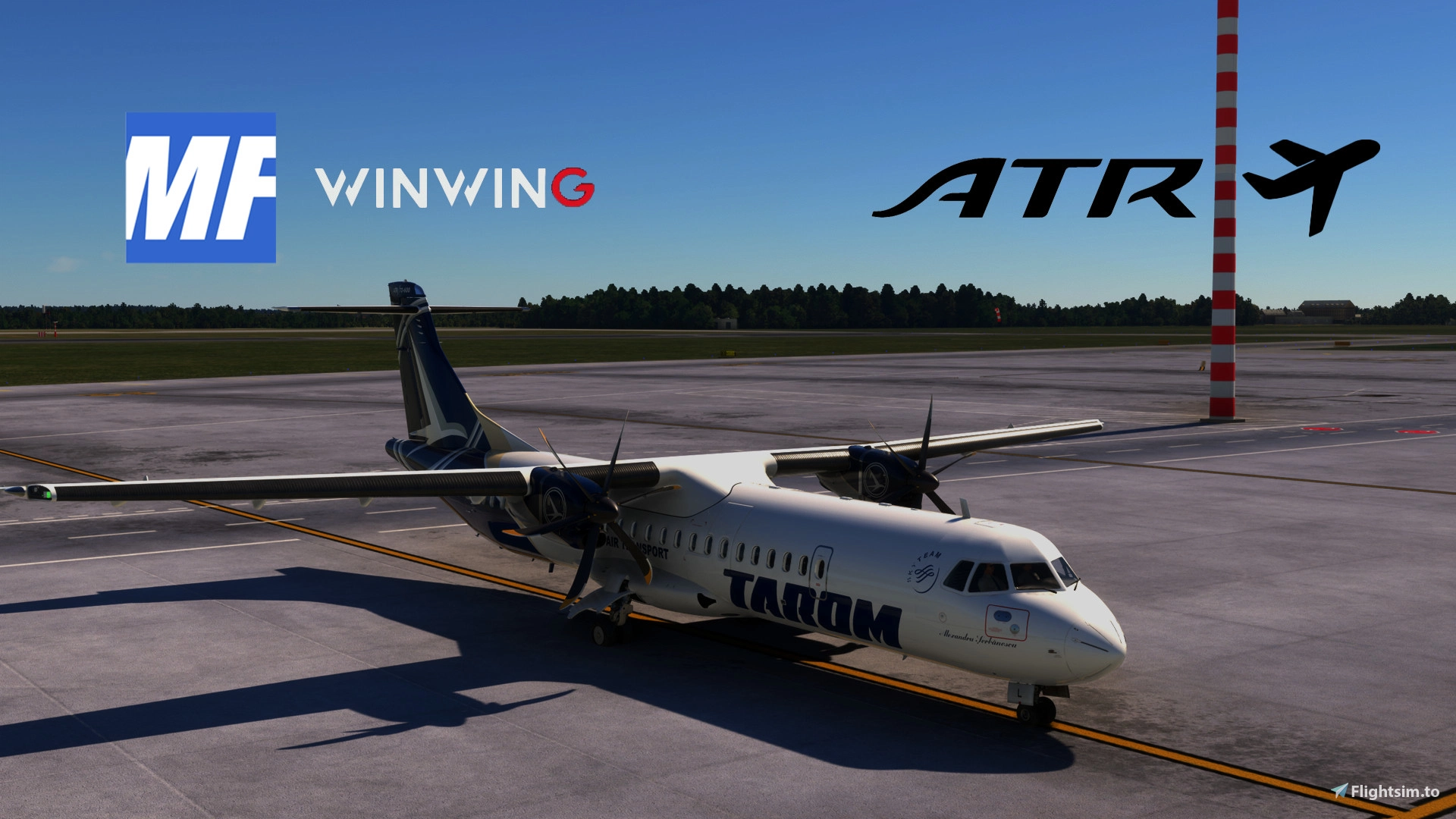
This is a MobiFlight profile for the WINWING FCU and the ATR.
SAME FILE FOR BOTH MSFS2024 AND MSFS2020
This works with any ATR variant.
This profile is based on sushiat ATR profile made for the MINIFCU.
Currently for MobiFlight Beta. Beta versions can be activated in the settings menu. To get the Beta prompt, restart MobiFlight. (Extras->Settings->Yes, I would like to receive beta version upgrades).
The SimAppPro is not necessary and should not run in parallel.
INSTALLATION MUST-DO:
View the animated image to see how to correctly assign the profile to your winwing fcu.
Do not forget to save.
Do not forget to press "Run" or set "AutoRun".
Author note:
This is ported over from mini fcu and still has some issues, but the main functions work flawlessly and the displays are synced. Also, this is my first profile so there may be stuff that I didn't encounter during my testing and are wrong.
IMPORTANT:
- Backlight options and LED light adjustments not included.
- Since the ATR has the LOC/GS indications more seperated than the Airbus and there is no L-var for "APP mode active", I have bound the LOC led to LOC armed/active and the APP led to GS armed/active
- VNAV "dot" only shown in VNAV-PATH mode, not in VNAV-IAS, etc. ... the L-var is simply not changing for the other modes
- Flight Directors (FD), Yaw Damper (YD) trigger AP2 light, respectively A/THR light. That's not quite realistic, but adds to the FCU immersion as the light turns on if the switches are on. You can remove the effect straight in the mobiflight app.
- All input/output instructions are easy to follow and you can test different configs on your own.
If you have suggestions, feel free to tell. I tested the profile and for me it works well. However, if you encounter any problems and know how to fix them, feel free to leave a comment and I'll push an update (with credit to you).
MSFS 2024 NOTE
Make sure you have Mobiflight Beta 10.4.0.1 (or newer) and the latest hubhop presets and wasm module. If you have a yellow circle appearing to the right of the selected aircraft panel (on the mobiflight interface) it means you have not installed the wasm module correctly. Copy mobiflight-event-module from MSFS2020 to MSFS2024 community.
if you NO longer have MSFS2020 installed follow these steps:
1. locate the main mobiflight installation directory (you can easily do that by right clicking > open file location.
2. locate the MSFS2020-module folder.
3. copy mobiflight-event-module to MSFS2024 community folder. MAKE SURE YOU HAVE THE LATEST VERSION OF THE PLUGIN BEFORE DOING SO!
ATR 42 & ATR72 | WINWING FCU | MobiFlight Profile
A MobiFlight profile created for the WINWING FCU and the ATR aircraft, compatible with any ATR variant. Ported from the MINIFCU profile, this beta version offers synced displays and main functions. Please note that backlight options, LED light adjustments, and other minor issues are not included. Follow the easy input/output instructions and share any suggestions for potential updates with the author.

User Reviews
2 reviews
Version History
- MSFS 2024 compatibility update - revised some of the bindings to properly function as in the description
Related
787 (KURO/WT/ASOBO/etc.) | WINWING FCU | MobiFlight Profile
"Enhance your 787 experience with a MobiFlight profile for the WINWING FCU. Compatible with various 787 mods, this profile syncs displays and offers main functions flawlessly. Note: some features may still have issues, but user feedback is welcomed for improvements."
by TheSlicedLime
BOEING 747 | WINWING FCU | MobiFlight Profile
This add-on provides a MobiFlight profile tailored for the WINWING FCU in the Boeing 747, compatible with both MSFS2024 and MSFS2020. It supports all variants of the Boeing 747 and features improvements based on an earlier 787 profile. Users should follow specific installation instructions and ensure that MobiFlight Beta is set up correctly to optimize functionality. Please note that certain features, such as backlight options, are not included due to existing limitations with the aircraft variables.
by TheSlicedLime
Log in to join the discussion
Log InComments(21)
6 months ago
6 months ago
I haven't been working on this mod for a while. When I updated it everything worked fine. Check for hardware conflicts, plug your peripherals again and check the variables and outputs mobiflight is giving you. That, of course, unless you're not doing anything wrong in game with the plane. It may behave just accordingly
8 months ago
6 months ago
about 1 year ago
The file loads into MobiFlight with some warnings but it does load.
None of the various WinWing FCCU knobs control anything.
The FCu display is stuck on SPD 100 HDG 000 Alt 00 100 etc.
Any ideas?
6 months ago
about 1 year ago
Anyone have any tips to get this to work?
Using MobiFlight v10.5.3.9 (beta) .
over 1 year ago
Thanks
over 1 year ago
over 1 year ago
over 1 year ago
over 1 year ago
over 1 year ago
over 1 year ago
👍✌️
over 1 year ago
over 1 year ago
over 1 year ago
almost 2 years ago
over 1 year ago
almost 2 years ago