
Description
Worldwide Update – Decommissioned Navaids
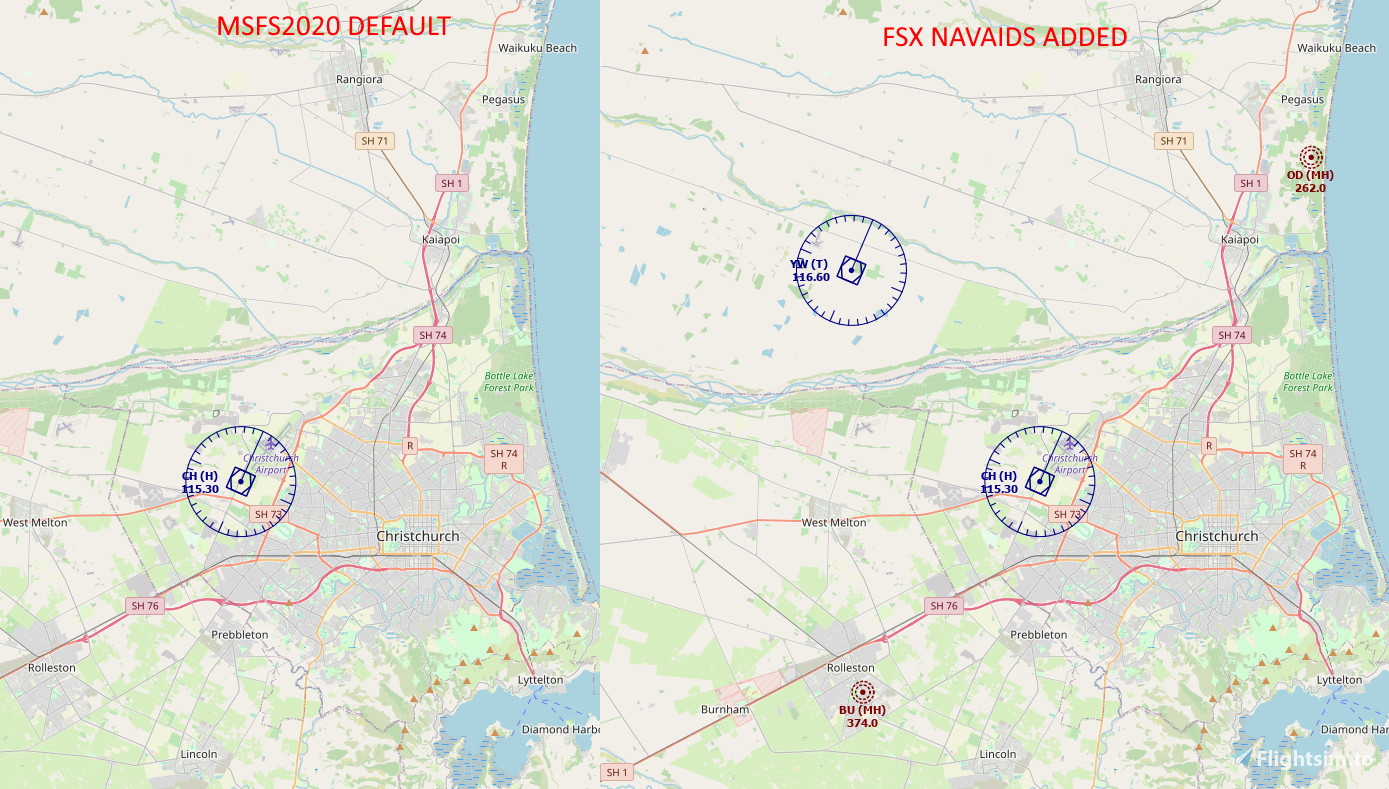
As navigation technology for aviation has become heavily dependent on GPS there has been a move from airspace regulators to decommission more and more ground-based radio navigation beacons. They require maintenance, licensing, power to operate, get damaged, affected by weather and atmospheric conditions. So we have seen a large number of NDBs VORs and DMEs decommissioned in favour of GPS navigation. This is accurately reflected in Microsoft Flight Simulator, with navigation aids reflecting the current real world.
But what about if you want to fly and older aircraft without GPS? There are a lot of amazing add-ons now from the golden era of navigation and many are fitted with a GPS. But if you want to travel across the Pacific using NDBs, compasses, dead reckoning and stop watches you are really going to miss those 5000 NDBs that have been decommissioned in the last few years!
Finding a definitive source of decommissioned radio navigation aids is difficult but I have extracted all of the radio beacons from the default navigation scenery files of Flight Simulator X. FSX contains a snapshot of the aeronautical world navigation data from 2006 and while it may have less radio beacons than earlier simulators, it is a darn good starting point. FSX contains some 5000 more radio navigation aids than MSFS2020.
An intensive analysis of the differences between MSFS2020 and FSX navaids was needed to find out which navigation aids have been decommissioned since 2006. This required numerous considerations and checks as there have been a number of changes over the years. The goal was to build a database of navigation aids that existed in FSX, but not in MSFS2020, to be able to add those decommissioned radios back in to the modern simulator. NDBs were treated separately to VOR/DME as they were often co-located.
What was left was approximately 500 VOR, DME or VORDMEs that were in FSX that are no longer present in MSFS2020. Almost 4000 NDBs that were in FSX are no longer in MSFS2020.
These decommissioned navigation aids have been compiled into scenery files for the entire world, allowing for traditional radio navigation for older aircraft in MSFS2020.
INSTALLATION
Extract and move the cm-fsx-navaids folder into your MSFS2020 community folder.
NOTES
- This scenery has been created in a way that will not replace or affect any stock MSFS2020 navigation aids.
- This scenery has NOT been tested at all with any navigraph data – I have no idea if there will be conflicts.
- There should be no conflicts with any default scenery but any add-on scenery that adds or changes radio navigation may be affected. Editing the content.xml to adjust the scenery priorities may help.
- There are no scenery objects added as a result of this update. Maybe in the future but sounds like a lot of potential conflicts to resolve!
SUPER IMPORTANT NOTE
This is a first release and while it has taken me hours to resolve the duplicates and conflicts I haven’t been able to test every navigation radio. I am keen to get feedback through private messages for errors or changes.
But this has also literally taken many hours of work to get done as accurately as I can, so please, if you enjoy and appreciate the work feel free to buy me a coffee or donate through paypal.
Worldwide Update - Decommissioned Navigation Aids
Discover a collection of decommissioned navigation aids with the Worldwide Update - Decommissioned Navaids mod for Microsoft Flight Simulator. This mod brings back over 4500 NDBs, VORs, and DMEs that have been removed in favor of GPS navigation, allowing for traditional radio navigation in older aircraft. Install the scenery files into your community folder and explore the skies using NDBs, compasses, and dead reckoning as you fly across the globe. Please note that this mod has not been tested with navigraph data and may affect add-on scenery that alters radio navigation.


User Reviews
6 reviews
Version History
No version history available.
Related
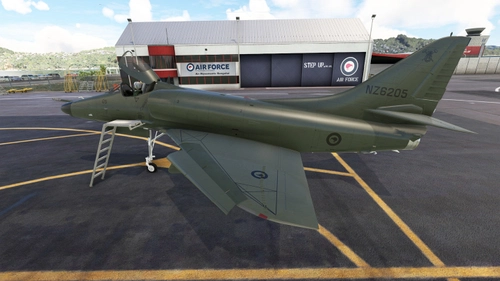
RNZAF A-4K Skyhawk NZ6205
Experience the iconic RNZAF A-4K Skyhawk NZ6205 with 8 repaint and model combinations in this add-on. Learn about the history of this jet-powered, light-weight attack aircraft spanning over 30 years of operational service with the RNZAF. Discover its role in various conflicts and its legacy in aviation history.
by chicken_man
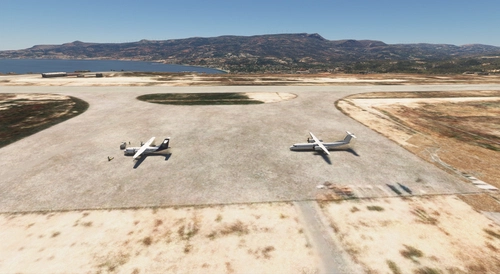
LGST - Sitia Parking Spots
This add-on enhances the default Sitia Airport (LGST) in Microsoft Flight Simulator by adding two new parking spots and improving taxiway layouts. It has been tested for compatibility with MSFS2024, ensuring a seamless experience for users.
by chicken_man

KSAH - Boquillas del Carmen Airport
Boquillas del Carmen Airport (KSAH) is a small dirt airstrip located near the border town of Boquillas del Carmen. This add-on features a newly added dirt apron and parking area, enhancing the airports functionality. Designed for users who prefer a more simplistic flying experience, it allows for starting flights with the engine off directly from the runway.
by chicken_man
Log in to join the discussion
Log InComments53
This is how my Content.xml is now.
Priorities
Package name="navigraph-navdata-base" priority="1"
Package name="navigraph-navdata" priority="2"
Package name="cm-fsx-navaids" priority="3"
Priorities
(I had to remove some html starting and closing marks to include this example above)
I tested on SBTU airport, it's closer to the
TUCURUI TUI, SB
VOR/DME, RANGE 195NM
112.90 MHz
This VOR does not exist on the regular FS2020.
It worked perfectly, as soon the file was edited in the right priority, the cm-fsx-navaids folder was in the community folder, my Cessna found the VOR on the frequency 112.90 MHz.
I hope I could help you guys!
1. Update for VORDMEs that were downgraded to DMEs - adding a second beacon . This will be a simple drag-n-drop solution.
2. Updated file that allows complete replacement of ALL navigation beacons in MSFS2020 by adjusting the priority order of scenery .
Testing in MSFS2024 will start once I get my redundancy pay out and that will be the third priority, making it compatible with both 20/24.
So I'm not sure why, but ive just found that quite a number of navaids are not working anymore. I have just now redownloaded your mod and made sure its installed correctly, I've refreshed my littlenavmap and I see the NDB's on the map, but when I tune the frequencies to them the ADF needle does nothing. Is there some change thats happened in either 2020 or your mod thats causing this? I am talking specifically about the navaids between Thunder Bay and Dryden. (was flying some F28 Air Ontario stuff) and the nav aids don't work, meaning theres no way for a non RNAV aircraft to find Dryden airport at all in imc. do you have any light you can shed on this issue? Specicially NDB's: ZQT ZUC ZHD and YHD